
The lab
here is how portswigger describes it
The user management functions for this lab are powered by a hidden GraphQL endpoint. You won't be able to find this endpoint by simply clicking pages in the site. The endpoint also has some defenses against introspection. To solve the lab, find the hidden endpoint and delete carlos.
the new pieces in this lab#
two new skills here: locating a GraphQL endpoint that isn't linked anywhere, and defeating a naive introspection filter.
- endpoint discovery: GraphQL APIs live at conventional paths, so even when nothing in the site links to one, we can probe common suffixes (
/graphql,/api,/graphql/v1,/graphql/api, …) and watch the responses. a GraphQL endpoint gives itself away with telltale errors like "Query not present". - a universal query:
query{__typename}is a query every GraphQL server understands,__typenameis a built-in meta-field that returns the current type's name. if a path answers it with a proper{"data":{"__typename":"query"}}response, it's definitely GraphQL. - GraphQL over GET: this endpoint responds to GET requests, so the query rides in the URL as a
?query=...parameter (URL-encoded) rather than in a POST body. (GraphQL-over-GET is also a CSRF enabler, worth noting.) - bypassing introspection defenses: the server blocks introspection with a crude filter, a regex that rejects queries matching
__schema{(the schema keyword immediately followed by{). GraphQL is whitespace-tolerant, so inserting a newline between__schemaand{produces an identical, valid introspection query that no longer matches the regex. the filter is pattern-matching the text, not understanding the query, so a cosmetic change slips past it. the method: probe suffixes to find/api, confirm it's GraphQL with__typename, run introspection with a newline after__schemato beat the filter, save the operations to the site map, then usegetUser(IDOR the id to find carlos) and thedeleteOrganizationUsermutation to delete him.
why the introspection filter fails#
the defense is a blocklist on a string pattern, it rejects any query whose text contains __schema{. but that pattern is a property of how the query is written, not of what it does. GraphQL ignores insignificant whitespace, so __schema { (with a newline or space before the brace) is the exact same query to the parser yet a different string to the regex. the filter inspects the raw text before the server parses it, and the two disagree about what counts as "an introspection query", the same parser-vs-validator discrepancy we've seen throughout, here between a naive text filter and the GraphQL engine. by adding one newline we present a string the filter deems safe and the engine executes as full introspection. the endpoint being "hidden" adds nothing once found: it's at a guessable path, answers GET queries, and still exposes the whole schema and its user-management mutations.
Step 1 - probe for the endpoint#
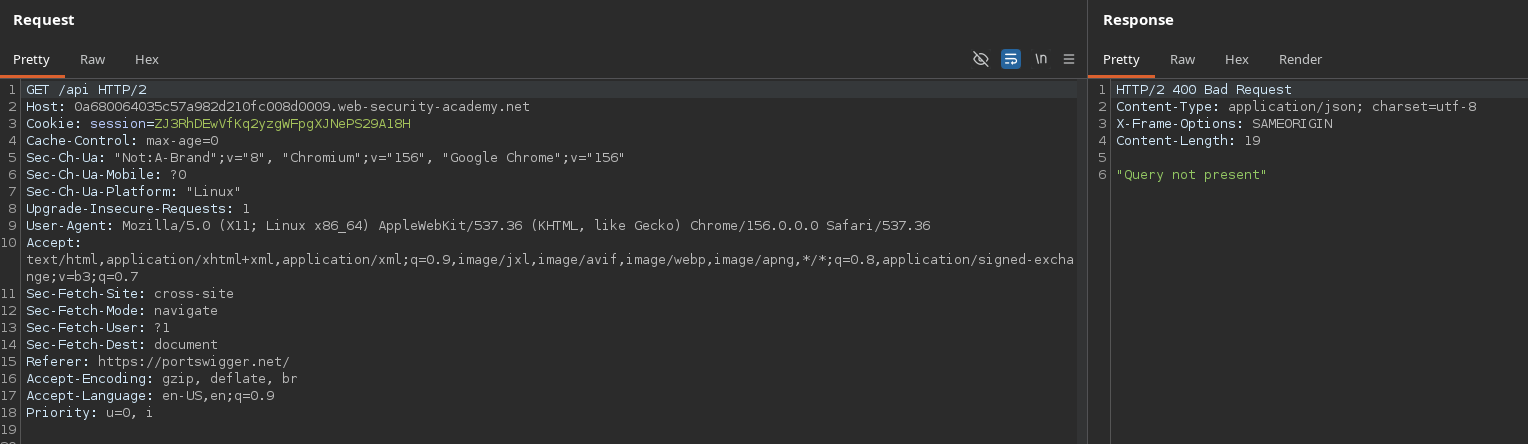
in Repeater we send requests to common GraphQL endpoint suffixes and inspect the results. a GET request to /api returns a "Query not present" error, hinting that a GraphQL endpoint is responding to GET requests here.
Step 2 - confirm it's GraphQL#
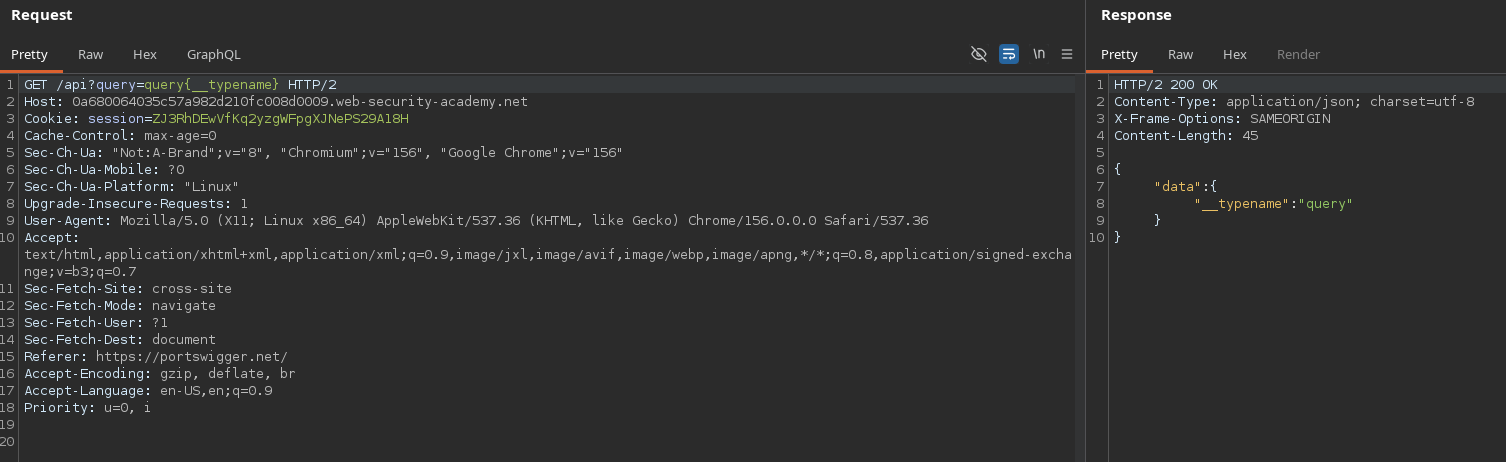
we amend the request to carry a universal query. because the endpoint answers GET, we pass it as a URL parameter:
/api?query=query{__typename}
the response confirms GraphQL:
{
  "data": {
    "__typename": "query"
  }
}
Step 3 - hit the introspection block#
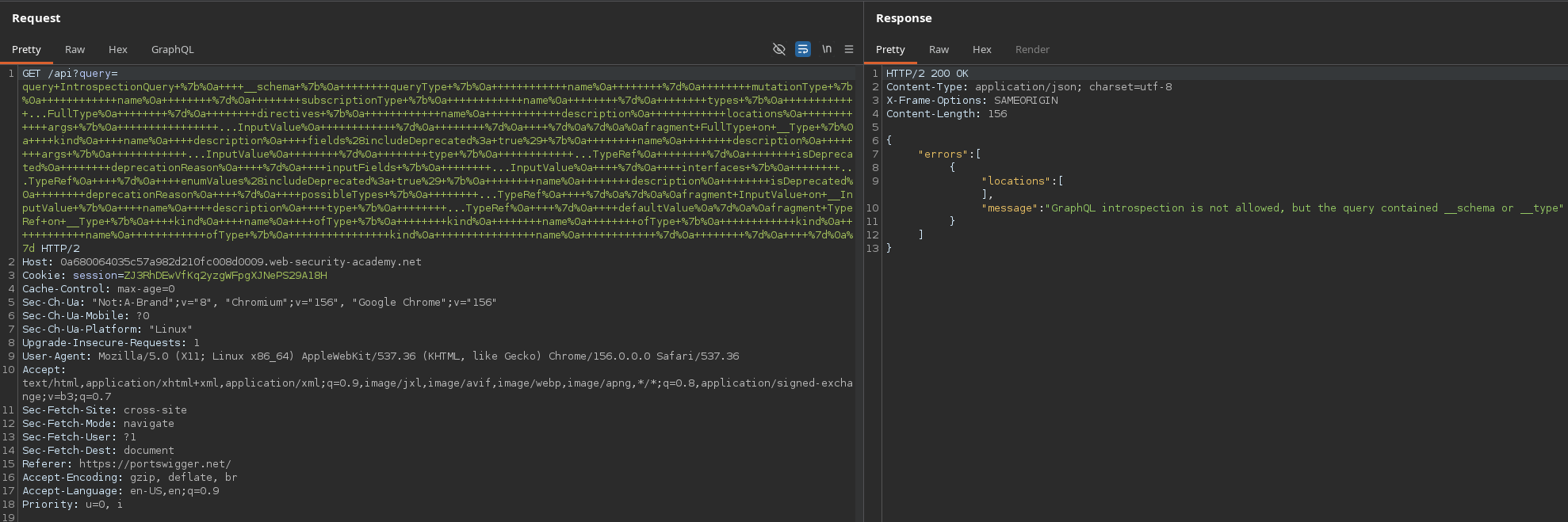
we send a URL-encoded introspection query as the query parameter (via GraphQL > Set introspection query). the response shows introspection is disallowed, there's a defense in place.
Step 4 - bypass the filter with a newline#
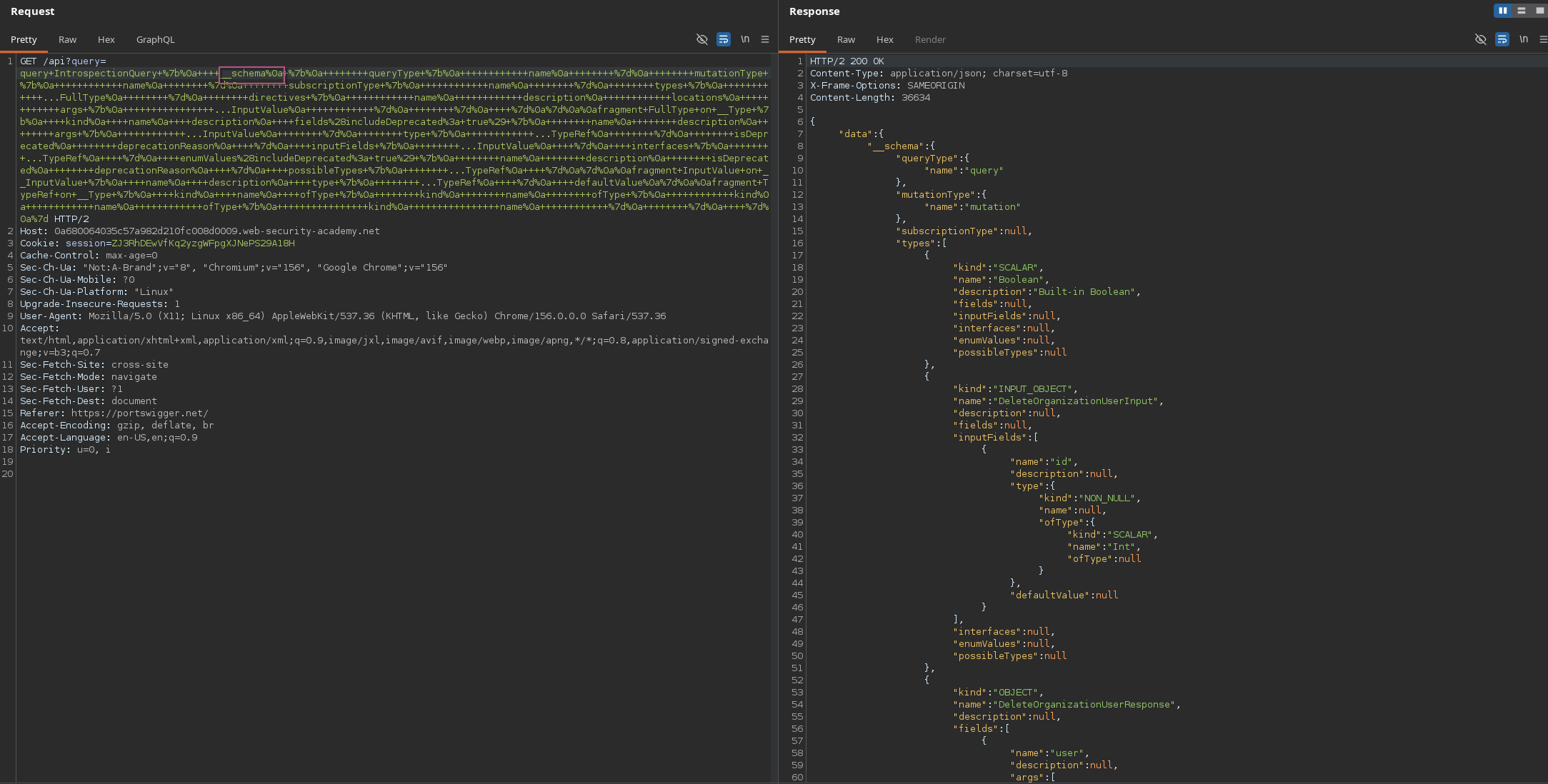
we modify the query to include a newline character after __schema and resend:
/api?query=query IntrospectionQuery { __schema
 { queryType { name } ... } ...
(in the encoded URL, the %0a newline sits between __schema and {.) now the response includes full introspection details. the server was excluding queries matching the regex __schema{, and with the newline the query no longer matches that pattern while remaining a valid introspection query.
Step 5 - find carlos's user id#
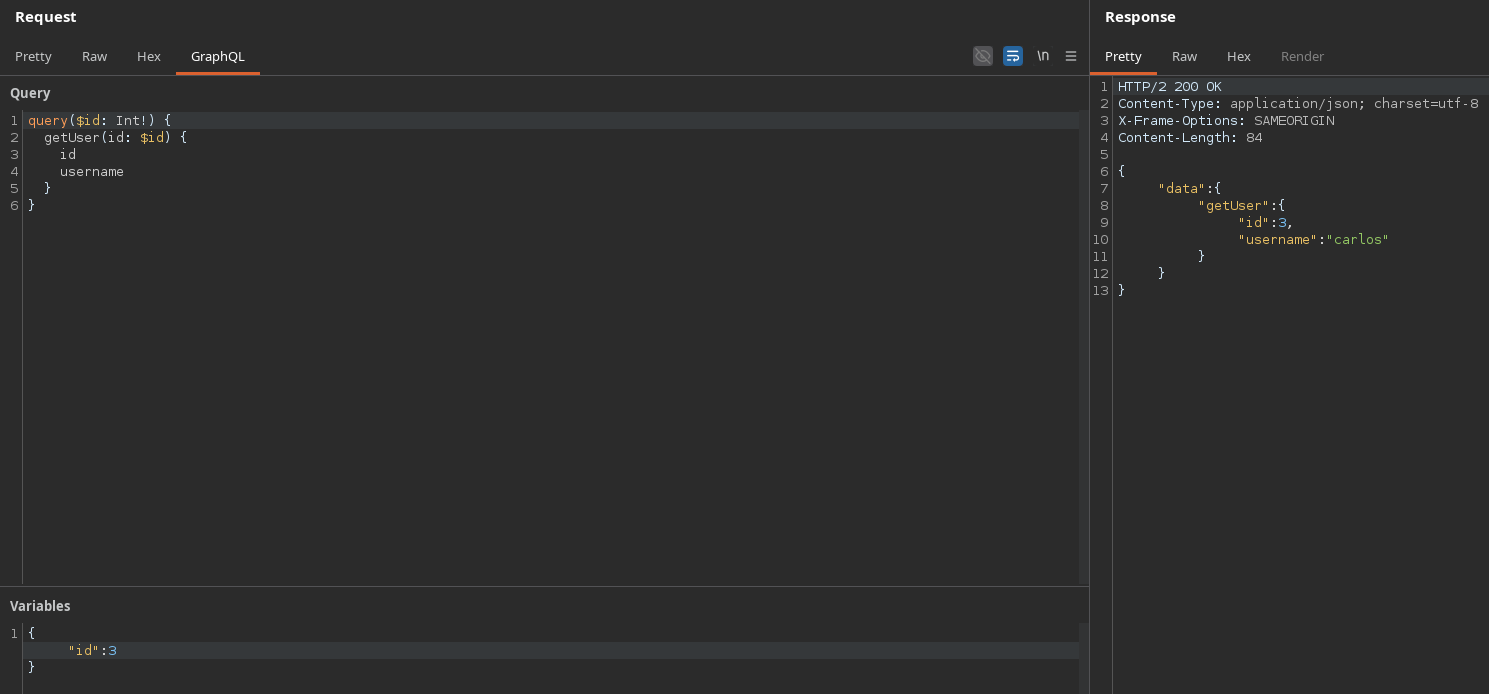
we right-click the request and choose GraphQL > Save GraphQL queries to site map, then go to Target > Site map to review the operations. in the GraphQL tab we find the getUser query and send it to Repeater. sending it returns {"data":{"getUser":null}} for the default id, so in the GraphQL tab we change the id variable until we find carlos, here his user id is 3.
Step 6 - delete carlos with a mutation#
we browse the schema again and find the deleteOrganizationUser mutation, which takes a user id. we send it to Repeater and issue it with carlos's id:
/api?query=mutation { deleteOrganizationUser(input:{id: 3}) { user { id } } }
(URL-encoded as the query parameter.)
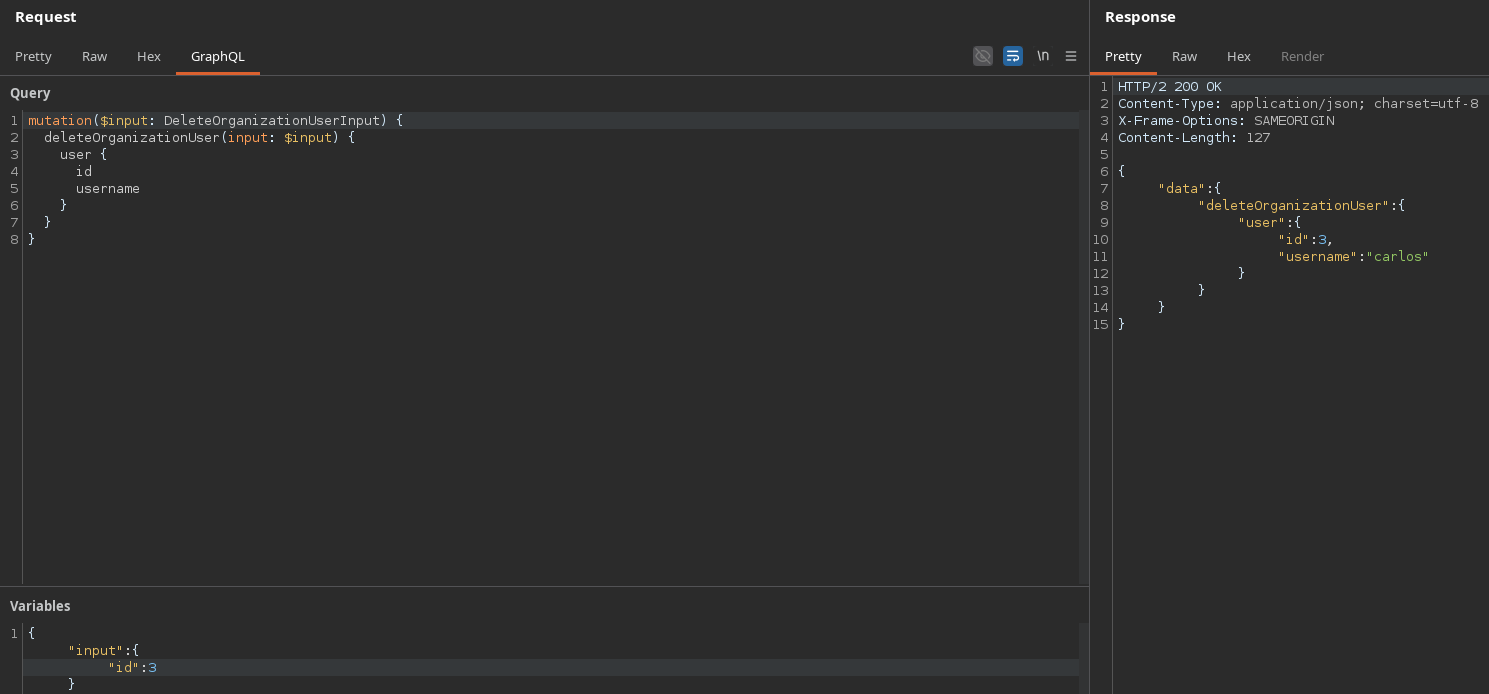
this deletes carlos and solves the lab.

with this, the lab is solved!