
The lab
here is how portswigger describes it
This lab's administration interface has an authentication bypass vulnerability, but it is impractical to exploit without knowledge of a custom HTTP header used by the front-end. To solve the lab, obtain the header name then use it to bypass the lab's authentication. Access the admin interface and delete the user
carlos. You can log in to your own account using the following credentials:wiener:peter
the admin panel will let you in if the request looks like it came from localhost, and it decides that by trusting a custom header the front-end sets. we do not know the header's name, which is the only thing making this impractical. the TRACE method is the leak, it echoes our request back with whatever headers the front-end added, so it hands us the exact header name. once we know it we just set it ourselves to a localhost ip and the panel treats us as a local, trusted request.
why TRACE discloses the header#
TRACE is a debugging method that asks the server to reply with the exact request it received, as a kind of loopback. the catch is that by the time our request reaches the back-end, the front-end has already added its own headers, including the internal authorization header it uses to mark local requests. TRACE reflects that fully-decorated request straight back to us, so a header we were never supposed to see is printed in the response. that turns a header we would have had to guess into one we can simply read, and then forge.
Step 1 - see the access rule#
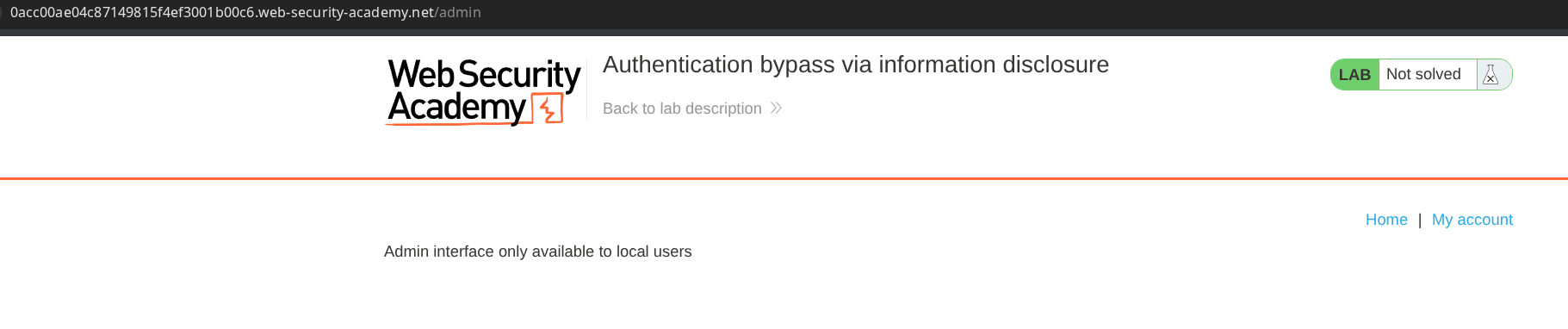
in Repeater we browse to the admin path:
GET /admin
the response discloses that the admin panel is only accessible if we are logged in as an administrator, or if the request comes from a local ip. so there is an ip-based bypass, we just need to know how the app recognises a local request.
Step 2 - leak the header with TRACE#
we send the request again but with the TRACE method:
TRACE /admin
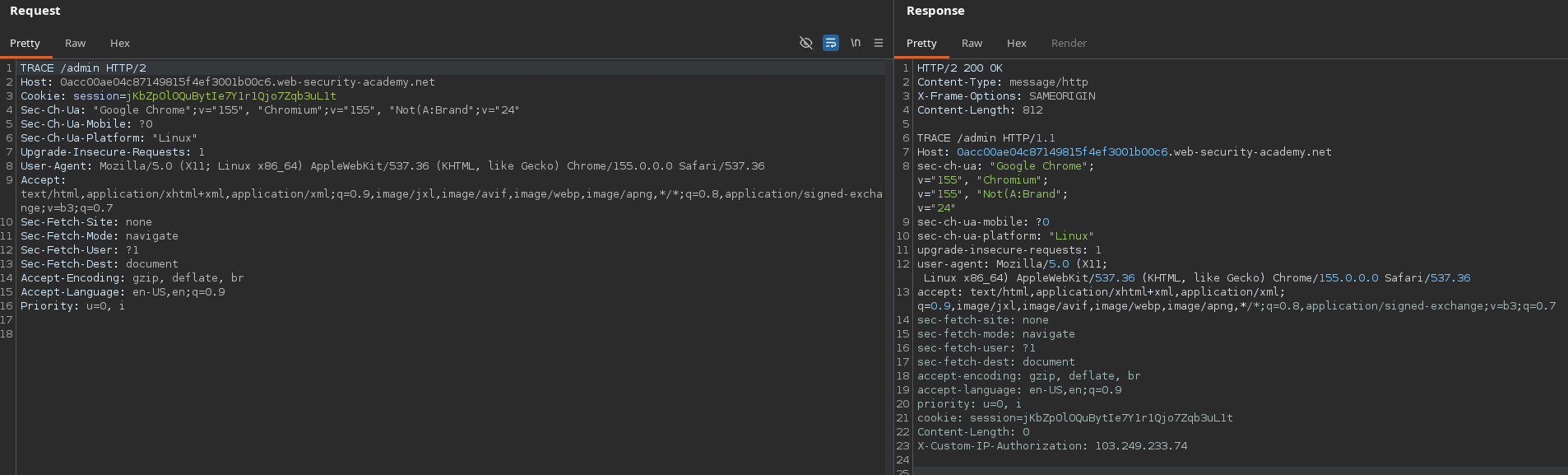
the response echoes our request back, and in it we see the front-end has automatically appended X-Custom-IP-Authorization containing our ip address. that is the header used to decide whether the request came from localhost, and now we know its name.
Step 3 - forge the header on every request#
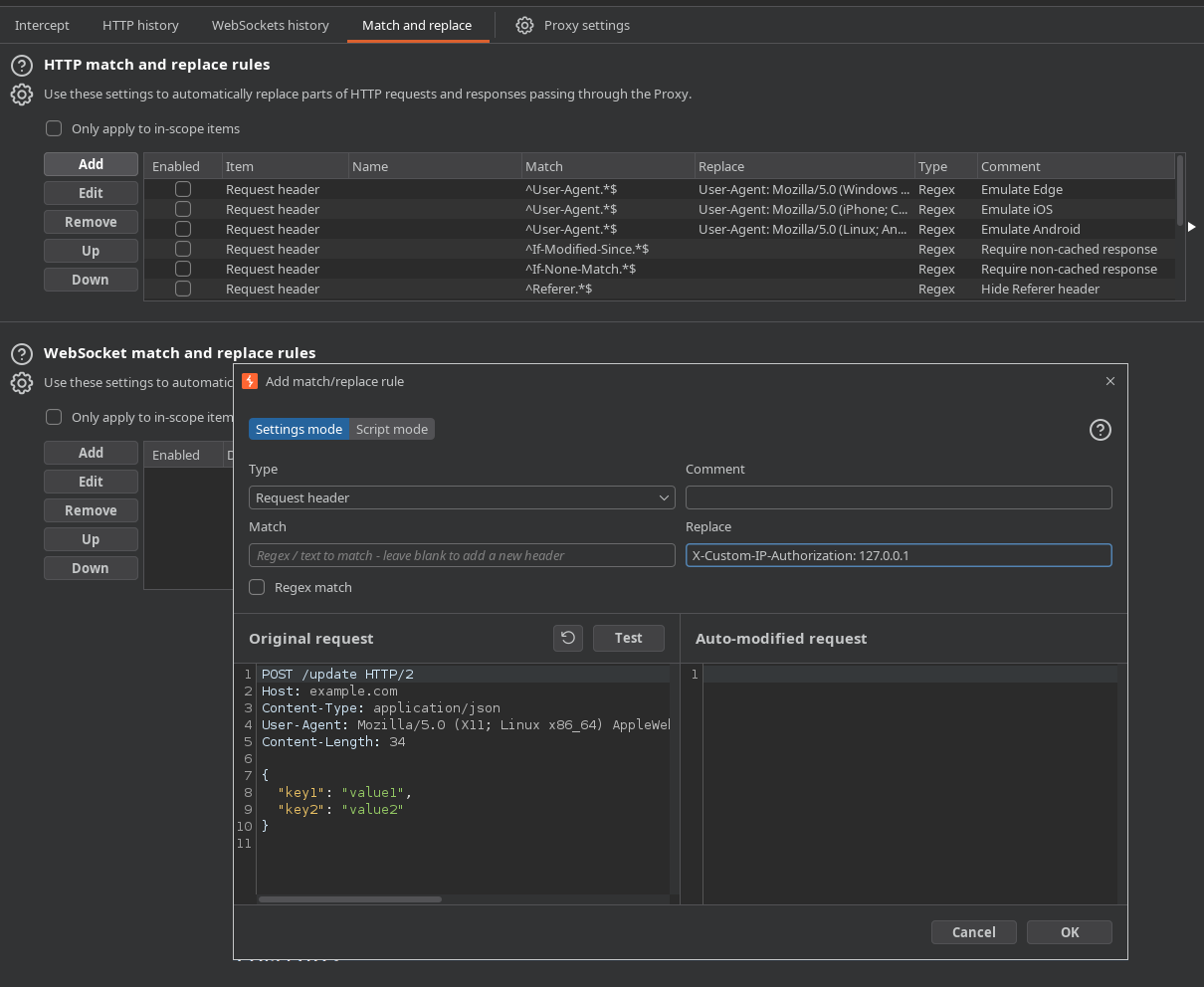
we go to Proxy > Match and replace and under HTTP match and replace rules click Add. we leave the Match field empty, set Type to Request header, and in Replace enter the header set to localhost:
X-Custom-IP-Authorization: 127.0.0.1
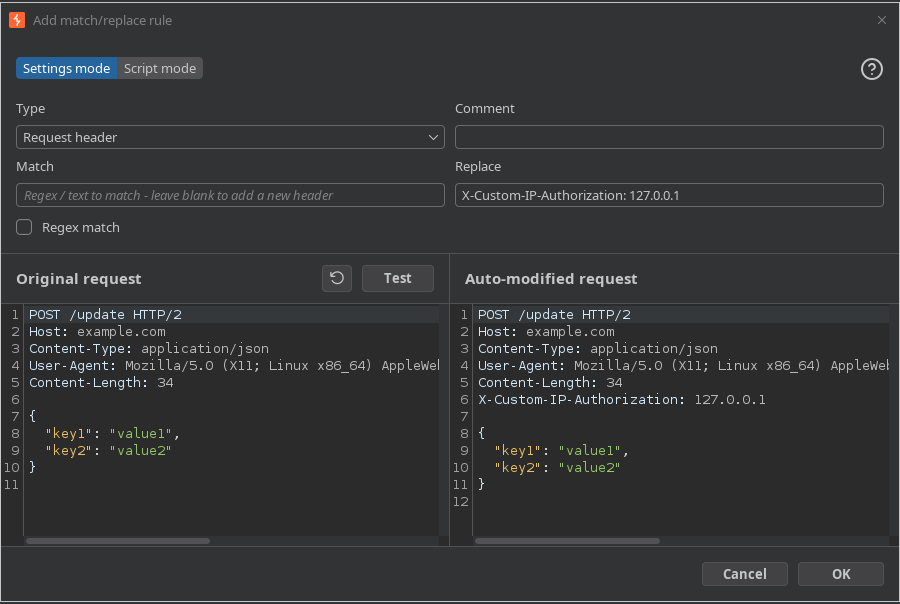
we click Test and under Auto-modified request confirm Burp has added X-Custom-IP-Authorization to the modified request, then click OK. Burp Proxy now appends this header to every request we send, so each one looks like it came from localhost.
Step 4 - access the admin panel#
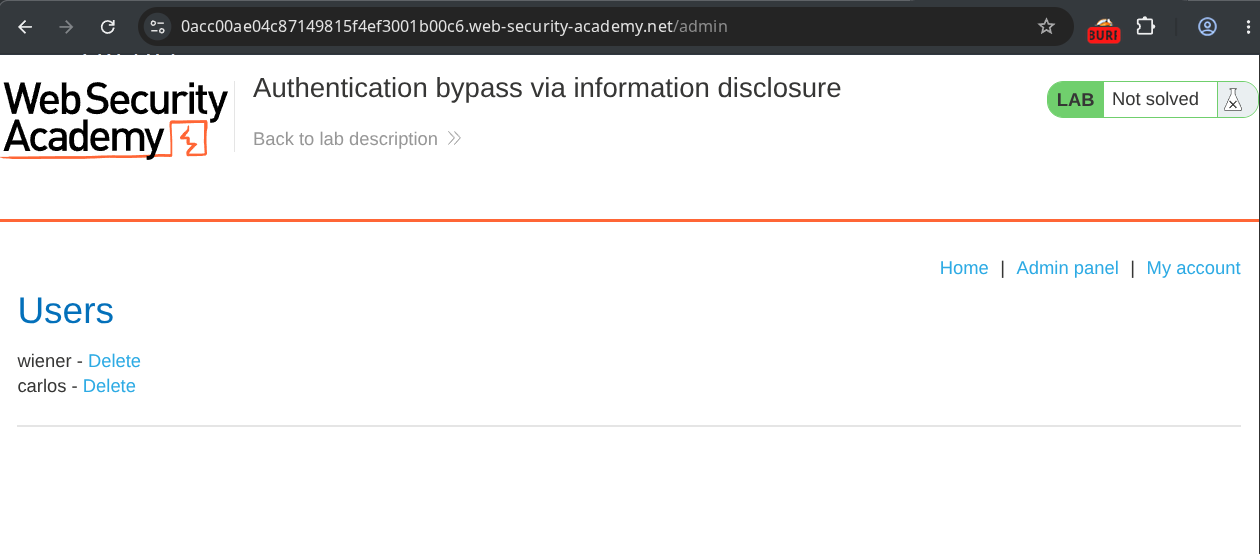
we browse to the home page and now have access to the admin panel, since every request carries the forged local-ip header.
Step 5 - delete carlos#
in the panel we delete the user carlos to complete the objective.
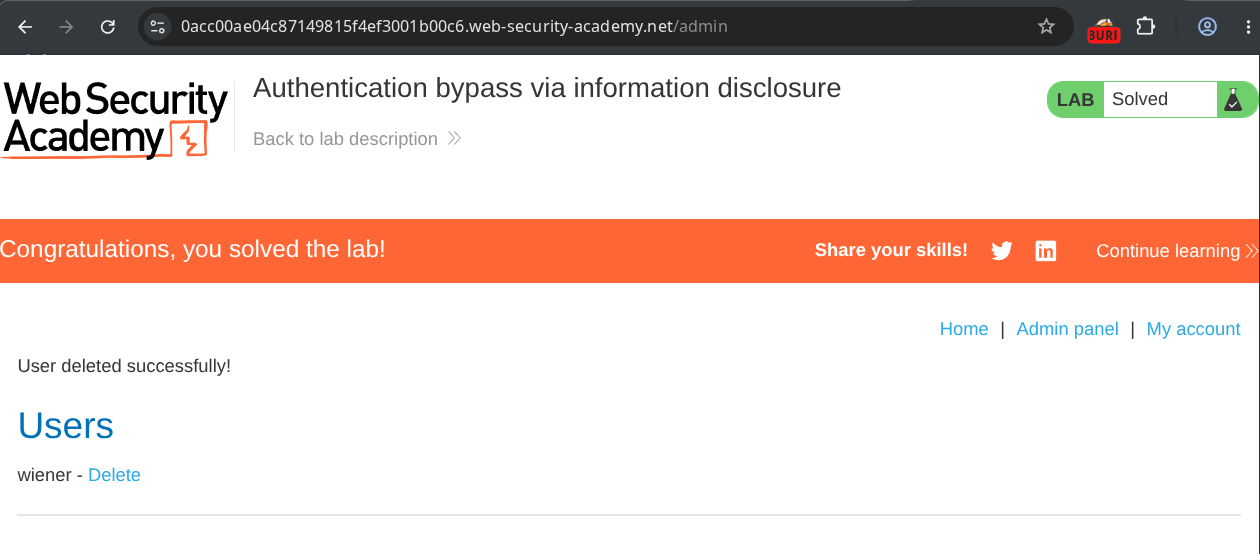
with this, the lab is solved!