
The lab
here is how portswigger describes it
This lab uses an OAuth service to allow users to log in with their social media account. Flawed validation by the client application makes it possible for an attacker to log in to other users' accounts without knowing their password. To solve the lab, log in to Carlos's account. His email address is
[email protected]. You can log in with your own social media account using the following credentials:wiener:peter.
a quick primer on oauth#
since this is our first OAuth lab, a short introduction. OAuth is the mechanism behind every "log in with Google / Facebook / GitHub" button. instead of making you a fresh password, the website borrows your identity from a provider you already trust. three parties are involved:
- the client application, the site you are actually trying to use (here, the blog). it wants to know who you are.
- the OAuth service (also called the authorization server or OAuth provider), the social-media site that already knows you and vouches for you.
- the resource owner, you, the user logging in. the client and the OAuth service exchange a few things worth naming:
- an access token, a short-lived secret string the OAuth service hands out that proves "the bearer is allowed to read this user's info". whoever holds it can ask the OAuth service for that user's details.
- the /authenticate endpoint, an endpoint on the client app itself that takes the user info and actually creates the logged-in session. OAuth has a couple of "flows" (sequences of redirects and requests). this lab uses the implicit flow, the simpler, weaker one: the OAuth service sends the access token straight back to the browser, and the browser hands the user's details (email, name) to the client. the problem with implicit flow is exactly that, the browser is in the middle, so a user can tamper with the details before the client receives them. that is the whole bug here.
the blog logs us in by POSTing our email and name to its own /authenticate endpoint and trusting those values. it never re-checks them against the access token with the OAuth service. so we simply change the email in that POST to carlos's, and the blog logs us in as carlos.
why the flawed validation breaks this#
the flaw is that the client application trusts identity data that came through the browser instead of verifying it at the source. in the implicit flow the browser receives the access token and the user's profile, then the blog's own /authenticate endpoint is called with that profile (email, username) to establish the session. the secure design is for the client to take the access token and ask the OAuth service "who does this token belong to", binding the session to whatever the provider says. here the client skips that, it takes the email in the POST body at face value and logs in whoever is named. the access token is present but never actually used to confirm the identity. because the email is just a parameter we control, we put carlos's email in it and inherit his account, no password, no token of his, required.
Step 1 - walk the normal OAuth flow#
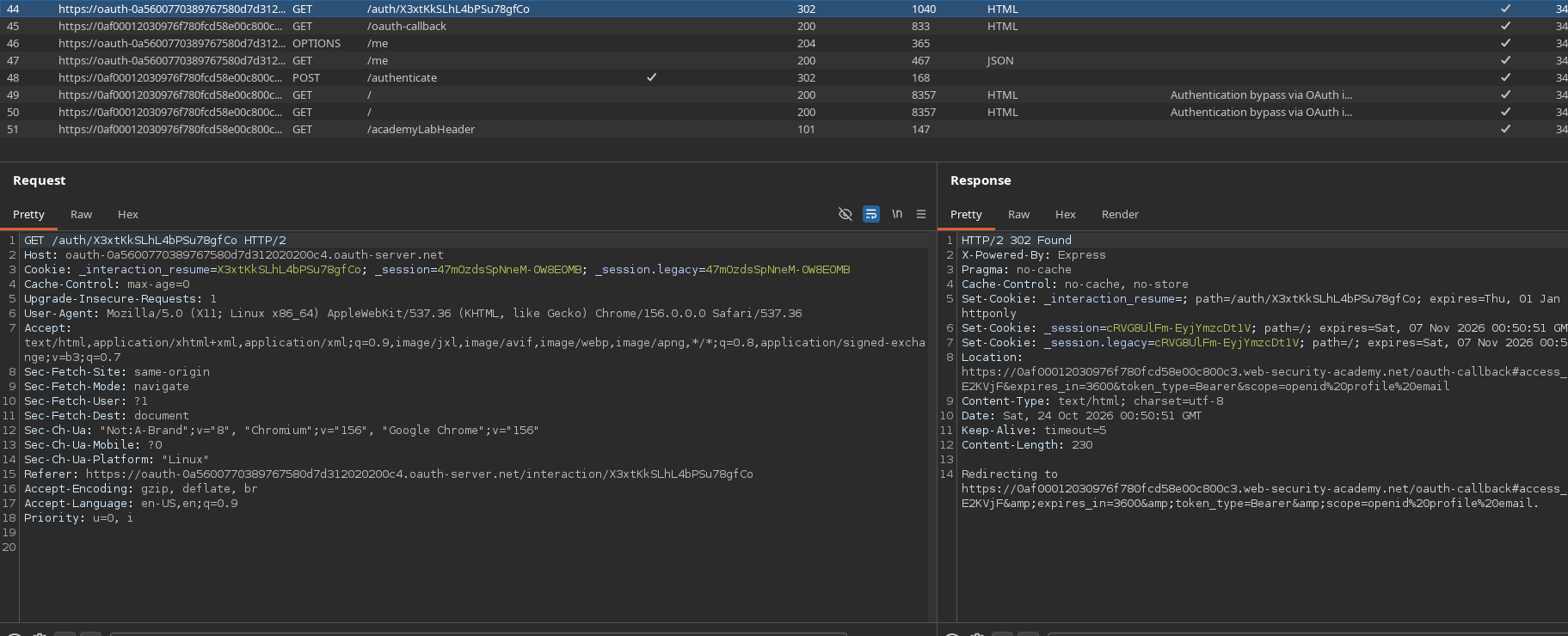
we click My account and complete the OAuth login with our own wiener:peter social-media credentials, ending up back on the blog. in Burp, under Proxy > HTTP history, we study the sequence of requests that make up the OAuth flow. it begins with the authorization request, GET /auth?client_id=[...], the client asking the OAuth service to authenticate us.
Step 2 - find where identity is trusted#
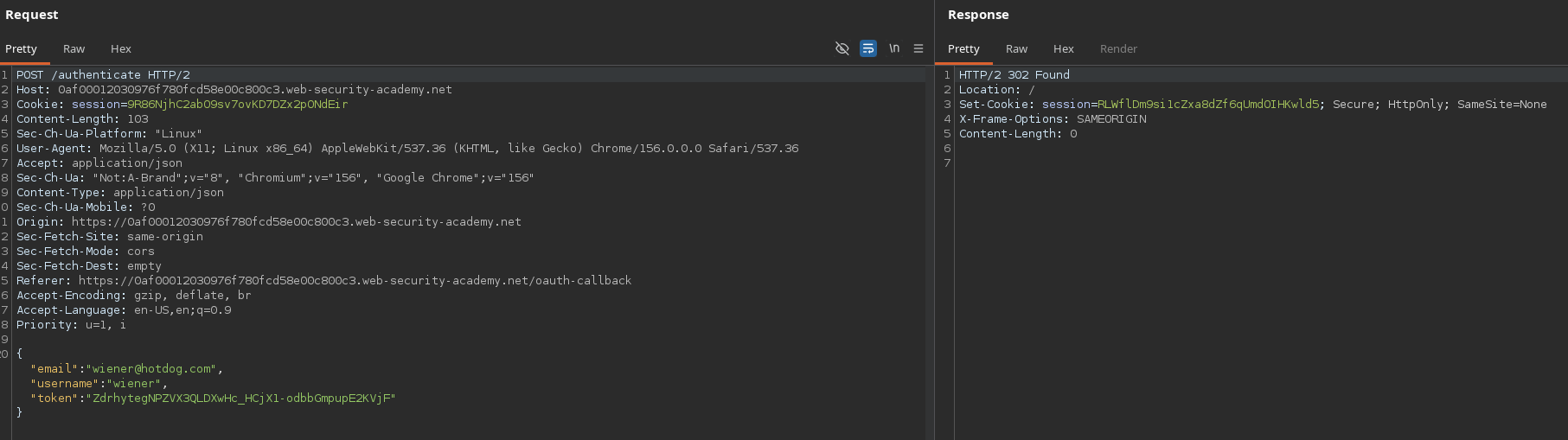
we trace the flow and see that the client application (the blog) receives basic info about us from the OAuth service, then logs us in by sending a POST request containing that info, our email and username, to its own /authenticate endpoint, along with the access token. this POST is where the session is minted from the profile data.
Step 3 - swap in carlos's email#
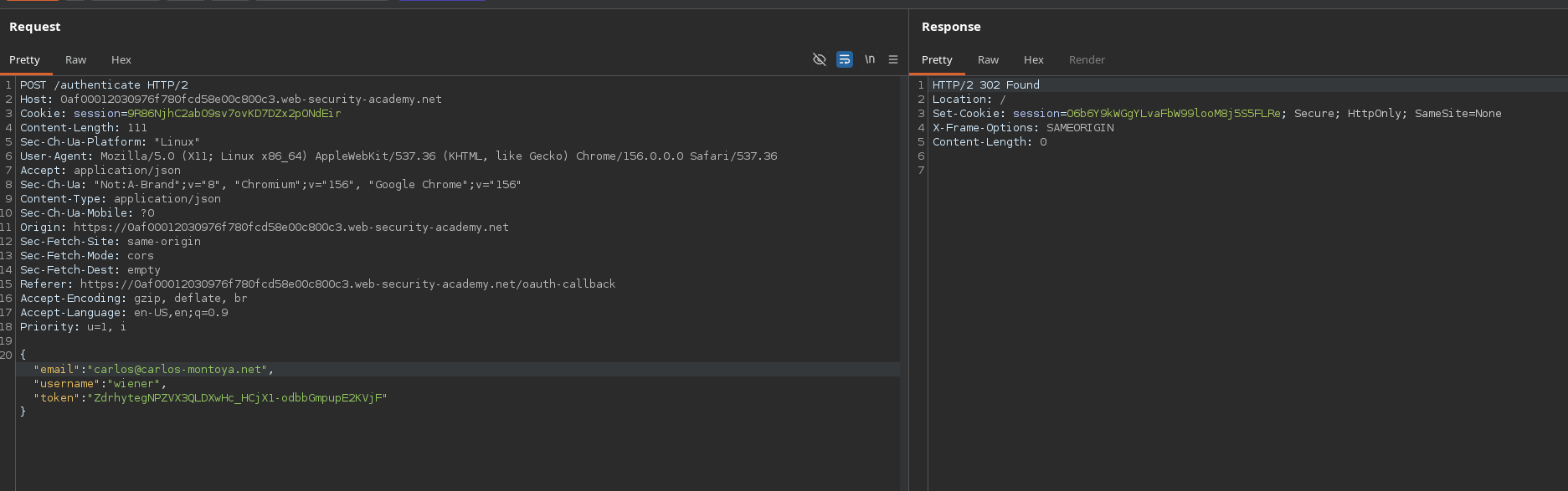
we send the POST /authenticate request to Repeater, change the email address to [email protected], and send it. there is no error, the client accepts the substituted email without re-validating it against the access token.
Step 4 - log in as carlos#
we right-click the POST request and choose Request in browser > In original session, copy the generated URL, and visit it in the browser. we are logged in as carlos.
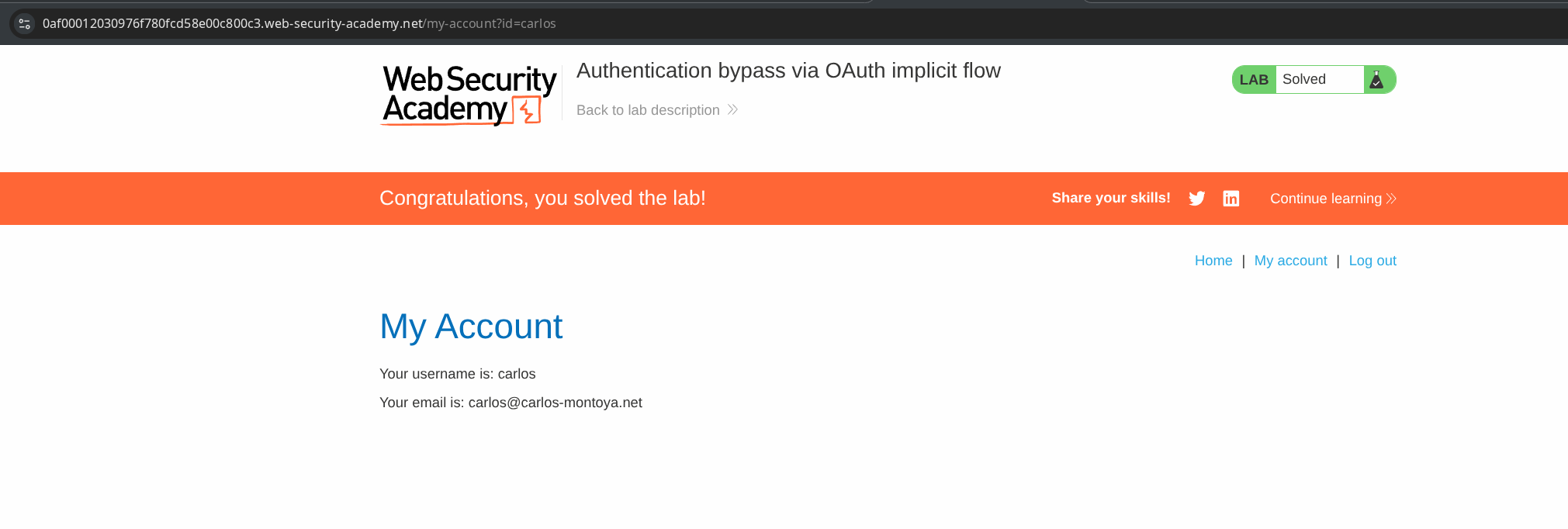
with this, the lab is solved!