
The lab
here is how portswigger describes it
To solve the lab, log in as the administrator and delete carlos.
the new pieces in this lab#
this is the path-based cousin of the query-string SSPP lab. there the server dropped our input into the query string (?a=b&c=d) of an internal request; here it drops our username into the URL path of that internal request, so we manipulate it with path syntax instead of query syntax.
- a REST URL path encodes parameters as path segments between slashes, e.g.
/api/internal/v1/users/{username}/field/{field}. the values live in the path, not after a?. so if our input lands there unescaped, the characters that matter are the ones that change a path's meaning. - the path characters we inject (URL-encoded so the front-end forwards them rather than acting on them):
#(%23) truncates, everything after the fragment marker is dropped, so we can cut off trailing path segments the server appends.?(%3F) starts the query string, which also truncates the path at that point./lets us add our own path segments (administrator/field/email), injecting parameters into the REST path../means "current directory", a no-op that leaves the path unchanged, useful to prove our input really is being treated as a path.../means "up one directory", classic path traversal, which lets us climb out of the intended path and reach other endpoints, including the API definition file.
- an API definition (OpenAPI /
openapi.json) is the machine-readable spec of the API. if we can traverse to it, it hands us the exact internal endpoint structure, here revealing the/field/{field}segment and the API version, which we need to craft the final request. the method: we confirm our input lands in a path (via#,?,./,../probes), traverse up to readopenapi.json, learn the real endpoint/api/internal/v1/users/{username}/field/{field}, then inject path segments to setfield=passwordResetToken(and fix the API version by traversal) so the internal API returns the admin's reset token.
why the unescaped path input is exploitable#
the flaw is the same root as the query-string SSPP lab, our input is concatenated into a server-side request without escaping, but the injection surface is the URL path. because the server builds the internal path by slotting our username between fixed segments, path metacharacters we supply are interpreted structurally: / adds segments, # and ? truncate, ../ traverses. we are no longer filling in a value; we are editing the internal route. the error messages (Invalid route, Not found, only supports the email field) act as an oracle that tells us, step by step, how the internal path is shaped and where its root is. traversing to openapi.json removes the guesswork entirely by handing us the real endpoint template. from there, injecting the right path segments turns a username lookup into a request for the administrator's password reset token, which the internal API was never meant to expose to us.
Step 1 - confirm a consistent baseline#
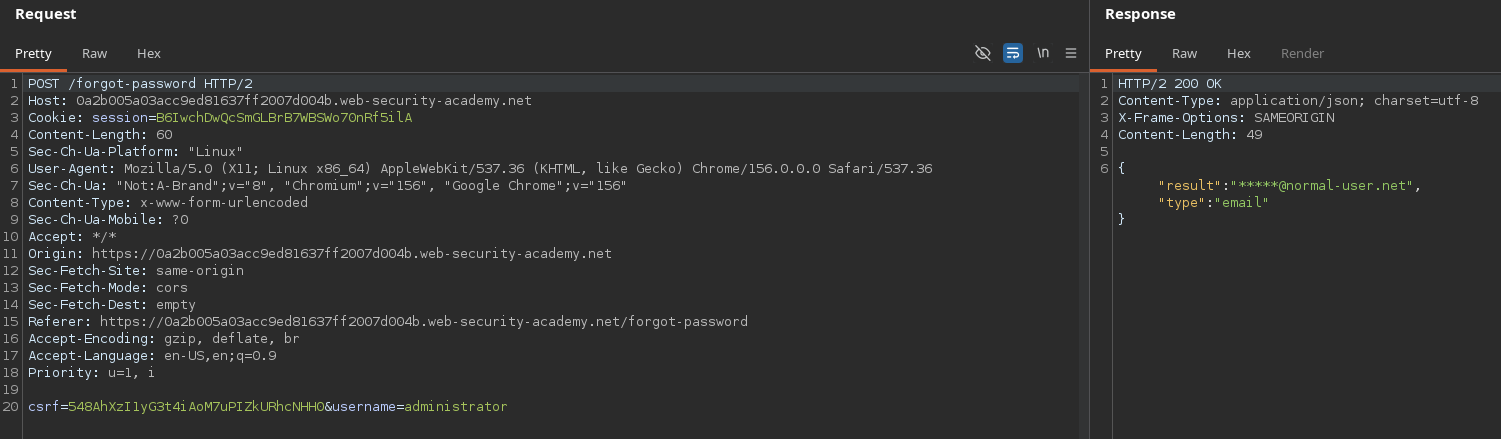
we trigger a password reset for the administrator. in Proxy > HTTP history we notice the POST /forgot-password request and the related /static/js/forgotPassword.js file. we send the POST /forgot-password request to Repeater and resend it to confirm the response is consistent.
Step 2 - probe with a truncating fragment#
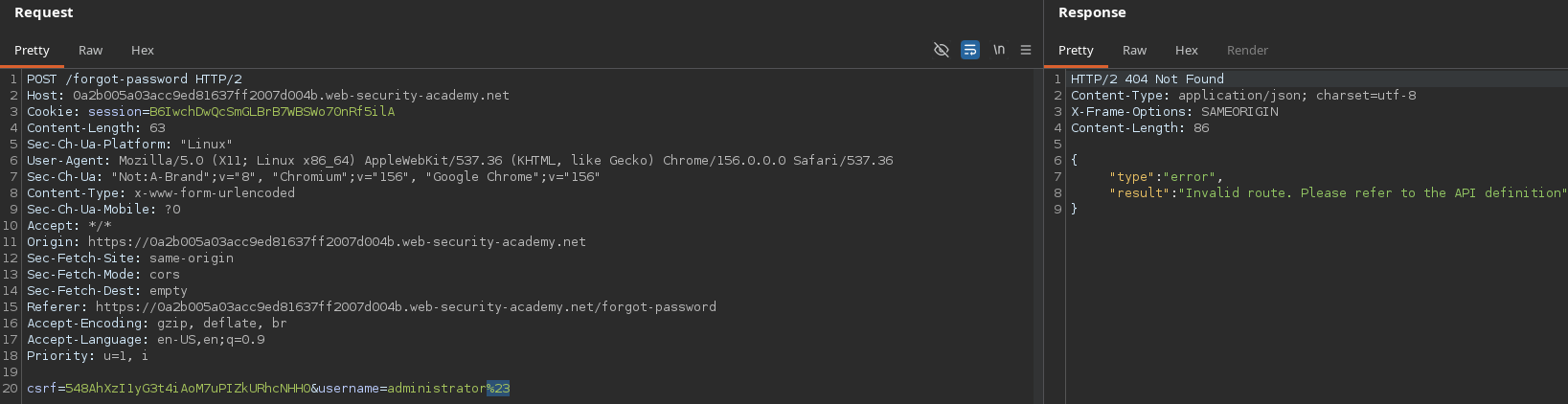
we submit URL-encoded administrator# as the username:
username=administrator%23
this returns an Invalid route error, and the message also refers to an API definition. the # truncated trailing data in a server-side path, so our input is being placed in a URL path.
Step 3 - confirm with a query-start character#
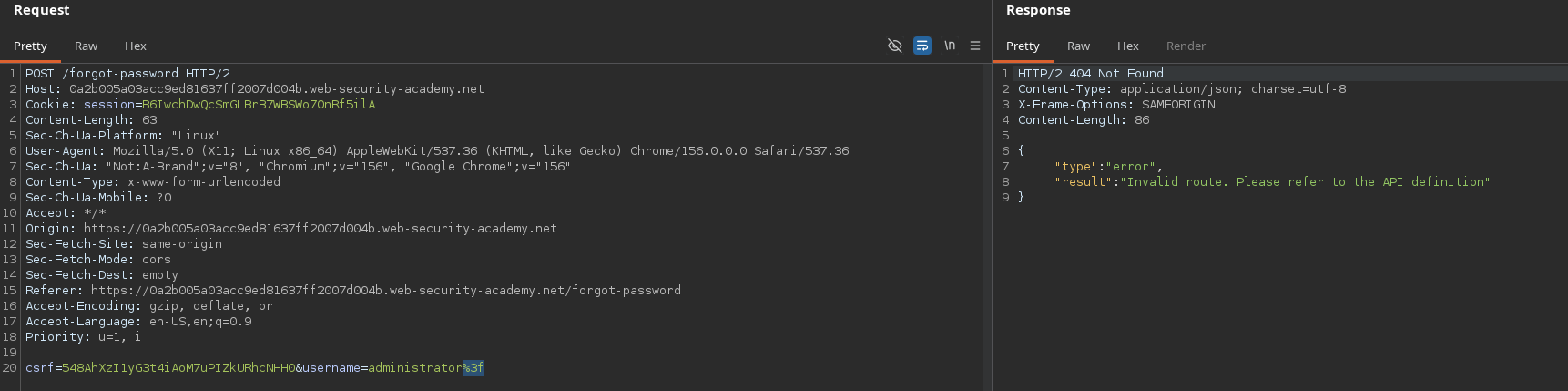
we change the value to URL-encoded administrator?:
username=administrator%3F
this also returns Invalid route. the ? begins a query string and so truncates the path, further evidence our input sits in the path.
Step 4 - prove it's a path with ./#
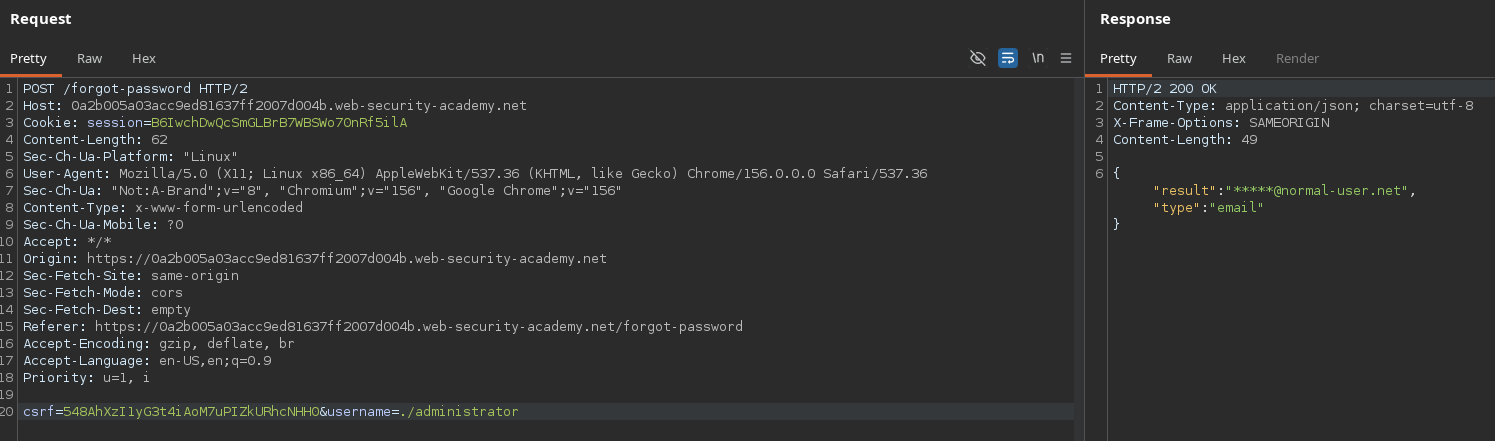
we change the value to ./administrator:
username=./administrator
this returns the original (success) response. ./ is a no-op that resolves to the same path, so the request reached the same endpoint, confirming our input is path-interpreted.
Step 5 - traverse up one level#
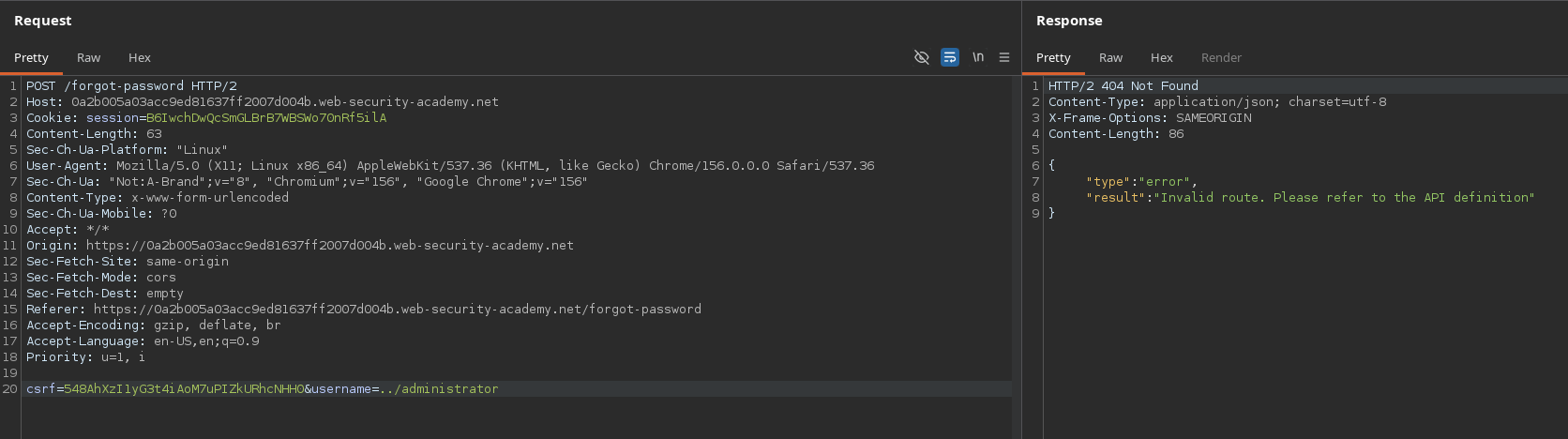
we change the value to ../administrator:
username=../administrator
this returns Invalid route, climbing up one directory reached an invalid path, which tells us ../ traversal works from here.
Step 6 - traverse out to the API root#
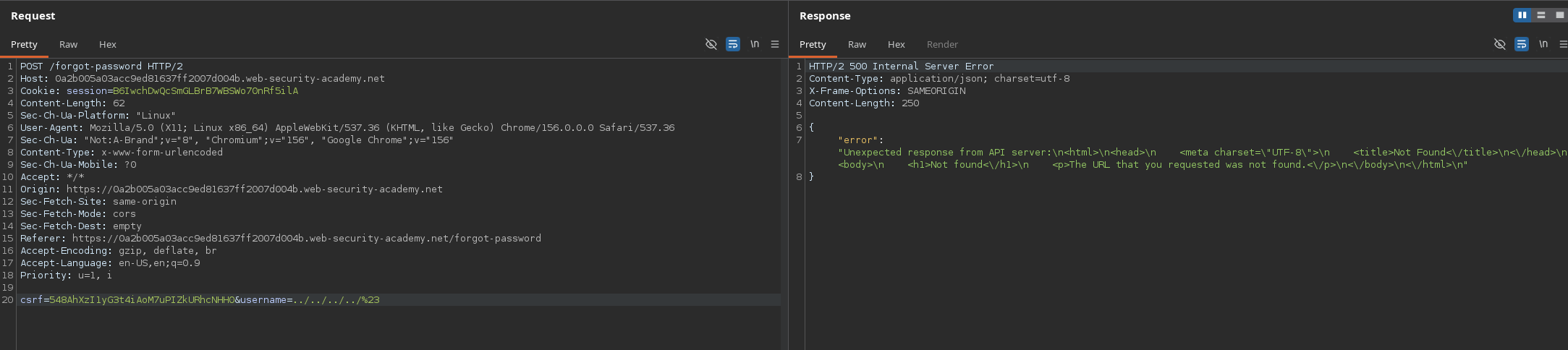
now we navigate toward the API definition. we start with ../%23 (still Invalid route) and incrementally add ../ sequences until ../../../../%23 returns a Not found response, indicating we've navigated outside the API root.
Step 7 - read the API definition#
at this level we try common API-definition filenames:
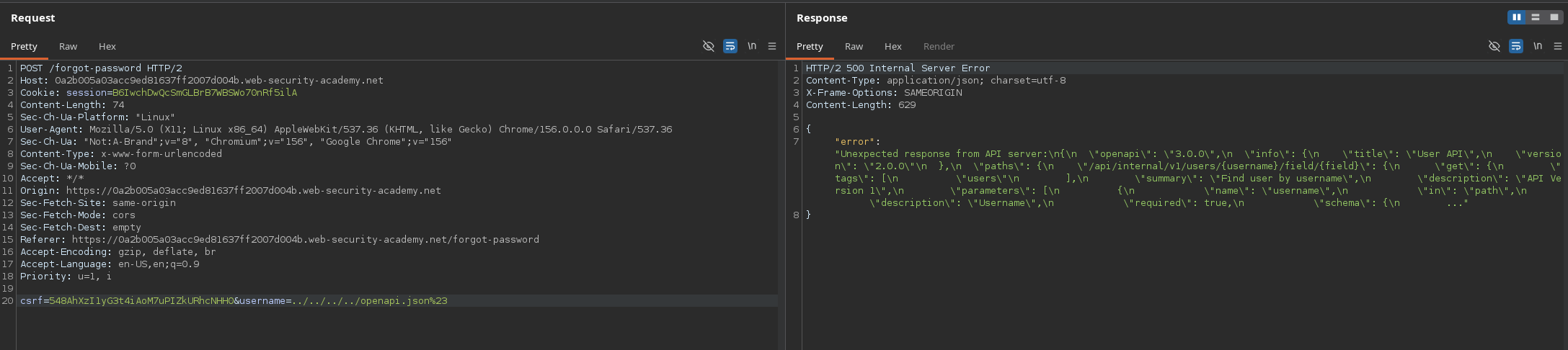
username=../../../../openapi.json%23
this returns an error message containing the internal endpoint for finding users:
/api/internal/v1/users/{username}/field/{field}
so the path includes a field parameter, and we now know the exact structure and version (v1).
Step 8 - inject the field segment#
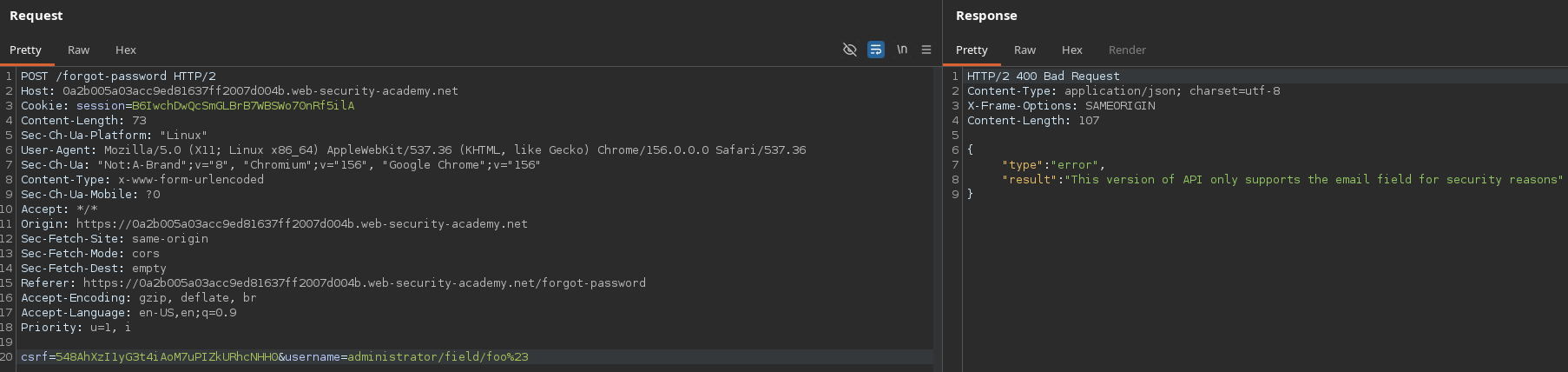
using the discovered structure, we inject path segments and give field an invalid value:
username=administrator/field/foo%23
this errors because the API only supports the email field, so our injected field segment is recognised.
Step 9 - confirm a valid field#
we set the field to email:
username=administrator/field/email%23
this returns the original response, confirming email is a valid field and our path injection controls the field parameter.
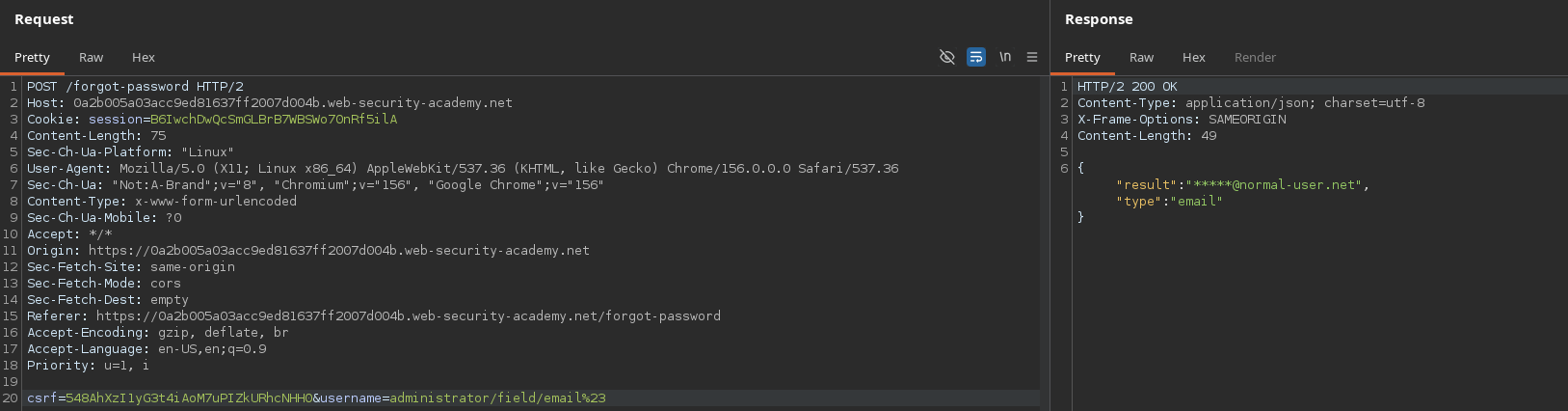
Step 10 - target the reset token field#
we review /static/js/forgotPassword.js and find the reset endpoint uses passwordResetToken:
/forgot-password?passwordResetToken=${resetToken}
we set the field to passwordResetToken:
username=administrator/field/passwordResetToken%23
this errors, the passwordResetToken field isn't supported by the API version the application currently targets.
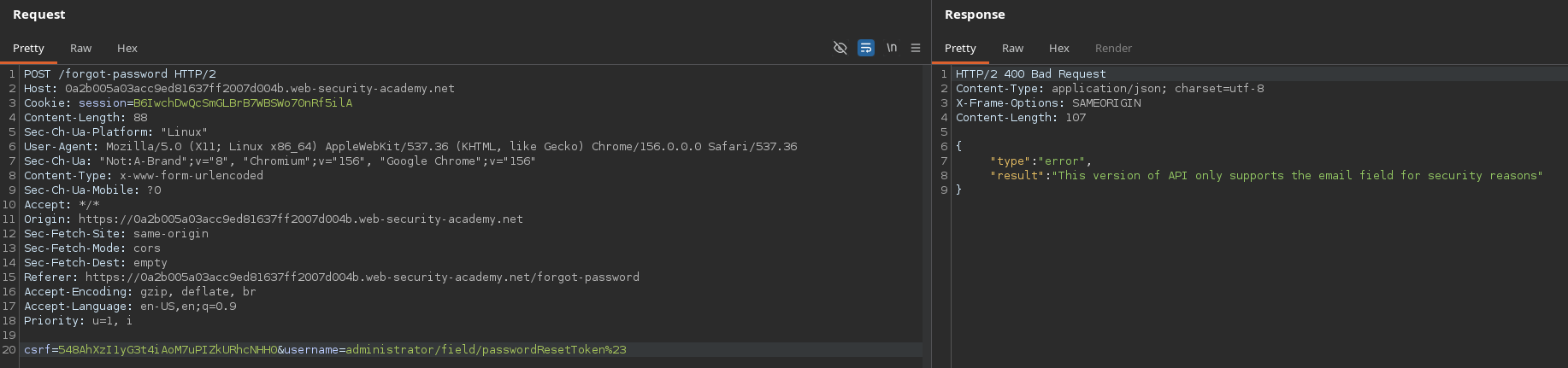
Step 11 - fix the API version by traversal#
using the /api/ structure we found, we change the API version in the path by traversing to it:
username=../../v1/users/administrator/field/passwordResetToken%23
this returns the administrator's password reset token. we note it down.
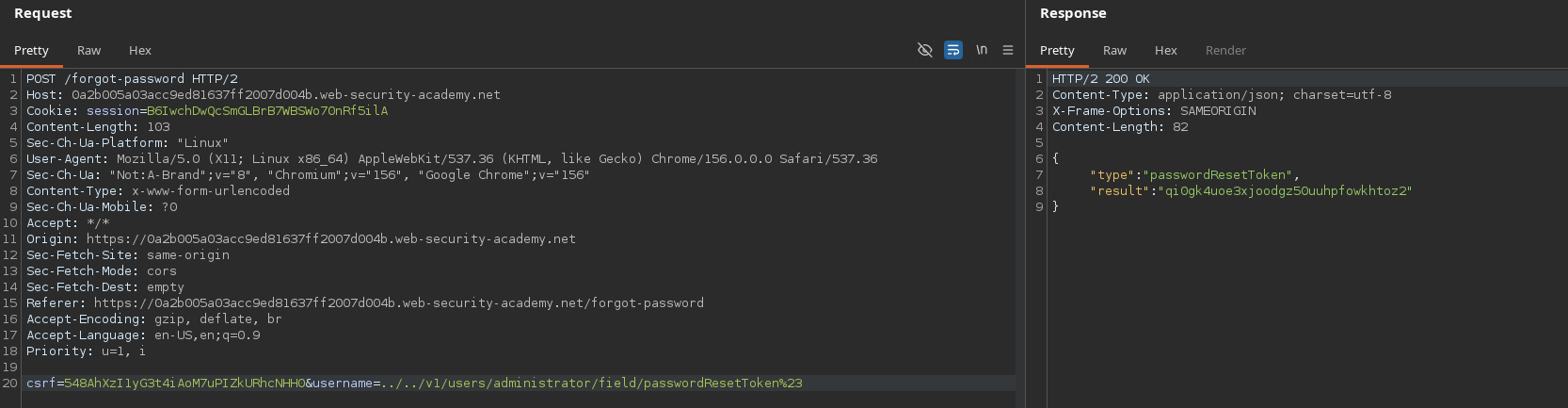
Step 12 - reset the password and delete carlos#
in the address bar we visit the reset endpoint with our token:
/forgot-password?passwordResetToken=123456789
we set a new password, log in as the administrator, go to the admin panel, and delete carlos.
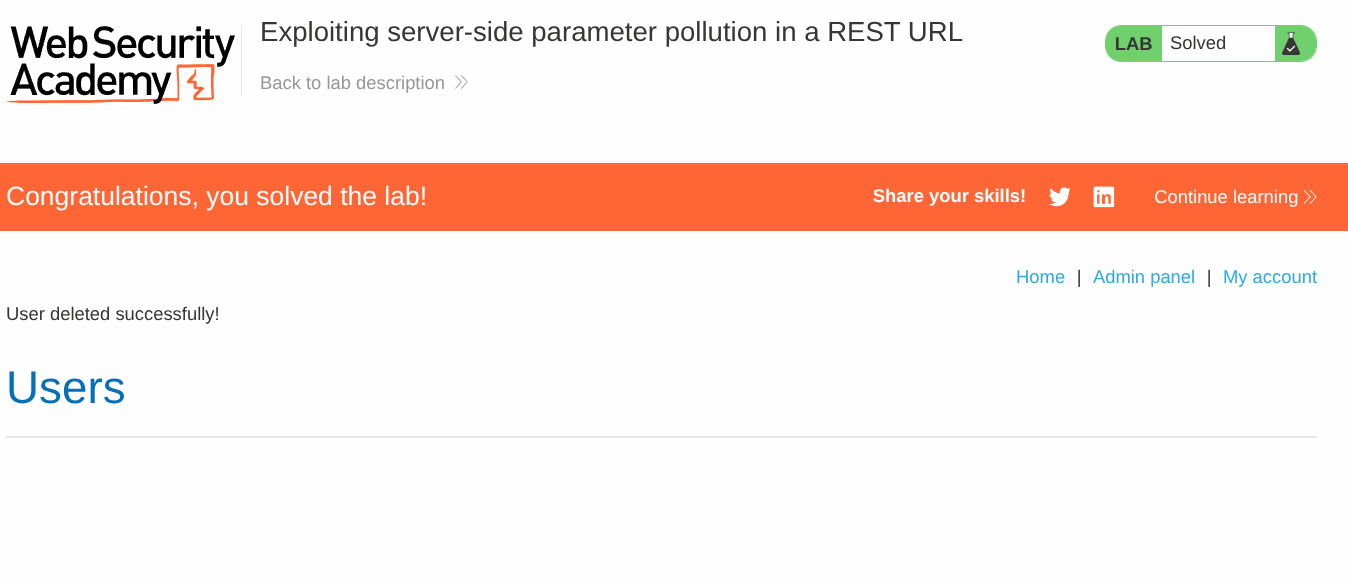
with this, the lab is solved!