
The lab
here is how portswigger describes it
This lab contains a vulnerable image upload function. Certain file extensions are blacklisted, but this defense can be bypassed due to a fundamental flaw in the configuration of this blacklist. To solve the lab, upload a basic PHP web shell, then use it to exfiltrate the contents of the file
/home/carlos/secret. Submit this secret using the button provided in the lab banner. You can log in to your own account using the following credentials:wiener:peter
the new pieces in this lab#
this time the defence is a blacklist of dangerous extensions, .php (and its usual variants) is refused. the "fundamental flaw" is that a blacklist protecting an Apache server can itself be undermined by a config file we are allowed to upload. the new terms:
- blacklist vs whitelist: a blacklist blocks known-bad values and allows everything else. the weakness is that "everything else" is huge, if the blacklist misses even one executable extension, or we can create a new executable extension, it fails.
.htaccessis a per-directory Apache configuration file. when Apache serves a folder, it reads any.htaccessthere and applies its directives to that folder. crucially it lets us change how files in that directory are handled, without touching the main server config.- mod_php is the Apache module that executes PHP. normally it is wired to run files ending in
.php. but which extensions it runs is just configuration, and.htaccesscan add more. - the
AddTypedirective maps a file extension to a MIME type / handler.AddType application/x-httpd-php .l33ttells Apache "treat.l33tfiles as PHP". since the server already has mod_php, it knows how to execute that MIME type. the blacklist blocks.phpbut not.htaccess. so we upload a malicious.htaccessthat makes up a brand-new executable extension (.l33t), then upload our shell asexploit.l33t, which isn't on the blacklist, and Apache runs it as PHP.
why the blacklist fails#
the flaw is defending an executable upload directory with a deny-list while still allowing a file that can rewrite the rules of that directory. the blacklist's job is to stop any file that the server will execute, but it only knows the executable extensions someone thought to list. two gaps combine. first, .htaccess is not on the list, yet it is not an inert data file, it is configuration Apache obeys. second, with AddType we invent an executable extension of our own choosing, one that could never have been blacklisted because it didn't exist until we defined it. so we don't need to sneak a .php past the filter; we change what "executable" means in that folder and then upload a file with our new, un-blacklisted extension. the server reads our .htaccess, learns that .l33t is PHP, and executes our shell. a blacklist can't enumerate extensions that the attacker will create on the fly.
Step 1 - locate the stored-file request#
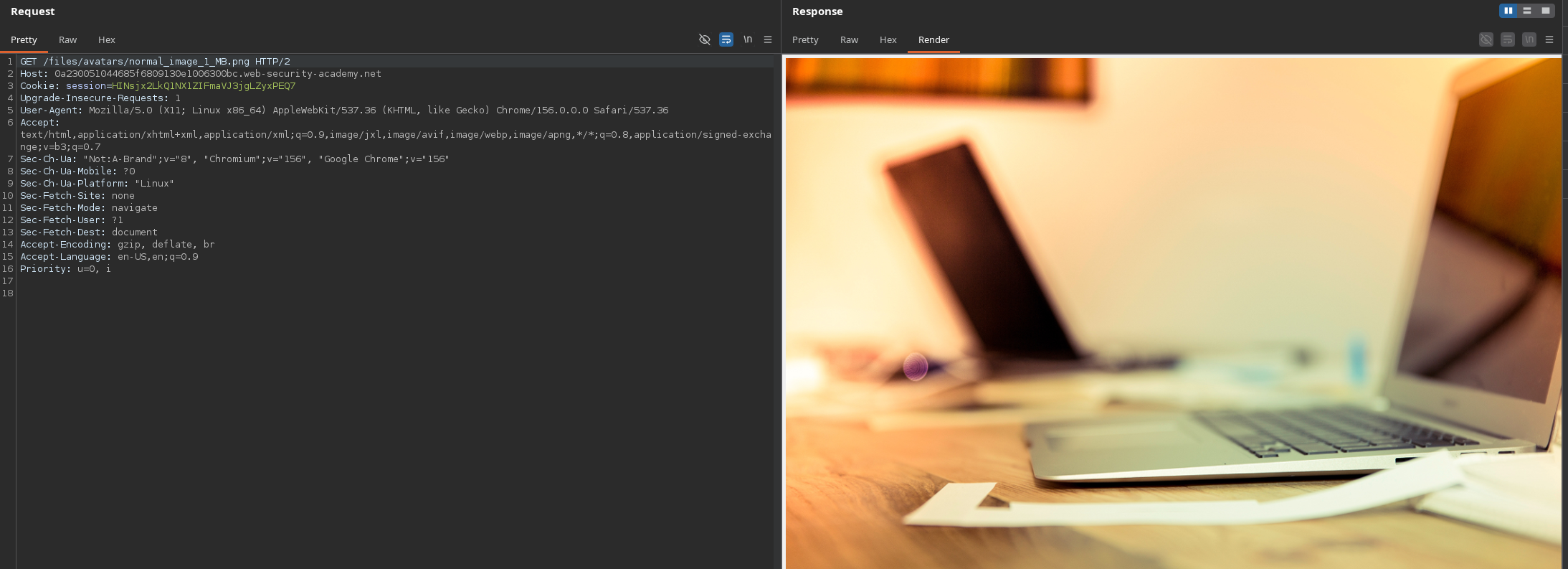
we log in, upload an image avatar, and return to our account page. in Proxy > HTTP history we see our image fetched with GET /files/avatars/<YOUR-IMAGE>, and send this request to Repeater.
Step 2 - get blocked on .php#
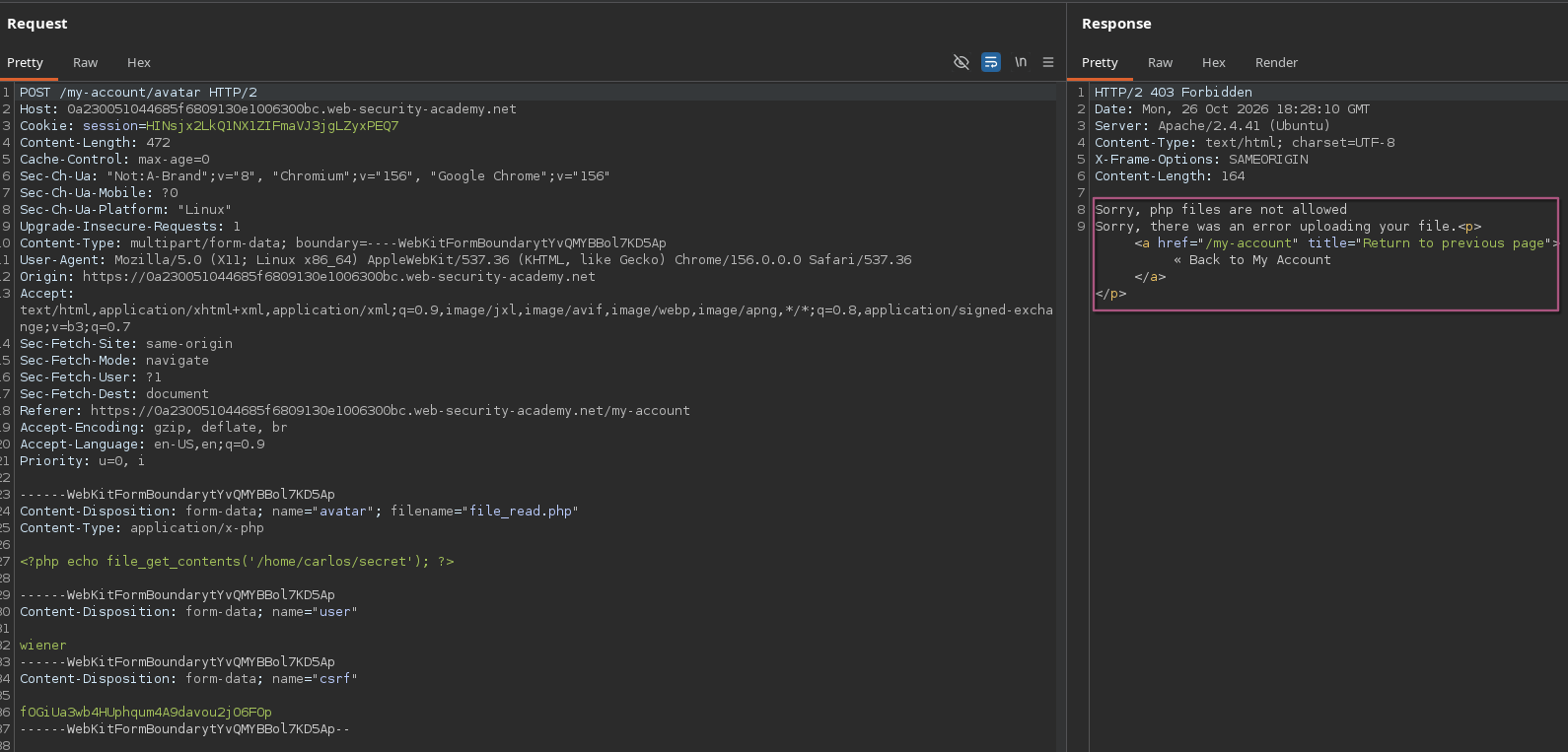
we create exploit.php with a script that reads carlos's secret:
<?php echo file_get_contents('/home/carlos/secret'); ?>
we attempt to upload it as our avatar, and the response says files with a .php extension are not allowed, confirming an extension blacklist.
Step 3 - upload a malicious .htaccess#
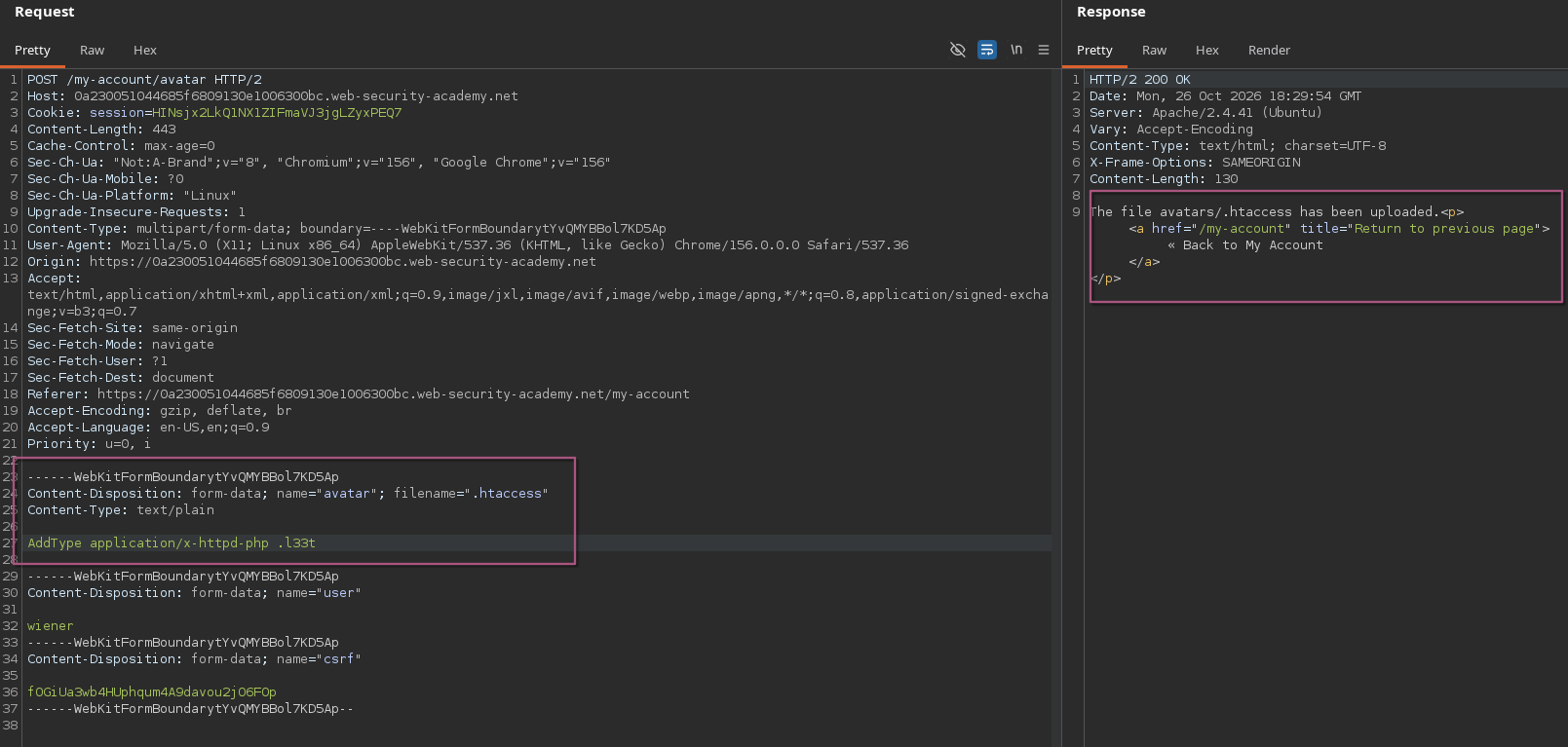
we find the POST /my-account/avatar request, whose response headers reveal an Apache server, and send it to Repeater. in the file part we make three changes:
- set
filenameto.htaccess - set the part's
Content-Typetotext/plain - replace the PHP body with this Apache directive:
AddType application/x-httpd-php .l33t
this maps the arbitrary .l33t extension to the executable PHP MIME type, which the server's mod_php already knows how to run. we send it, and the file uploads successfully.
Step 4 - upload the shell as .l33t#
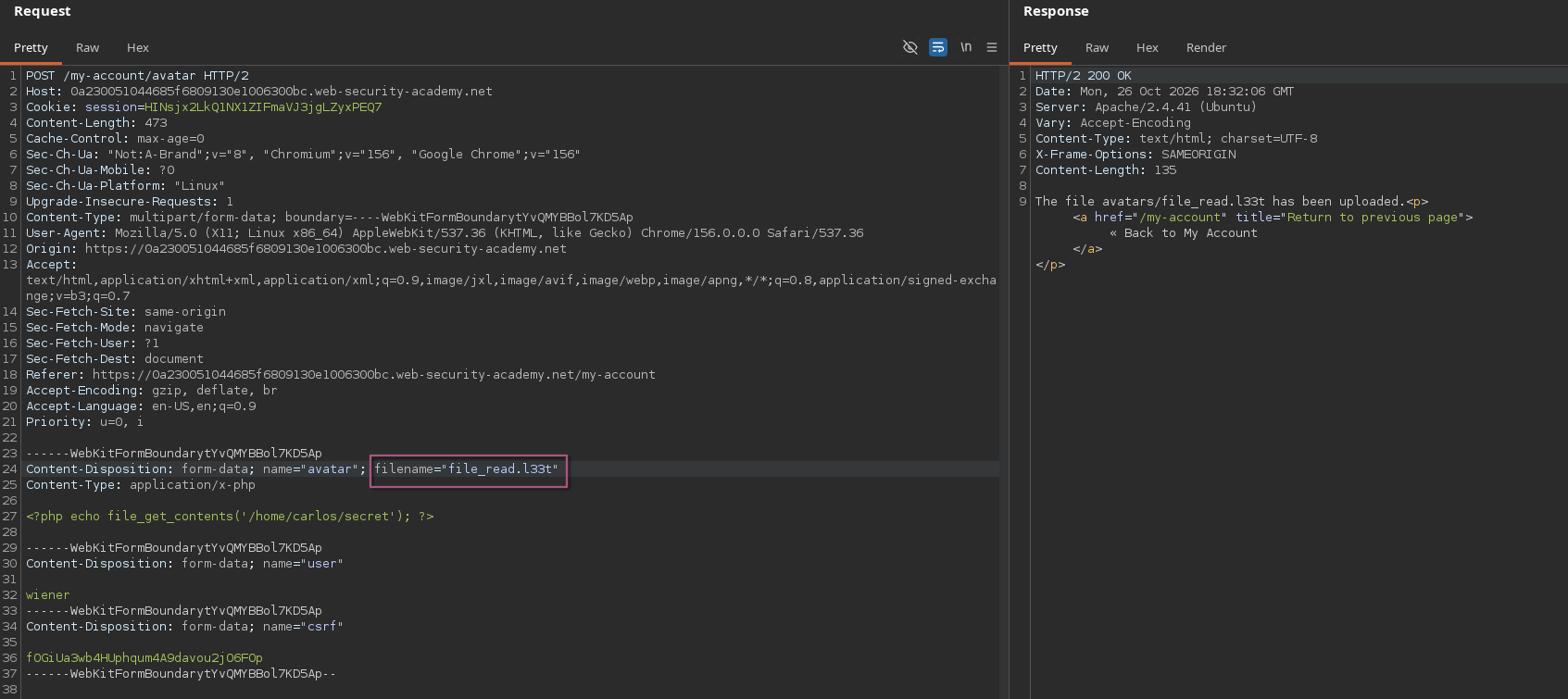
using the back arrow in Repeater we return to the original PHP-upload request and change filename from exploit.php to exploit.l33t. we send it, and the file uploads successfully, .l33t is not on the blacklist.
Step 5 - execute the shell#
we switch to the GET /files/avatars/<YOUR-IMAGE> tab, replace the filename in the path with exploit.l33t, and send it. carlos's secret is returned, thanks to our .htaccess, the .l33t file was executed as PHP.
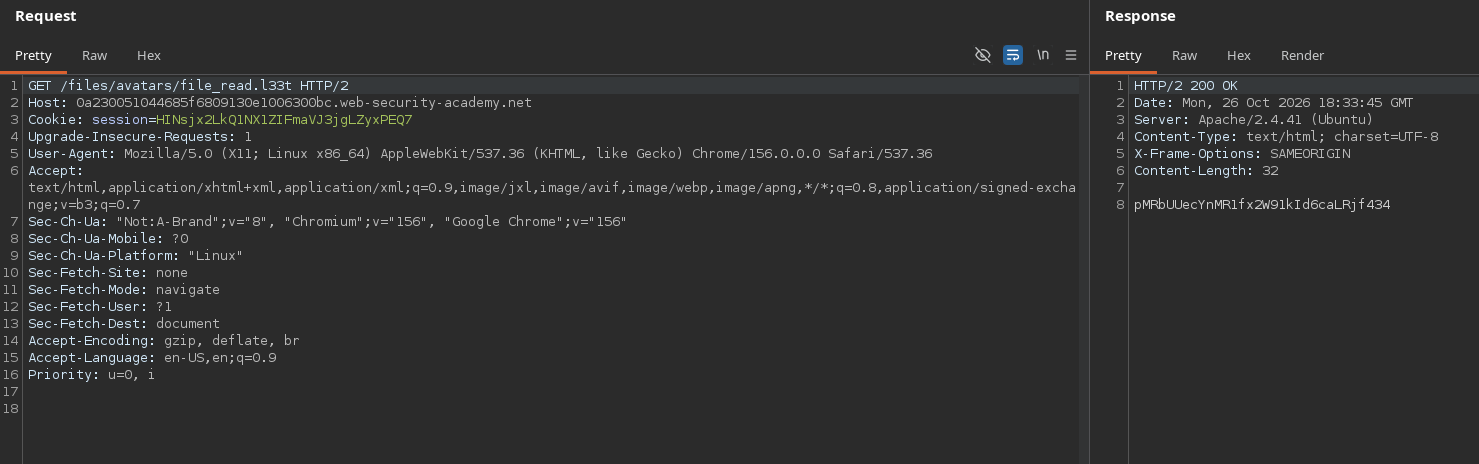
Step 6 - submit the secret#
we submit the recovered secret.
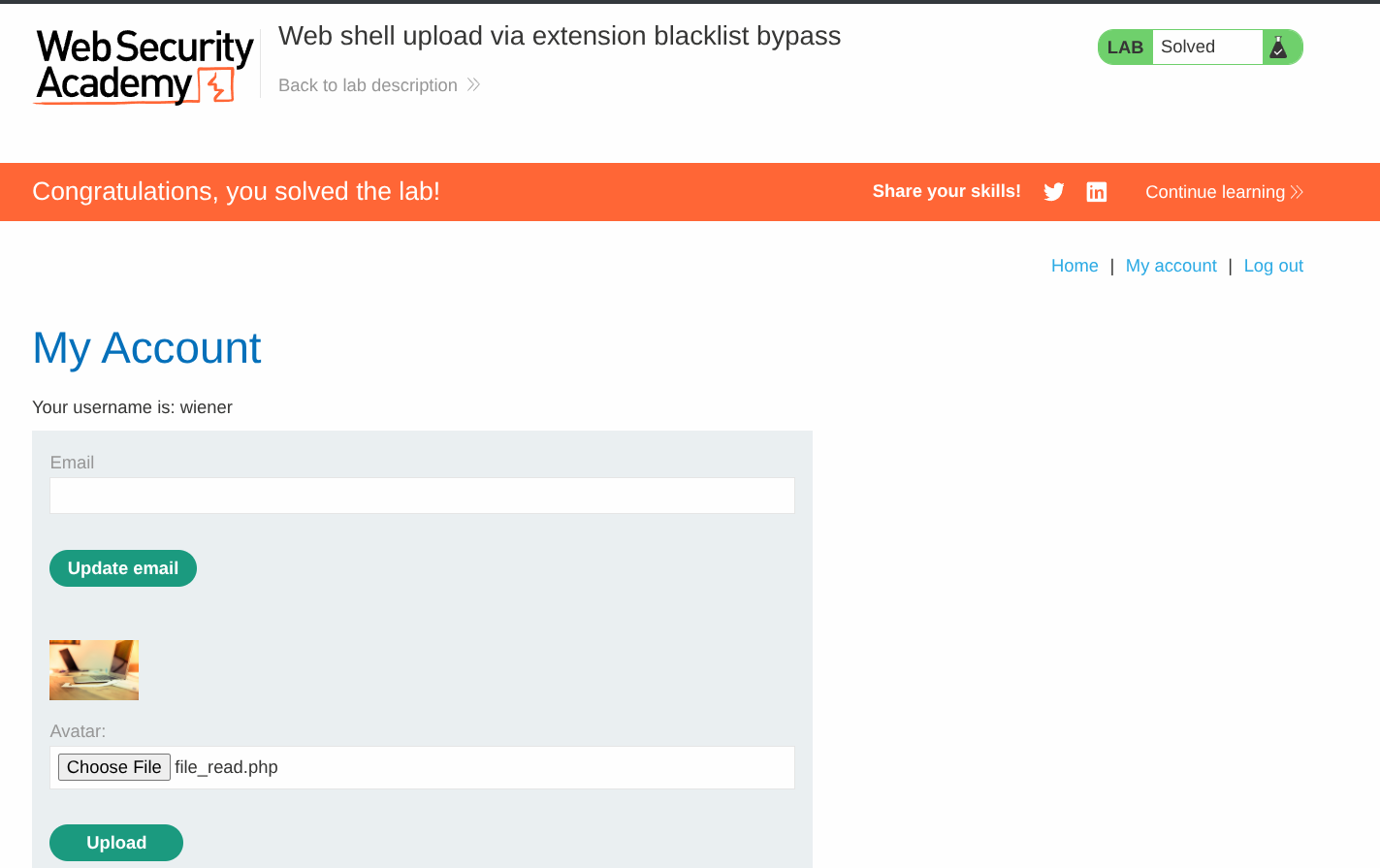
with this, the lab is solved!