
The lab
here is how portswigger describes it
This lab contains a logic flaw that exposes an encryption oracle to users. To solve the lab, exploit this flaw to gain access to the admin panel and delete the user carlos. You can log in to your own account using the following credentials:
wiener:peter
the site uses the same cipher and key for two different things, the stay-logged-in cookie and a notification cookie that holds an error message. the comment form lets us put arbitrary text into the notification cookie (an encrypt oracle) and the error display decrypts whatever notification cookie we send and prints it (a decrypt oracle). with both halves exposed we can decrypt the real login cookie to learn its format, then forge our own administrator cookie. the only wrinkle is a fixed Invalid email address: prefix the server glues on, which we strip out at the byte level by abusing the block cipher.
why the oracle breaks this#
the flaw is that a security token, the login cookie, is protected by a cipher the user can freely drive in both directions. the notification cookie is encrypted with the same key as stay-logged-in, so the error feature becomes a general-purpose encrypt/decrypt service for that key. feed the email field and we get ciphertext back in Set-Cookie, feed a notification cookie and we get its plaintext back in the error message. that lets us read the login cookie's username:timestamp structure and mint a valid cookie for any username we like. the server does add a constant Invalid email address: prefix before encrypting, but because it is block-based (16-byte blocks) we can align that prefix to whole blocks and simply delete those leading bytes from the ciphertext, leaving a clean administrator:timestamp token.
Step 1 - spot the encrypted login cookie#
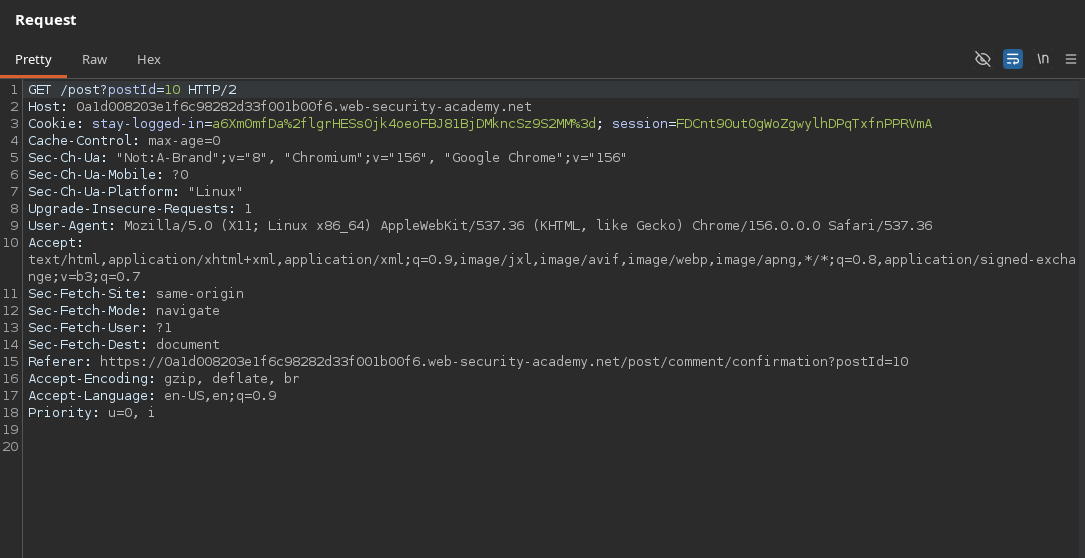
we log in with Stay logged in enabled and post a comment, then study the requests in Burp. we see the stay-logged-in cookie is encrypted, not readable plaintext.
Step 2 - find the notification cookie#
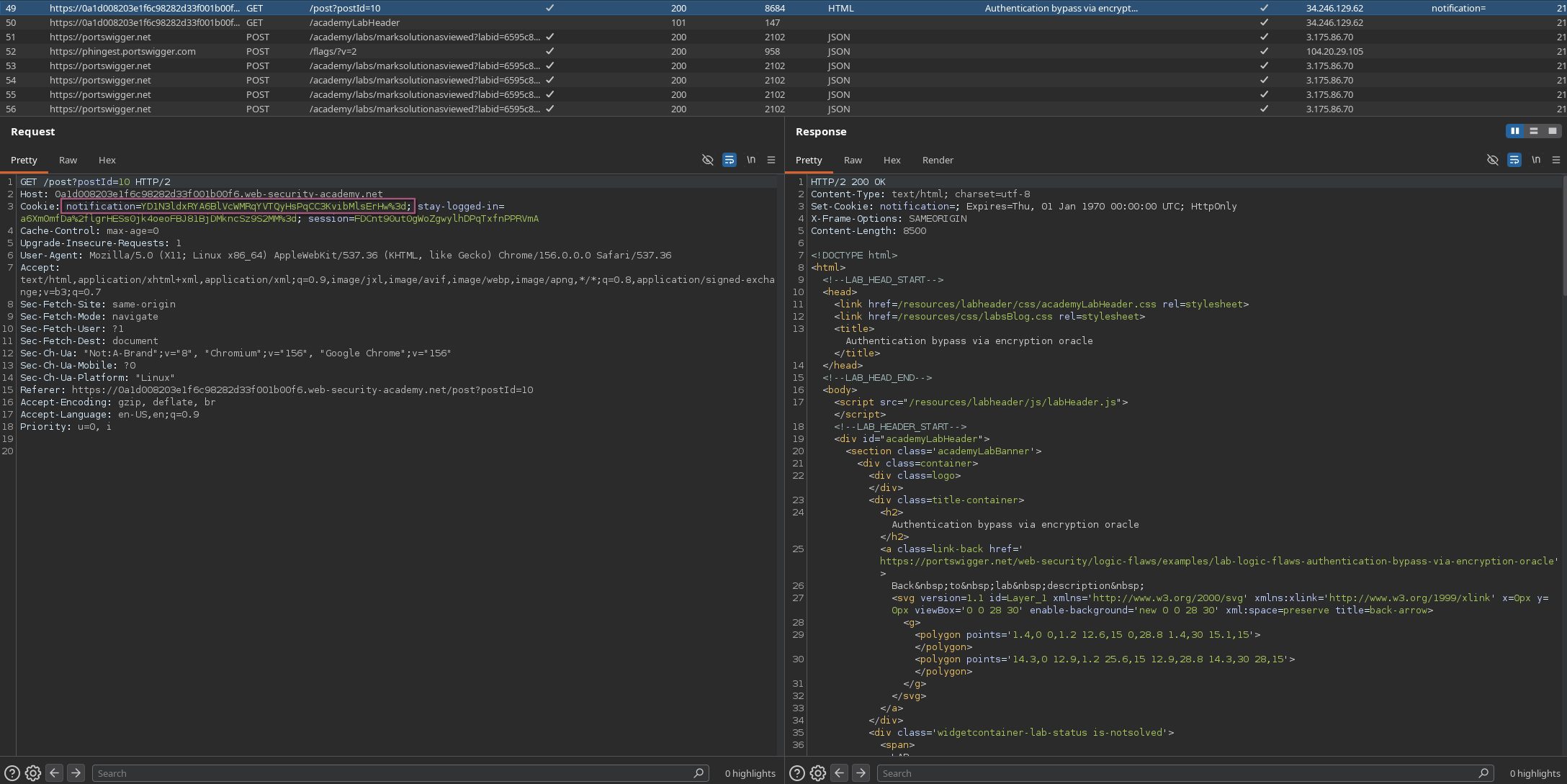
we submit a comment with an invalid email address and notice the response sets an encrypted notification cookie before redirecting us to the blog post.
Step 3 - see our input reflected#
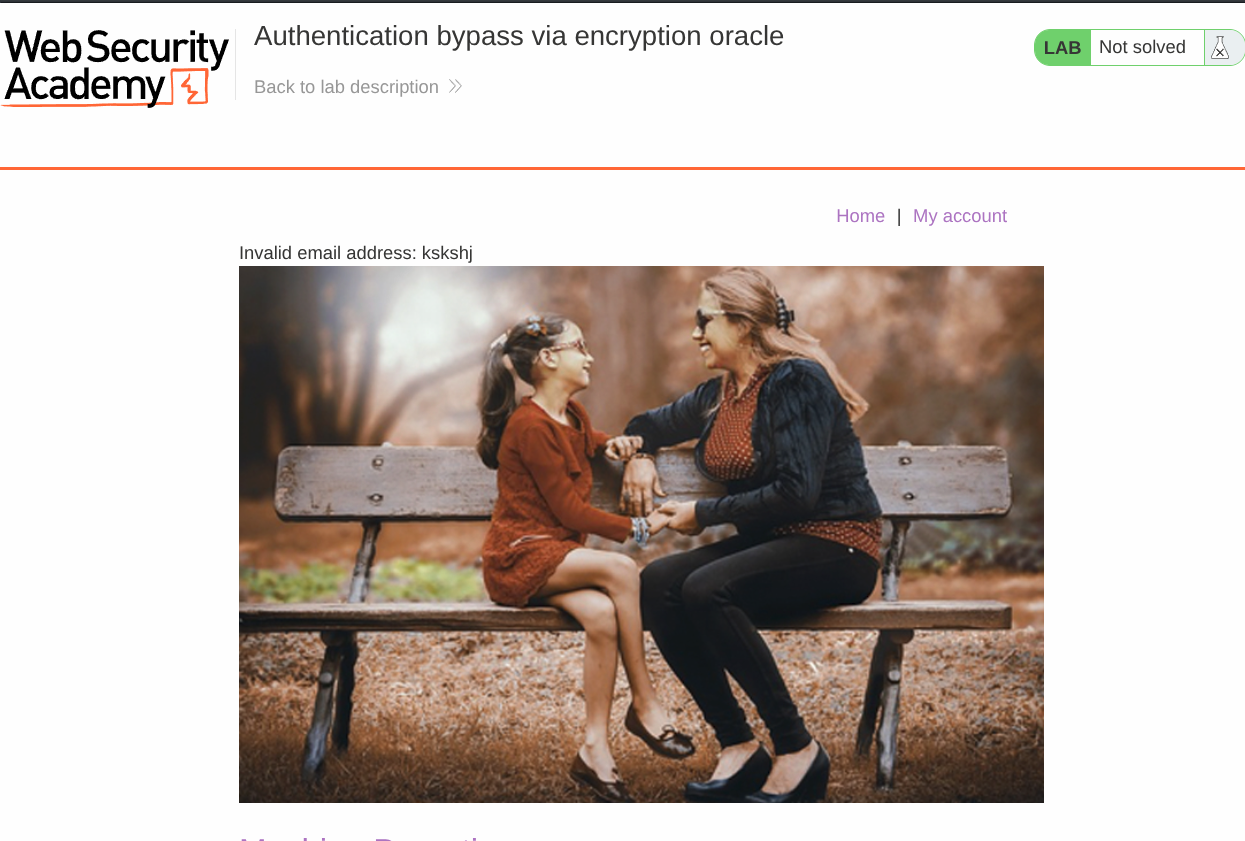
the error message reflects our email input in cleartext, Invalid email address: your-invalid-email, so whatever we put in the email field comes back out after a round trip.
Step 4 - build the encrypt oracle#
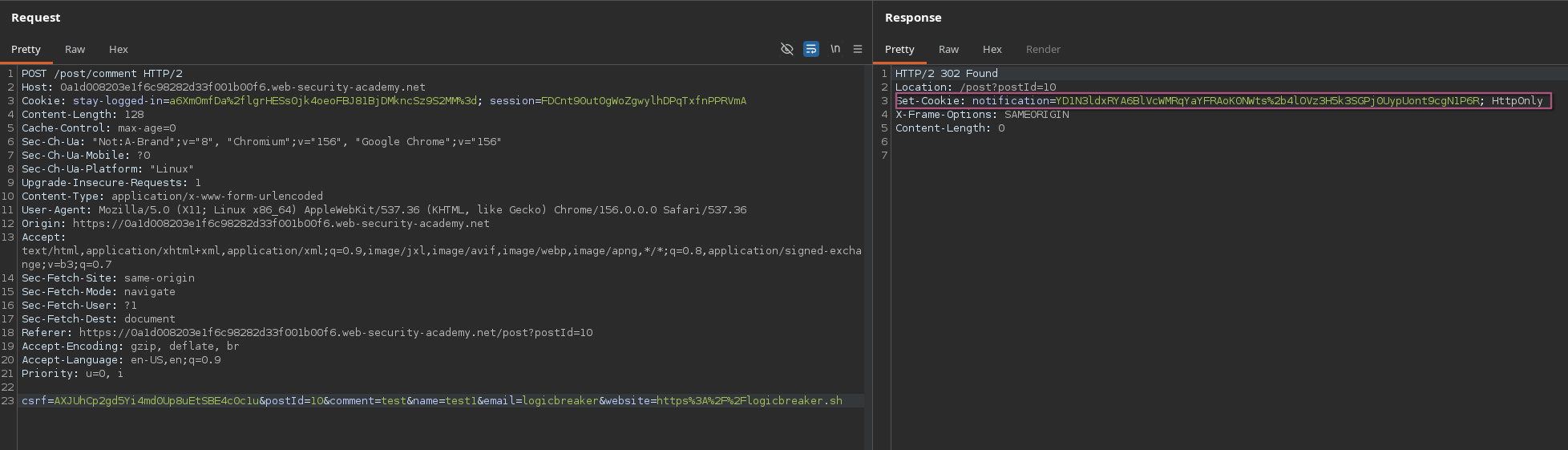
we deduce the message is decrypted from the notification cookie. we send the POST /post/comment and the following GET /post?postId=x (carrying the notification cookie) to Repeater. the POST lets us encrypt arbitrary data via the email parameter and read the ciphertext back in the Set-Cookie header, that is our encrypt oracle.
Step 5 - build the decrypt oracle and read the login cookie#
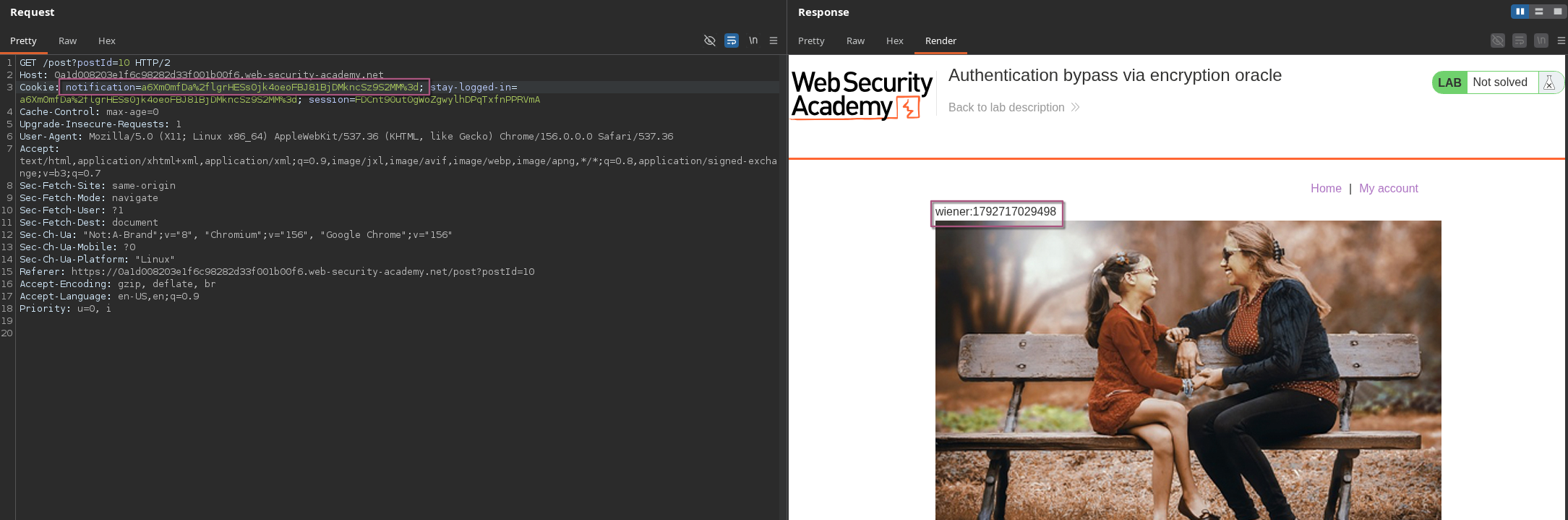
the GET request decrypts whatever notification cookie we supply and reflects it in the error message, that is our decrypt oracle. we double-click each tab and rename them encrypt and decrypt. in the decrypt request we paste our stay-logged-in cookie into the notification cookie and send it. instead of an error, the response hands back the decrypted login cookie.
Step 6 - forge the administrator cookie#
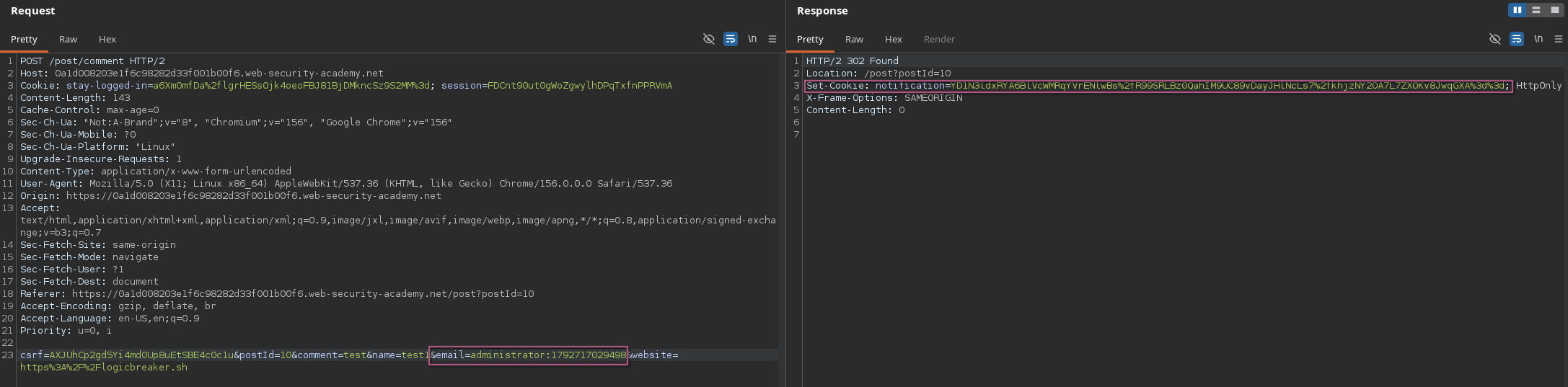
the decrypted cookie is in the format username:timestamp. we copy the timestamp. in the encrypt request we set the email parameter to administrator:your-timestamp, send it, and copy the new notification cookie from the response.
Step 7 - confirm the fixed prefix#
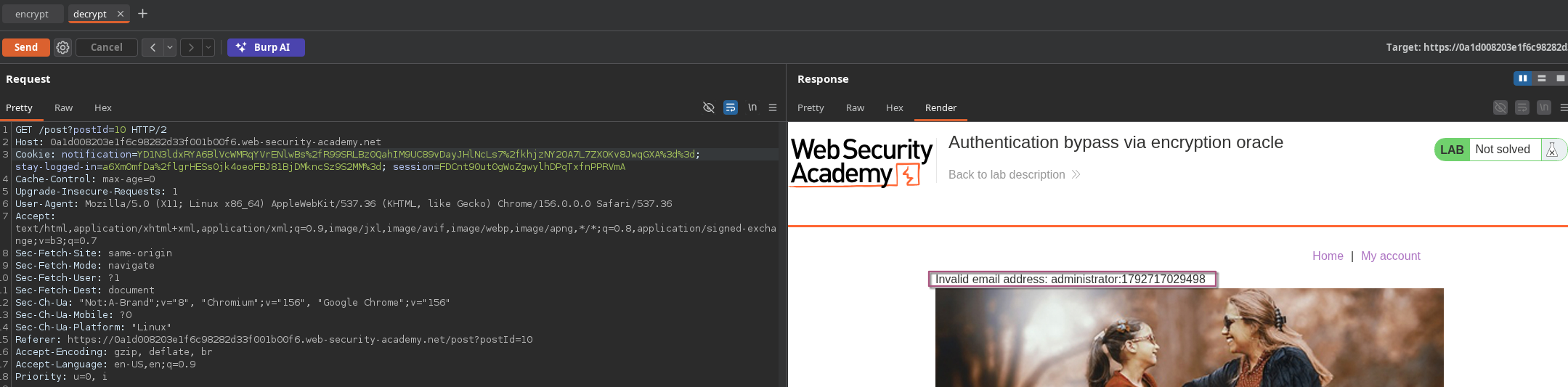
we decrypt this new cookie and observe the server automatically prepends the 23-character Invalid email address: prefix to whatever we pass in. to remove it we send the notification cookie to Decoder.
Step 8 - strip the prefix at byte level#
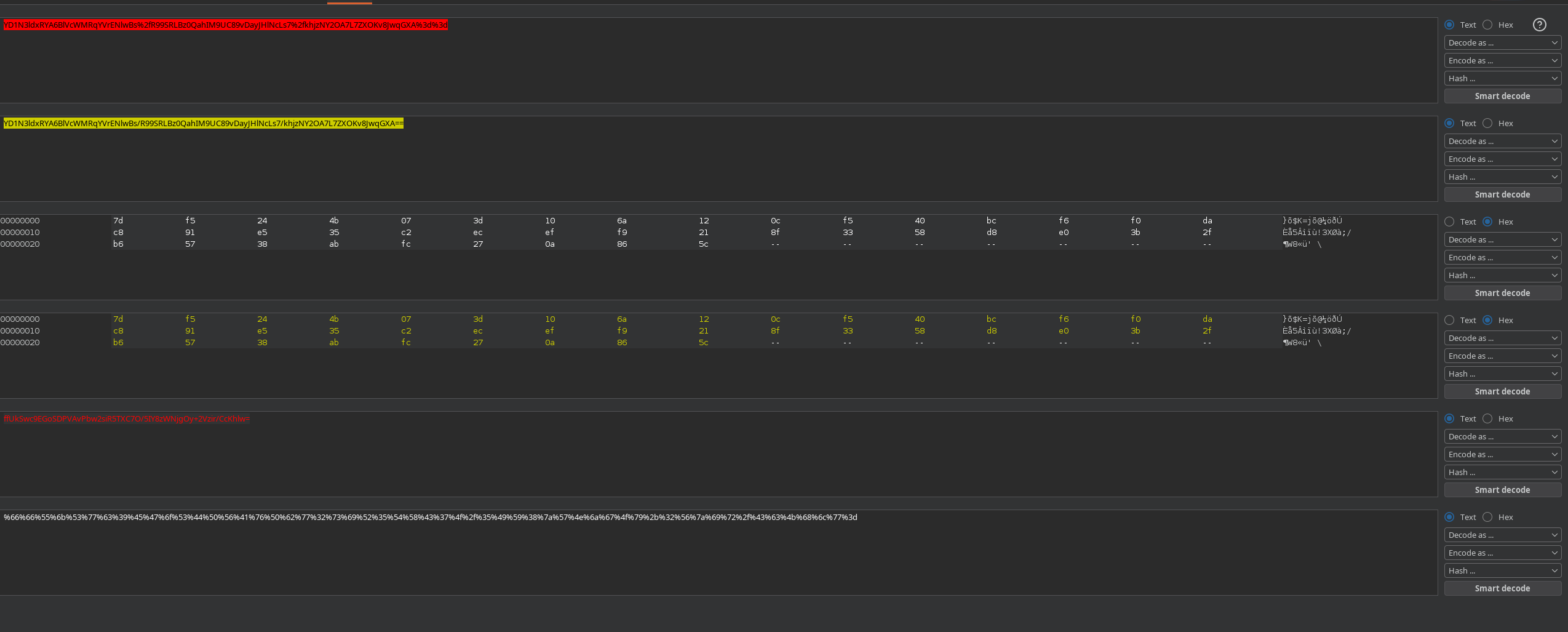
in Decoder we URL-decode then Base64-decode the cookie, and switch the message editor to the Hex tab. we select the first 23 bytes, right-click, and choose Delete selected bytes. we re-encode and copy the result back into the notification cookie.
Step 9 - learn the block-size constraint#
on sending it, the error tells us a block-based algorithm is used and the input length must be a multiple of 16. so the number of bytes we delete has to be a multiple of 16, and the 23-byte prefix is not. we need to pad the prefix out to a block boundary.
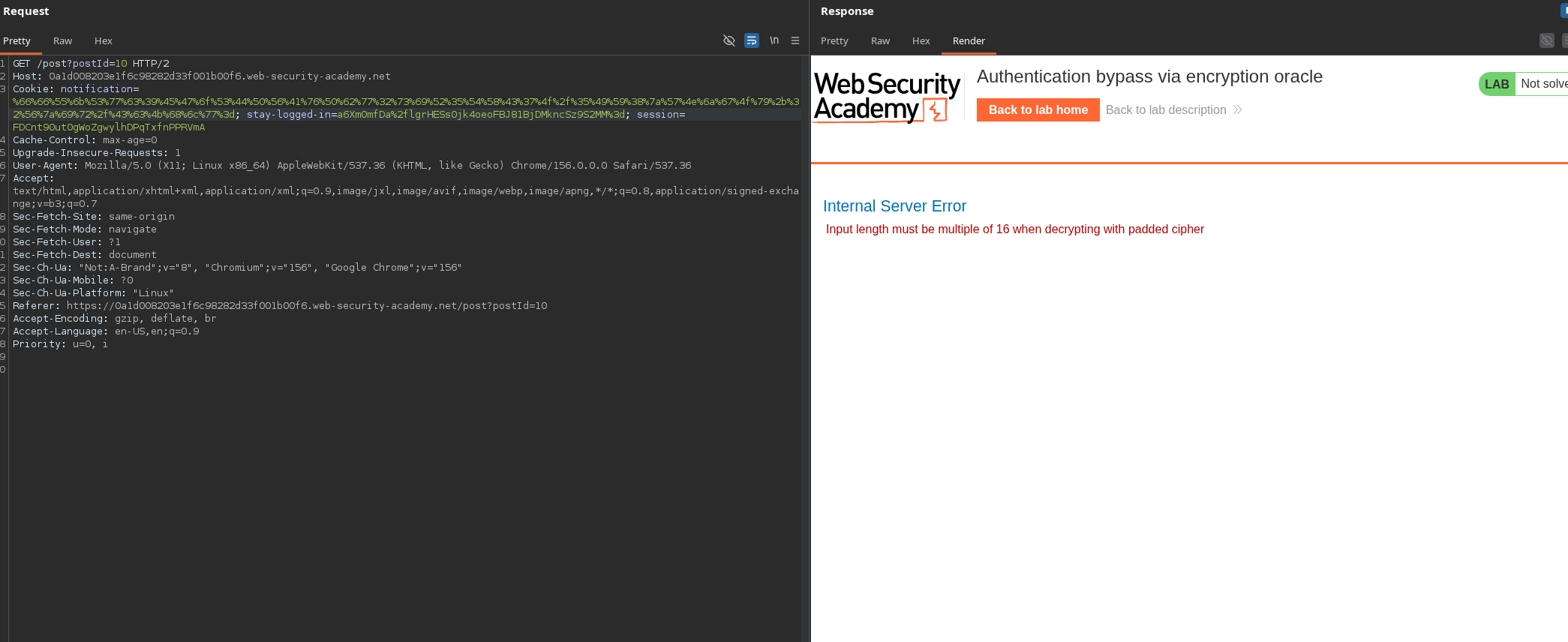
Step 10 - pad to a block boundary#
back in the encrypt request we add 9 characters to the start of the intended value, making the prefix-plus-padding 32 bytes (a multiple of 16), for example:
xxxxxxxxxadministrator:your-timestamp
we encrypt this and use the decrypt request to confirm it decrypts cleanly.
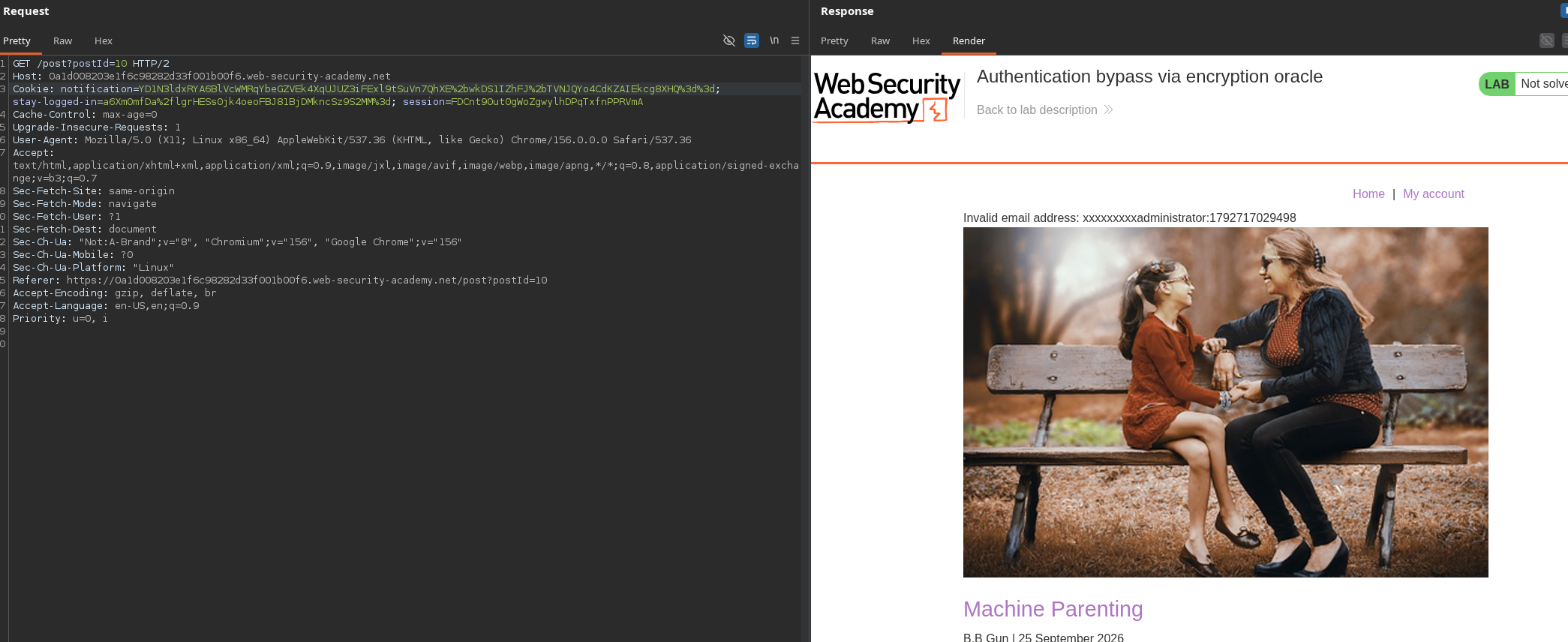
Step 11 - delete two whole blocks#
we send the new ciphertext to Decoder, URL- and Base64-decode it, and this time delete 32 bytes from the start of the data. we re-encode and paste the result into the notification parameter of the decrypt request.
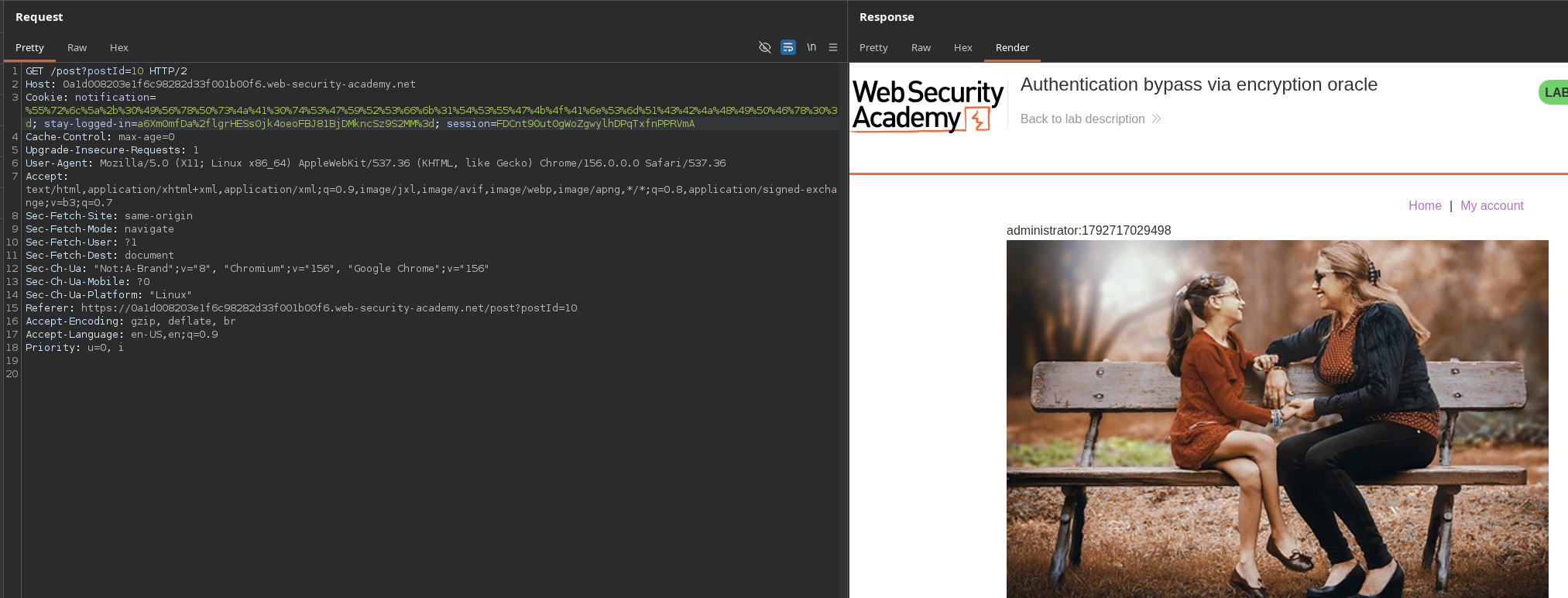
Step 12 - verify a clean token#
we check the response and confirm our input decrypts successfully and no longer carries the Invalid email address: prefix. we see only administrator:your-timestamp.
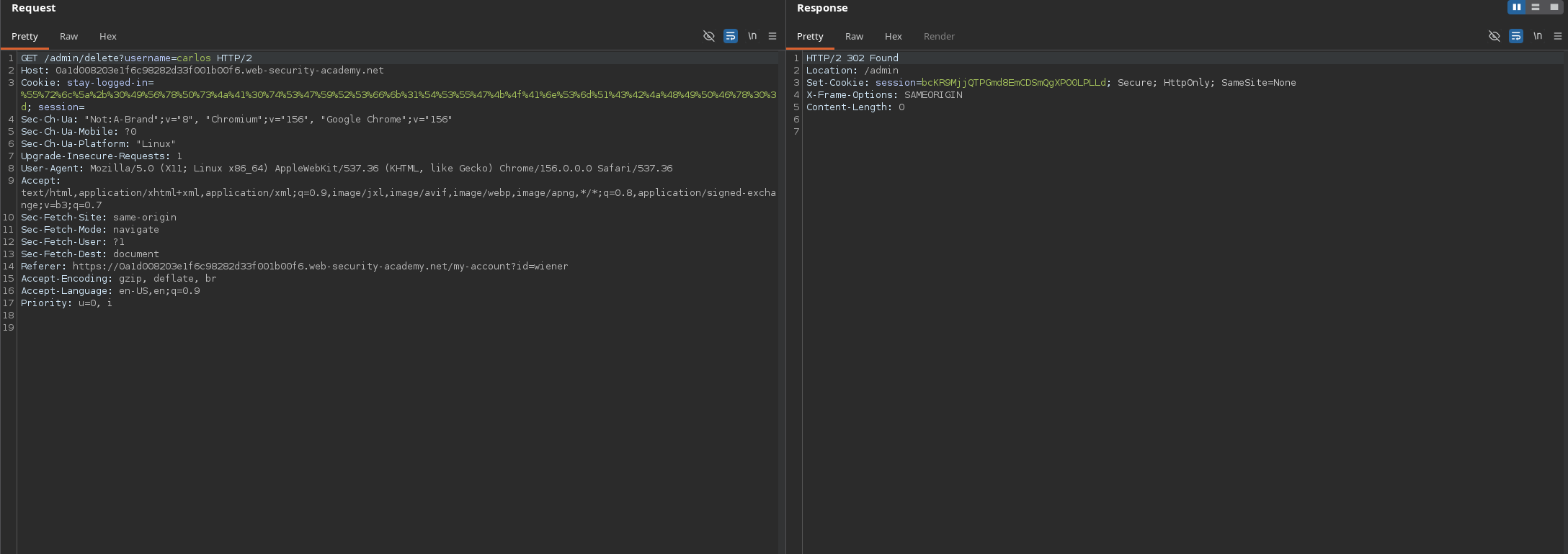
Step 13 - log in as administrator#
from the proxy history we send the GET / request to Repeater. we delete the session cookie entirely and replace the stay-logged-in cookie with the ciphertext of our self-made cookie. on sending, we are logged in as the administrator and have the admin panel.
Step 14 - delete carlos#
in Repeater we browse to /admin and see the option to delete users, then browse to /admin/delete?username=carlos.
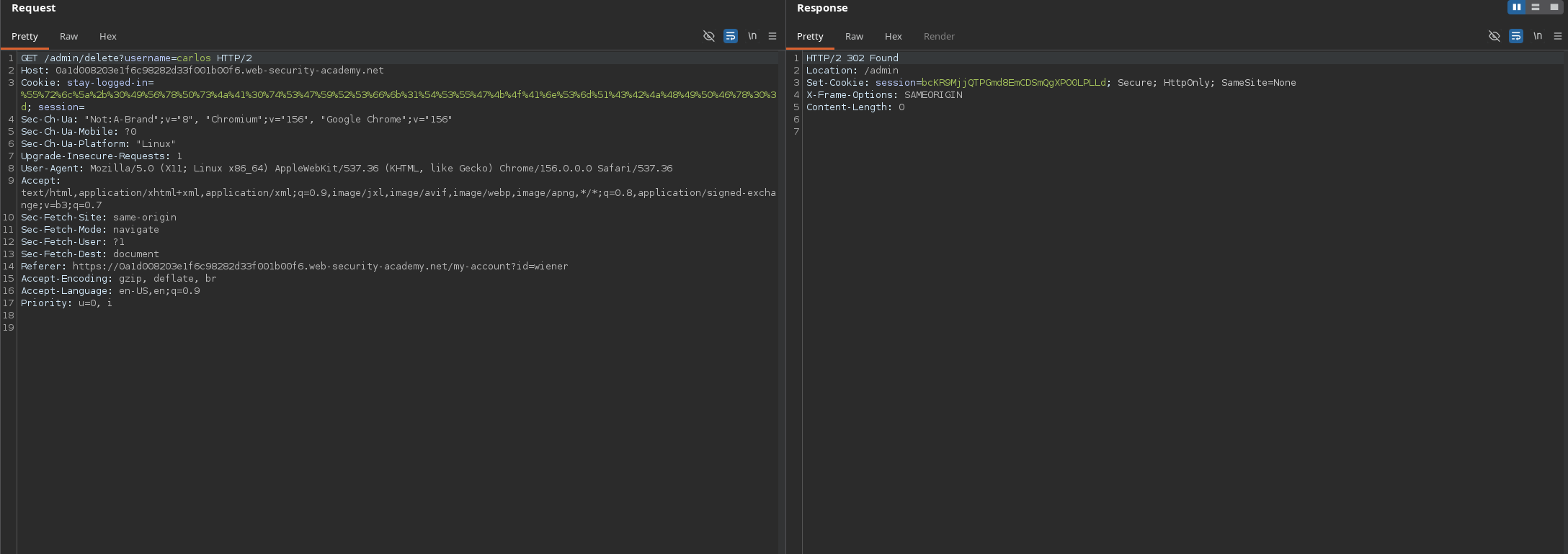
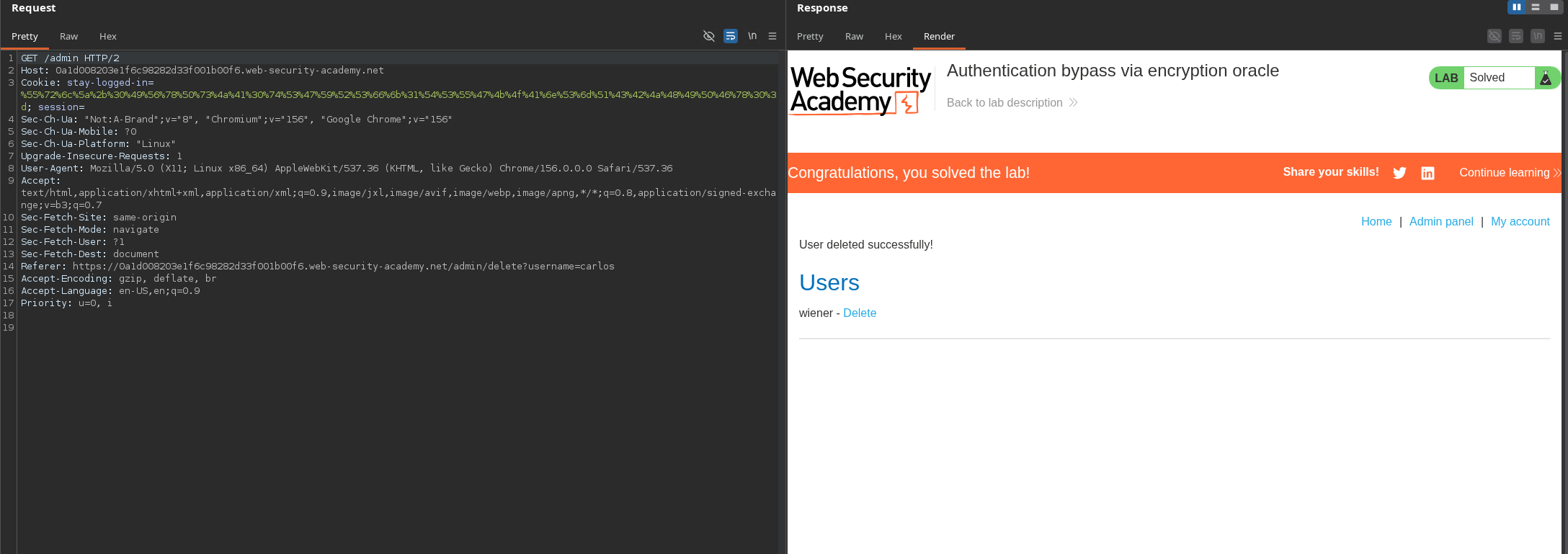
with this, the lab is solved!