
The lab
here is how portswigger describes it
This lab uses CSP and contains a reflected XSS vulnerability.
To solve the lab, perform a cross-site scripting attack that bypasses the CSP and calls the alert function.
Please note that the intended solution to this lab is only possible in Chrome.
the last csp lab left us unable to run any script at all, so we hijacked a form instead. this one is beatable in a much more direct way because the policy is partly built out of something we control so rather than working around the csp we simply rewrite it to allow our script
The idea#
a csp, content security policy, is a header the site sends that tells the browser what is allowed to run, and it normally blocks inline scripts so that a reflected <script> just sits there as dead text
the flaw in this lab is not in how the csp is enforced, it is in how the csp is built. the header here is assembled on the fly and part of it a value inside the report-uri directive comes straight from a token parameter in our url. the golden rule that user input should never be trusted applies to security headers just as much as to page content and here it has been broken. if we can write into the csp header, we are not stuck bypassing the policy we can edit the policy itself and hand ourselves permission to run scripts
Step 1 - Confirm the reflection and the csp block#
starting on the search box i sent a classic probe
<img src=1 onerror=alert(1)>
it reflects into the page and you can see the broken image icon because src=1 is not a real image which confirms our markup is landing live in the html.
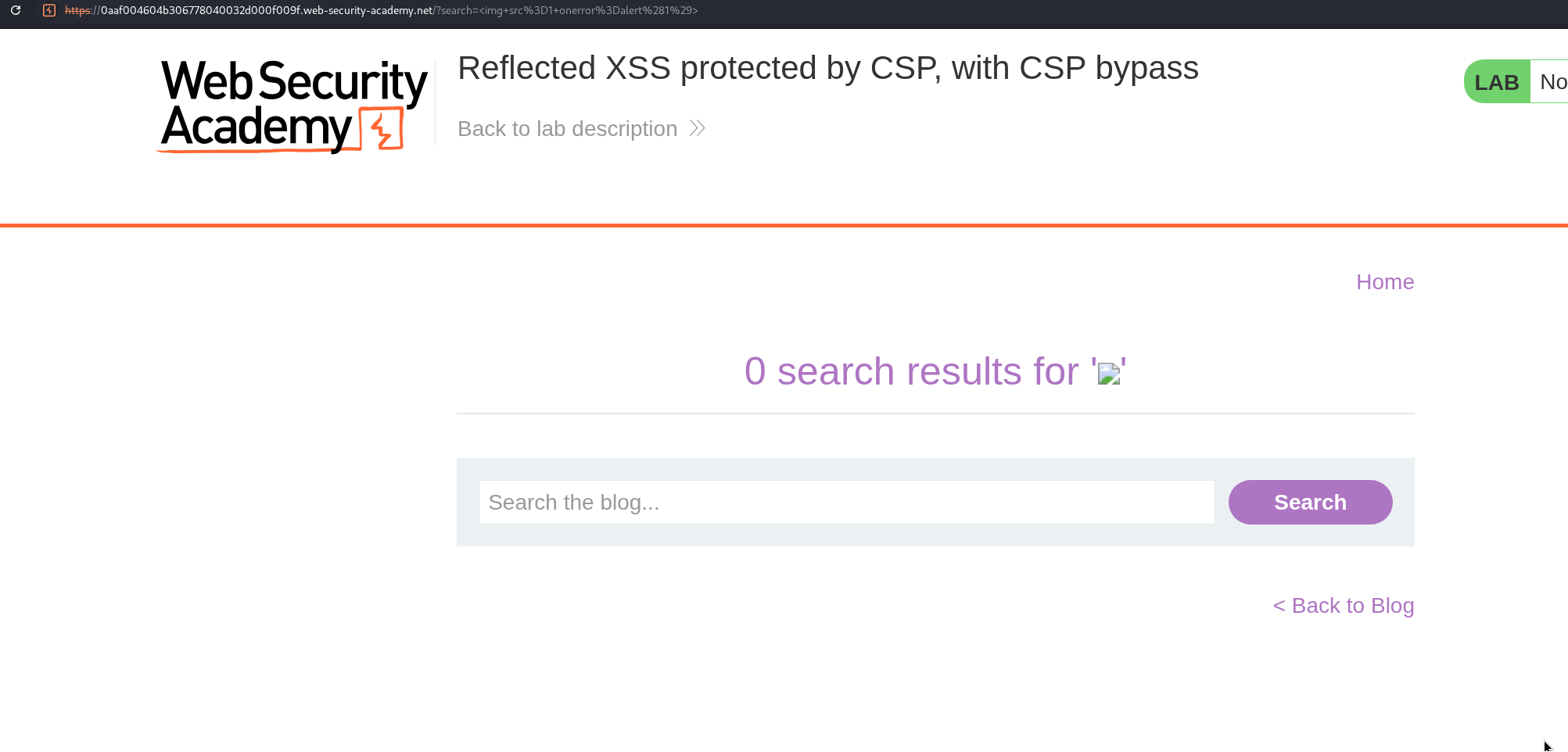
but the onerror script never runs checking the response in burp there is a Content-Security-Policy header on it, that is what is stopping our script from executing.
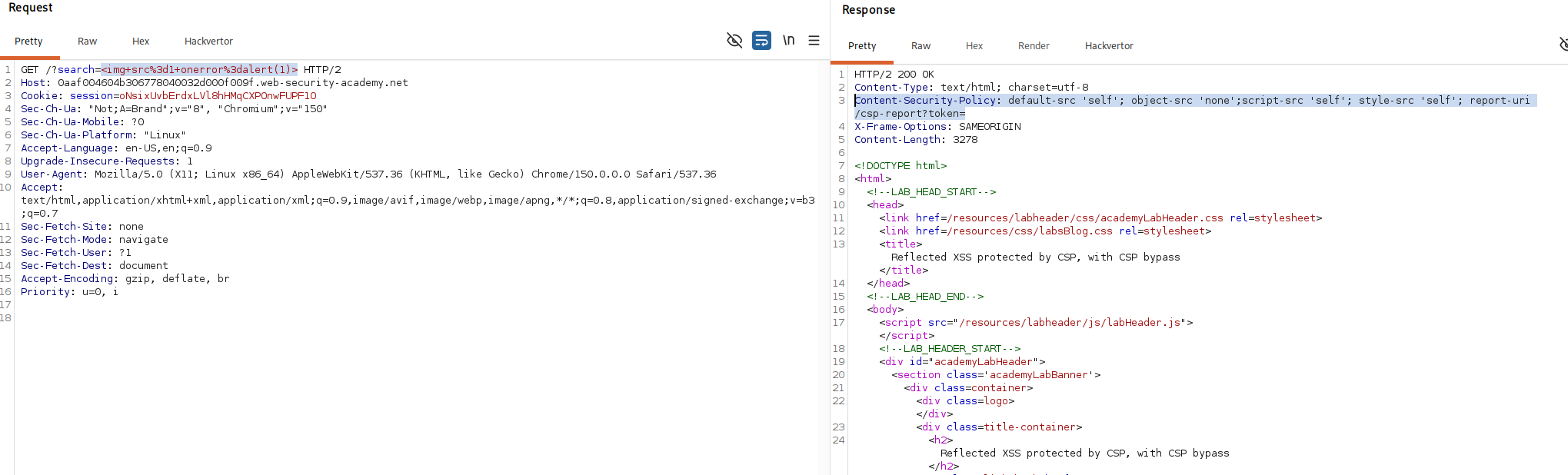
so the reflection is real but the csp is doing its job. the interesting part is what that header is made of
Step 2 - Find the part of the csp we control#
reading the csp header closely the report-uri directive at the end points at a url that carries a token parameter and that token is simply whatever we put in the token query parameter of our request. in other words part of the policy is being copied from our own input. that is the opening because a directive in a csp is just text separated by semicolons so if we can write into that text we can start a brand new directive of our own choosing.
Step 3 - Inject a directive that allows our script#
here is the payload, url encoded as it goes in the address bar
/?search=%3Cscript%3Ealert%281%29%3C%2Fscript%3E&token=;script-src-elem%20%27unsafe-inline%27
decoded, it is two parameters working together.
/?search=<script>alert(1)</script>&token=;script-src-elem 'unsafe-inline'
the search half is just our reflected payload a plain <script>alert(1)</script> the clever half is token. we set it to ;script-src-elem 'unsafe-inline', and because that token is dropped into the csp header, the leading semicolon closes off the report-uri directive and begins a fresh directive of ours script-src-elem 'unsafe-inline' appended right onto the end of the policy
that new directive is the key script-src-elem is the csp directive that specifically governs <script> elements and when it is present the browser uses it in place of the more general script-src for deciding whether a script tag may run by giving it the value 'unsafe-inline' we are telling the browser that inline script tags are allowed which is exactly what our reflected <script>alert(1)</script> is. so the policy we just edited now permits the very thing the original policy was there to forbid and the alert fires.
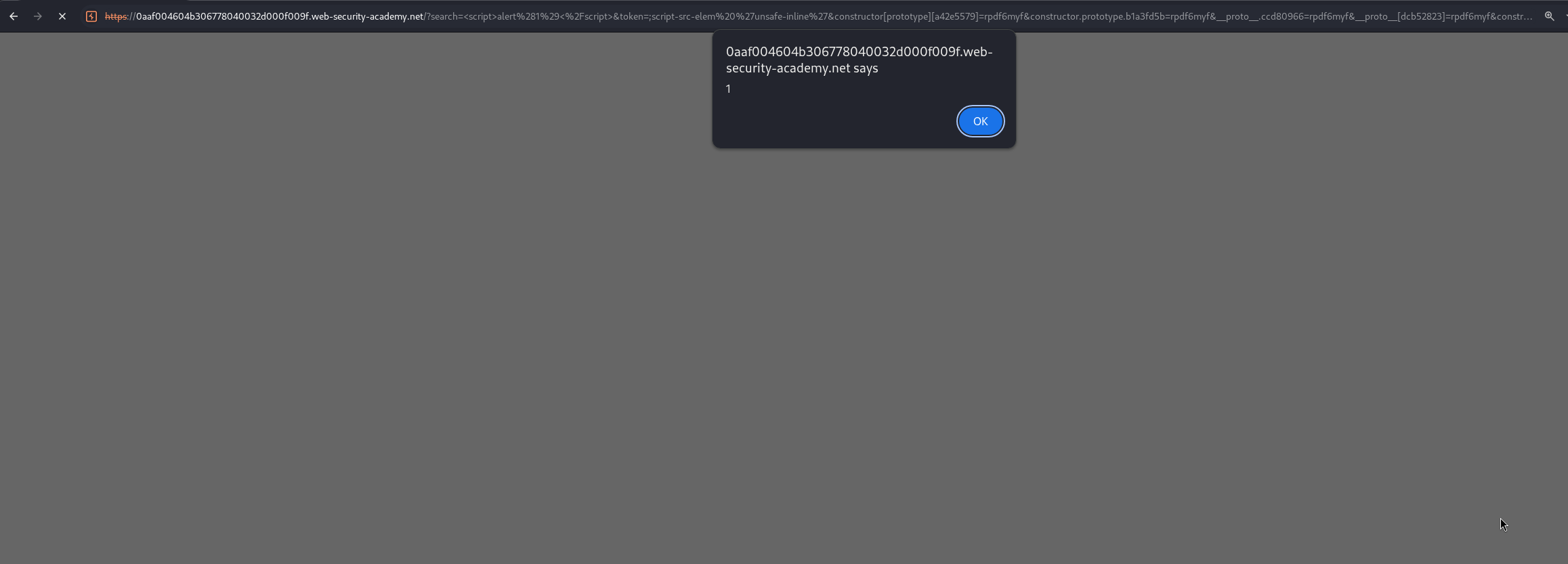
this is also why the lab is chrome only. script-src-elem is a newer csp directive that chrome supports but firefox does not so in firefox our injected directive is simply ignored and the original policy keeps blocking the script.
with this, the lab is solved!