
The lab
here is how portswigger describes it
This lab reflects your input in a JavaScript URL, but all is not as it seems. This initially seems like a trivial challenge; however, the application is blocking some characters in an attempt to prevent XSS attacks.
To solve the lab, perform a cross-site scripting attack that calls the alert function with the string 1337 contained somewhere in the alert message.
The last lab blocked whole categories of attribute, and this one gets even fussier, our code genuinely does run inside a javascript link, but individual characters are being stripped out, so the fight moves down to writing working javascript without the punctuation we usually lean on
The idea#
javascript url is a link whose address begins with javascript: and when the link is followed the browser runs whatever comes after as code. this page drops our input into one of those on the "back to blog" link at the bottom of the post so in principle we already have code execution the moment that link is clicked. the whole challenge is which characters we are allowed to use to write that code
this is not about breaking into a script it is about writing working alert while a few characters are quietly filtered away the two that end up mattering and that we will confirm by testing are the parenthesis and the space lose parentheses and you can no longer call a function the normal way, alert followed by a bracketed 1337 is simply impossible. lose spaces and even ordinary statement syntax gets awkward. everything below is a chain of tricks for calling alert with neither
Step 1 - Find where the input lands#
opening a post and looking at the page source, the "back to blog" link at the foot of the page has an href that starts with javascript:, and our postId value is reflected inside it, tucked into a string within an object. so our input is landing directly in code that runs on click

Step 2 - Try the obvious payload and learn what is blocked#
the naive move is to close out of the string and object we are sitting in and just call alert something ending in alert(1337). it does not work, and testing character by character shows why, the parenthesis is stripped, and so is the space. this single finding reshapes the whole task because without a parenthesis there is no ordinary way to call any function at all and without a space some syntax we would reach for will not parse
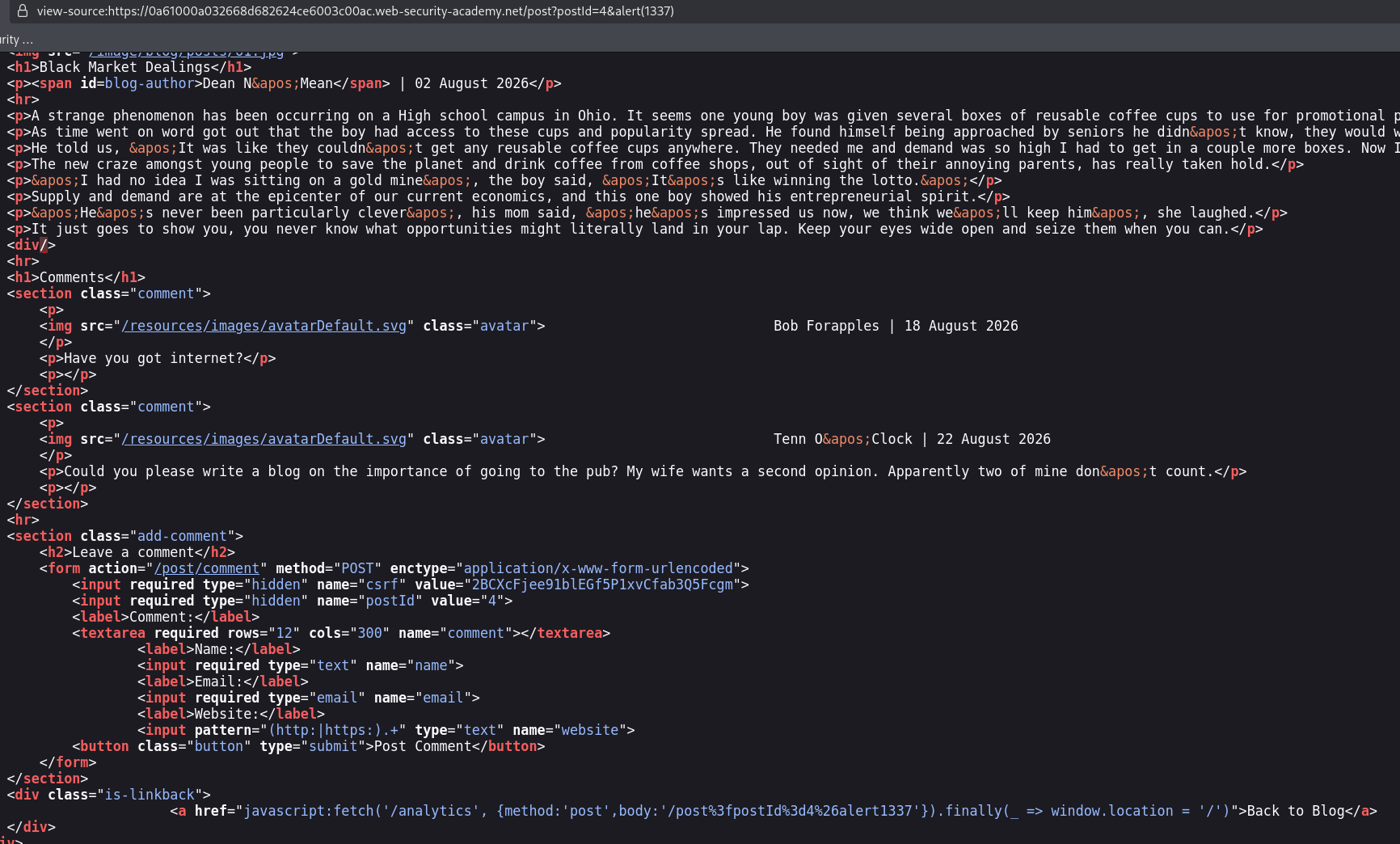
so the real question becomes, how do you call alert with 1337 when you are not allowed to type a parenthesis or a space
Step 3 - Call alert with no parentheses and no spaces#
first calling a function without parentheses. we cannot write the call ourselve so we get the browser to make the call for us. whenever javascript throws an error that nobody catches the browser hands it to window.onerror calling that handler automatically and passing along details of the error. so if we set onerror=alert and then throw a value, the browser calls alert on our behalf and the value we threw lands in the message it passes across. that is throw onerror=alert,1337 which sets the handler to alert and throws 1337, so alert is called with a message containing 1337 and not a parenthesis in sight hella it's a quite puzzle ;/
second giving throw a place to live. throw is a statement, not an expression, so you cannot drop it into the middle of the comma separated code we are injecting into. the fix is to wrap it in an arrow function x=>{throw...} because the curly braces open a block where statements are allowed again ,but it is trapped inside a function that nothing has called
third calling that function without parentheses either. same wall as alert we cannot write a bracketed call to run it. so we place it somewhere the browser will run on its own we assign it to window.toString with toString=x, then force javascript to turn into text by writing window+''. adding string to an object makes javascript reach for that object toString which is now our function so it runs the throw fires onerror calls alert and 1337 appears
fourth getting rid of the space. throw onerror needs a gap between the keyword and what follows and the space is blocked so we slip in an empty comment /**/ which javascript reads as a token boundary exactly like a space would that makes throw/**/onerror parse cleanly
Step 4 - Assemble the payload and fire it#
put all four together and wrap them so the surrounding code stays valid and this is the decoded payload.
'},x=x=>{throw/**/onerror=alert,1337},toString=x,window+'',{x:'
the leading '} closes the string and object our input was sitting inside, and the trailing ,{x:' starts rebuilding that same shape so that, with the template's own closing, the whole javascript url still parses. in the middle, x=x=>{throw/**/onerror=alert,1337} stores our arrow function, toString=x hides it on window's toString, and window+'' forces the string conversion that runs the lot.
in the address bar it goes on the end of the post url, encoded.
/post?postId=5&%27},x=x=%3E{throw/**/onerror=alert,1337},toString=x,window%2b%27%27,{x:%27
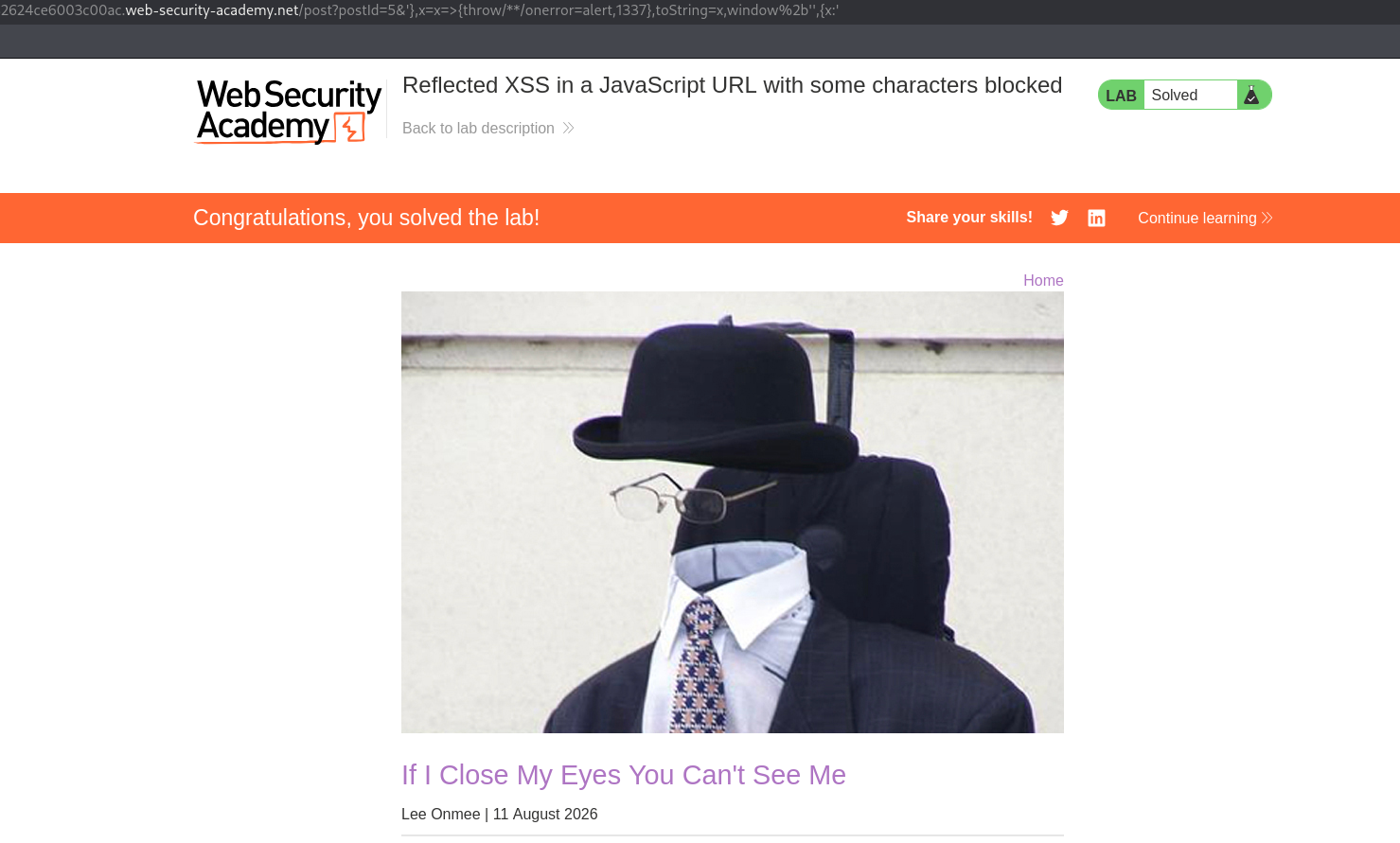
with this, the lab is solved!