
The lab
here is how portswigger describes it
The user lookup functionality for this lab is powered by a MongoDB NoSQL database. It is vulnerable to NoSQL injection. To solve the lab, extract the password for the administrator user, then log in to their account. You can log in to your own account using the following credentials:
wiener:peter.
the new pieces in this lab#
this combines the syntax injection from the detection lab with a new goal, extracting data we can't see directly. we never get the admin's password printed back to us; instead we ask yes/no questions about it and read the answer from whether the lookup succeeds or fails.
- blind / boolean-based extraction: when the vulnerable response doesn't echo the data, we infer it one fact at a time. each request injects a condition that is true only if some guess about the hidden value is correct. a true condition changes the response one way (here: account details returned), a false one changes it the other (here: "Could not find user"). by watching which response we get, we learn whether our guess was right, that difference is our oracle.
- MongoDB runs JavaScript in conditions, so inside our injected expression we can reference the matched document's own fields with
this.this.passwordis the password of the record being tested, and we can inspect it:this.password.lengthgives its length, so we can binary-search or step through to find how many characters it has.this.password[0],this.password[1], … index individual characters, so we can test each position against a guessed letter.
- Intruder Cluster bomb: to brute-force every (position, character) pair we use two payload sets, one for the index and one for the candidate letter, and Cluster bomb tries every combination. the request that returns the admin's details tells us the real character at that position.
the method: confirm boolean injection works, use
this.password.lengthto learn the password is 8 characters, then Cluster-bomb each position × each letter to read the password one character at a time, and log in as admin.
why the lookup leaks the password#
the flaw is the same unsafe concatenation as the detection lab, our input lands in a server-side JavaScript condition unescaped, so we can inject expressions MongoDB will evaluate against each candidate document. what makes it an extraction rather than just a bypass is that the lookup gives two visibly different responses depending on whether a record matched, and MongoDB lets our injected JavaScript interrogate the record's own password field. so even though the password is never shown, we can phrase questions like "is the 4th character an m?" as a condition that only matches when true, and the success/failure of the lookup answers the question. the password's secrecy relies on it never being compared against attacker-chosen guesses; the injection breaks exactly that, letting us test it character by character until it's fully reconstructed.
Step 1 - capture the lookup request#
we log in as wiener:peter. in Proxy > HTTP history we right-click the GET /user/lookup?user=wiener request and Send to Repeater.
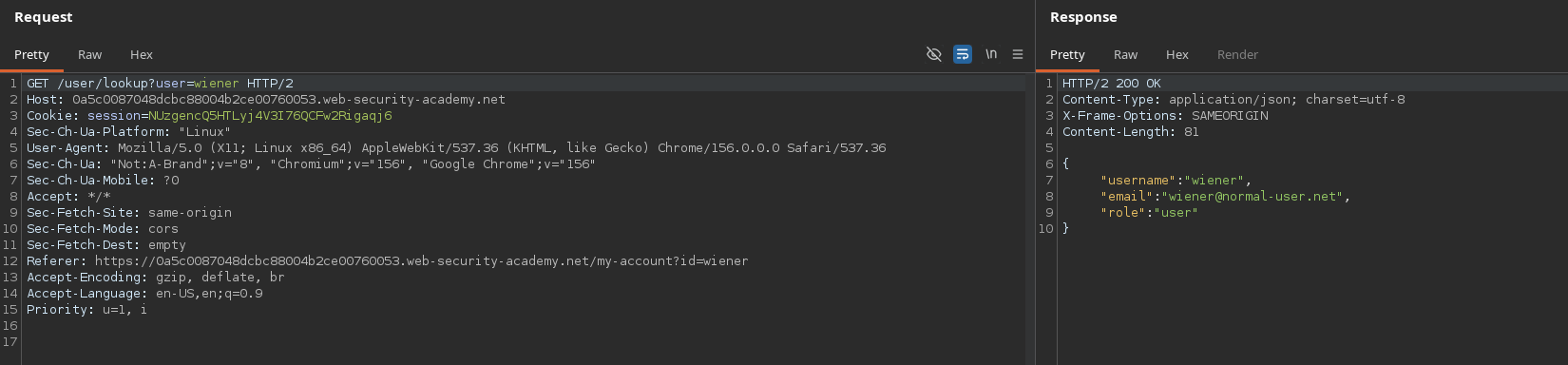
Step 2 - break the syntax#
in Repeater we submit a single ' in the user parameter. this causes an error, suggesting our input isn't sanitised and is landing in a server-side expression.
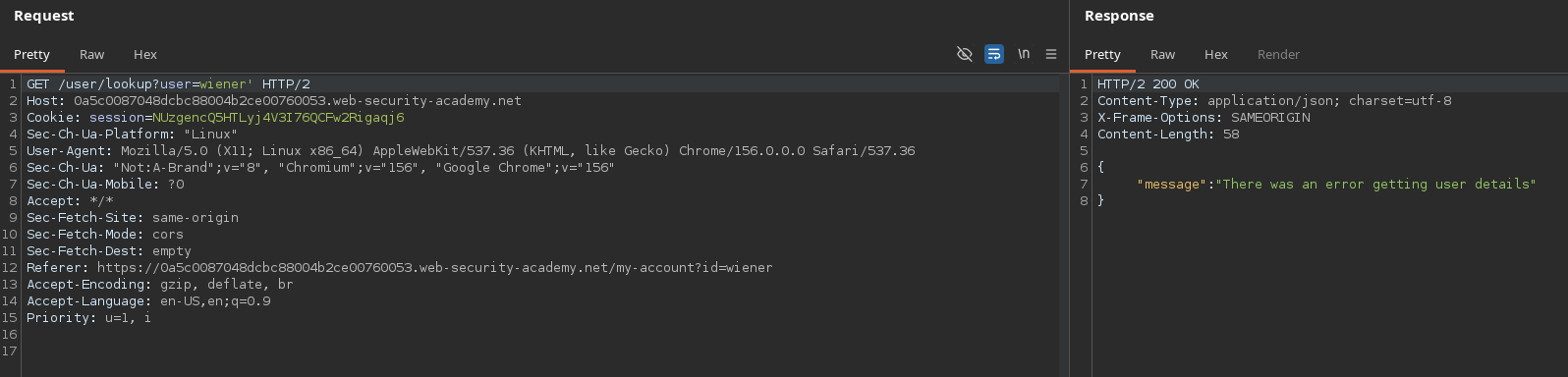
Step 3 - confirm injection with a balanced payload#
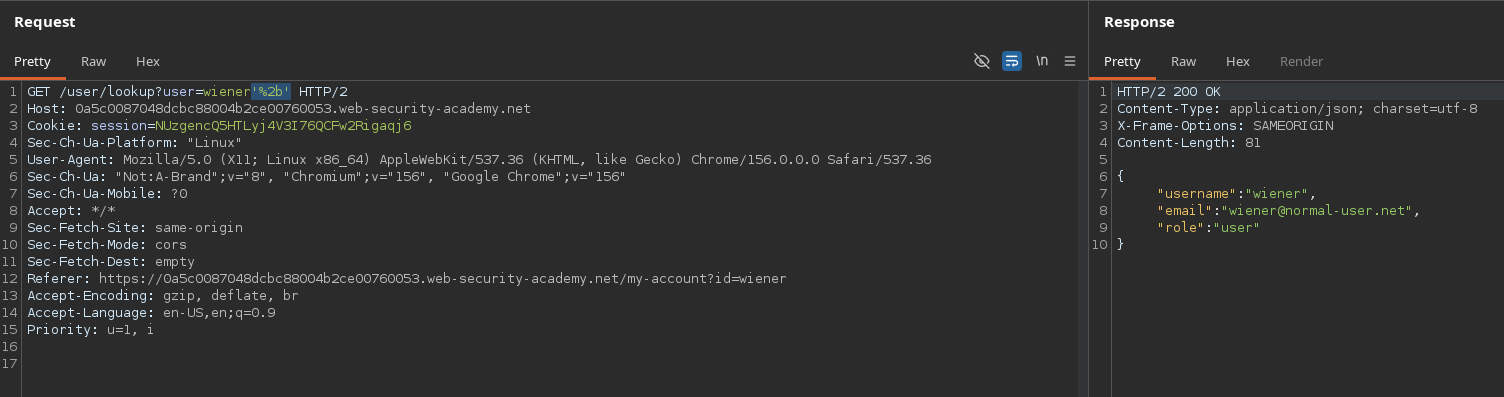
we submit a balanced JavaScript payload:
wiener'+'
why it works. server-side this reads 'wiener'+'', our leading ' closes the opened string, +'' concatenates an empty string, and the trailing ' pairs with the server's closing quote. the expression is valid JavaScript, so no error, confirming server-side injection.
Step 4 - inject a false condition#
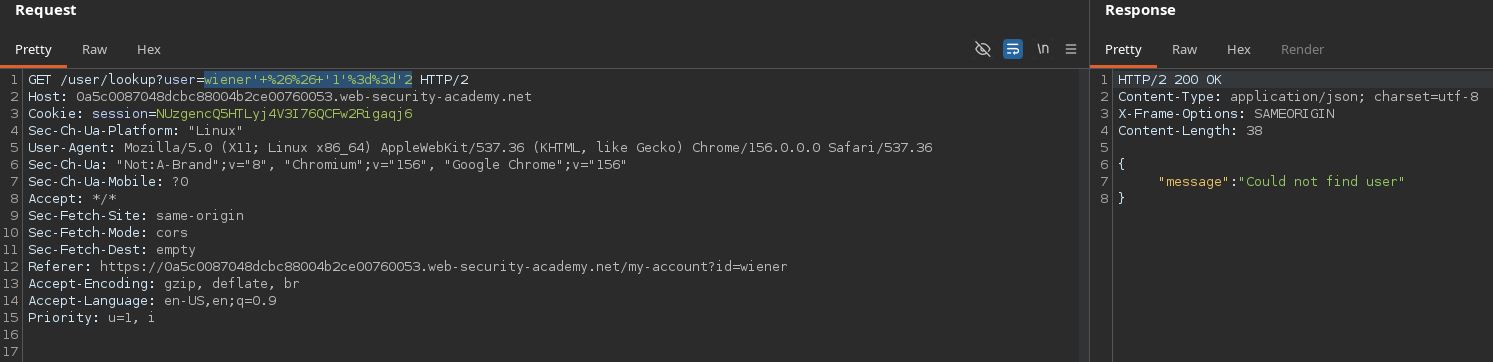
we submit a condition that is always false:
wiener' && '1'=='2
why it works. the expression becomes 'wiener' && '1'=='2'. 'wiener' is truthy, so && evaluates the second part, '1'=='2', which is false. the whole condition is false, no record matches the full criteria, and we get Could not find user.
Step 5 - inject a true condition#
we submit a condition that is always true:
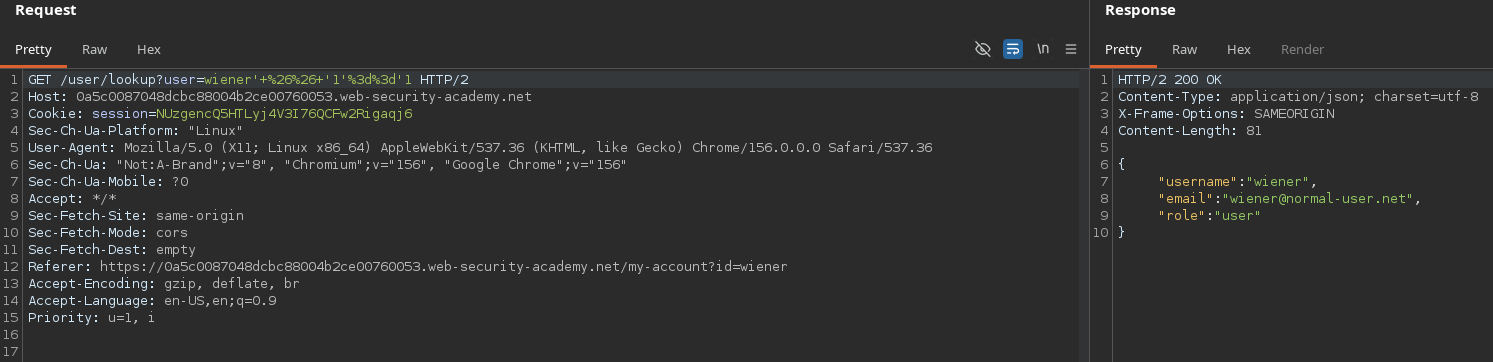
wiener' && '1'=='1
why it works. 'wiener' && '1'=='1', the comparison '1'=='1' is true, so the condition holds and the lookup returns the wiener account details. we now have a reliable oracle: true → account details, false → "Could not find user".
Step 6 - find the password length#
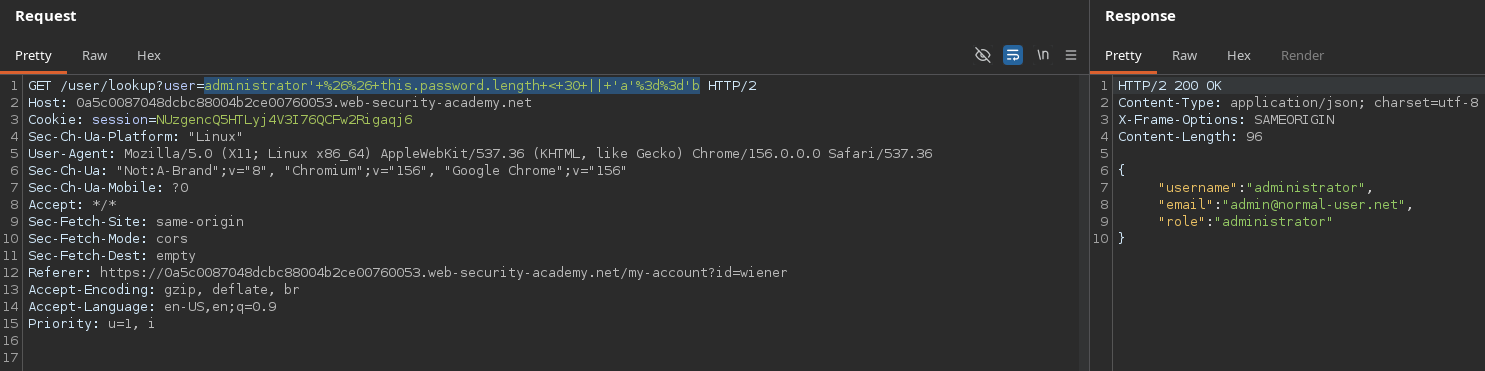
we switch the target to the administrator and test the password length:
administrator' && this.password.length < 30 || 'a'=='b
why it works. the expression is 'administrator' && this.password.length < 30 || 'a'=='b'. this.password is the admin record's password; this.password.length < 30 asks "is it shorter than 30 chars?". the trailing || 'a'=='b' (false) is just there to keep the statement balanced and valid. this returns the admin details, so the condition is true, the password is under 30. we then lower the number and retry: at < 9 it's still true, at < 8... we binary-search / step down until we pin it. the lab's result: length 9 returns admin details (true) but 8 errors (false), meaning this.password.length < 9 is true and < 8 is false, so the password is exactly 8 characters.
Step 7 - set up the Cluster bomb#
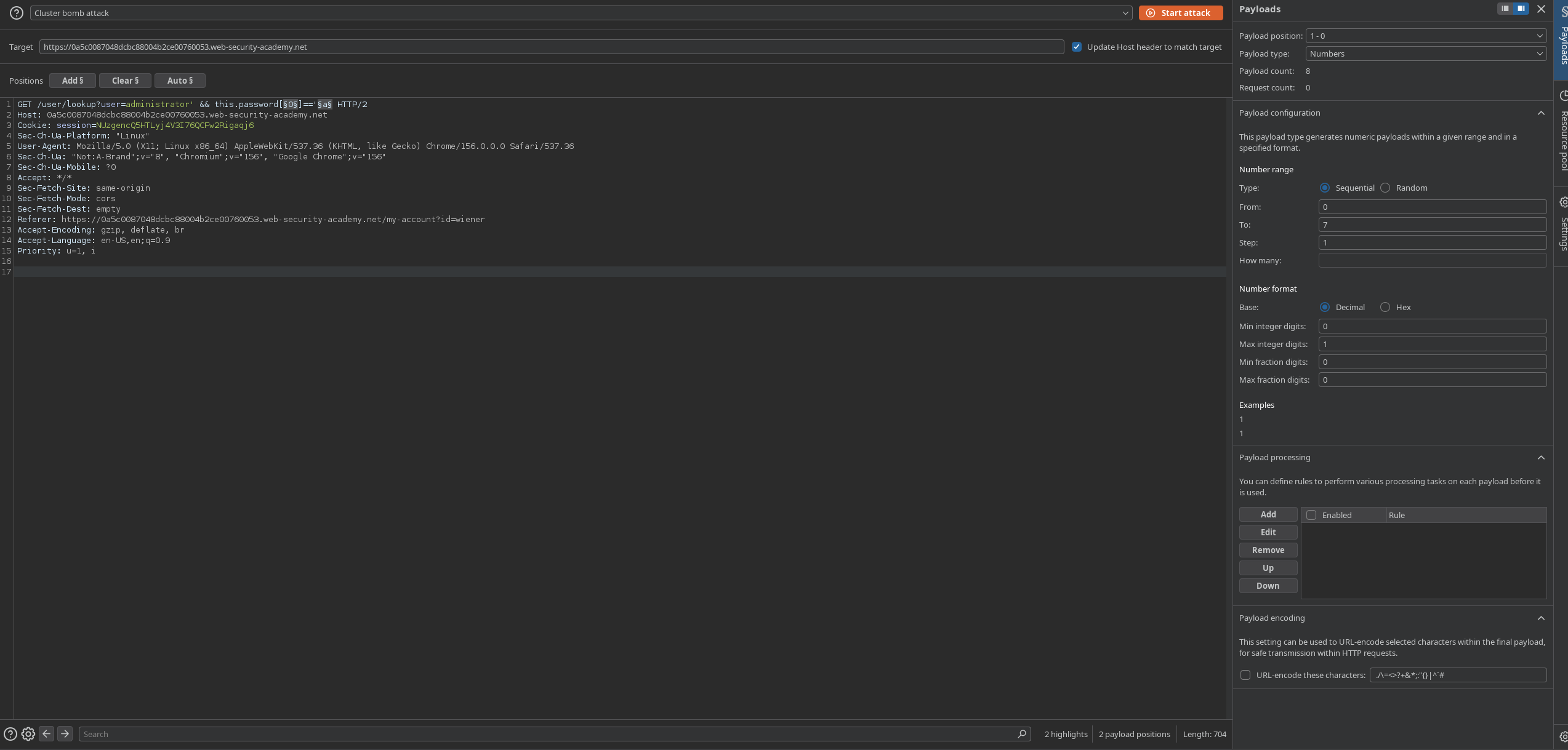
we send the request to Intruder and set the user parameter to:
administrator' && this.password[§0§]=='§a§
why this shape. this.password[§0§]=='§a§' asks "is the character at index §0§ equal to §a§?". the two §...§ markers are payload positions: position 1 is the character index (0–7), position 2 is the guessed letter. we choose Cluster bomb so Intruder tries every index against every letter. (URL-encode the payload.)
- position 1: numbers 0 to 7 (one per character of the 8-char password)
- position 2: lowercase letters a to z (Burp Pro's built-in a–z list)
Step 8 - run the attack#
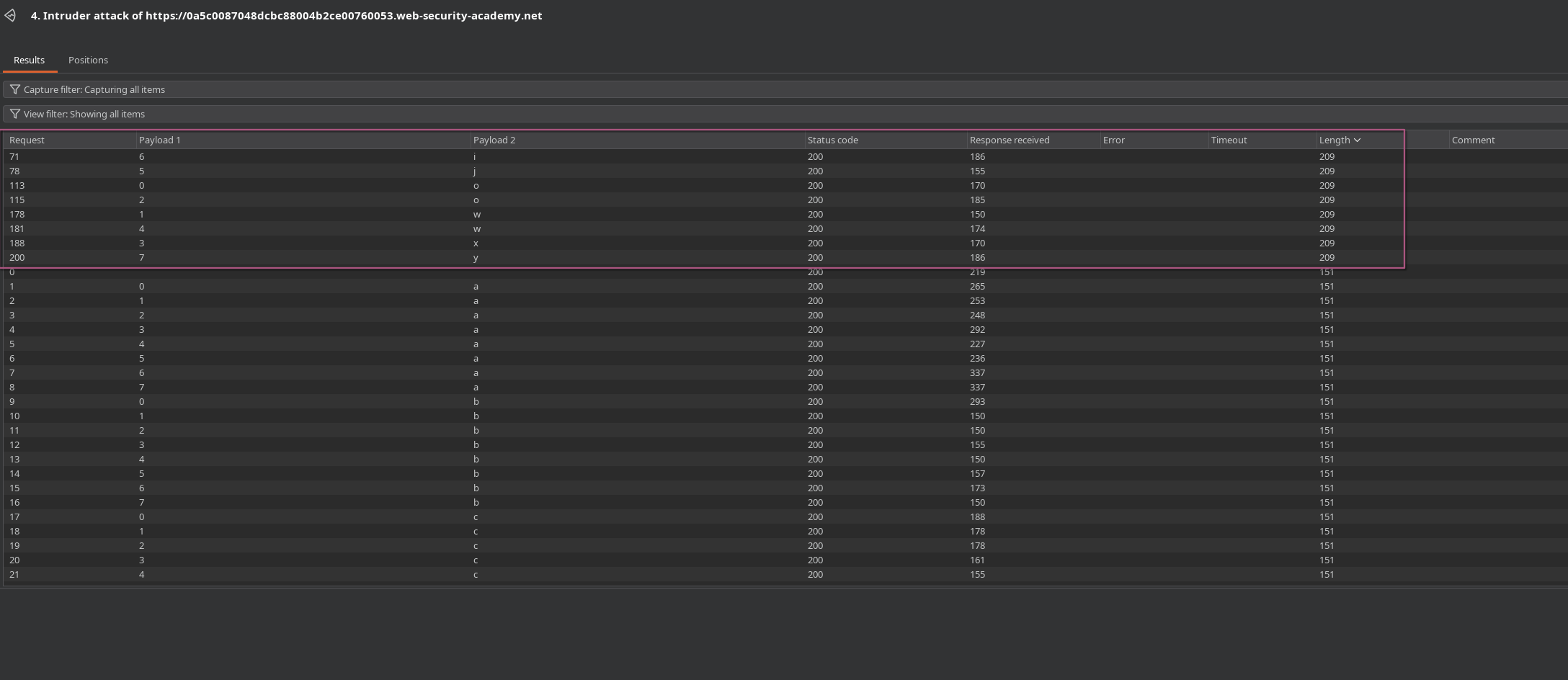
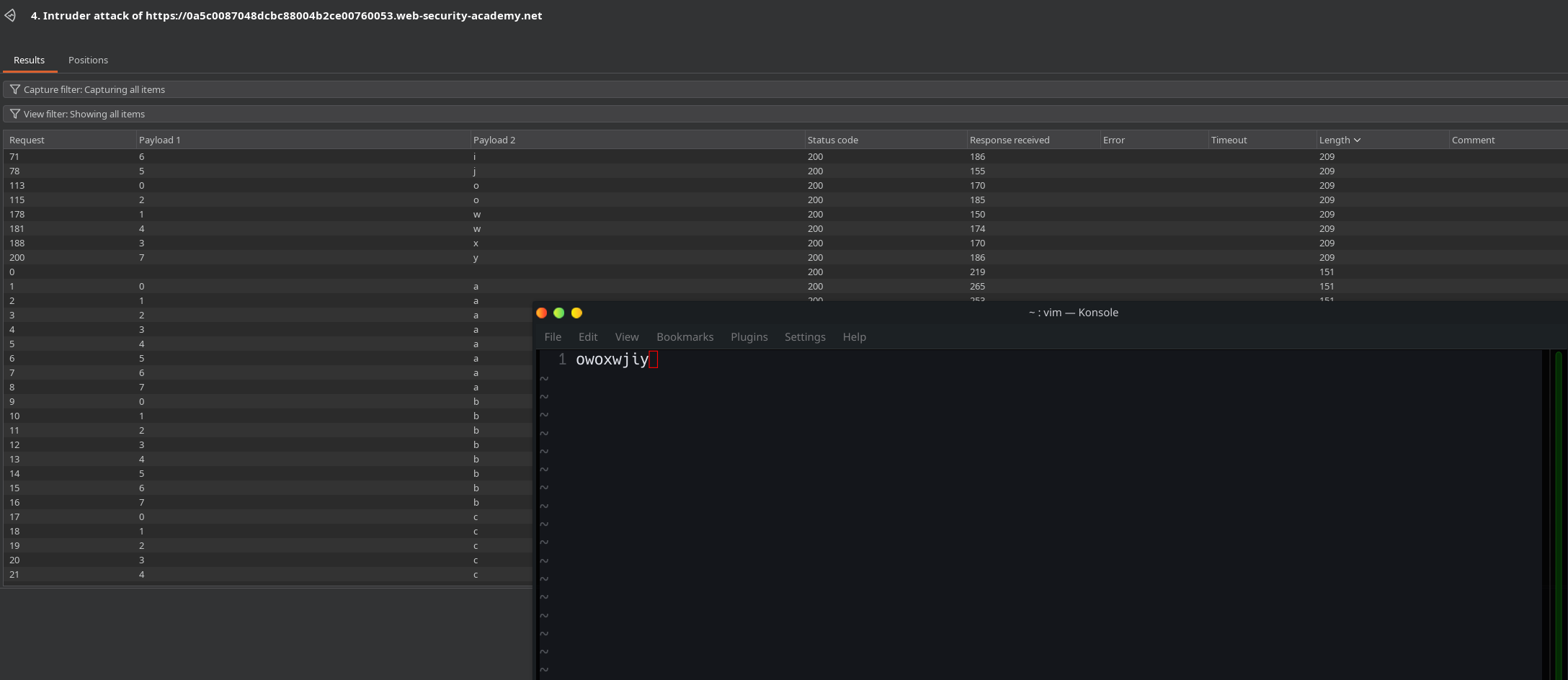
we start the attack. Intruder sends one request for every (index, letter) combination, 8 × 26 requests. the ones where the guessed letter matches the real character return the admin details (true); all others return "Could not find user" (false).
Step 9 - read off the password#
we sort the results by Payload 1 (index), then by Length so the odd-one-out response stands out. for each index 0–7, exactly one request evaluated true and retrieved the admin details. reading the Payload 2 (letter) value of each winning request, in index order, spells out the 8-character password.
Step 10 - log in as admin#
in Burp's browser we log in as the administrator with the extracted password.
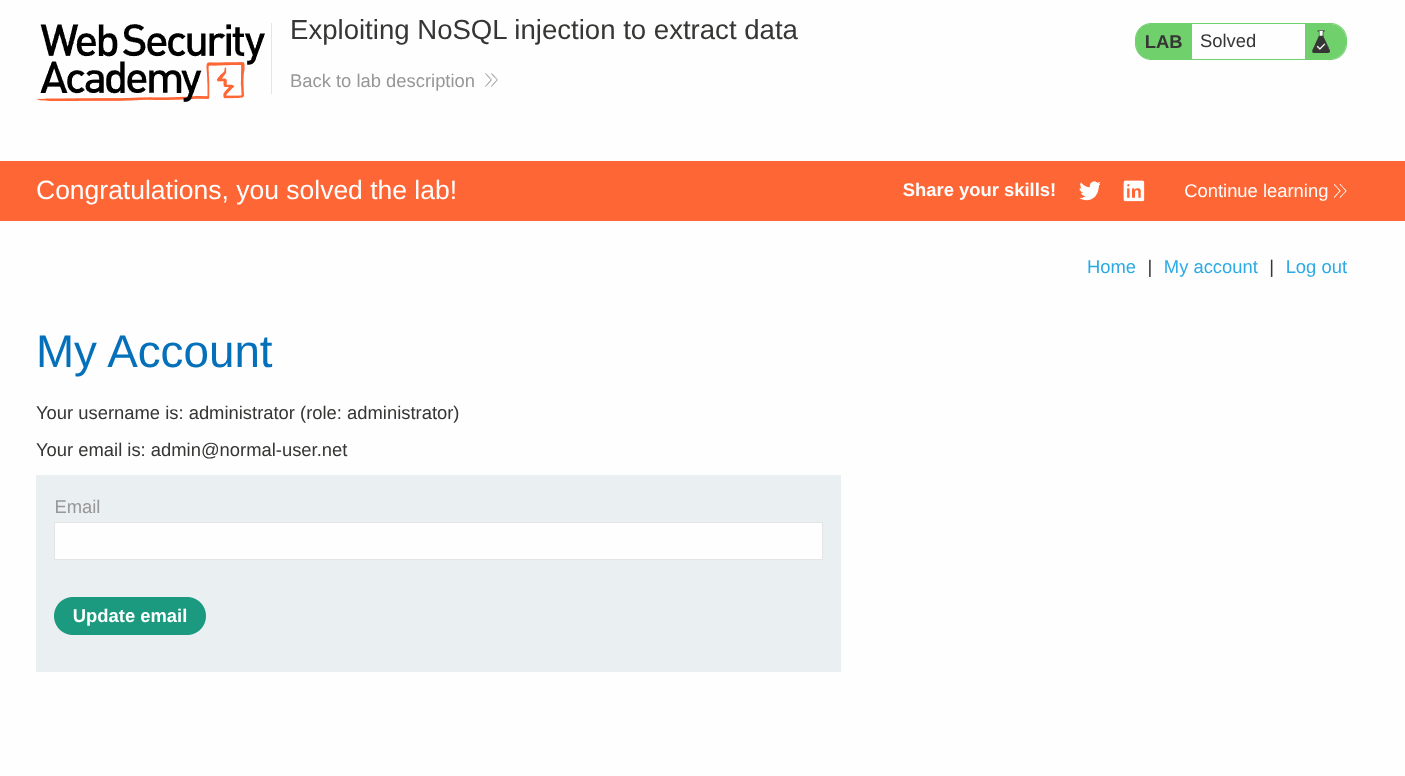
with this, the lab is solved!