
The lab
here is how portswigger describes it
The user lookup functionality for this lab is powered by a MongoDB NoSQL database. It is vulnerable to NoSQL injection. To solve the lab, log in as carlos.
the new pieces in this lab#
this is the hardest NoSQL lab so far, it chains operator injection, $where JavaScript evaluation, and blind extraction, to steal data whose field names we don't even know. a few new ideas:
- the
$whereoperator lets a MongoDB query run an arbitrary JavaScript expression against each document; the document matches only if that expression returns truthy. injecting into$wheremeans we can run JS like0,1, or a regex test, and read the result from whether a record matched. it's a general-purpose boolean oracle built right into the query. thisinside$whererefers to the document currently being tested, sothis.password,this.username, etc. are that user's fields. but what if we don't know the field names? that's the core challenge here.Object.keys(this)is standard JavaScript: it returns an array of the field names on an object. soObject.keys(this)[1]is the name of the second field on the user document. we can extract those names character by character, discovering hidden fields (like a password-reset token field) without any documentation.- the oracle in this lab is the pair of error messages. carlos's account is locked, so when our injected condition matches carlos's record we get Account locked, and when it doesn't we get Invalid username or password. that true/false difference is what we read.
- regex position testing:
match('^.{N}C.*')asks "does this string have characterCat positionN?",^anchors to the start,.{N}skipsNcharacters, thenCmust be the next one, then.*allows anything after. varyingNandCwith an Intruder Cluster bomb reconstructs any string one character per position. the method: confirm$neand$whereinjection, useObject.keys(this)[i]with regex extraction to read the field names (revealing aresetPwdTokenfield), confirm that field name works on the forgot-password endpoint, extract the token's value the same way, then use it to reset carlos's password.
why this leaks hidden fields and their values#
the flaw is that the login query accepts attacker-supplied operators and even an attacker-supplied $where JavaScript clause, so we can execute arbitrary read-only JS against the user document. normally you can only query fields you know the names of, but Object.keys(this) turns the document's own structure into readable data: we enumerate its field names, then its field values, purely through the true/false signal of whether carlos's locked account matched. nothing is ever printed back, we reconstruct it all from the two error messages. the password-reset token is meant to be a server-side secret the user only receives by email; because it lives as a field on the same document our injected JS can inspect, we read its name and then its value directly, and use it to seize the account.
Step 1 - baseline the login#
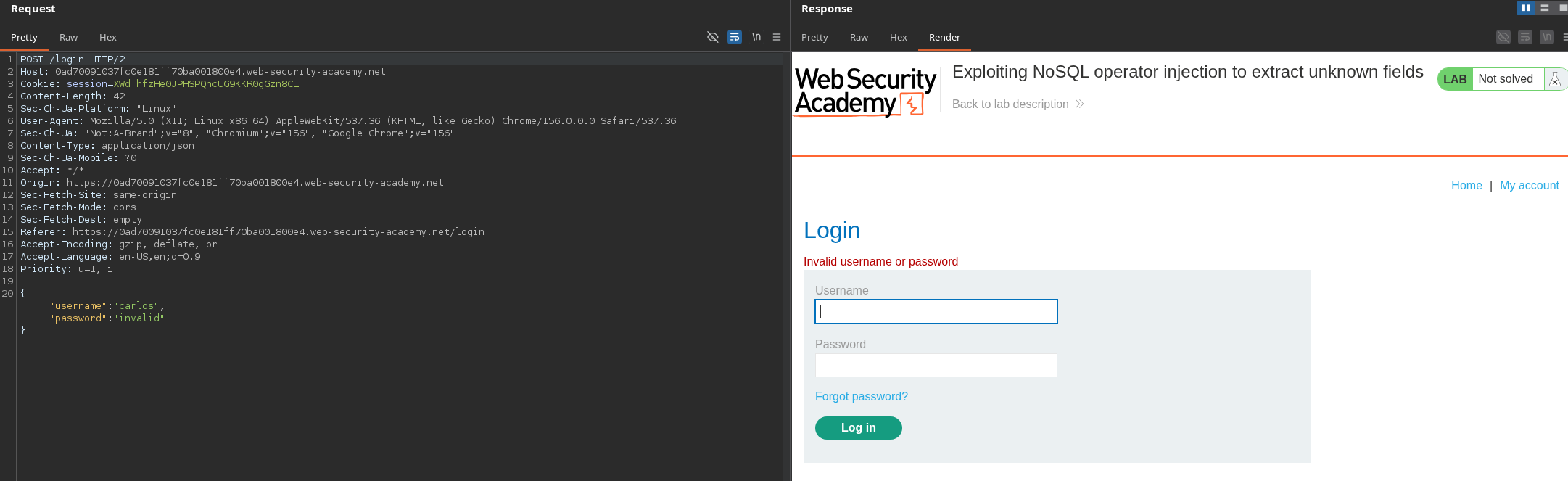
we try to log in with username carlos and password invalid, and get Invalid username or password. in Proxy > HTTP history we right-click the POST /login request and Send to Repeater.
Step 2 - confirm operator injection#
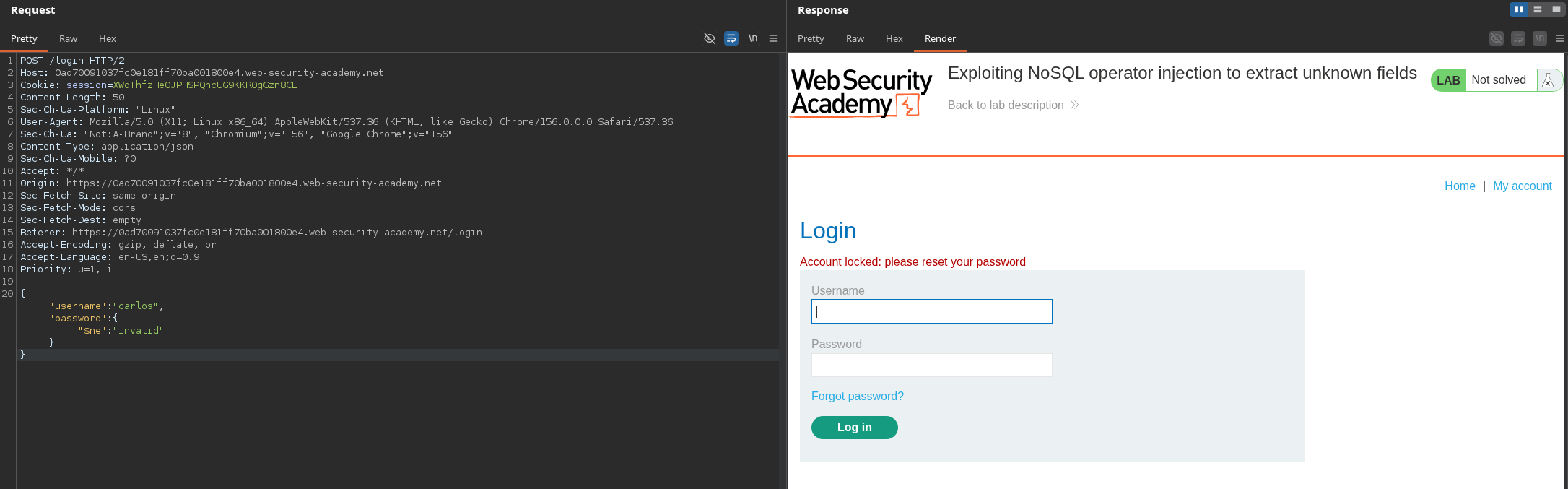
we change the password value from "invalid" to the operator object:
{"$ne":"invalid"}
why it works. "password": {"$ne":"invalid"} means "password is not equal to invalid", which is true for carlos's real password, so the query matches carlos. the response is now Account locked instead of "Invalid username or password". we can't get in (the account is locked), but this proves the $ne operator is accepted and the app is vulnerable, and it hands us our oracle: match carlos → Account locked.
Step 3 - test $where with a false condition#
password reset for carlos involves email verification, so we can't reset it ourselves, we'll need another route. first we test JavaScript injection. we add a $where clause:
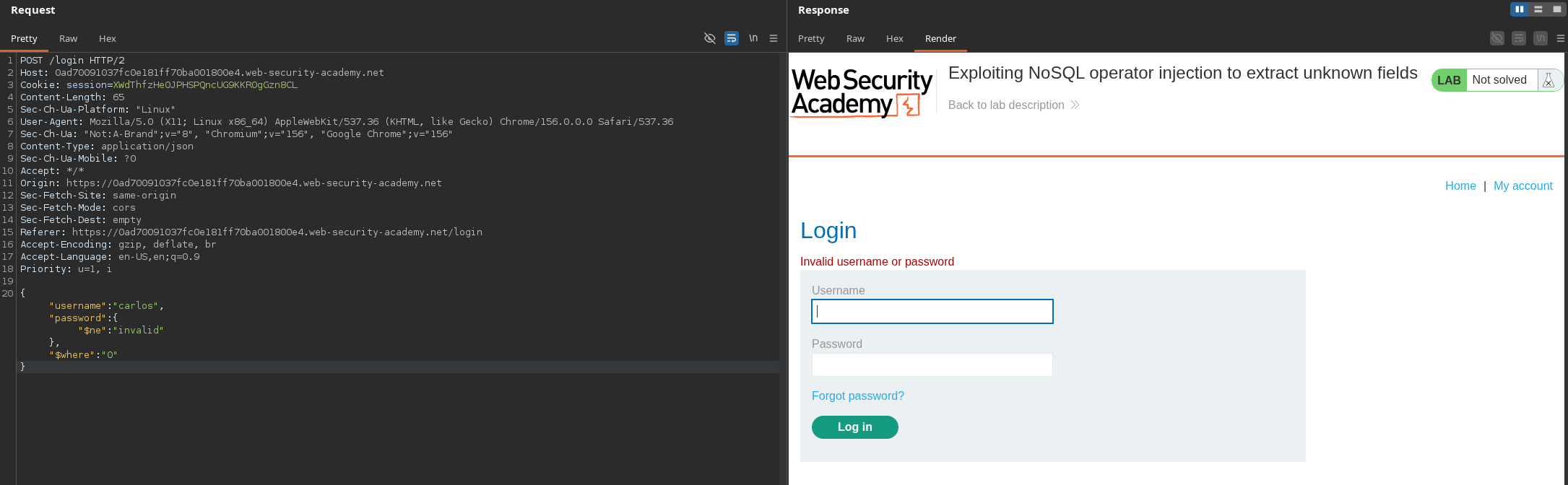
{"username":"carlos","password":{"$ne":"invalid"}, "$where": "0"}
why it works. $where runs its string as JavaScript; "0" evaluates to 0, which is falsy, so no document matches regardless of the rest. we get Invalid username or password (false branch).
Step 4 - test $where with a true condition#
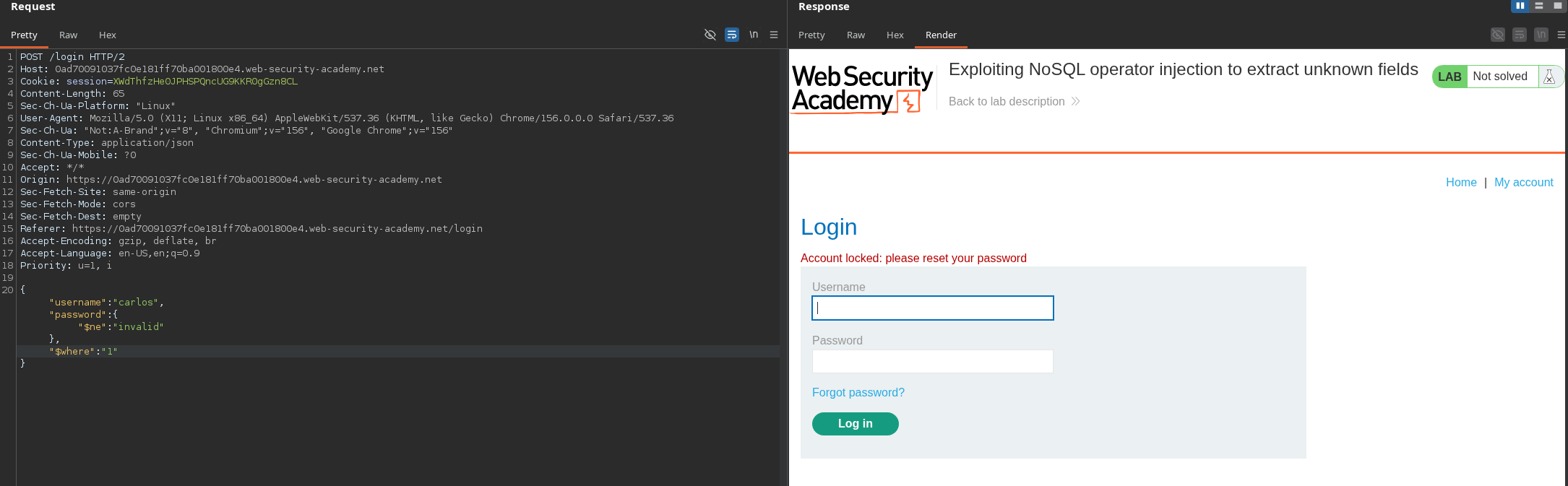
we change "$where": "0" to "$where": "1":
why it works. "1" is truthy, so the $where condition passes and carlos's record matches, giving Account locked. the flip from false→"Invalid" to true→"Account locked" confirms our $where JavaScript is being evaluated, we now have arbitrary boolean JS as an oracle.
Step 5 - set up field-name extraction#
we send the request to Intruder to enumerate the document's field names. we set the $where to:
"$where":"Object.keys(this)[1].match('^.{§§}§§.*')"
why this shape. Object.keys(this) is the array of field names on the user document; [1] picks the second one. .match('^.{N}C.*') tests whether that field name has character C at position N. the two §§ are Cluster-bomb payload positions:
- position 1 = the character index
N(Numbers, e.g. 0–20) - position 2 = the candidate character
C(Simple list:0-9,a-z,A-Z) Cluster bomb tries every index × every character. a match (true) returns Account locked.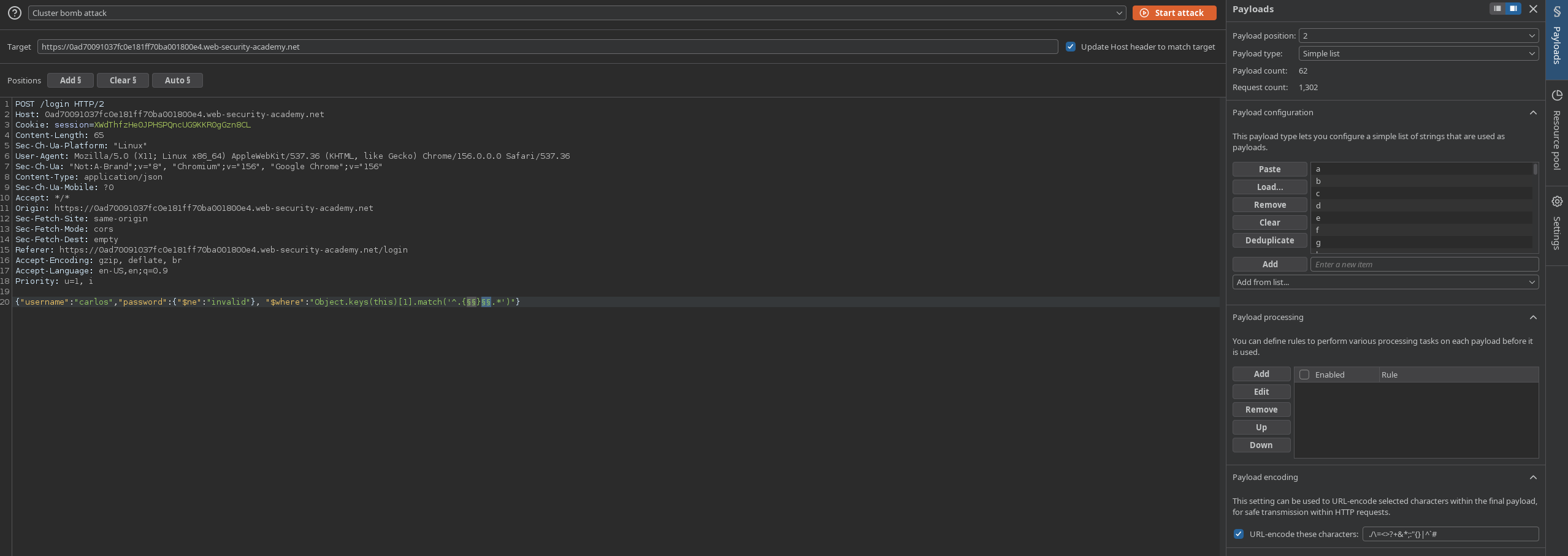
Step 6 - read the first field name#
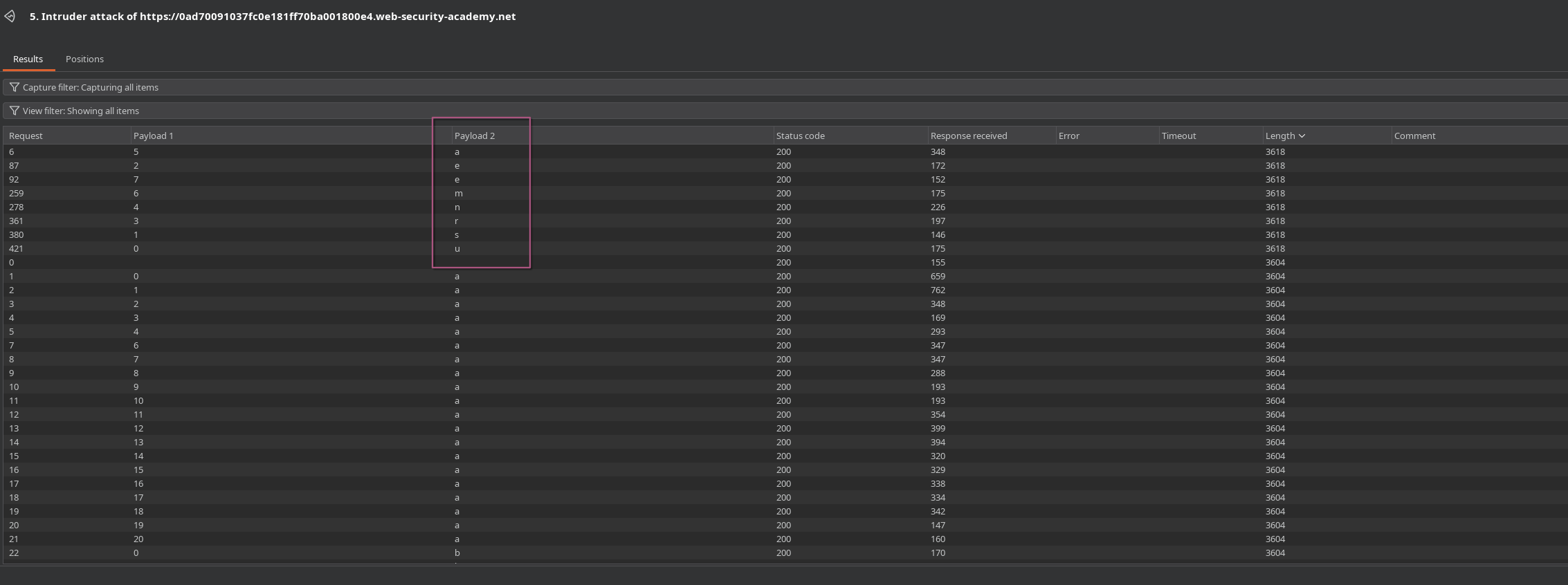
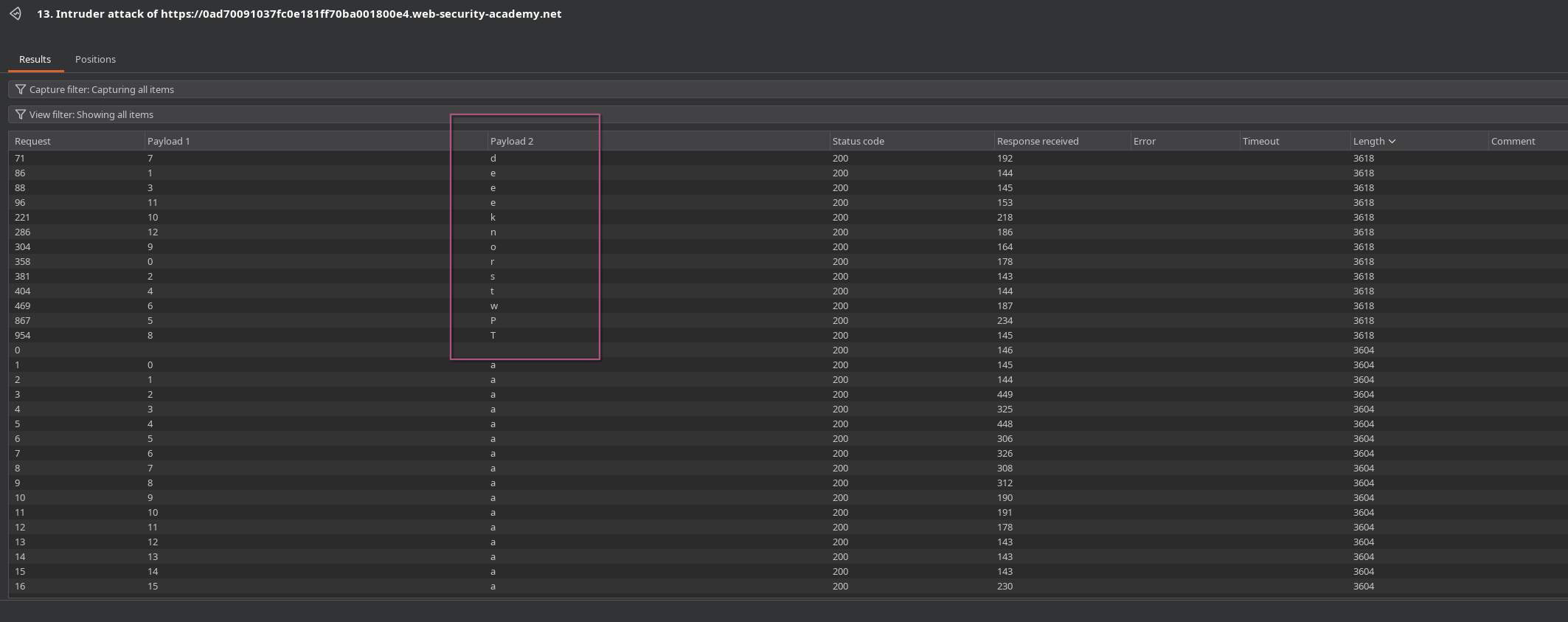
we start the attack and sort results by Payload 1 (index), then Length, to pick out the Account locked responses among the "Invalid" ones. for each position, exactly one character returns true. reading the Payload 2 values in index order spells the field name: username.
Step 7 - enumerate the remaining fields#
we repeat, incrementing the key index each time:
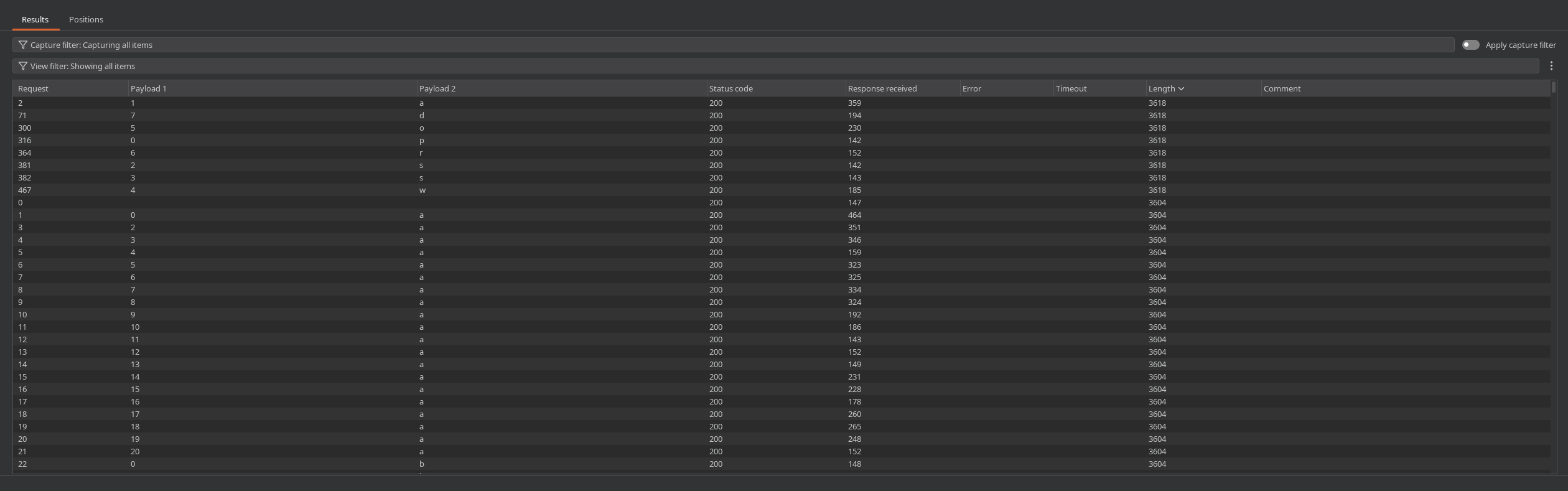
"$where":"Object.keys(this)[2].match('^.{§§}§§.*')"
why it works. [2], [3], [4]… step through the next field names, each reconstructed the same character-by-character way. Object.keys(this)[2] resolves to password.
Step 8 - next field: mail#
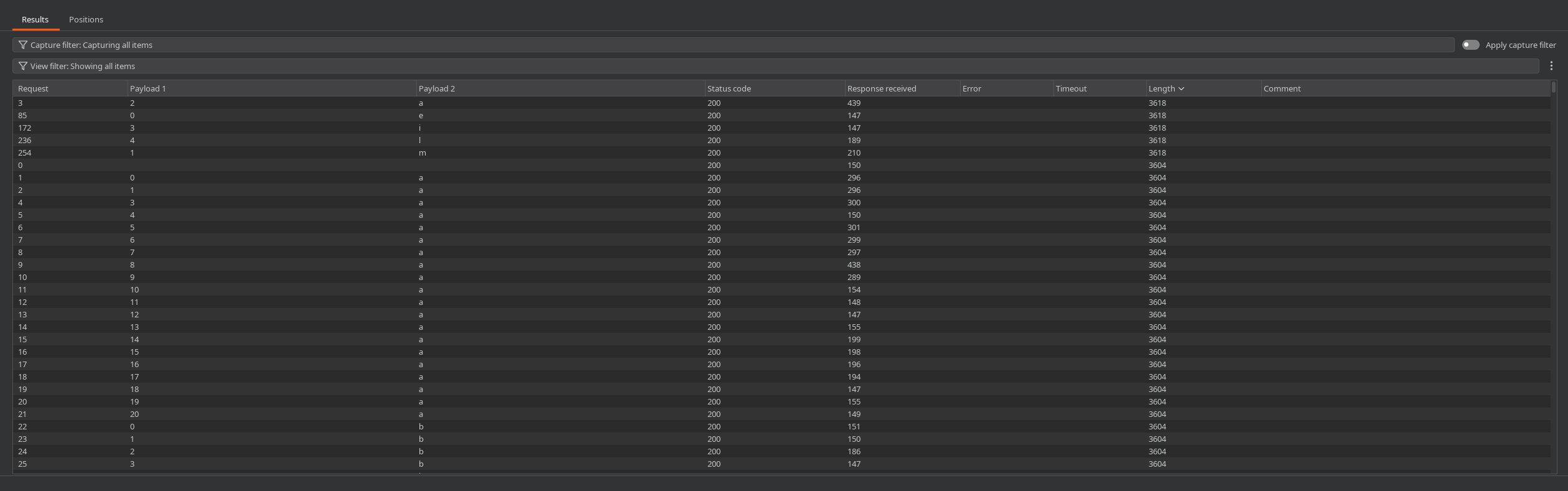
Object.keys(this)[3] resolves to mail.
Step 9 - reveal the reset-token field#
with the reset initiated, Object.keys(this)[4] resolves to resetPwdToken, the hidden password-reset token field.
Step 10 - confirm the field name on the endpoint#
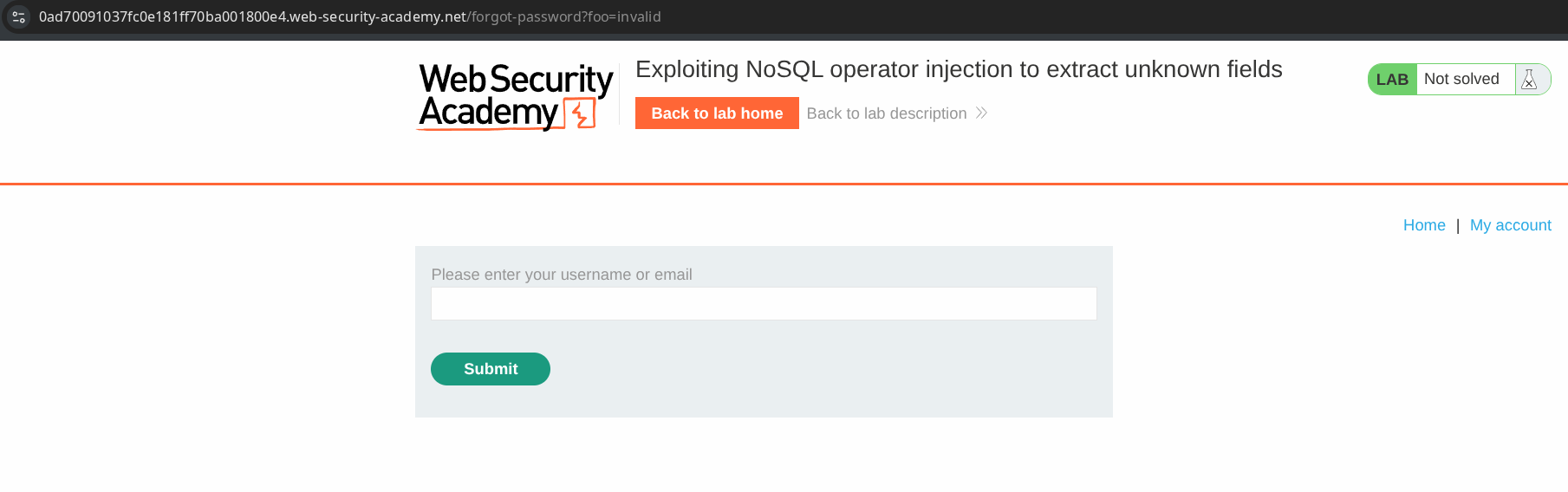
we look for where this field is usable. in Proxy > HTTP history we send the GET /forgot-password request to Repeater and first submit an invalid field name:
GET /forgot-password?foo=invalid
the response is identical to the original (the unknown parameter is ignored).
Step 11 - validate the token field name#
we submit the exfiltrated field name instead:
GET /forgot-password?resetPwdToken=invalid
why it works. the endpoint recognises resetPwdToken as a real parameter and tries to validate our (wrong) value, returning Invalid token. the different response confirms both the correct field name and the correct endpoint for using it.

Step 12 - set up token-value extraction#
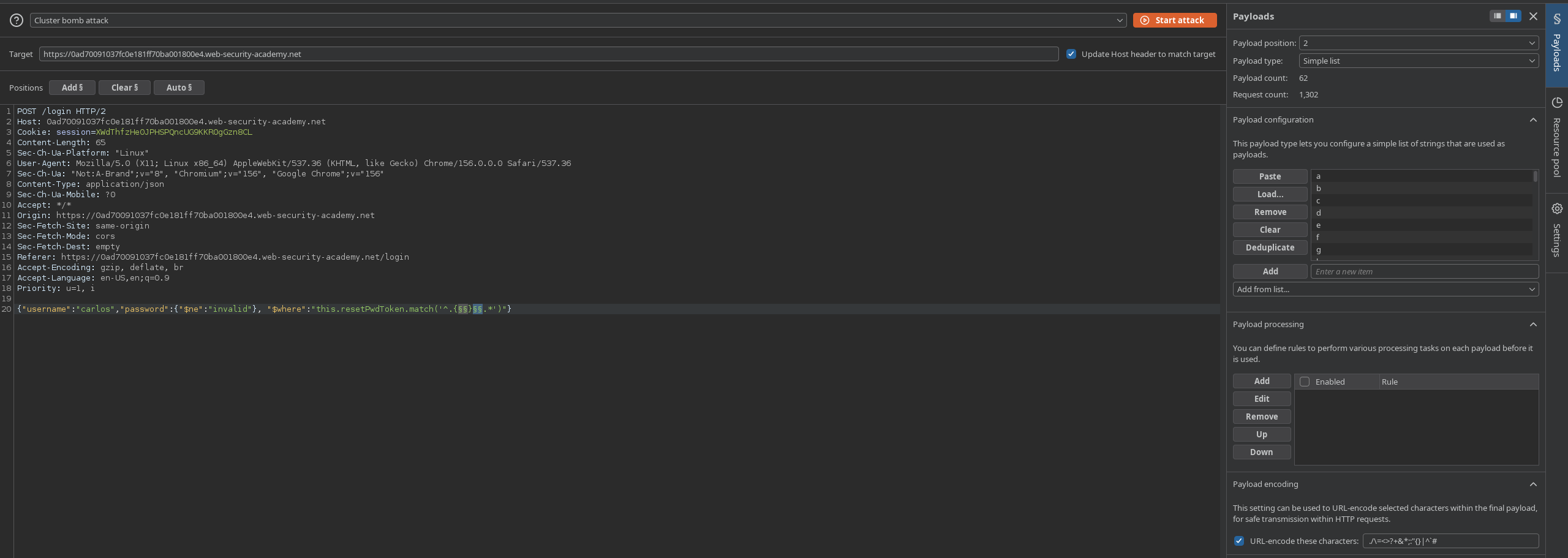
back in Intruder we reuse the previous settings but change the $where to read the token's value:
"$where":"this.resetPwdToken.match('^.{§§}§§.*')"
why it works. this.resetPwdToken is the actual token string on carlos's record; the same ^.{N}C.* regex tests character C at position N. Cluster bomb over index × character extracts the token value exactly as we extracted the field names.
Step 13 - read the token value#
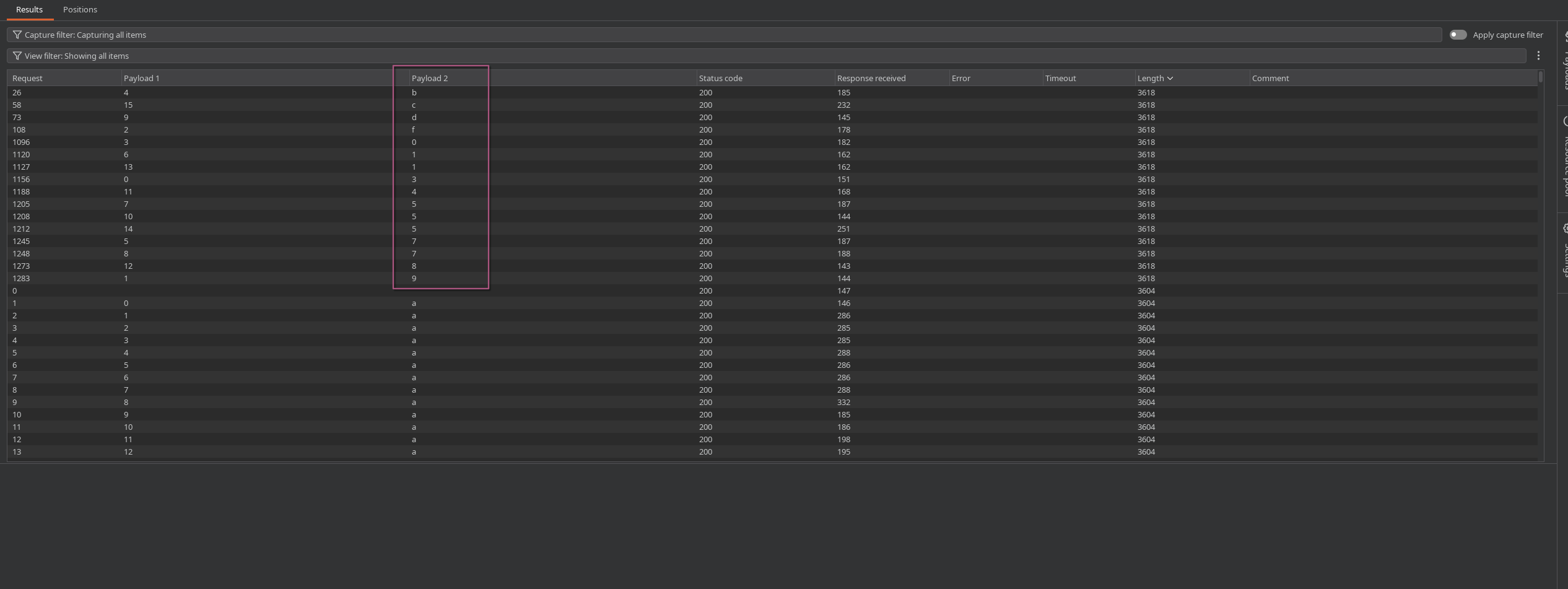
we start the attack, sort by Payload 1 then Length, and read the Account locked (true) responses. the winning Payload 2 characters, in index order, spell the token:
39f0b7157d54815c
Step 14 - use the token#
in Repeater we submit the token value on the forgot-password endpoint:
GET /forgot-password?resetPwdToken=39f0b7157d54815c
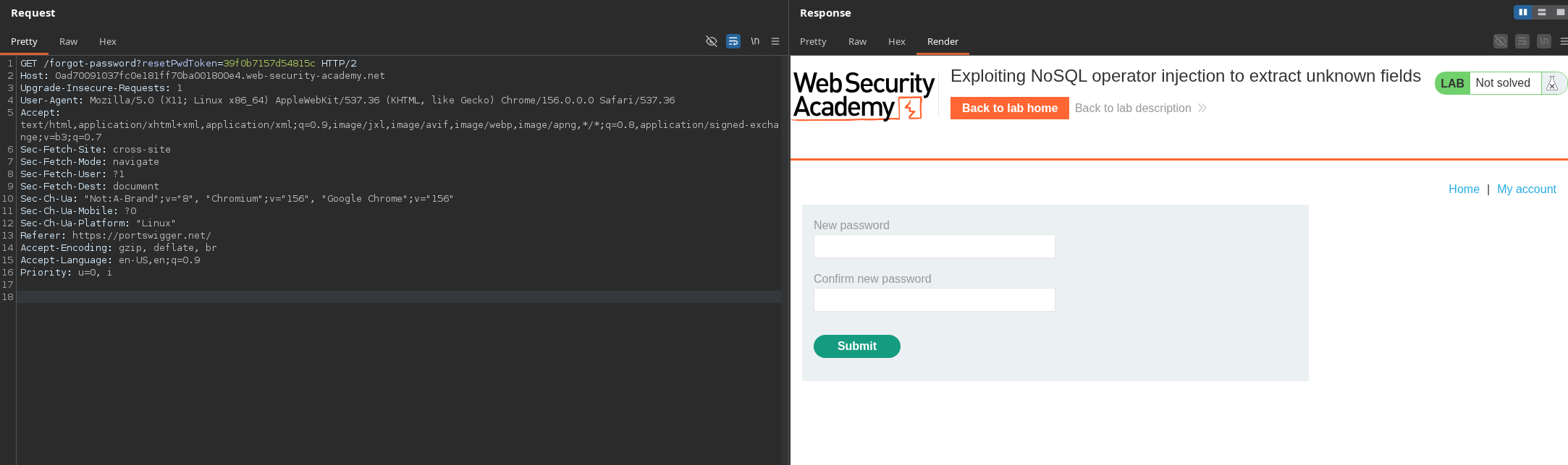
Step 15 - reset the password and log in#
we right-click the response and choose Request in browser > Original session, paste it into Burp's browser, change carlos's password, and log in as carlos.
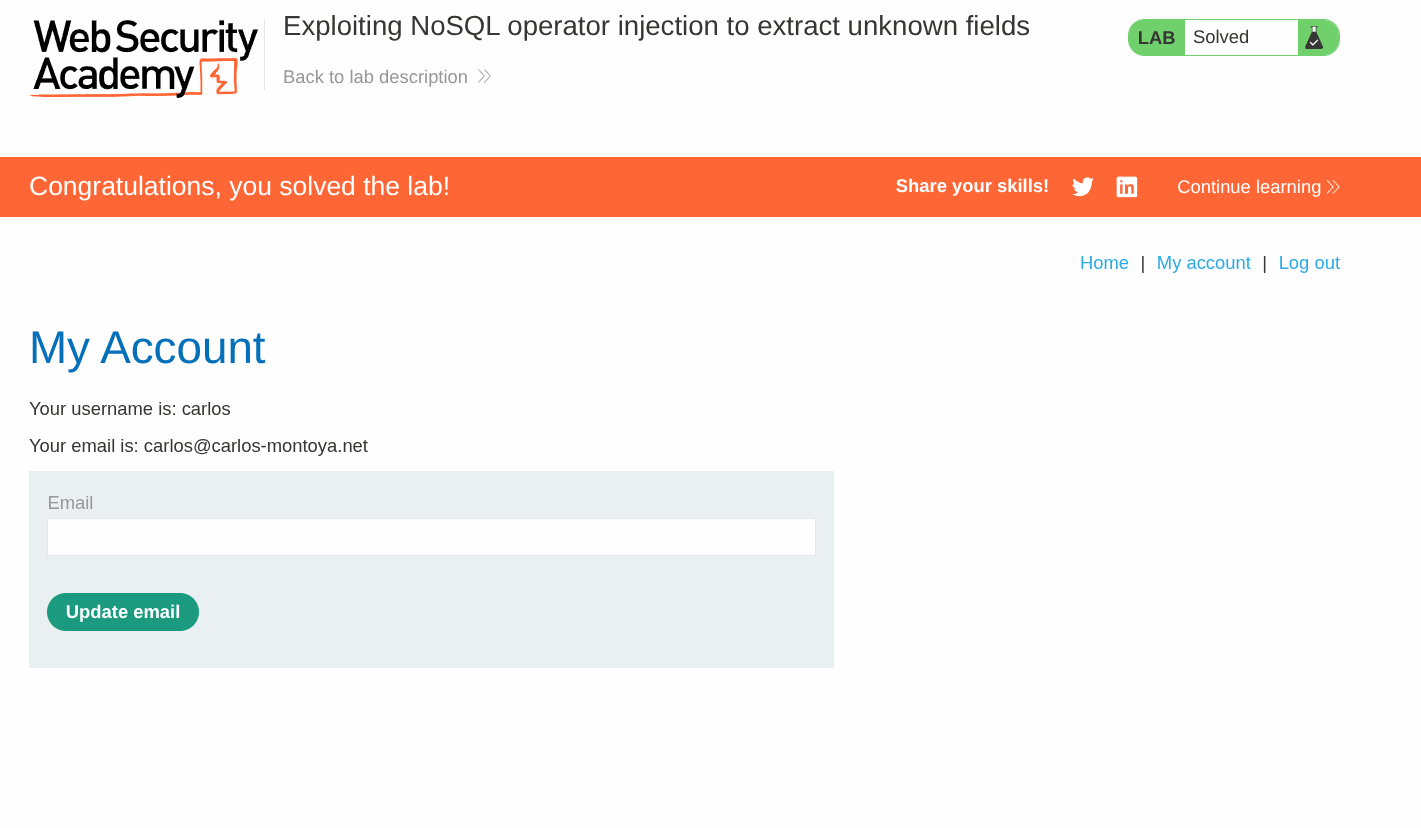
with this, the lab is solved!