
The lab
here is how portswigger describes it
The login functionality for this lab is powered by a MongoDB NoSQL database. It is vulnerable to NoSQL injection using MongoDB operators. To solve the lab, log into the application as the administrator user. You can log in to your own account using the following credentials:
wiener:peter.
the new pieces in this lab#
the previous lab was syntax injection, our input landed in a string that got evaluated as JavaScript. this lab is the other family, operator injection, and it's worth understanding how MongoDB queries are shaped to see why it works.
- how MongoDB matches: a MongoDB query is a JSON object describing what to match. a login check looks something like:
db.users.find({ "username": "wiener", "password": "peter" })
each field maps to a value, and MongoDB returns documents where every field equals its value. simple equality.
- query operators: instead of a plain value, a field can take an operator object that expresses a condition rather than an exact match. the ones we use here:
$ne= "not equal".{"$ne":""}means "any value that is not the empty string", i.e. basically anything.$regex= "matches this regular expression".{"$regex":"admin.*"}means "any value starting withadmin".
- the injection: if the app builds the query by dropping our input in as a value, and we can make that input a JSON object instead of a string, then MongoDB treats our object as an operator condition. so
"username": "wiener"(match exactly wiener) becomes"username": {"$ne":""}(match any username). we've turned an equality check into a condition we control. this only works when the app lets us send structured data (JSON) where it expected a string, hence it's called operator injection. the method: we replace the string values ofusernameandpasswordwith operator objects so the login query matches a user without us knowing any real credentials, then narrow it with$regexto select the admin specifically.
why the operators bypass the login#
the flaw is that the application passes our input into the MongoDB query without forcing it to be a string, so we can substitute an operator object where a literal value was expected. the login logic effectively asks "is there a user whose username equals X and password equals Y?". by making X and Y into {"$ne":""} we change the question to "is there a user whose username is not empty and whose password is not empty?", which is true for essentially every account, so the database returns a user and the app logs us in as whoever comes back first. then, because $regex lets us constrain which user matches, we swap the username condition to {"$regex":"admin.*"} to pin the match to the administrator. at no point do we supply a real password, the operators let us satisfy the query by describing the rows we want rather than proving we own them.
Step 1 - capture the login request#
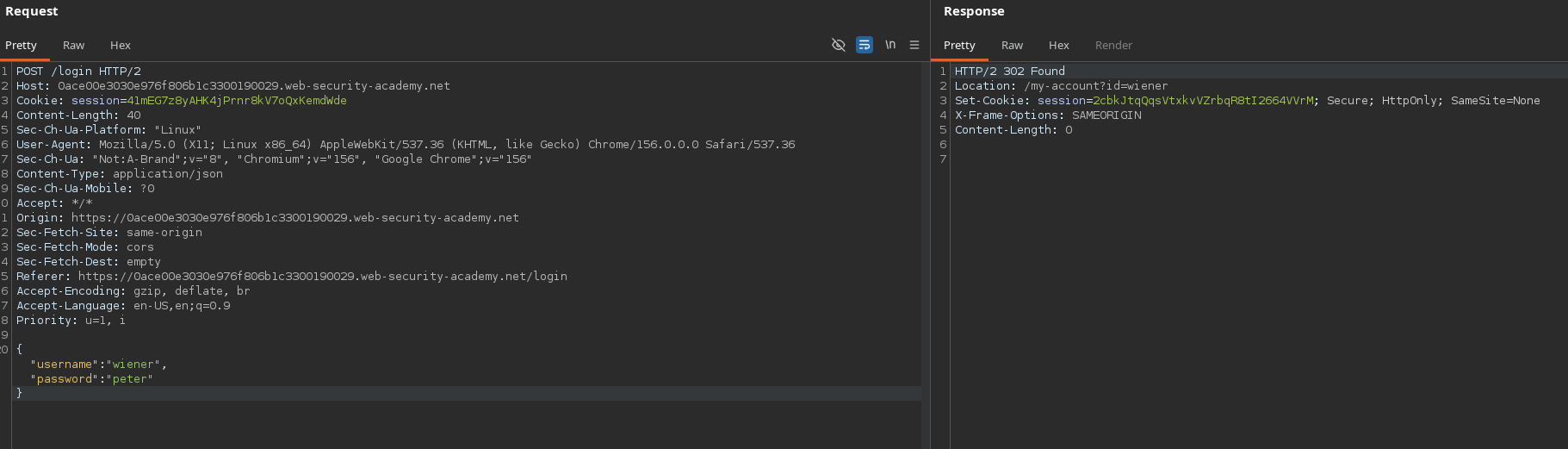
we log in as wiener:peter. in Proxy > HTTP history we right-click the POST /login request and Send to Repeater. (for operator injection the body usually needs to be JSON, e.g. Content-Type: application/json with {"username":"wiener","password":"peter"}, so our injected objects are parsed as objects.)
Step 2 - inject $ne into the username#
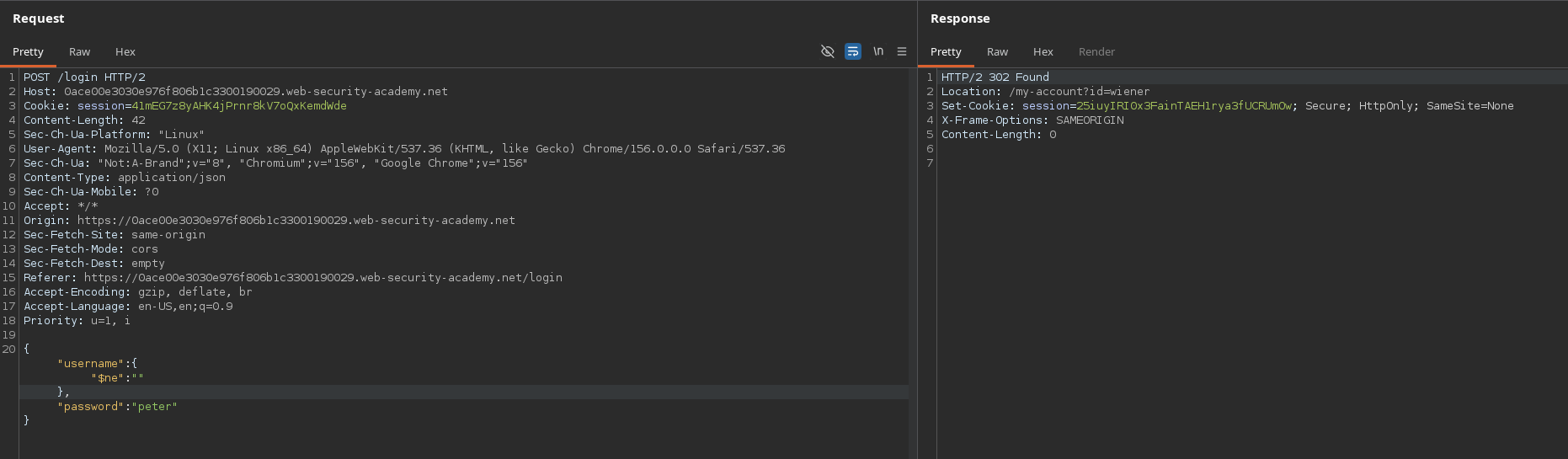
we change the username value from the string "wiener" to the operator object:
{"$ne":""}
and send. this logs us in.
why it works. the query field becomes "username": {"$ne":""}, "username is not equal to empty string". that matches every account with a non-empty username, so the database happily returns a user and the app authenticates us as that user, no real username needed. we've replaced "equals wiener" with "is basically anything".
Step 3 - confirm with $regex#
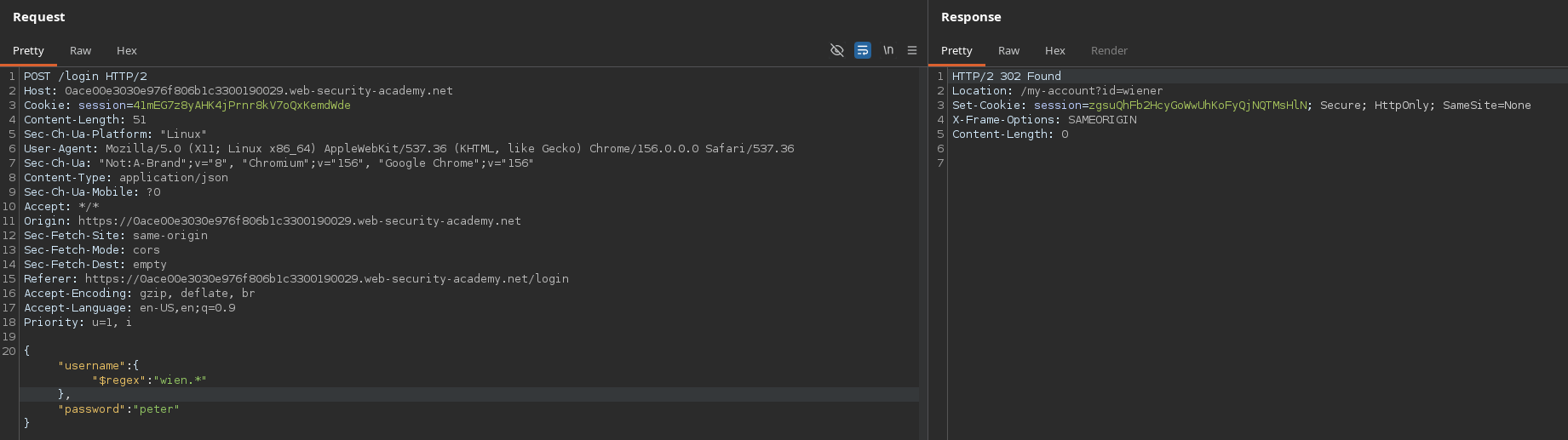
we change the username value to:
{"$regex":"wien.*"}
and send. we can log in with this too.
why it works. "username": {"$regex":"wien.*"} matches any username matching the regular expression wien.*, any value starting with wien (the .* means "any characters"). wiener matches, so a user is returned. this shows we can not only match anything ($ne) but also selectively match usernames by pattern, which we'll use to target the admin.
Step 4 - expose the multi-record behaviour#
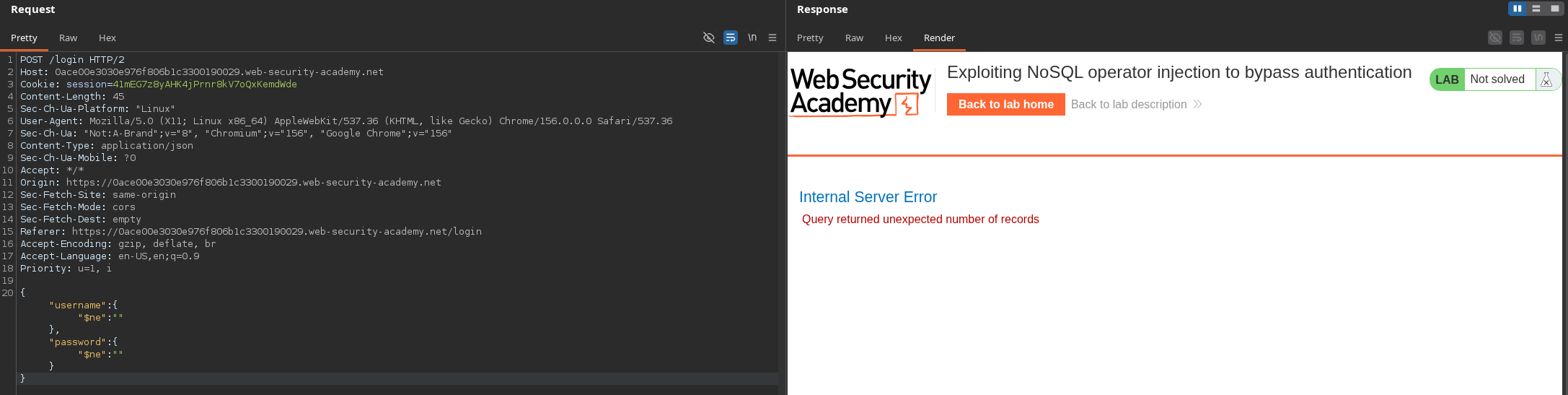
with username set to {"$ne":""}, we also change the password value from "peter" to:
{"$ne":""}
and resend.
why it matters. now the query is username != "" AND password != "", which matches every user in the collection. the response returns an unexpected number of records, telling us more than one user is being selected. that confirms both fields are injectable and that the query returns multiple candidates, so we now need to narrow the match to the admin rather than just "any user".
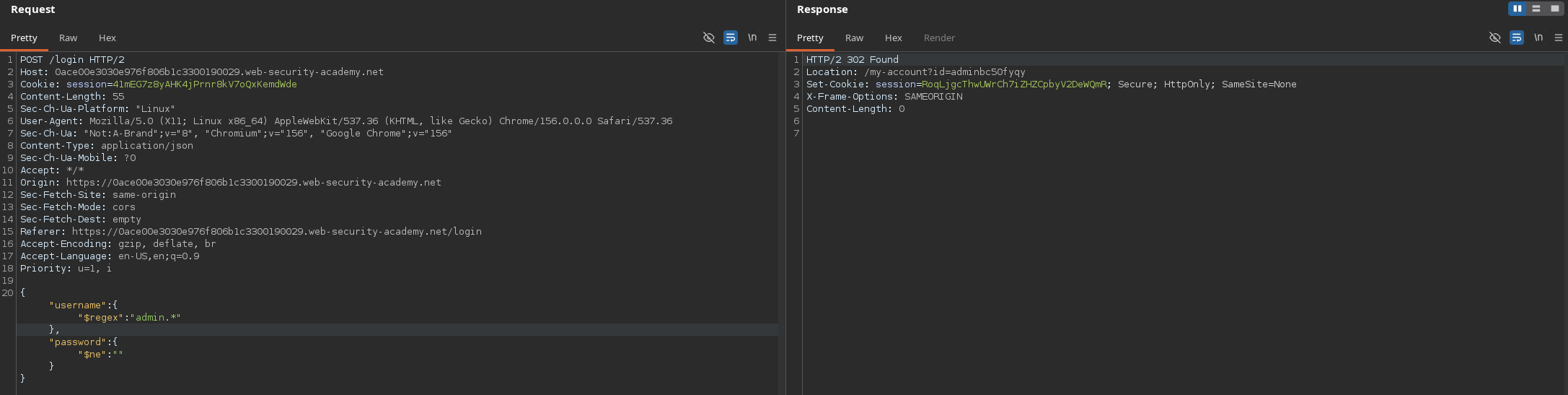
Step 5 - target the admin with $regex#
keeping password as {"$ne":""}, we change the username value to:
{"$regex":"admin.*"}
and resend. this logs us in as the admin.
why it works. "username": {"$regex":"admin.*"} restricts the match to usernames starting with admin, i.e. the administrator account, while "password": {"$ne":""} still means "any non-empty password", so we don't need the admin's real password. together the query reads "the user whose username starts with admin, with any password", which selects exactly the admin and logs us in as them.
Step 6 - open the admin session in the browser#
we right-click the response, choose Show response in browser, and copy the URL. pasting it into Burp's browser logs us in as the administrator.
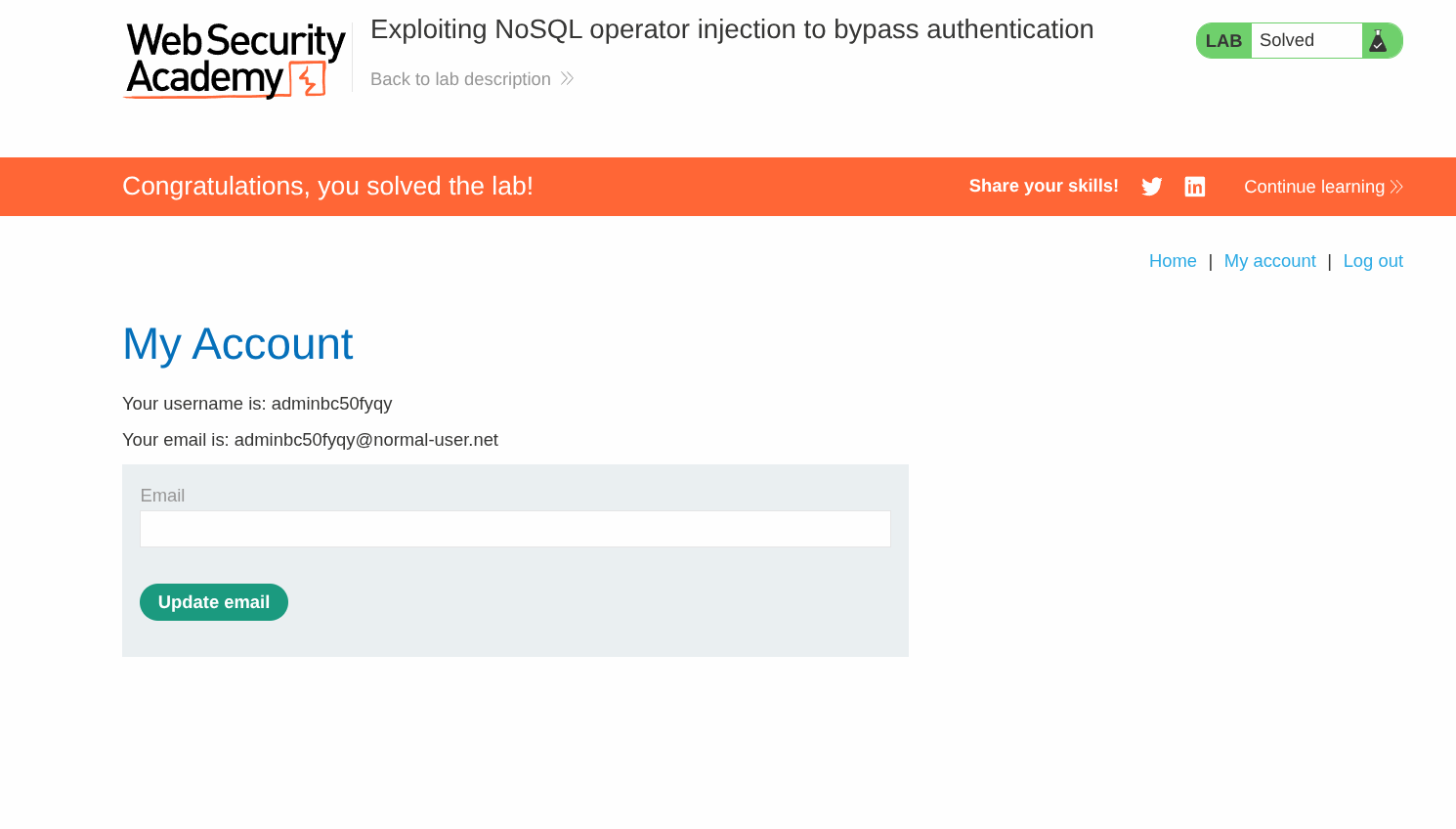
with this, the lab is solved!