
The lab
here is how portswigger describes it
This lab has some account functionality that is protected by a CSRF token and also has a confirmation dialog to protect against Clickjacking. To solve this lab construct an attack that fools the user into clicking the delete account button and the confirmation dialog by clicking on "Click me first" and "Click me next" decoy actions. You will need to use two elements for this lab.
this is the last clickjacking lab, and it adds a defence the earlier ones did not have, a confirmation dialog. deleting the account is not one click but two and the fix for that is simply to steal two clicks instead of one.
The idea#
some sites try to blunt clickjacking by putting a confirmation step in front of a dangerous action, so a single stray click cannot do damage, you have to click the button and then click confirm. the trouble is that the confirmation dialog is just another button sitting in the same framed page, and if we can overlay one button we can overlay two. so multistep clickjacking is the same trick as before, only doubled, we place two decoys, line the first over the delete button and the second over the confirm button, and walk the victim through both clicks in order. the csrf token protecting the action does nothing here for the same reason as the first clickjacking lab, every click is a real click on the real page so its token is genuine.
Step 1 - Log in and see the two step action#
logging in with the provided credentials, the account page has the delete account button.
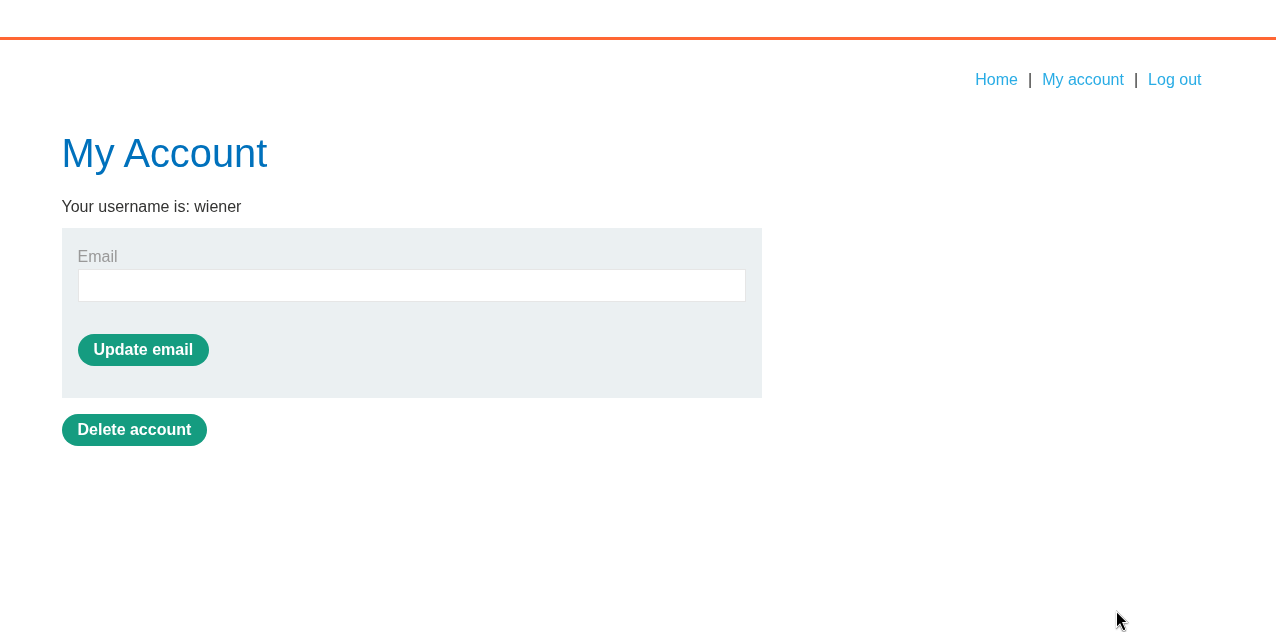
clicking delete does not act straight away, it brings up a confirmation dialog with a confirm button, so the real action takes two separate clicks, which is exactly the defence we have to get around.
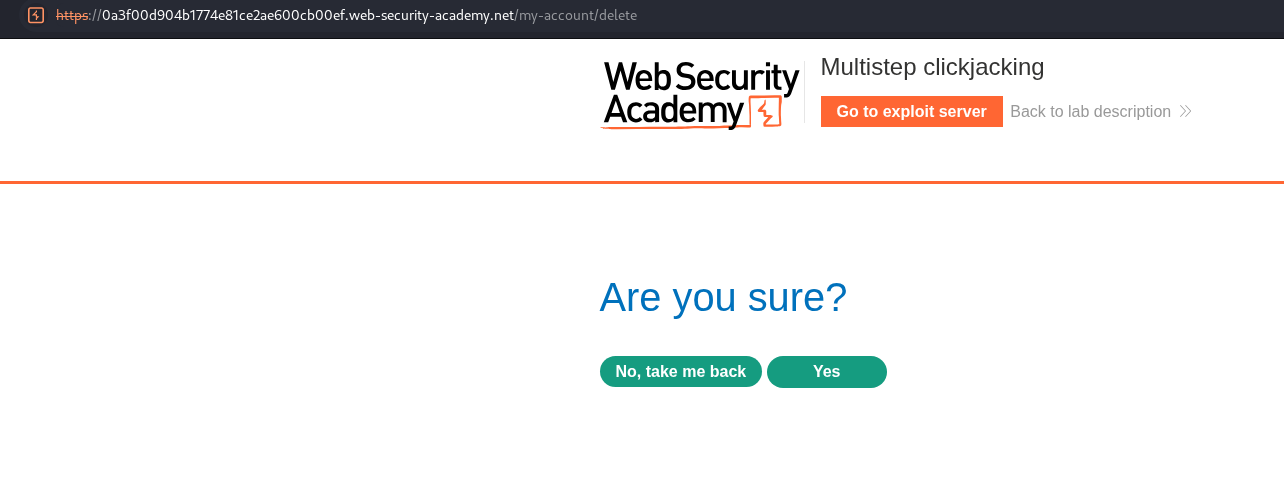
Step 2 - Frame the page with two decoys#
on the exploit server we use the familiar overlay but this time with two lure elements instead of one a firstClick and a secondClick each positioned on its own.
<style>
  iframe {
    position:relative;
    width:500px;
    height: 700px;
    opacity: 0.1;
    z-index: 2;
  }
   .firstClick, .secondClick {
    position:absolute;
    top:510px;
    left:50px;
    z-index: 1;
  }
   .secondClick {
    top:300px;
    left:200px;
  }
</style>
<div class="firstClick">Click me first</div>
<div class="secondClick">Click me next</div>
<iframe src="https://your-lab-id.web-security-academy.net/my-account"></iframe>
the iframe overlay works exactly as in the earlier labs, faint iframe on top with z-index: 2 lures behind it with z-index: 1 the only new part is that there are two lures now, firstClick and secondClick and each gets its own top and left so we can drop them on two different buttons. firstClick goes on the delete button, and secondClick will go on the confirm button that appears afterwards.
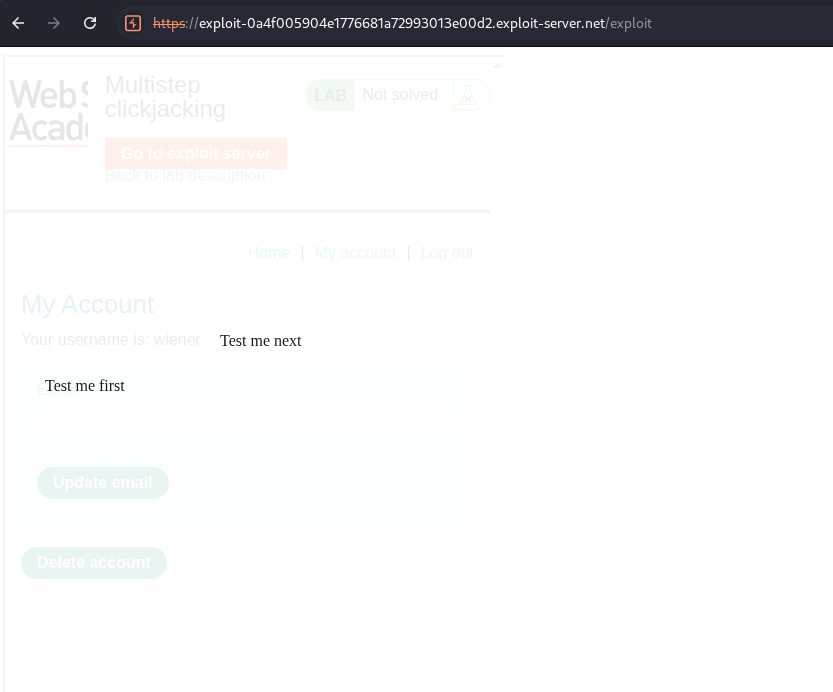
Step 3 - Line up the First click on delete#
with the page framed, position firstClick over the delete account button using its top and left.
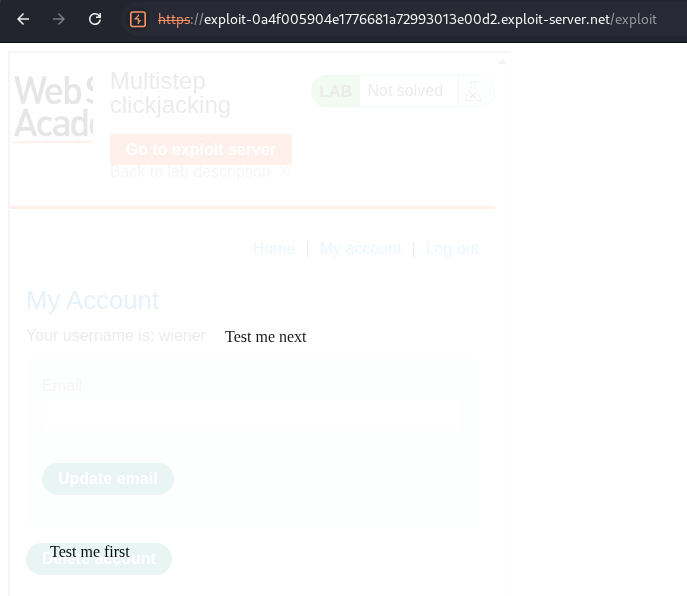
step 4 - Line up the second click on confirm and deliver#
now click the delete button once yourself through the lure, which brings up the confirmation dialog in the frame, and then position secondClick over that confirm button using the secondClick values. do not click confirm while you are testing, since that really deletes your account and breaks the lab. once both lures are lined up, set the lure texts to Click me first and Click me next store and deliver.
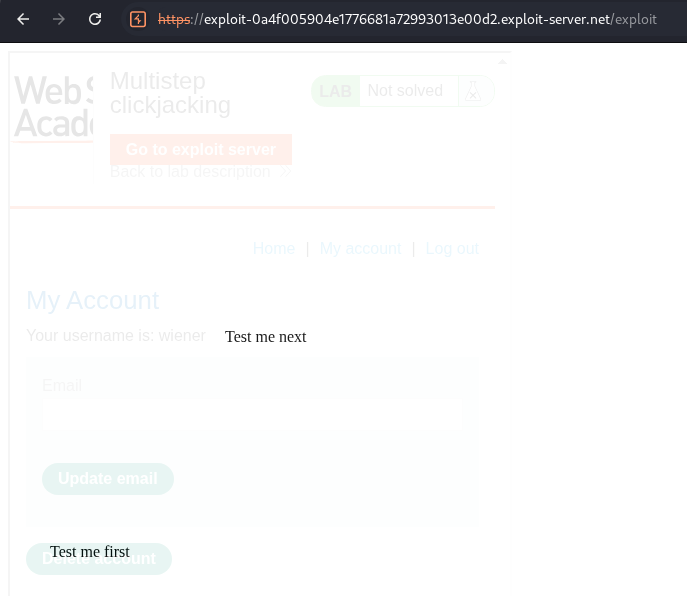
when the victim opens the page they click click me first, which lands on the delete button and opens the confirmation dialog, then they click click me next, which lands on the confirm button, and the account is deleted, both clicks genuine and both carrying the page's own token.
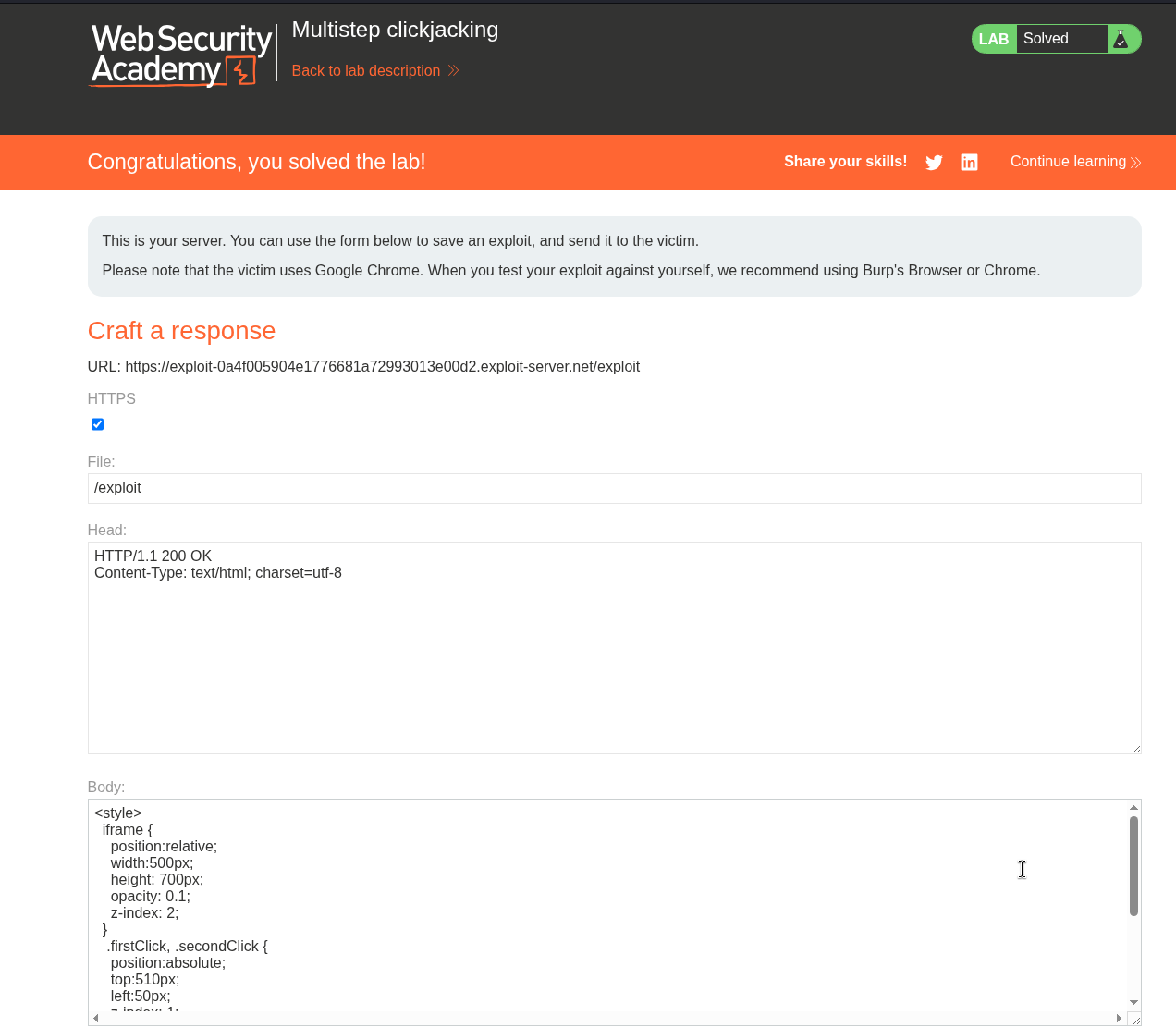
with this, the lab is solved!