
The Lab
Here is how PortSwigger describes it.
This lab contains a DOM-based cross-site scripting vulnerability in the search query tracking functionality. It uses the JavaScript document.write function, which writes data out to the page. The document.write function is called with data from location.search, which you can control using the website URL. To solve this lab, perform a cross-site scripting attack that calls the alert function.
What is DOM XSS#
Before we touch anything, let's get the concept clear.
Most XSS attacks you read about work like this you inject something into a request, the server processes it, and the malicious content gets baked into the HTML the server sends back. The server is the one writing your payload into the page
DOM XSS is different. the server is not involved at all. The page's own JavaScript reads data from somewhere the URL a form field a hash anything and writes it directly into the DOM at runtime in the browser. No round trip to the server. the sink is entirely client side
In this lab the source is location.search which is just everything after the ? in the URL. The sink is document.write, which literally writes raw HTML into the page. When unsanitized user input flows from a source into a sink like this you have DOM XSS.
Looking at the Lab#
When we access the lab we immediately see a search bar on the main page. The description tells us the vulnerability lives in the search functionality, so we do not need to go poking around the entire application. We know exactly where to look.
Step 1 - Finding Where the Input Lands#
Let's type something into the search bar say 1234 and see what happens
The page redirects to /?search=1234. that is expected. but the interesting part is not in the URL it is in the page source
let's view the page source after the search. Hunt for your input. what you will find is something like this:
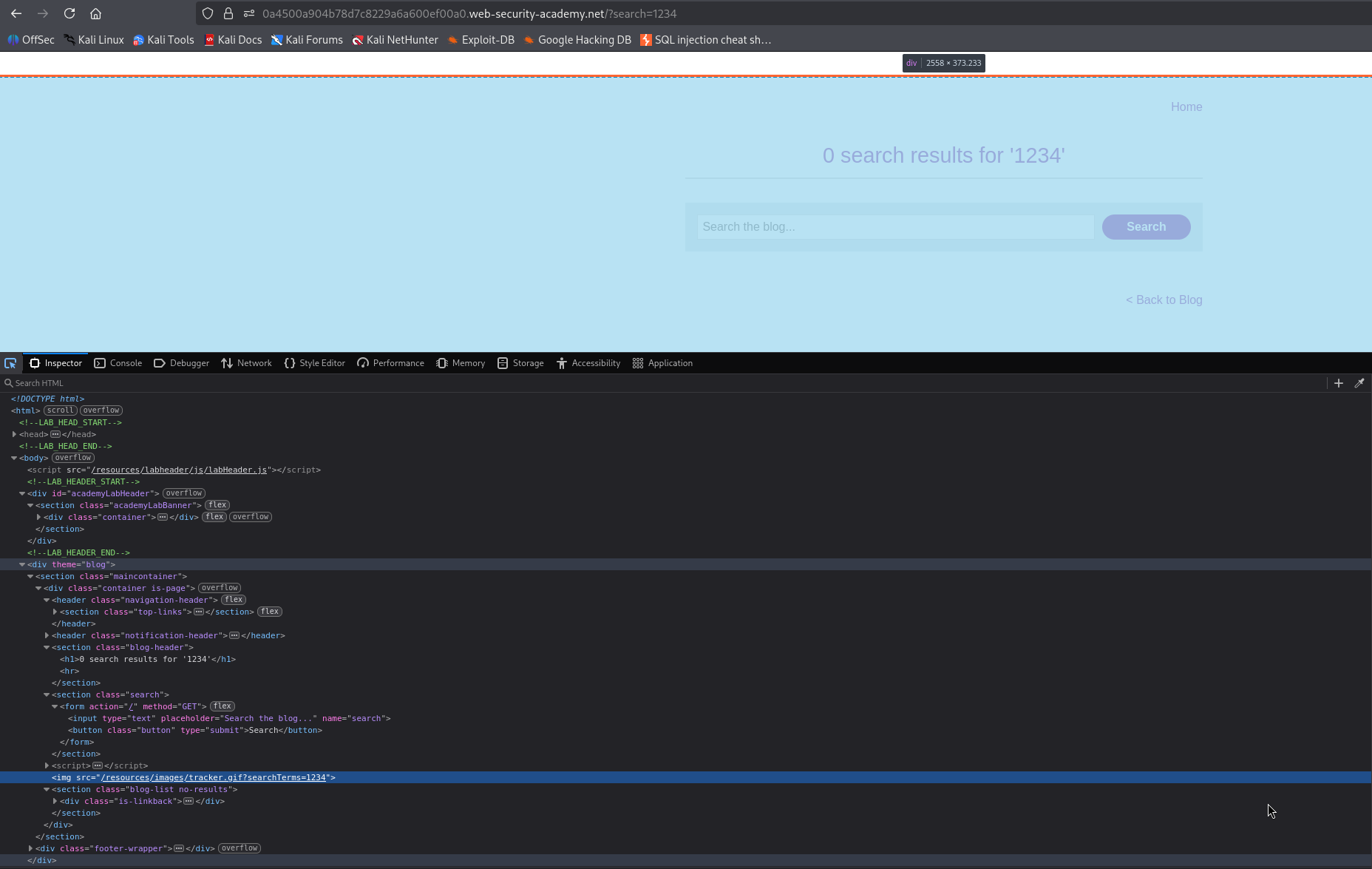
<img src="/resources/images/tracker.gif?searchTerms=1234">
Your input 1234 has been written directly into the src attribute of an img tag via document.write. the Javascript on the page is reading location.search, pulling your search term out of it, and writing it raw into the DOM
Why does this matter?
Because you are not just influencing text content you are inside an HTML attribute. and that changes everything. if you can inject characters that the browser will interpret as HTML structure like " to close the attribute, or > to close the tag you are not just injecting text anymore, you are injecting markup. The browser will parse whatever you write as live HTML. That is the difference between displaying a value on a page and executing code.
Step 2 - Breaking Out and Injecting the Payload#
So we are sitting inside a src attribute. The surrounding context looks like this
<img src="/resources/images/tracker.gif?searchTerms=[OUR INPUT]">
to get code execution we need to break out of the attribute, close the tag, and introduce our own element. Let's think through what we need:
"closes thesrcattribute>closes theimgtag- Then we are free to inject any HTML we want
So a payload starting with "> gets us out of the current context entirely. Now what do we inject after that?
Why not <script>alert(1)</script>?
This is the obvious choice but it does not work here. The reason is that document.write is executing in a context where the page is already parsed. Injecting a <script> tag via document.write into an already running page does not behave the same way a <script> tag does during initial page load browsers have protections around this and it is generally unreliable. Even in cases where it works, document.write specifically has some edge cases around dynamic script insertion that make it inconsistent across browsers.
What we need is an element that fires Javascript without relying on script tag execution. That is where SVG comes in.
The <svg> element supports event handlers natively as part of the HTML spec. The onload event fires as soon as the element is rendered. No extra steps, no async issues, no parser complications. It just runs.
So our payload is:
"><svg onload=alert(1)>
Breaking it down:
"- closes thesrcattribute>- closes theimgtag<svg onload=alert(1)>- injects a new SVG element that firesalert(1)the moment it loads
Step 3 - Delivering the Payload#
We put this directly into the URL as the search parameter:
/?search="><svg onload=alert(1)>
The Javascript on the page reads location.search, extracts the value, and calls document.write with it. The browser receives:
<img src="/resources/images/tracker.gif?searchTerms="><svg onload=alert(1)>">
parser closes the img tag at the > and then encounters a fresh <svg> element. The onload fires. alert(1) executes
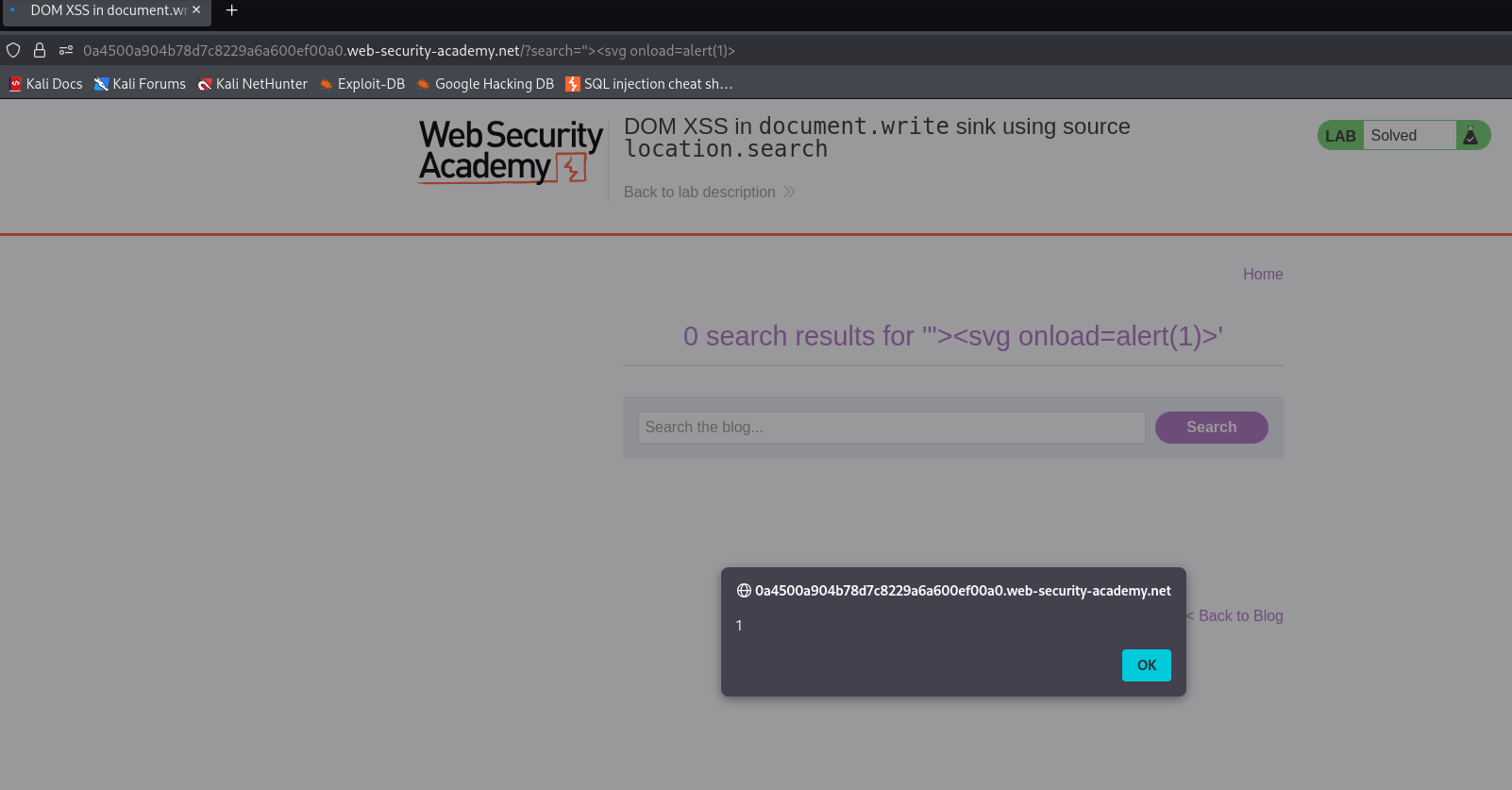
The lab is solved.