
The Lab
Here is how PortSwigger describes it.
This lab contains a DOM-based cross-site scripting vulnerability in the search blog functionality. It uses an innerHTML assignment, which changes the HTML contents of a div element, using data from location.search.
To solve this lab, perform a cross-site scripting attack that calls the alert function.
So the goal is simple to state. Get the page to run our own JavaScript and pop an alert box. The interesting part is where the bug actually lives, because nothing here happens on the server.
Quick Word on DOM Based XSS#
The two things worth naming are the source and the sink.
The source is where the untrusted data comes from. Here it is location.search, which is just the part of the URL after the question mark. Whatever you type into the search box lands there as a query parameter.
The sink is where that data ends up. Here it is an innerHTML assignment. The moment you hand raw text to innerHTML, the browser stops treating it as plain words and starts parsing it as real HTML. That single detail is the whole vulnerability :)
roughly, the vulnerable code does something like these
function doSearchQuery(query) {
    document.getElementById('searchMessage').innerHTML = query
}

var query = (new URLSearchParams(window.location.search)).get('search')
if (query) {
    doSearchQuery(query)
}
It grabs our search term straight from the URL and drops it into a div through innerHTML, with no cleaning in between. That is all the room we need.
Step 1 - Getting a Feel for the Search Box#
On the home page there is a search feature for the blog. Before reaching for any payload, we want to see how our input is handled, so we start with something harmless and type in a plain word like logicbreaker.
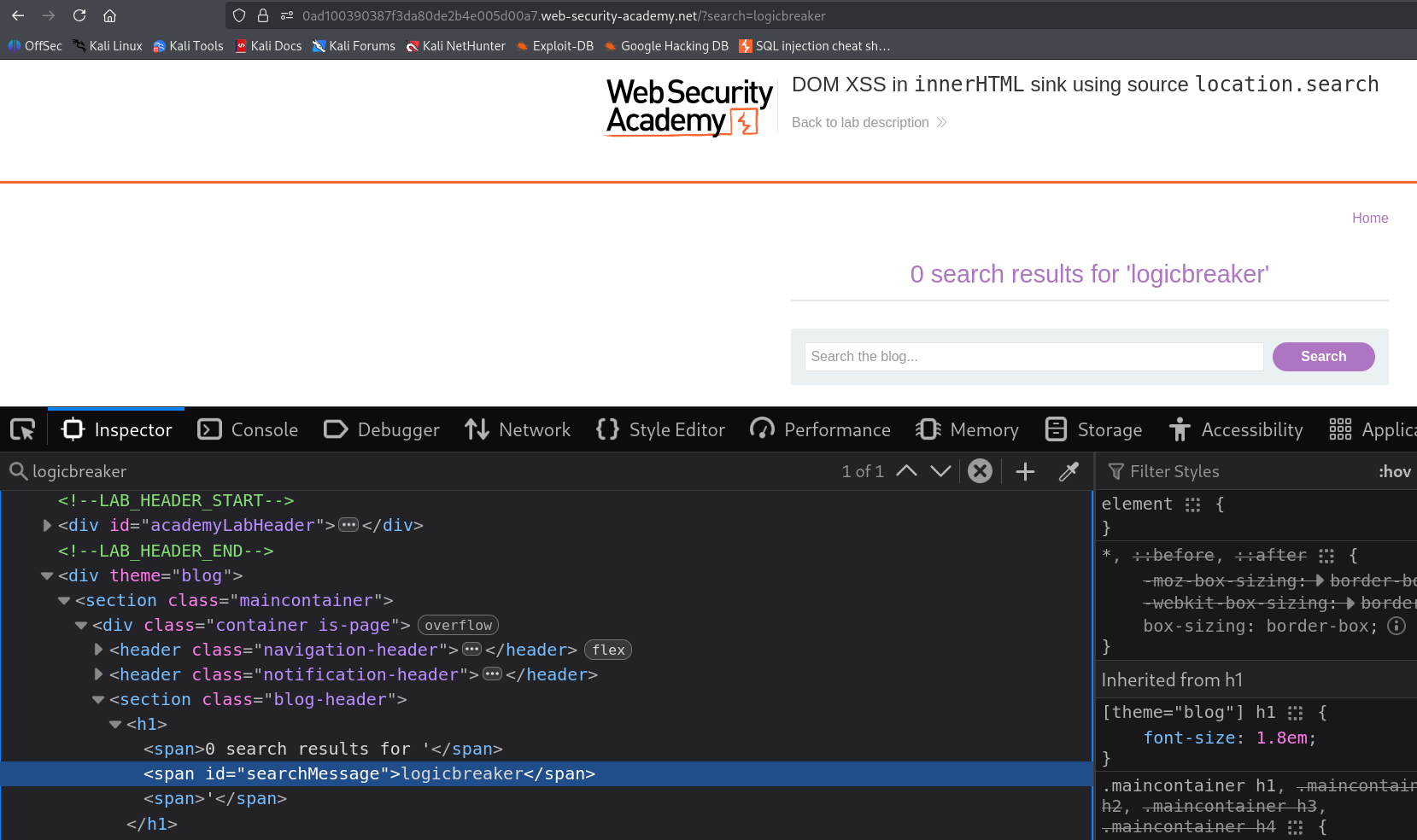
The word comes straight back at us, printed inside the page between a span. Good sign. our input is being reflected somewhere in the markup. that alone does not prove much though, since a well behaved site would treat it as text and nothing more. We need to know whether the page will let us write actual HTML
Step 2 - Checking Whether We Can Write HTML#
The cleanest way to test that is to send a tag the browser cannot ignore
<h1>hello</h1>
If the site is escaping our input, we will simply see the literal characters <h1>hello</h1> printed on the page. If it is not, the browser will render that tag and we will get the word hello in large heading text.
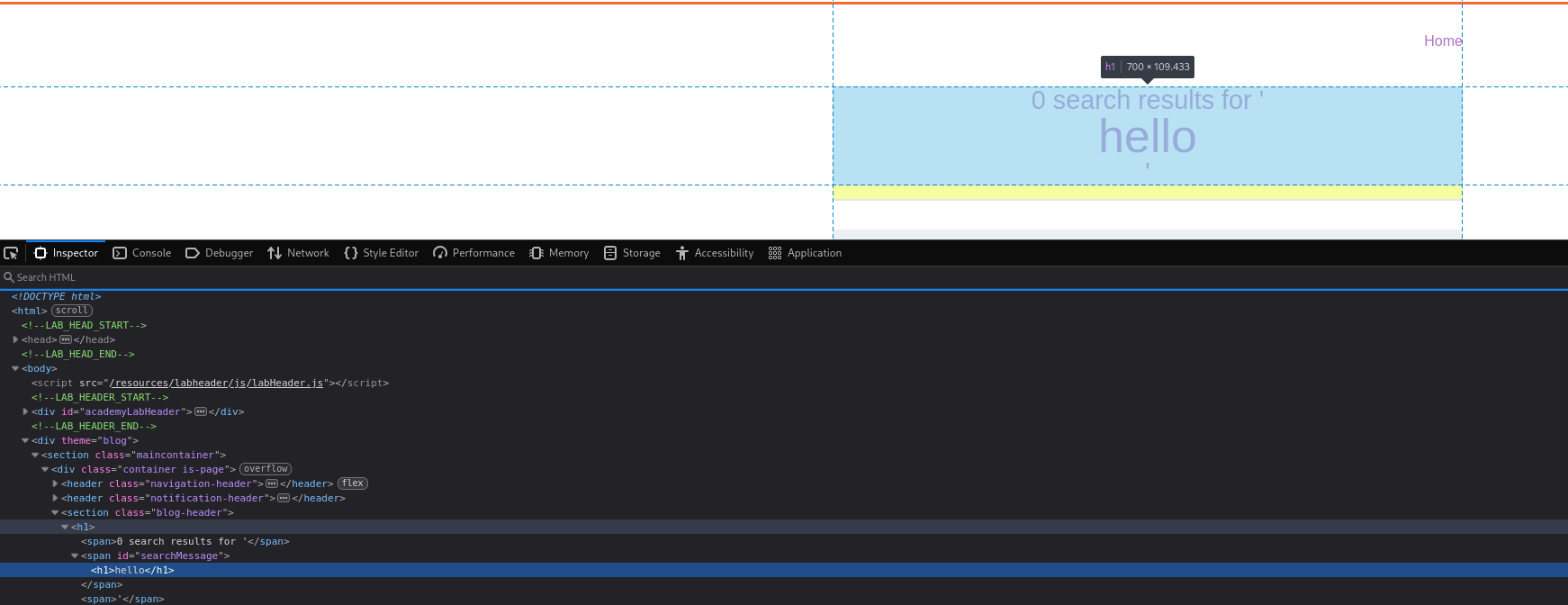
There it is, rendered as a real heading. That confirms our input is flowing into an innerHTML sink and being parsed as HTML rather than shown as text. From here it is a short walk from harmless markup to running code.
Step 3 - Building a payload that fires#
plain <h1> proves the point but it does not run anything. we need a tag that carries Javascript along with it. a classic choice is an image tag with a broken source
<img src=1 onerror=alert(1)>
Here is the idea in plain terms. we ask the browser to load an image from src=1, which is not a real image at all. the browser tries anyway, fails to find anything, and gives up. when an image fails to load like that, it fires its onerror handler, and we have quietly parked our code right there. so the browser trips over the missing image and, in trying to report the problem, runs our alert for us. the failure is not a side effect, it is the trigger we planned for
Step 4 - Solving the lab#
we drop the payload into the search box and send it
<img src=1 onerror=alert(1)>
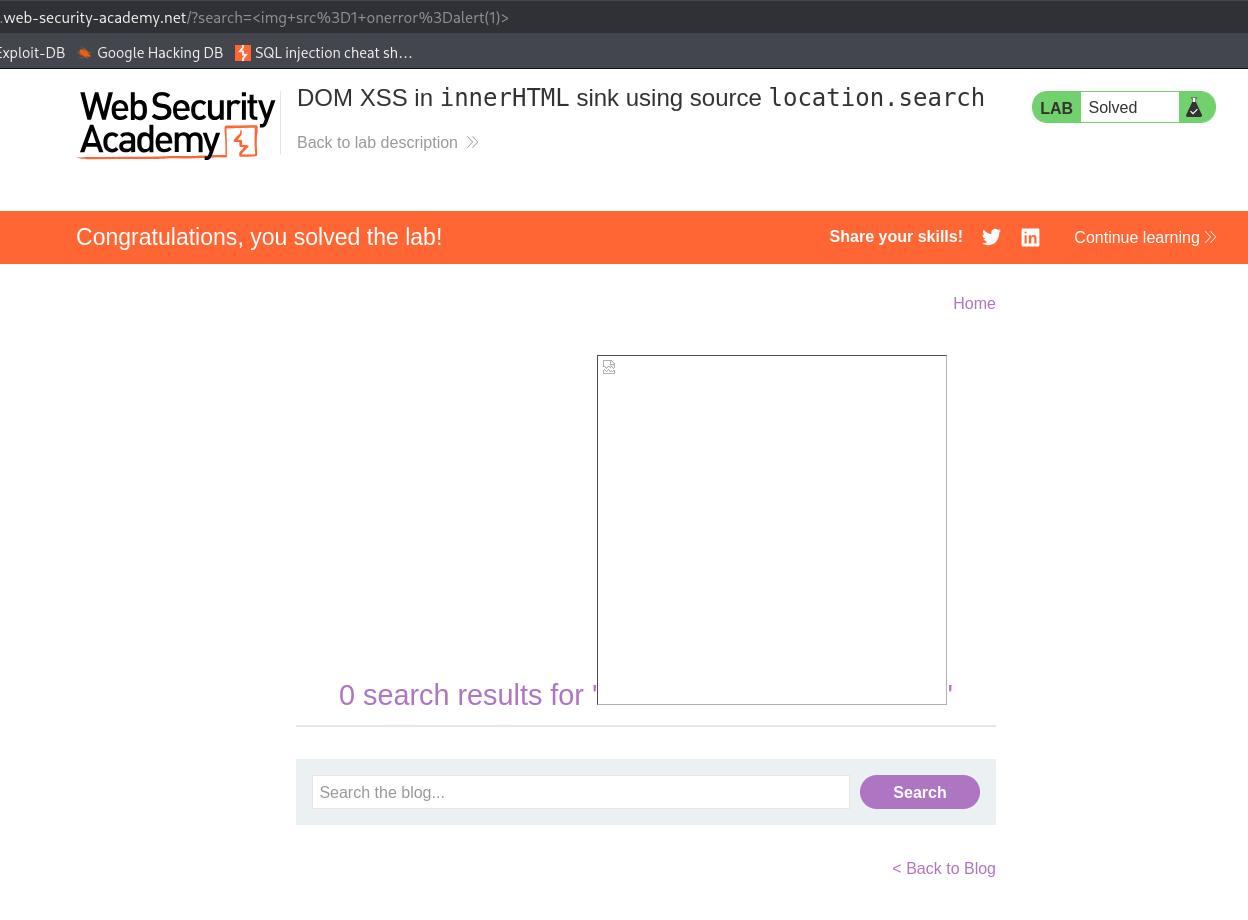
the alert fires. the browser reads our injected image tag out of the URL, writes it into the page through innerHTML, tries and fails to load the fake image, and runs the code hanging off onerror
With this, the lab is solved!