
The lab
Here is how PortSwigger describes it
This lab contains a DOM-based cross-site scripting vulnerability in the submit feedback page. It uses the jQuery library's $ selector function to find an anchor element, and changes its href attribute using data from location.search.
To solve this lab, make the "back" link alert document.cookie.
Source and sink, one more time#
Every DOM based XSS bug is really just two points joined by a wire. There is a source, which is any place the page reads data that an attacker can influence, and there is a sink, which is any place the page takes that data and does something risky with it. In this lab the source is location.search, the query string part of the URL that anyone can edit. The sink is the href attribute of a link, set through jQuery.
So why is an href a sink at all? link does not only point at other pages. If you give it an address that starts with javascript:, the browser treats everything after the colon as code to run the moment the link is clicked. A link stops being just a place you go and becomes a place that runs. If a page lets us decide what goes into an href and never checks what we put there, we can hand it javascript: followed by anything we like.
Step 1 - looking around the lab#
There is no search box this time and nothing obvious to poke at, so the first job is to walk the site like a normal visitor. home page is a blog, so open any post. Scroll down and you reach the usual comment section where readers leave feedback on the post, and at the home page there is a submit feedback option. following it lands us on a fresh page
looking at the address bar because something stands out straight away
/feedback?returnPath=/
page has handed us a parameter called returnPath and set it to /. the name is a loud hint. a value like this is almost always used to remember where the visitor came from so a back link can send them home again. any time value from the URL is used to build part of the page, it is worth asking where exactly it ends up
Step 2 - seeing where returnPath ends up#
Since returnPath is fully under our control, let us feed it something we will recognise later and then go hunting for it in the page. set it to a made up path
/feedback?returnPath=/logicbreaker
Now view the source of the feedback page and search for logicbreaker. there it is sitting inside the href of the back link.
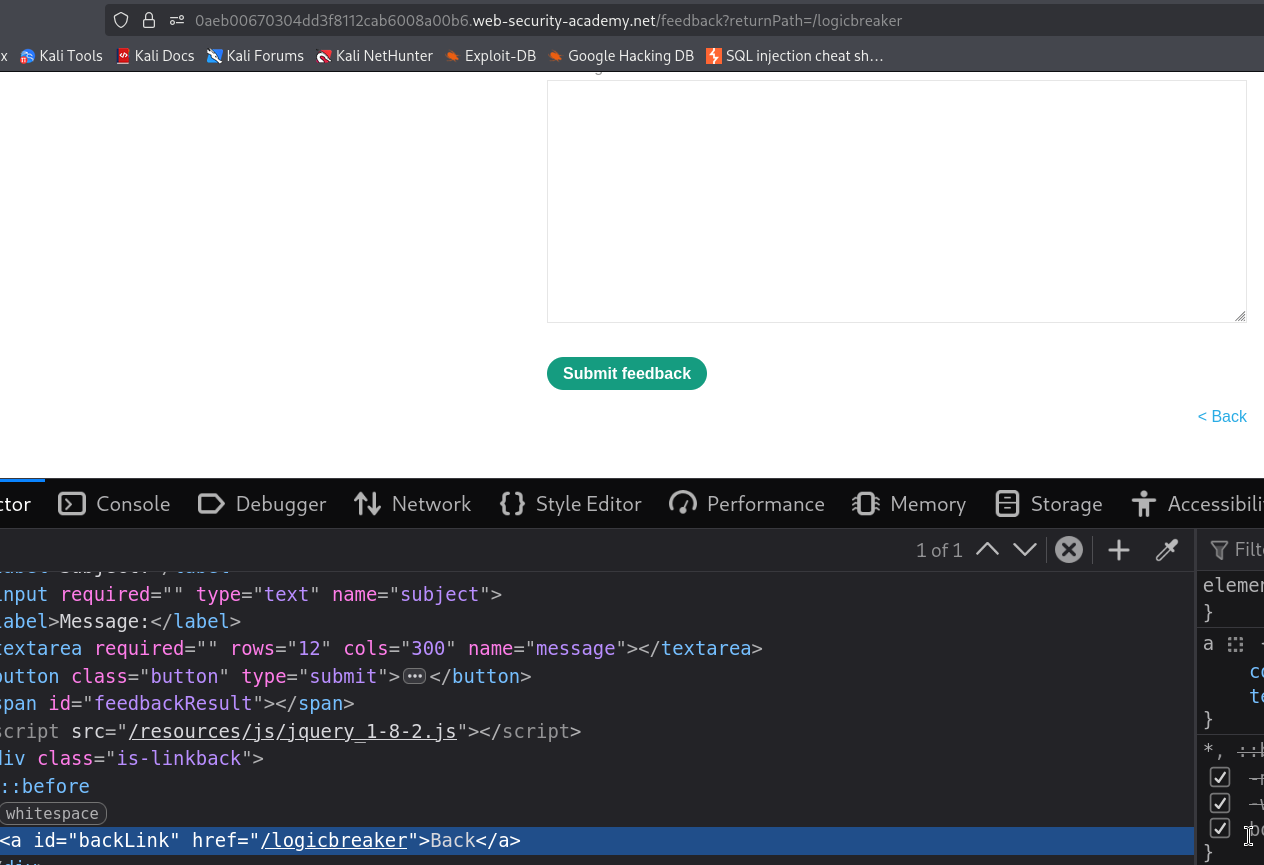
so the flow is clear page reads returnPath out of location.search, jQuery grabs the anchor with its $ selector, and our value is written straight into the link's href attribute. something along these lines is running behind the scenes
$(function() {
    $('a').attr('href', (new URLSearchParams(window.location.search)).get('returnPath'))
})
nothing checks that our value is a real path. it does not confirm the value begins with a / it does not confirm it is a relative link, and it does not care what scheme it carries whatever we type becomes the destination of that link. We already know from the concept section that an href will happily run code once it starts with javascript:
Step 3 - turning the href into code execution#
we swap the harmless path for something that actually does work. load the feedback page with this
/feedback?returnPath=javascript:alert(document.cookie)
let me pull the payload apart so it is clear why it works rather than it just looking clever
-
javascript:is a URL scheme, the same slot where you would normally seehttps:. When a link uses it, the browser runs the rest as code on click instead of navigating anywhere. -
alert(document.cookie)is the code we want to run.document.cookiereads the cookies for the current page, andalert(...)throws them up in a box. The lab only asks us to prove we can run our own JavaScript in the page, and alerting the cookie is the classic way to show it.
When the page loads, jQuery drops this whole string into the back link, so the href now reads javascript:alert(document.cookie) instead of a path. The link looks completely ordinary sitting there on the page. The trap only springs when someone clicks it.
So click the back link. The browser sees the javascript: scheme, runs the code after it
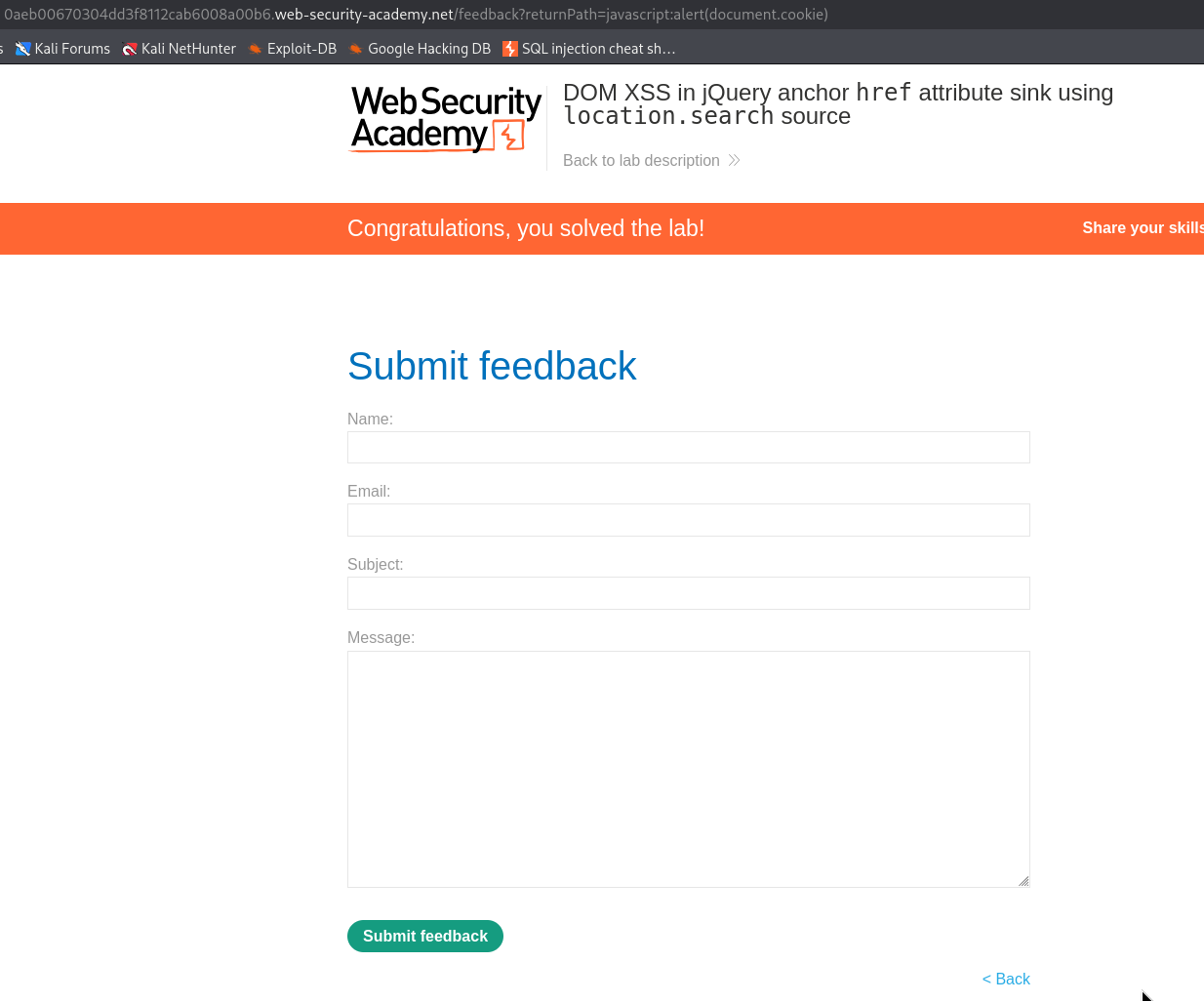
With this, the lab is solved!