
The lab
Here is how PortSwigger describes it
This lab contains a reflected cross-site scripting vulnerability in the search query tracking functionality where angle brackets are encoded. The reflection occurs inside a JavaScript string. To solve this lab, perform a cross-site scripting attack that breaks out of the JavaScript string and calls the alert function.
Landing inside a JavaScript string#
Up to now our input has come back inside the HTML, so the job was to escape an attribute or open a fresh tag. This lab drops our input in a very different spot. It reflects it inside a string that lives in a <script> block, the kind of thing a site uses to remember what you searched for.
That changes the whole approach. When your text sits inside a piece of JavaScript, you are already standing in a place where code runs, so you do not need HTML tags at all. That is also why encoding angle brackets does nothing to stop us here. We were never going to open a tag. All we have to do is get out of the string the value is trapped in, and once we are out, anything we write is live JavaScript.
Step 1 - testing the search box#
The home page has the search feature the description points at, so we feed it something and see where it surfaces. Search for logicbreaker.
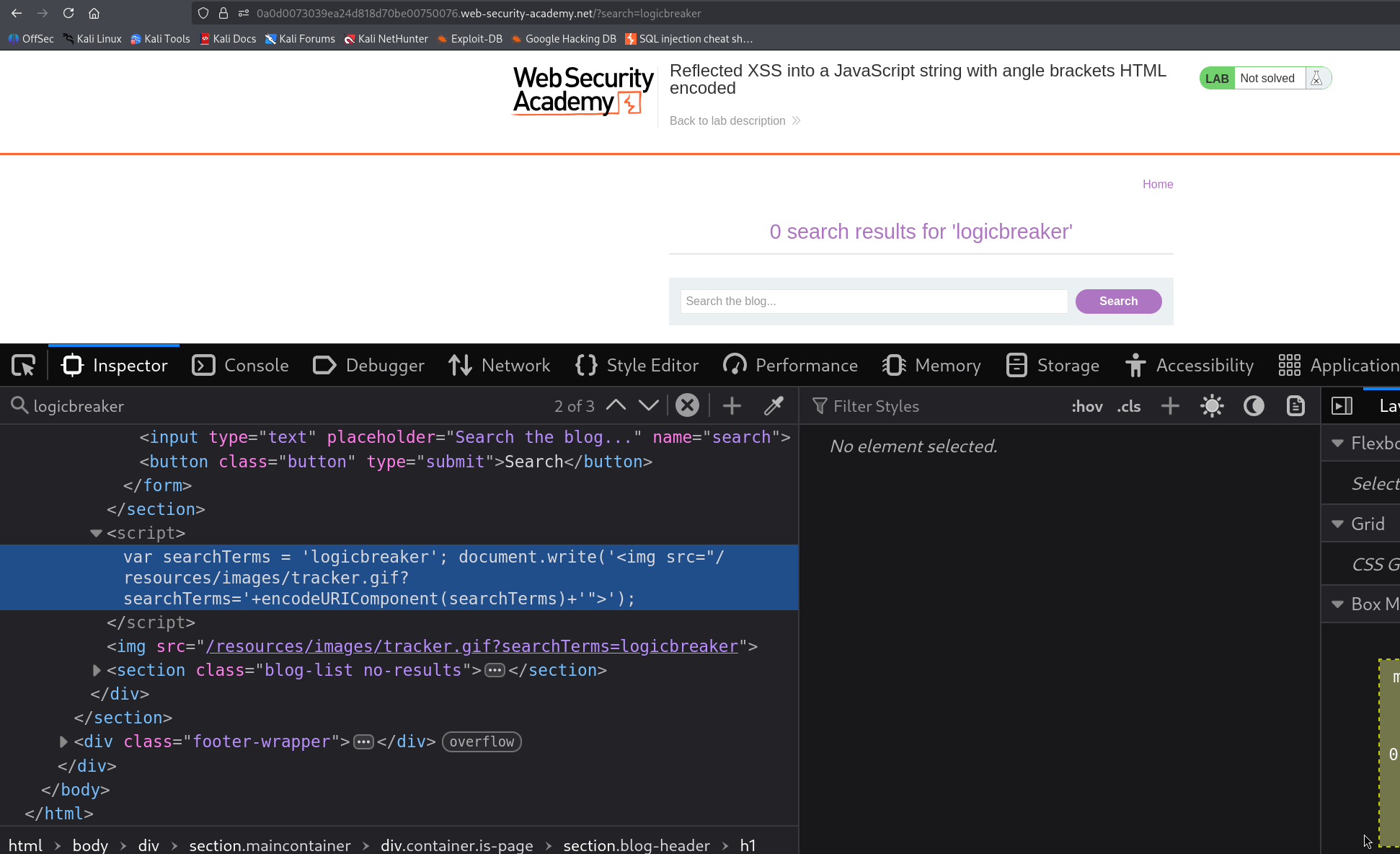
Look at the page source and our term is not in the HTML like before, it is sitting inside a script.
<script>
    var searchTerms = 'logicbreaker'
    document.write('<img src="/resources/images/tracker.gif?searchTerms='+encodeURIComponent(searchTerms)+'">')
</script>
So this is the search query tracking the description mentioned. The site drops whatever we searched into the searchTerms variable as a string, then uses it to build a little tracking image. Our input is wrapped in single quotes on that first line, and those quotes are the way out.
Step 2 - breaking out of the JavaScript string#
Here is the payload we put in the search box.
'-alert(1)-'
When it lands, that first line of script turns into this.
var searchTerms = ''-alert(1)-''
Let me take it piece by piece, because every character is pulling its weight. The page opens a string with a single quote, then our very first character is also a single quote, which closes that string straight away, so searchTerms begins as an empty string. Now we are no longer inside a string, we are standing in live code, so whatever comes next is treated as JavaScript to run.
Next comes -alert(1)-. The minus signs are the clever bit. They turn the line into a small sum, something like empty string minus alert(1) minus empty string, and to work out that sum the browser has no choice but to actually run alert(1). We are not really doing maths, we are using the subtraction to force our function to be evaluated while keeping everything around it valid.
The final single quote in our payload pairs up with the quote the page was going to add anyway, so the line still ends cleanly and the browser never trips over broken syntax. Angle brackets never entered into it, which is exactly why encoding them changed nothing.
Load the search with that payload and the script runs as the page builds, so alert(1) fires and the popup appears.
With this, the lab is solved!