
The lab
Here is how PortSwigger describes it
This lab has a simple reflected XSS vulnerability. The site is blocking common tags but misses some SVG tags and events.
To solve the lab, perform a cross-site scripting attack that calls the alert() function.
The idea#
SVG is the drawing language browsers use for shapes and graphics, and it comes with its own little family of tags that live inside an <svg> element. Filters that were written to block the usual XSS suspects like <img> and <script> often forget that this whole second set of tags even exists, so they let them straight through.
The really useful part is that SVG has animation tags, and animation tags come with animation events. An event, as before, is just a thing that happens to an element with a handler that says run this JavaScript when it does. What makes the animation events special is timing. An SVG animation starts on its own the moment the page loads, so its begin event fires with no clicking, no hovering, nothing from the victim. That is exactly the kind of event we want, one that goes off by itself. So the plan is to find an SVG tag the filter allows and an SVG event the filter allows, and let the page loading do the rest.
Step 1 - confirm the reflection and get blocked#
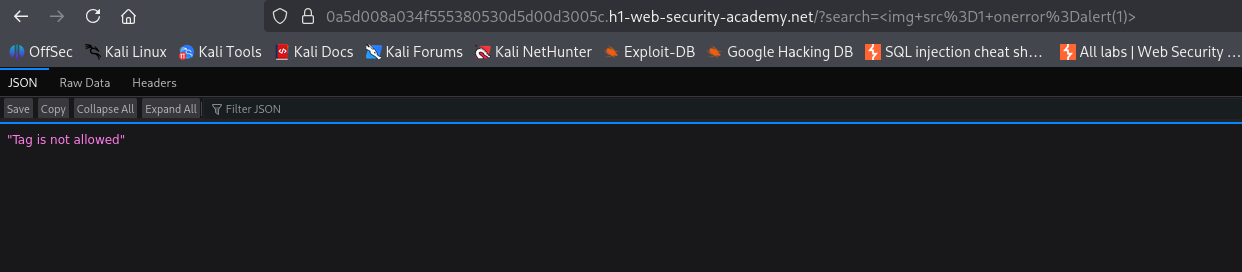
The search box is the target, so I started with the usual throwaway payload.
<img src=1 onerror=alert(1)>
It gets blocked, same story as the labs before this. So common tags are filtered and we need to find out what the filter forgot about.
Step 2 - brute force the allowed tags with Burp Intruder#
This is the exact same workflow as the most tags and attributes blocked lab, so if the Intruder setup is fuzzy, that writeup walks through it slowly. The short version is that Intruder fires the same request over and over, swapping in a different value each time, so we can test a whole list of tags in one run.
I sent the search request to Intruder, set the search term to an empty tag, and put the insertion point between the brackets so each payload lands where a tag name goes.
<>
For the list I grabbed the tags from PortSwigger's XSS cheat sheet with its copy tags to clipboard button, pasted them into the payloads box, and ran the attack.
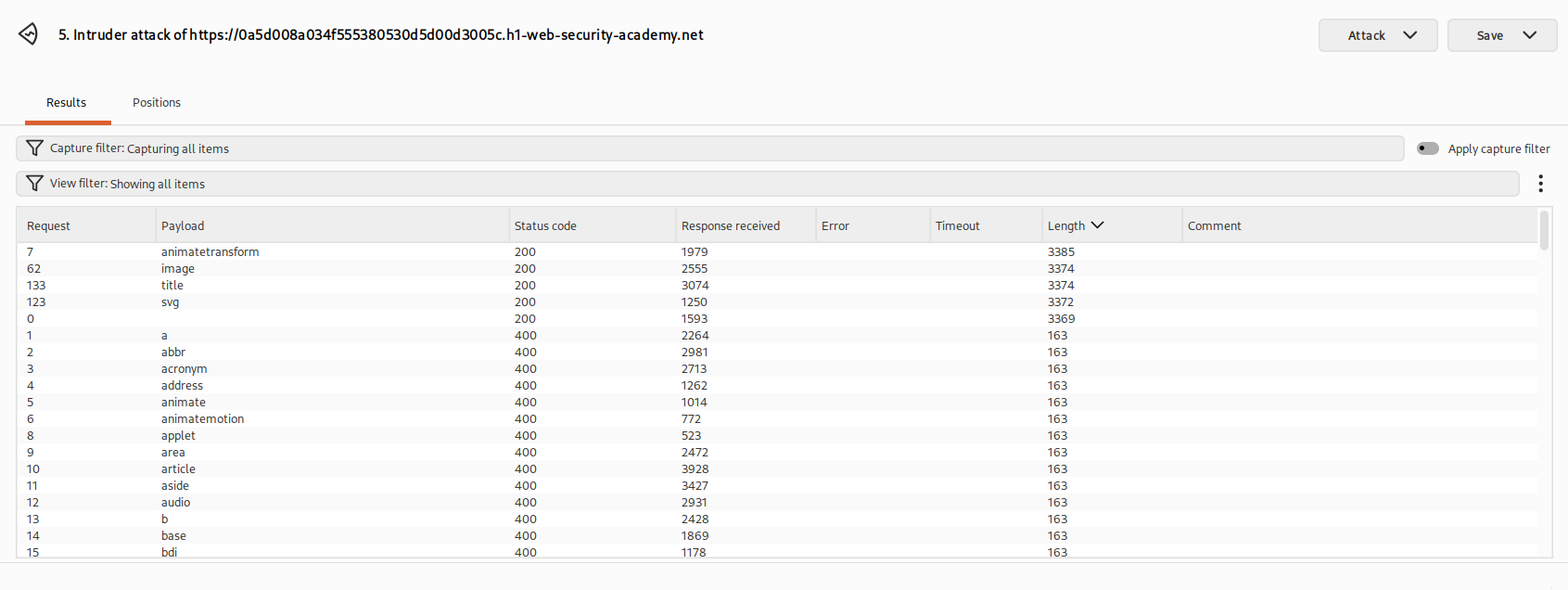
Reading the status codes, nearly everything came back as a 400, but four tags returned a 200, <svg>, <animatetransform>, <title>, and <image>. All four are SVG tags, which lines up perfectly with the hint in the lab description. <animatetransform> is the one that matters, because it is an animation tag, and animation tags are the ones that carry those self starting events.
Step 3 - brute force the allowed events#
Now we hunt for an event the filter allows, and we test it on the tag we actually plan to use. This is the payload I set up in Intruder.
<svg><animatetransform%20=1>
Here is why it looks like that. <animatetransform> is not a standalone tag, it is an SVG animation element, and it only behaves like one when it sits inside an <svg>. Drop it on its own and the browser does not treat it as a real animation, so we wrap it in the <svg> tag we already know is allowed. The %20 is just a URL encoded space, the gap before an attribute, and the =1 is a dummy value so the attribute is well formed while we test. The insertion point goes right before the =, so every payload becomes a candidate event name sitting on the animation tag.
<svg><animatetransform%20§§=1>
I cleared the old payloads, pasted in the events list from the PortSwigger's XSS cheat sheet copy events to clipboard button, and ran it.
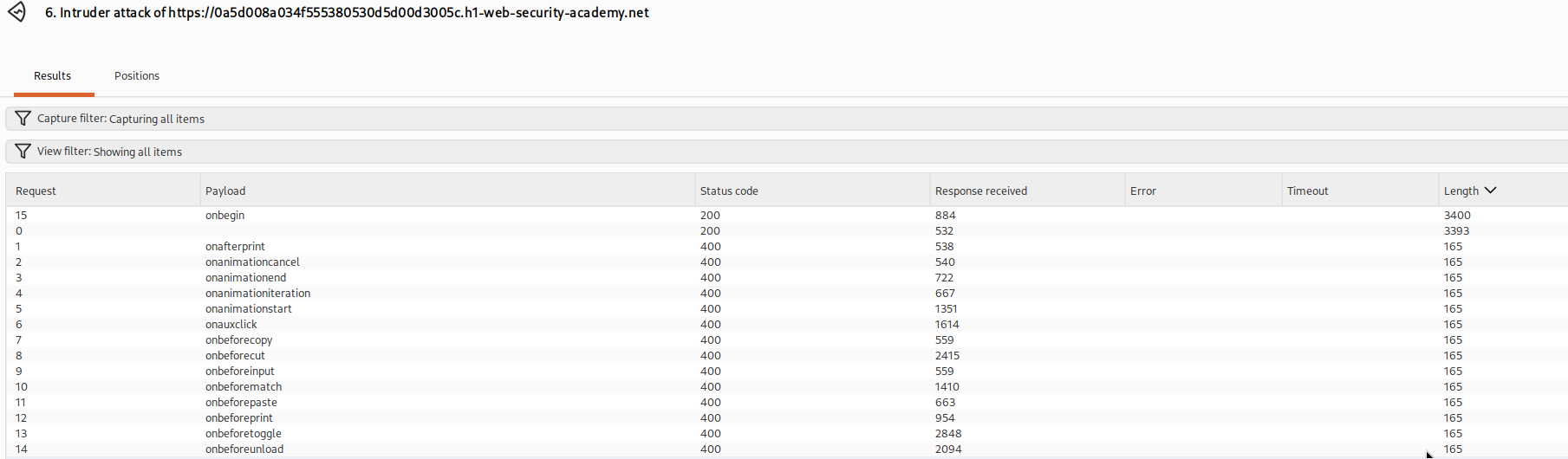
Every event came back as a 400 except one, onbegin, which returned a 200. That is the missing piece. onbegin is the animation event that fires when the animation starts, and since an SVG animation starts as soon as the page loads, onbegin fires all on its own.
Step 4 - assemble the payload and fire it#
We have everything now. The allowed SVG tags, the allowed animation tag nested inside them, and the allowed event that goes off by itself. Stitched together and dropped into the search parameter, the URL is this.
/?search=%22%3E%3Csvg%3E%3Canimatetransform%20onbegin=alert(1)%3E
It looks dense because it is URL encoded, but decoded it is just this.
"><svg><animatetransform onbegin=alert(1)>
Walk it left to right. The "> at the front closes out of the tag and attribute our search term was reflected inside, which drops us into open HTML where we can start our own tag. <svg> opens the SVG context. <animatetransform onbegin=alert(1)> is the animation element carrying our allowed event, and onbegin=alert(1) says the moment this animation begins, run alert(1). Because the animation begins the instant the page finishes loading, the alert fires straight away, so simply visiting the URL is enough to set it off.
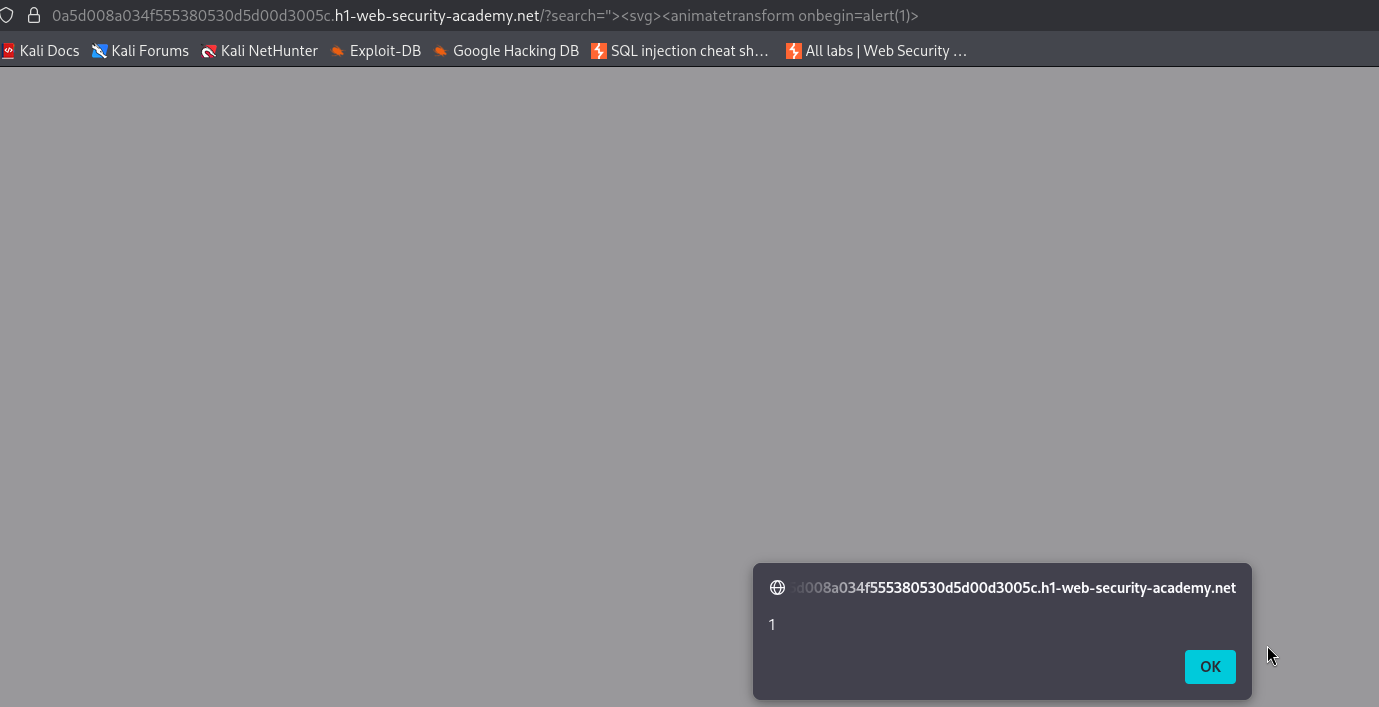
With this, the lab is solved!